
Some things are better said than written. A chord is shown. Encouragement is heard. And a new member feels at home right away when they hear a real voice.
With Voice & Video Messages, the new free extension in the Engage family, your members send a voice message, a video, or even their screen, wherever people talk in your Fluent Community. They talk, show themselves, and feel closer than ever.
Voice & Video Messages at a glance
- Record in one move: the microphone and the camera in every writing area.
- Share in your community: posts, replies, private messages and profiles.
- Your personal notes: a private notebook by voice or on video, and annotated bookmarks.
- Welcome new members: a welcome message with your voice and your smile.
- Find everything: the text of every message, subtitles and search.
- Manage everything: a clear dashboard, simple settings, your files on your own site.
See it in action
Want to see the others? Every extension is on video, family by family.
A guitar teacher, three hundred guitarists
Take Inès. She runs Guitare & Co, a community of three hundred guitarists. People share every day: questions, tips, photos, encouragement. And Inès answers every one of them, every time, with long written messages.
Whole paragraphs, to explain a three-second gesture. Her members do the same. They would all simply love to talk, to show, and to be heard.
That’s exactly why we created Voice & Video Messages.
Record in one move
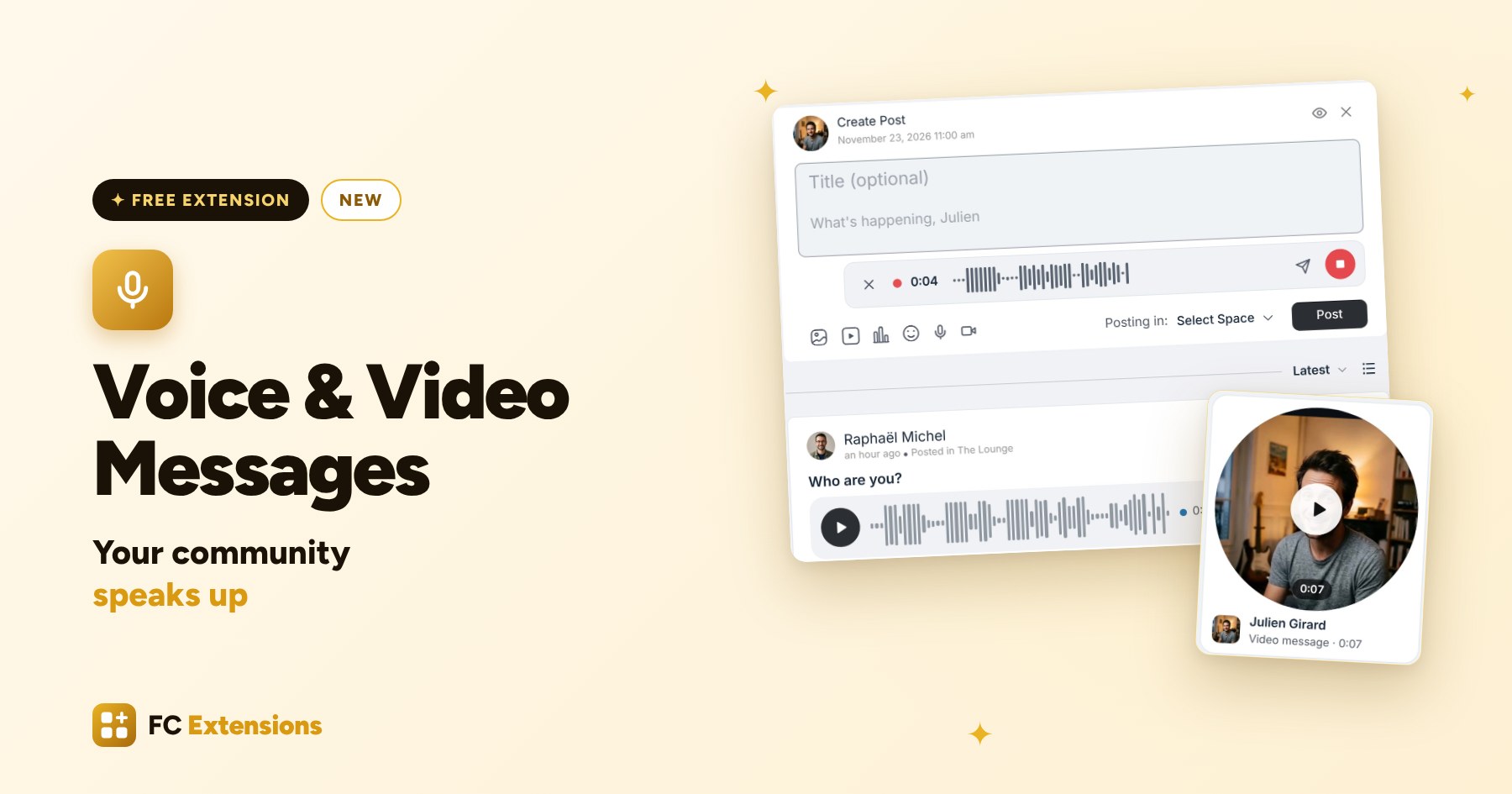
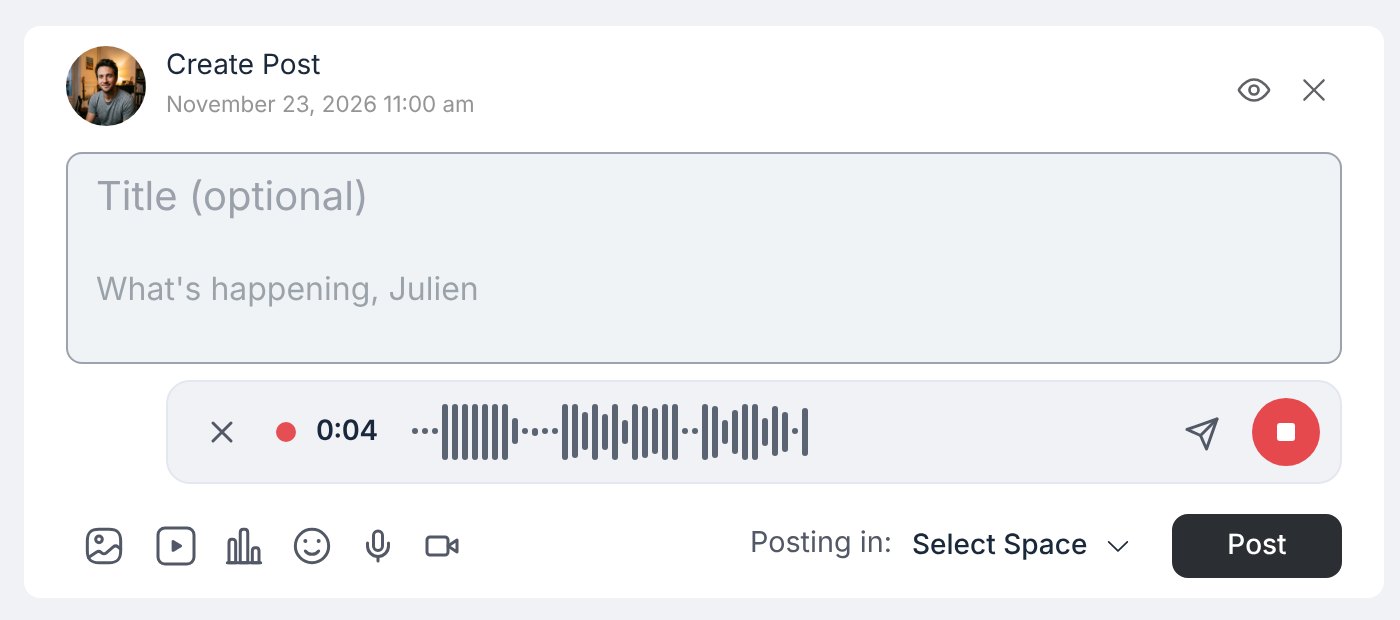
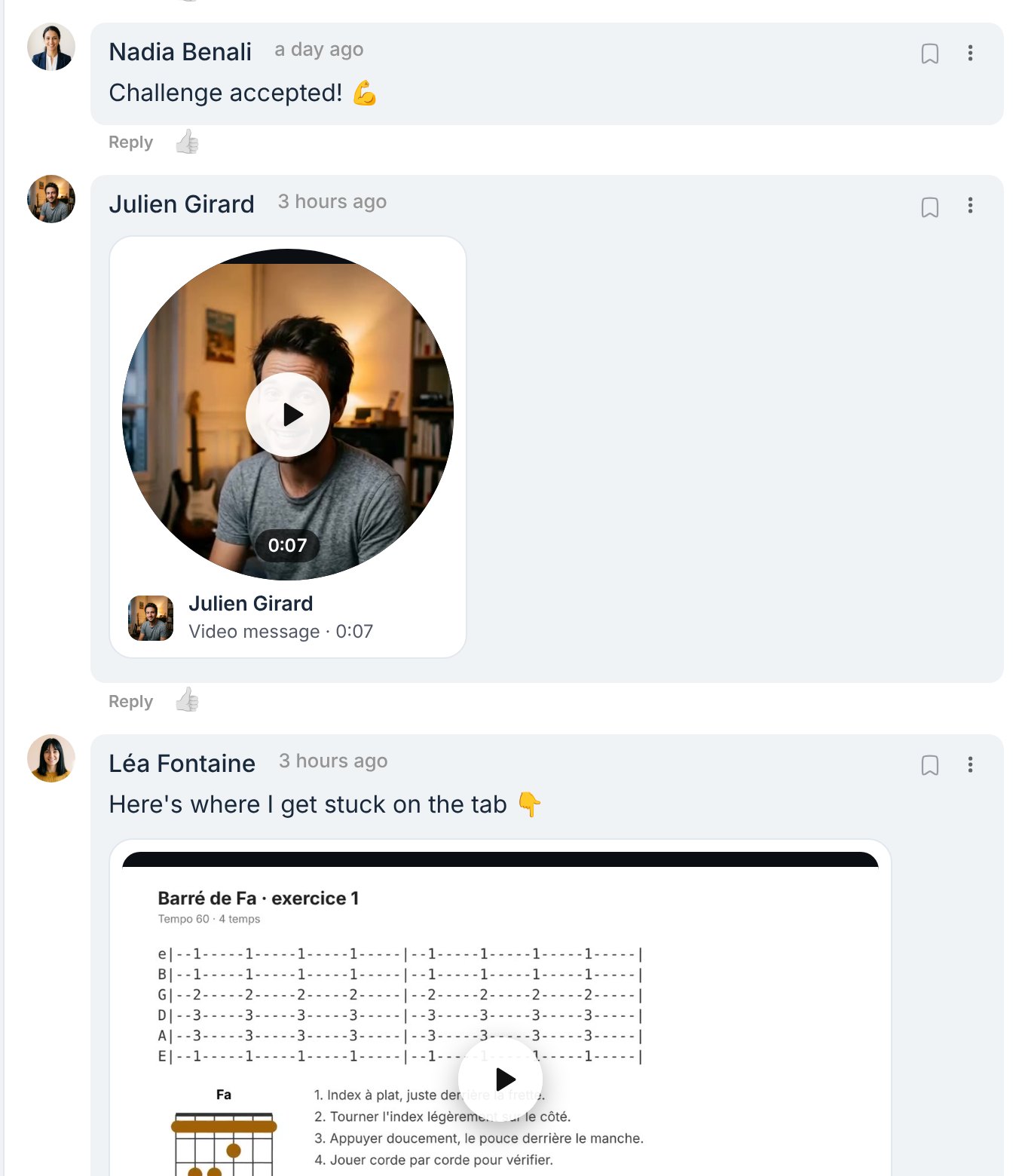
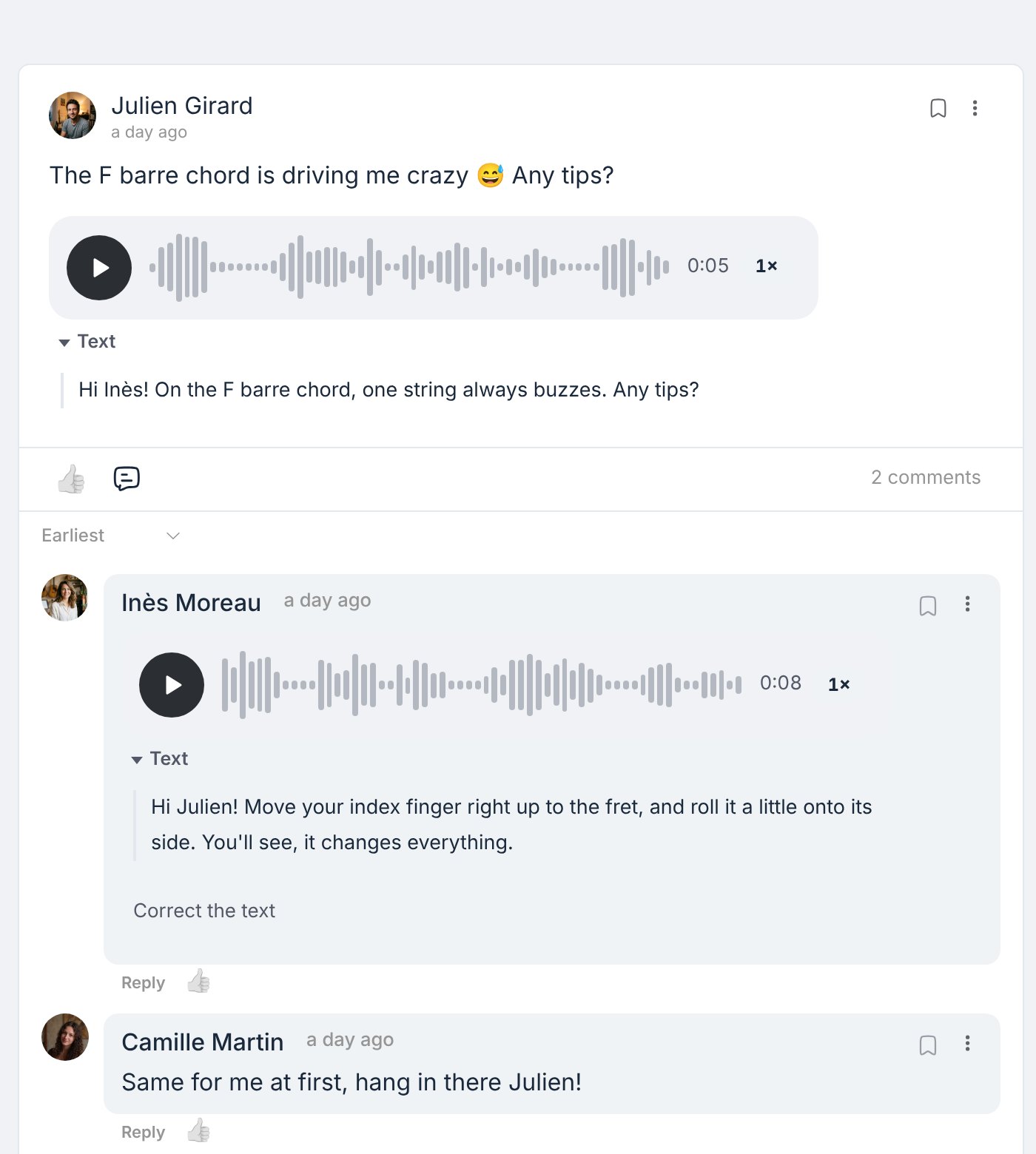
In every writing area, two small icons appear: the microphone and the camera. Julien, one of Inès’s members, taps the microphone. Recording starts, and he asks his question out loud. He stops, listens back, then sends it.
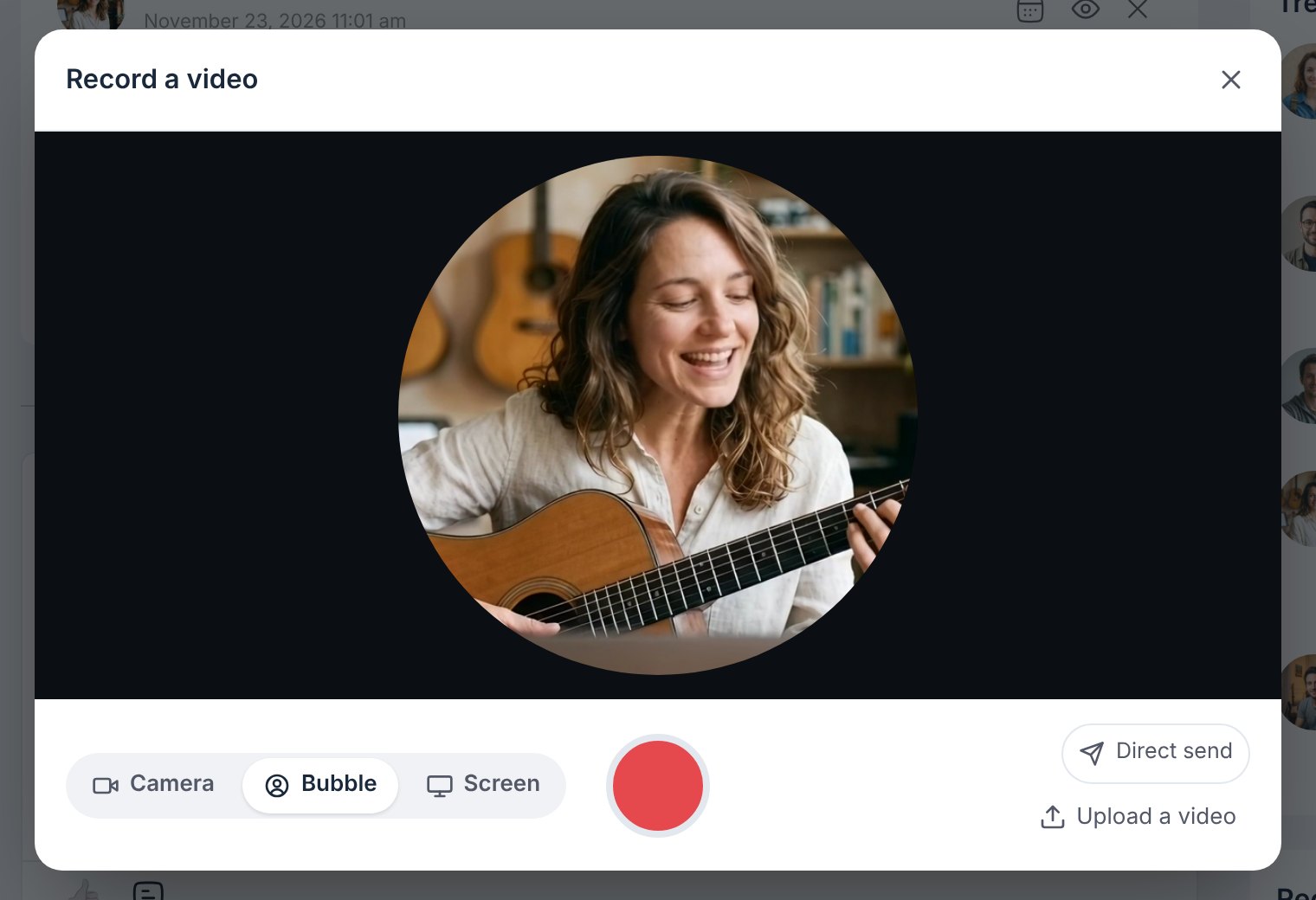
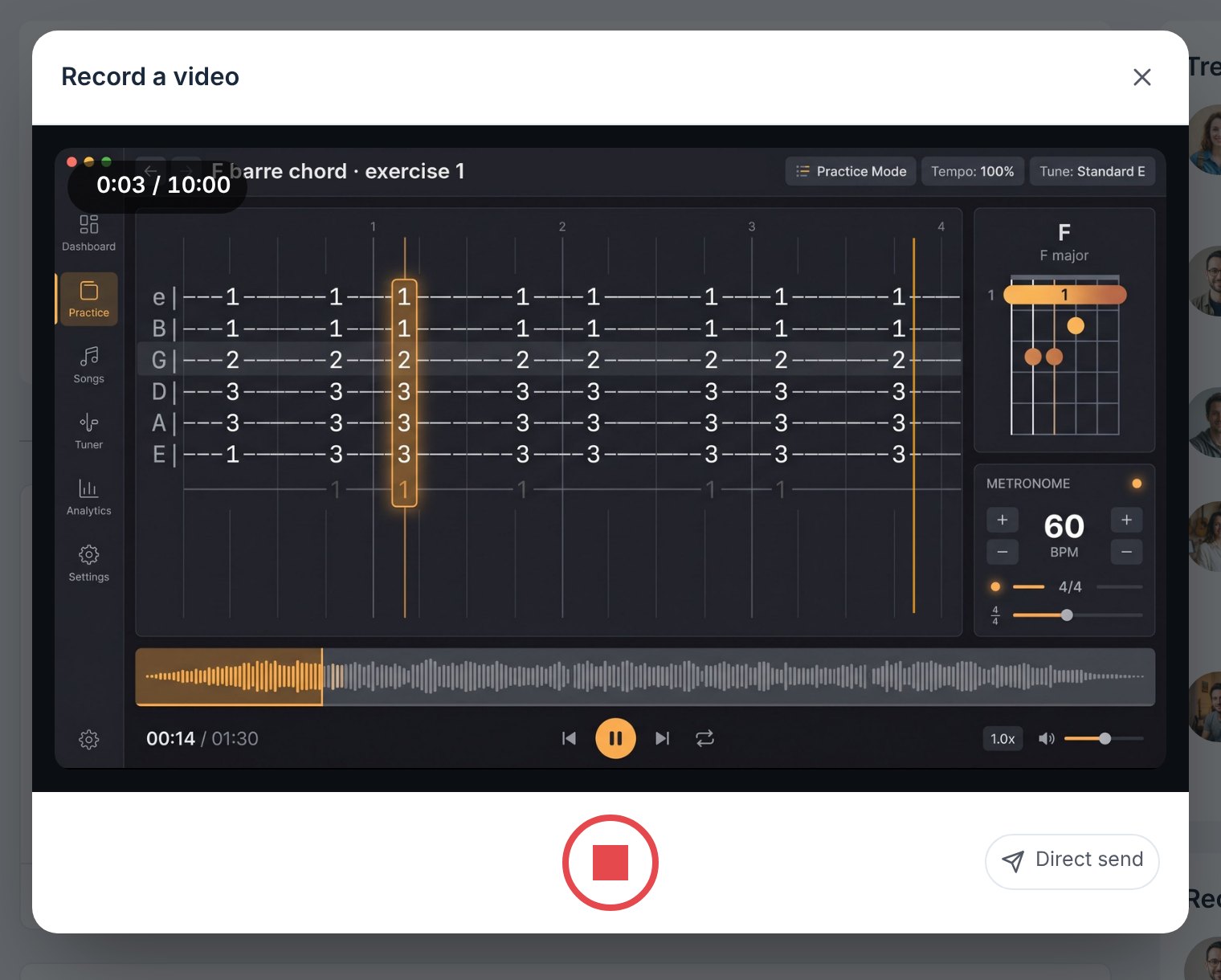
With the camera, there are three ways to film: full size facing the camera, in a round bubble like a selfie, or by sharing the screen to show a tab or a music app. A countdown gives you time to get ready, and off you go.
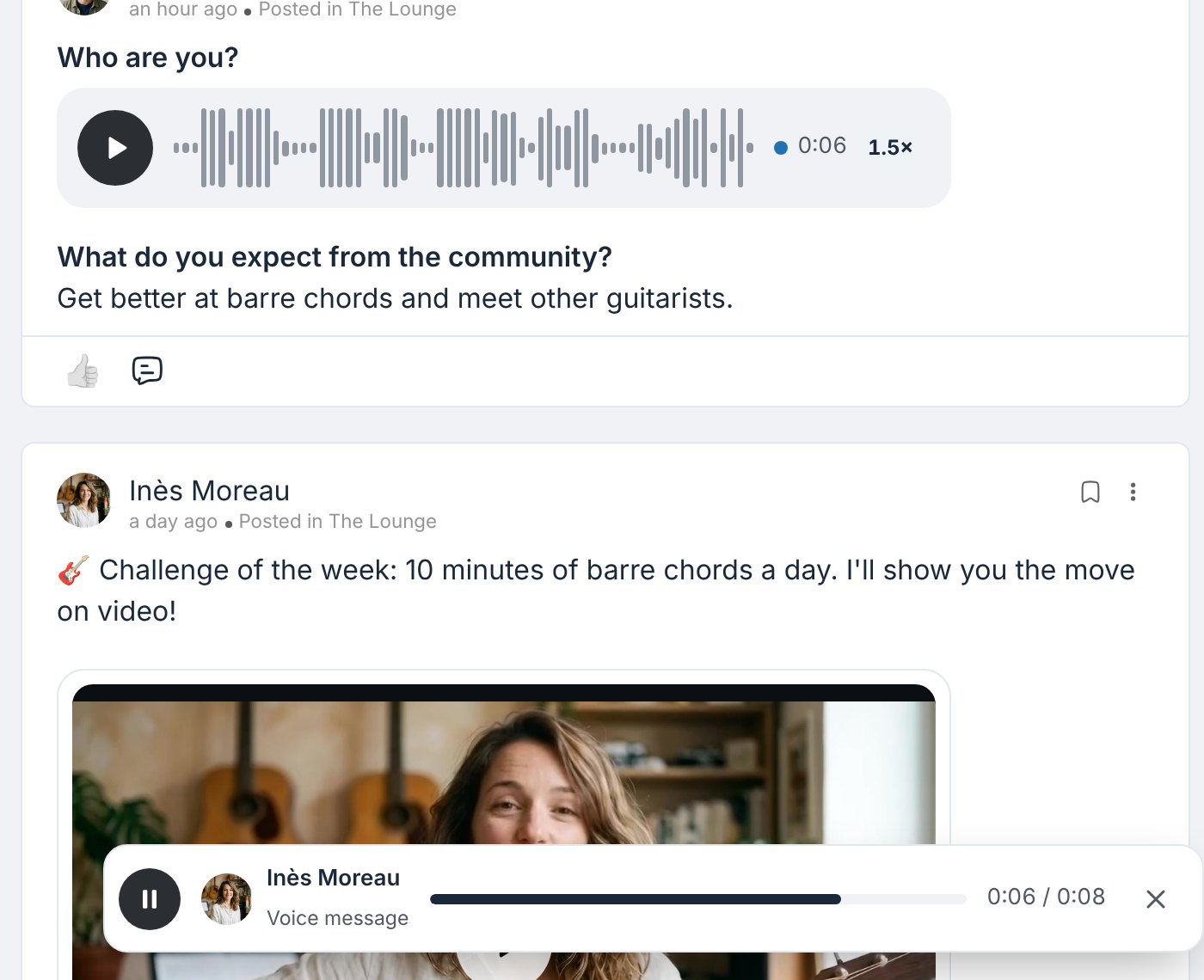
To listen, one click is enough. The player stays at the bottom of the screen while you keep reading, and the speed changes in one click. A video plays right inside the discussion, without leaving the page.
Share in your community
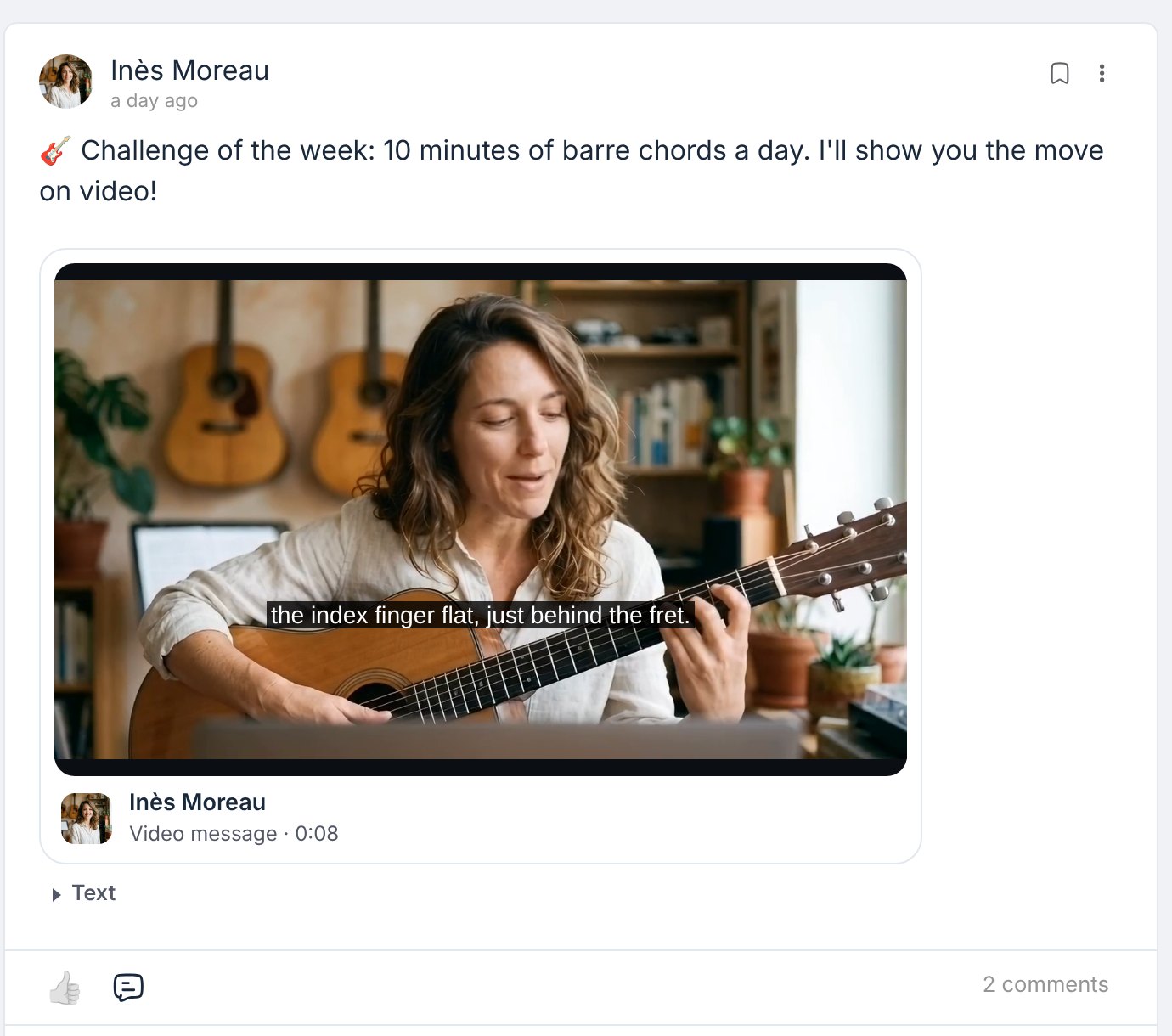
A new post? Inès records it as a voice or video message, right from the feed. And to reply, everyone picks their own way: in writing, out loud, on camera, or by showing their screen. One discussion, and plenty of ways to join in: that’s what keeps your conversations alive. In private messages too, people talk out loud or on video.
A video introduction on every profile
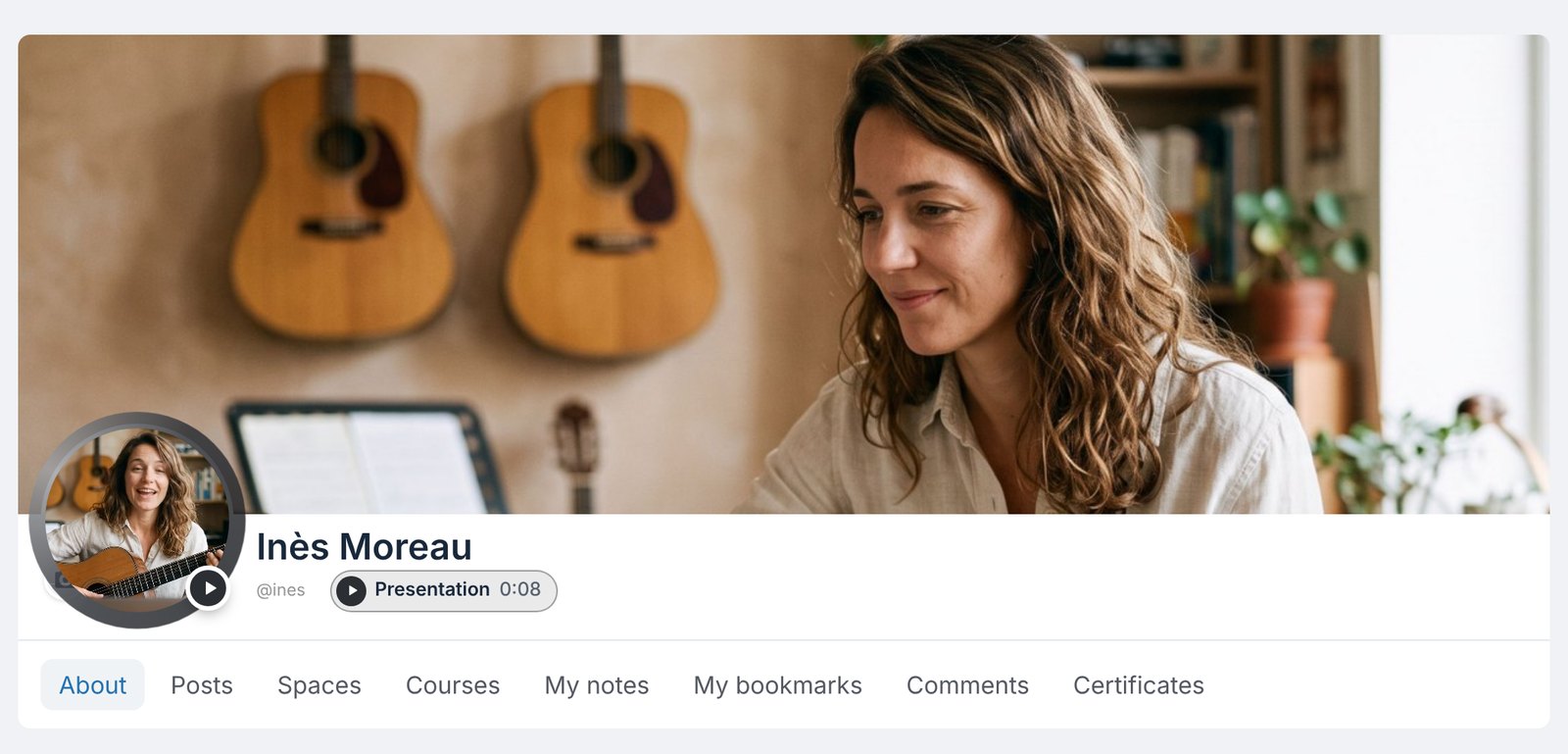
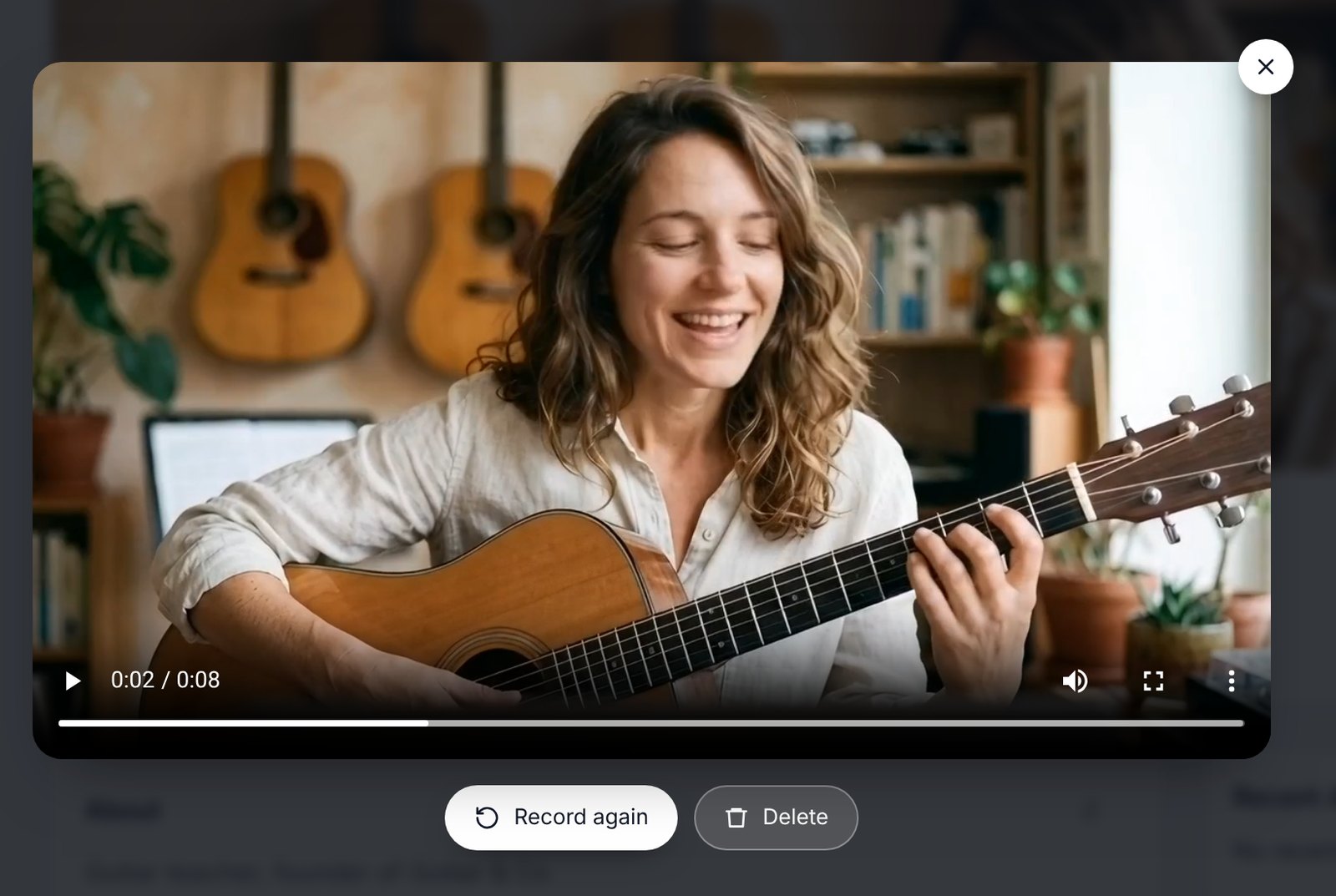
On their profile, every member can introduce themselves on video or by voice. One click on “Presentation”, or on the small play button on their photo, and you discover their introduction. A face, a voice, a few words: you know right away who you’re talking to. Trust builds, and connections form much faster.
Across the whole FC Extensions ecosystem
And this is only the beginning. Voice & Video Messages works across the whole FC Extensions ecosystem: Events reviews, the Listings Directory, blog comments, Videos & Podcasts, Birthday wishes, Paid Posts, Writing, and many more. The more extensions your community has, the more it speaks up.
Your personal notes
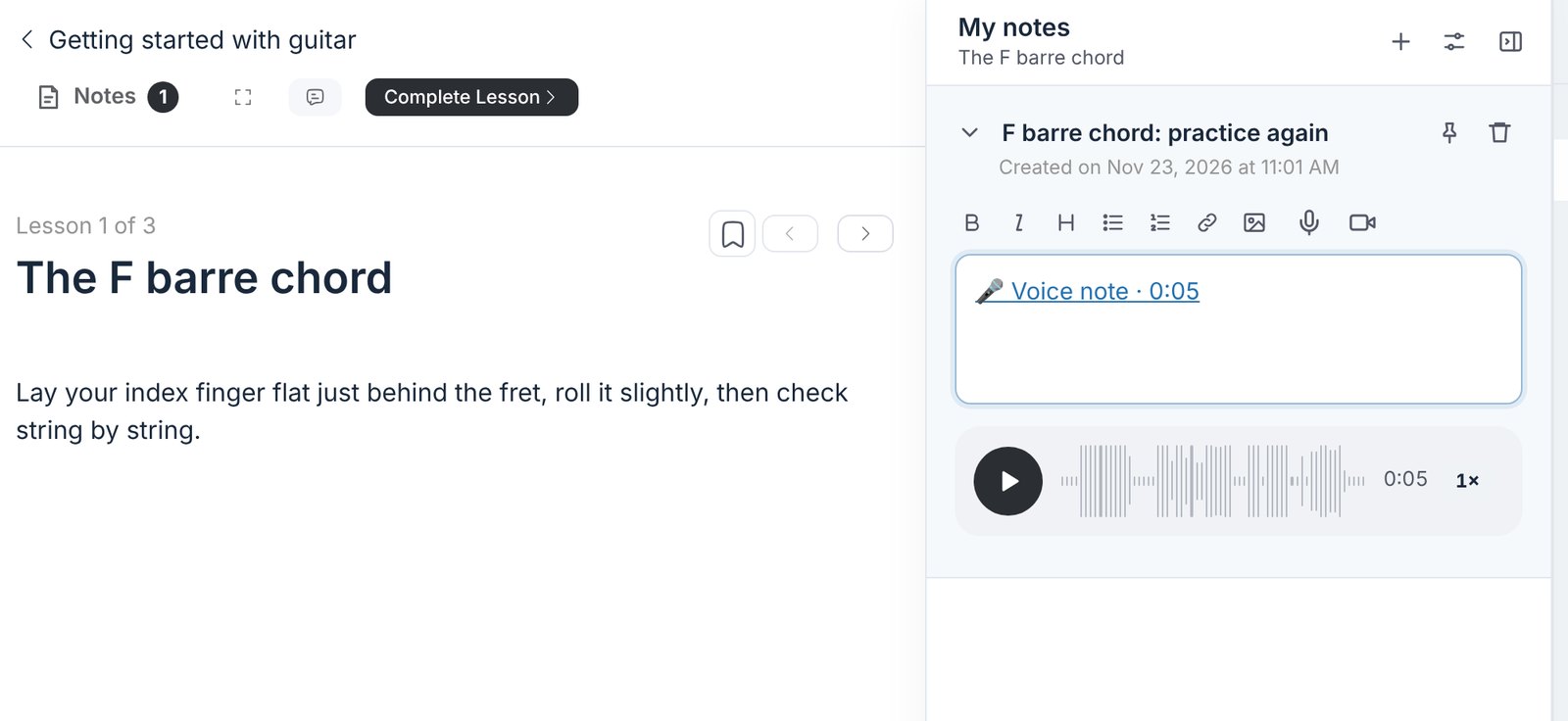
Usually, to keep your ideas and notes, you use a separate app, often a paid one. With Notes, everyone has a private notebook, in their profile, that only they can see. They record a voice or video note there, directly, or during a lesson. They find it again every time: an explanation, a question to ask, an exercise to redo.
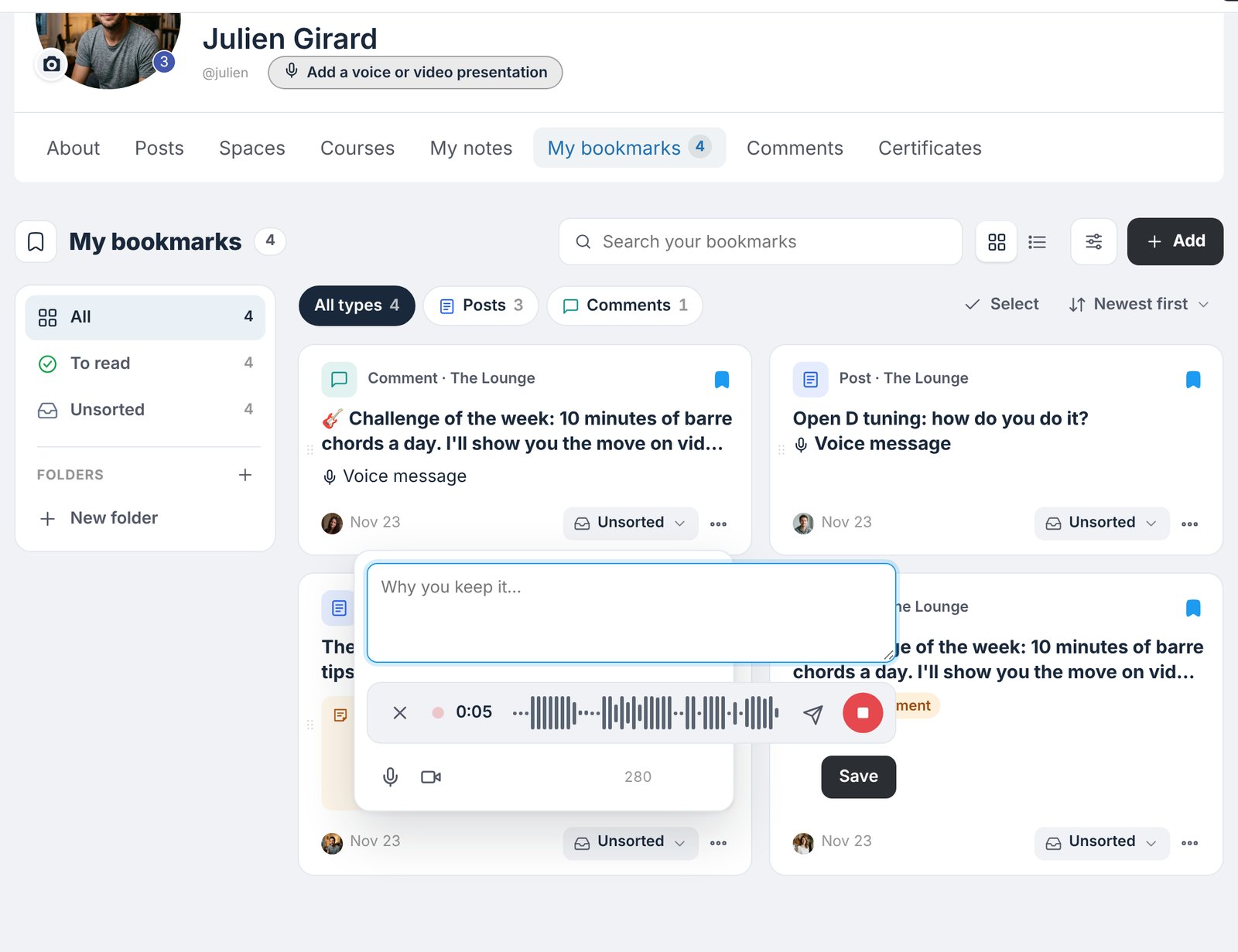
To keep what matters, there’s Advanced Bookmarks. You bookmark another member’s voice comment, and add your own voice note to it. Two real services added for your members, right inside your community.
Welcome new members
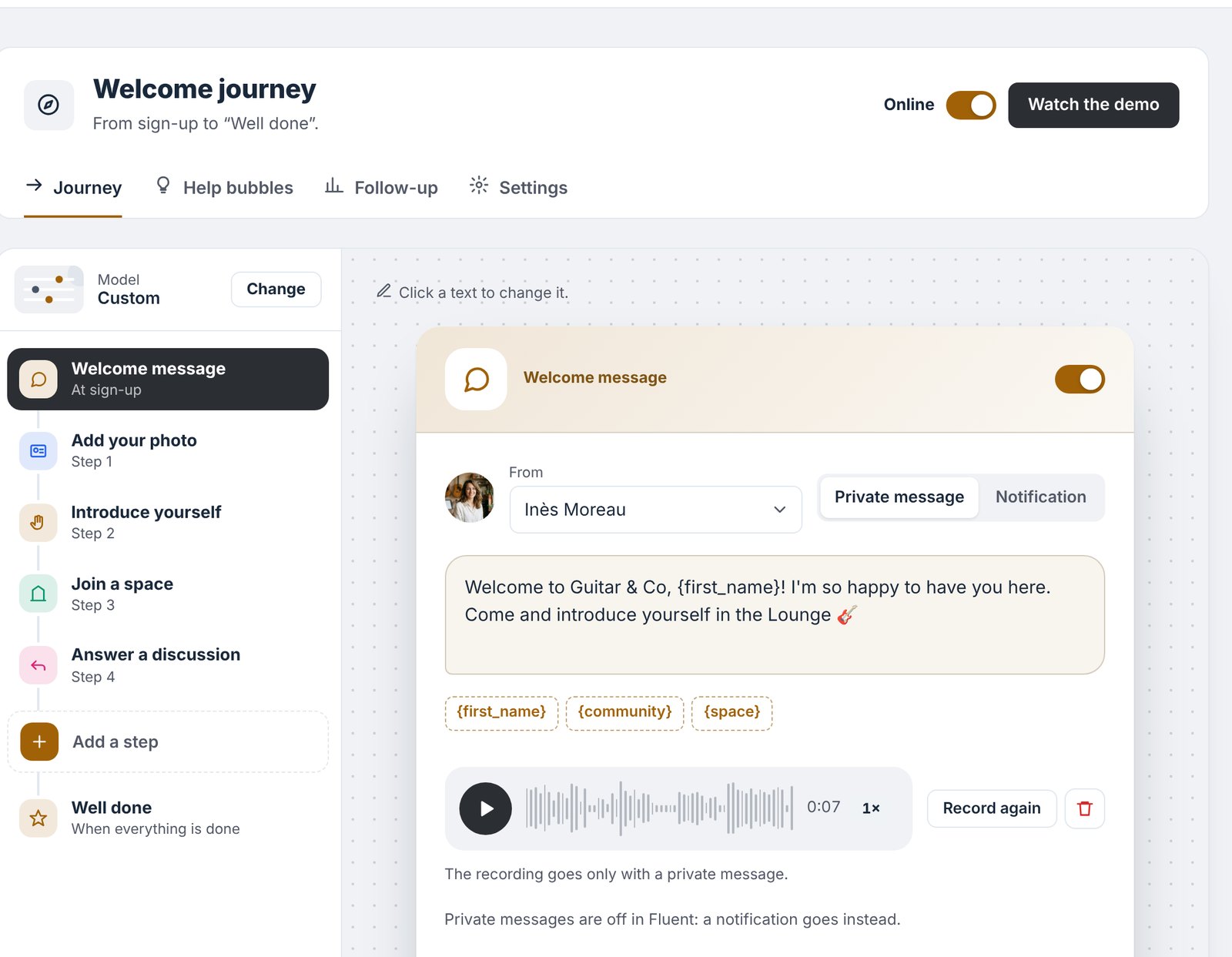
A lively community is also a welcoming community. Voice & Video Messages works with Onboarding Path. Inès records her welcome message by voice or on video, and every new member receives it privately, as soon as they arrive, with Inès’s voice and smile.
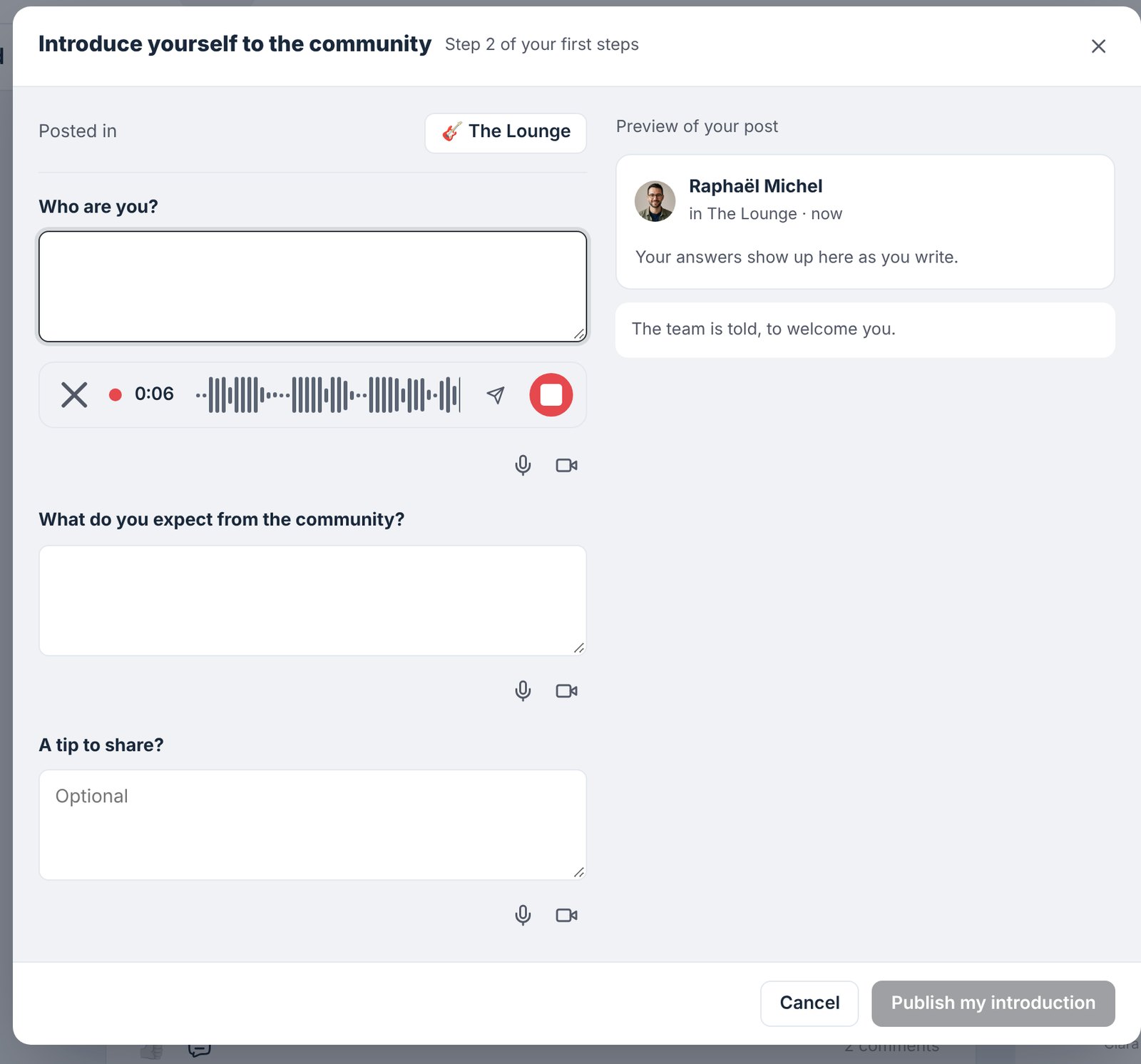
In turn, the new member introduces themselves to the community, by voice or on video, in a few seconds. Two extensions working together, for a welcome nobody forgets.
Find everything
Thanks to transcription, every voice message also becomes text, and every video gets its subtitles. Members read instead of listening whenever they prefer, and the text can be corrected in one click.
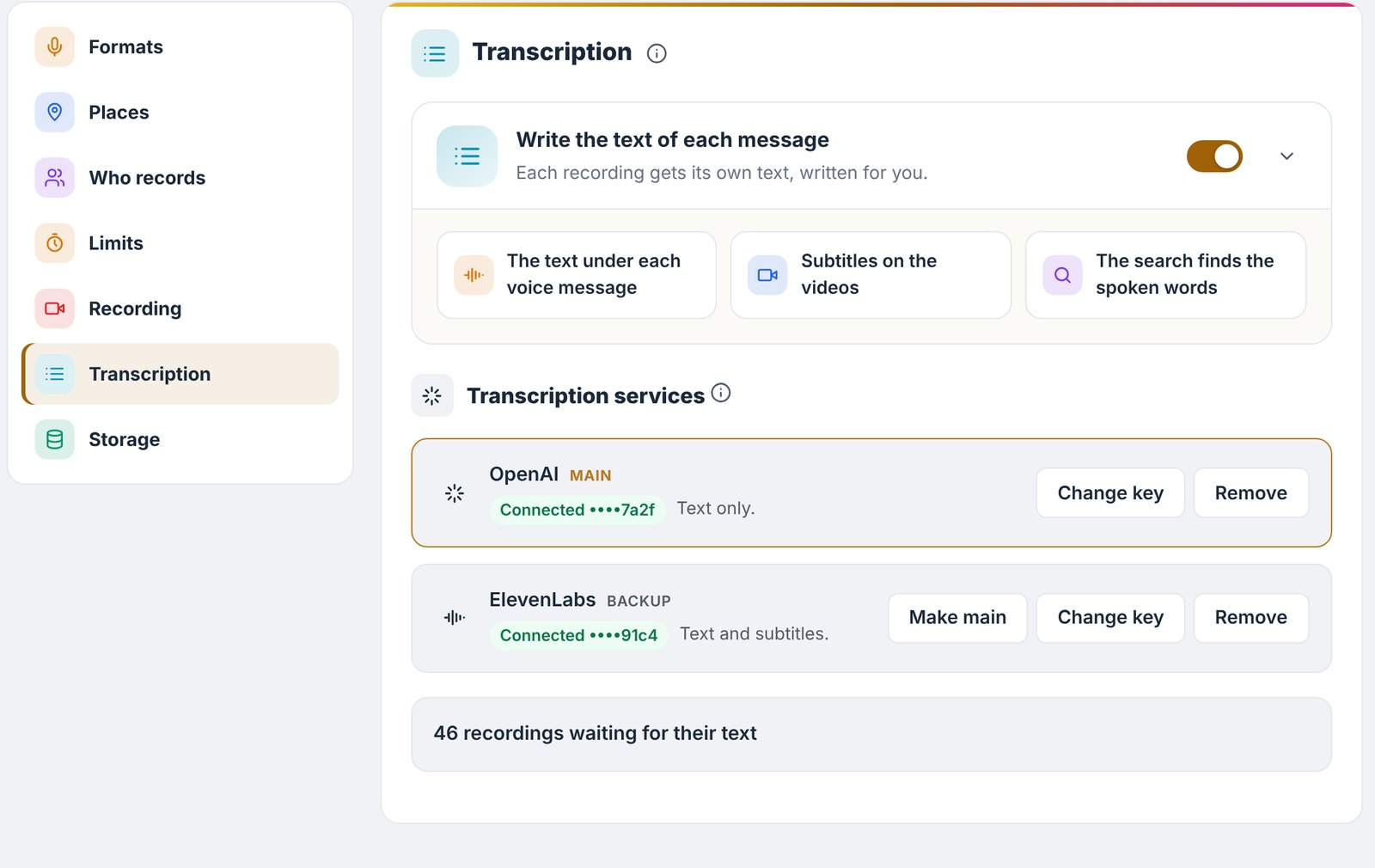
For this, the extension relies on two of the best transcription services: OpenAI and ElevenLabs. Just add your key in the settings, and everything is connected in a few seconds.
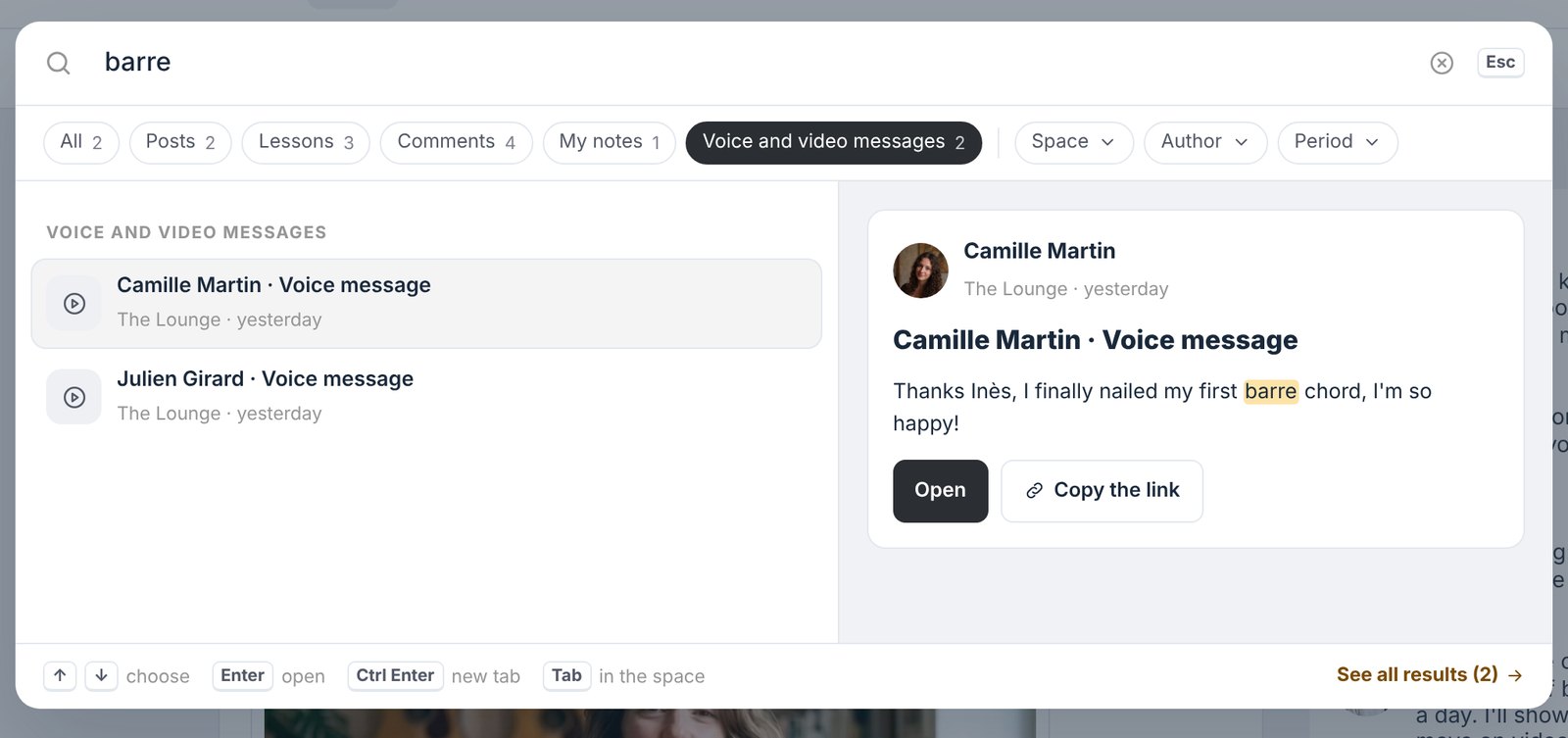
And with Global Search, your community even finds what was said, right inside voice messages and videos. Everything connects, and nothing gets lost.
Manage everything from the admin
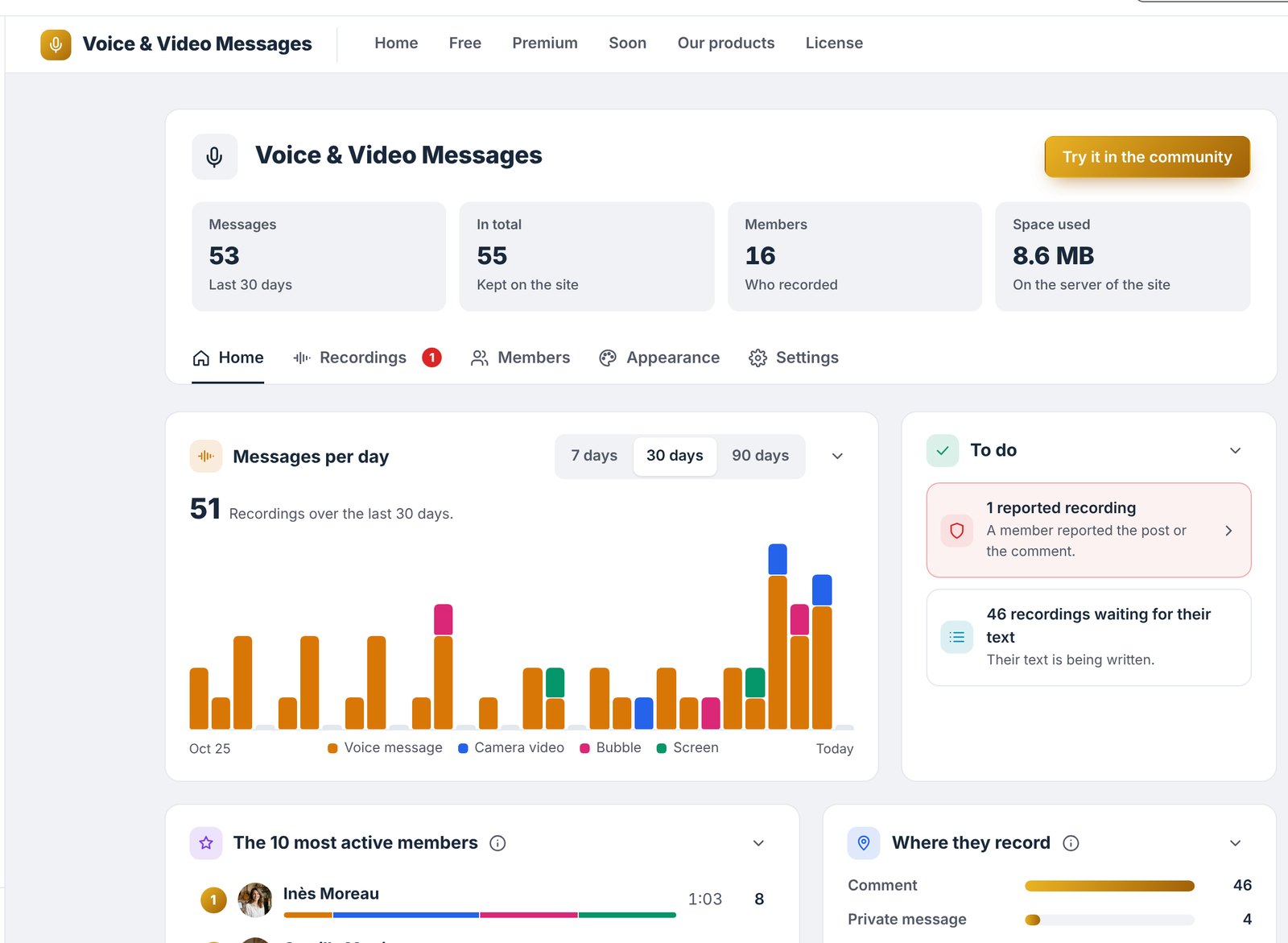
The home screen shows you the essentials at a glance: this month’s messages, the members who record, and the space used on your server. The chart follows activity day by day, format by format, and a card tells you what needs checking. You also see your ten most active members, where people record the most, and your community’s favorite formats.
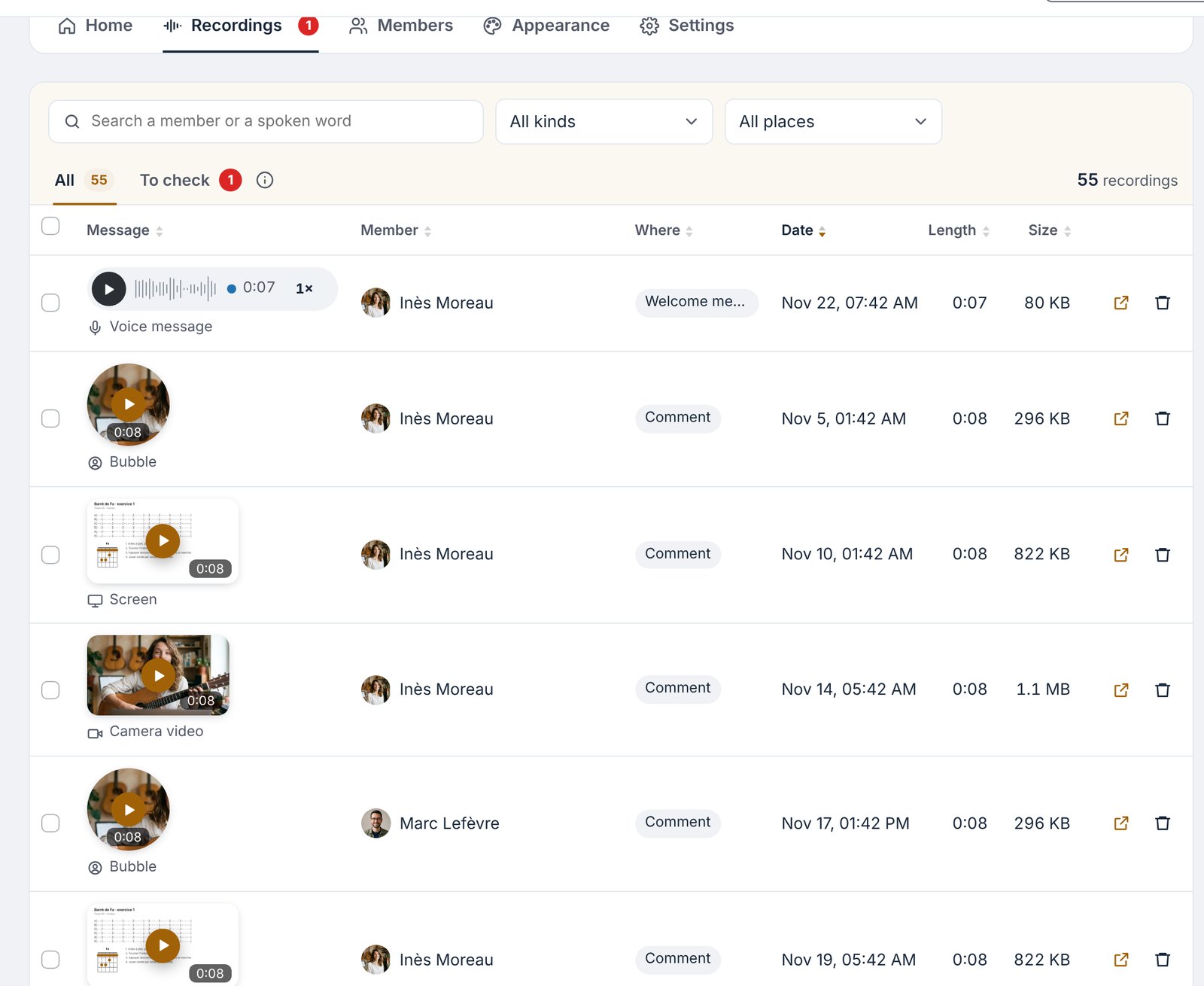
All recordings are gathered in one table. You listen to them, search for a member or even a spoken word, sort, and act on several at once. The Members tab lists everyone who uses the extension, and one click on a member opens their profile, with all their recordings.
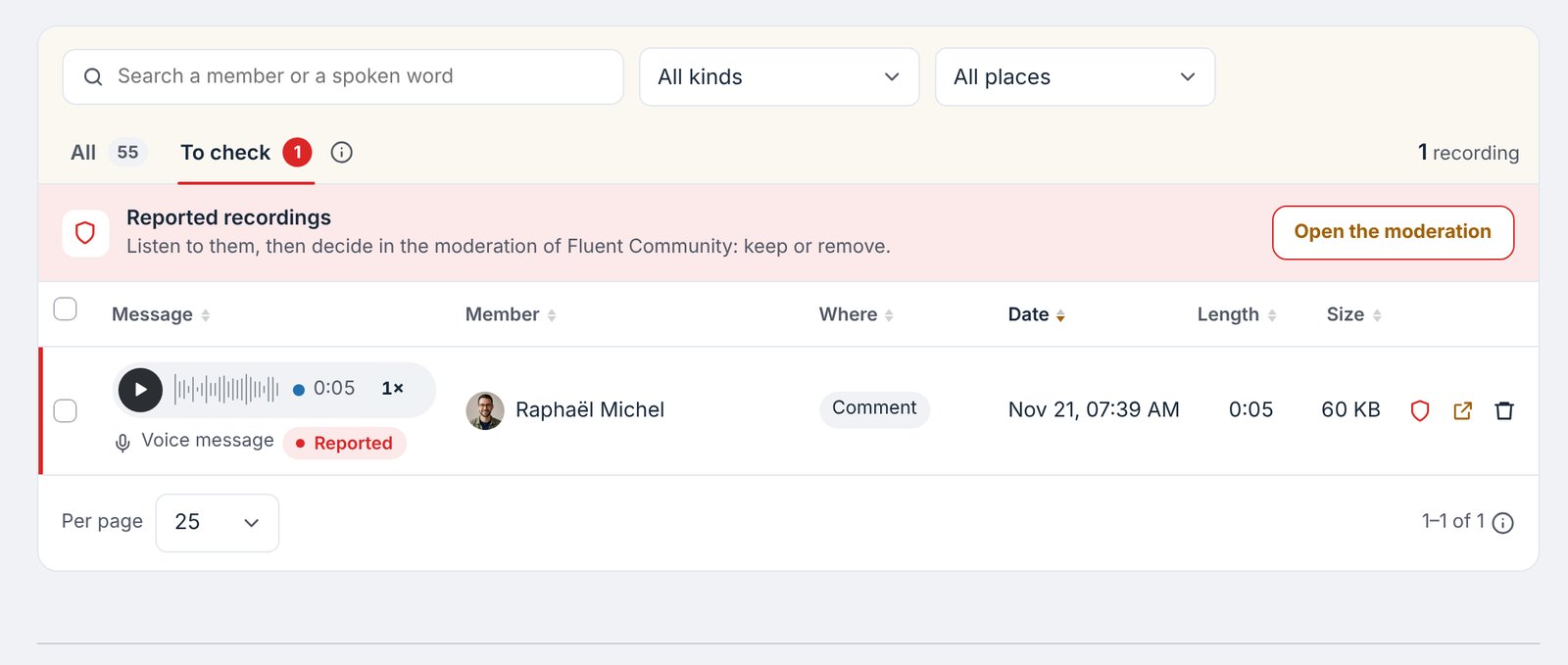
Whatever is flagged in Fluent Community lands automatically in “To check”, with direct access to moderation.
Simple settings, your files on your own site
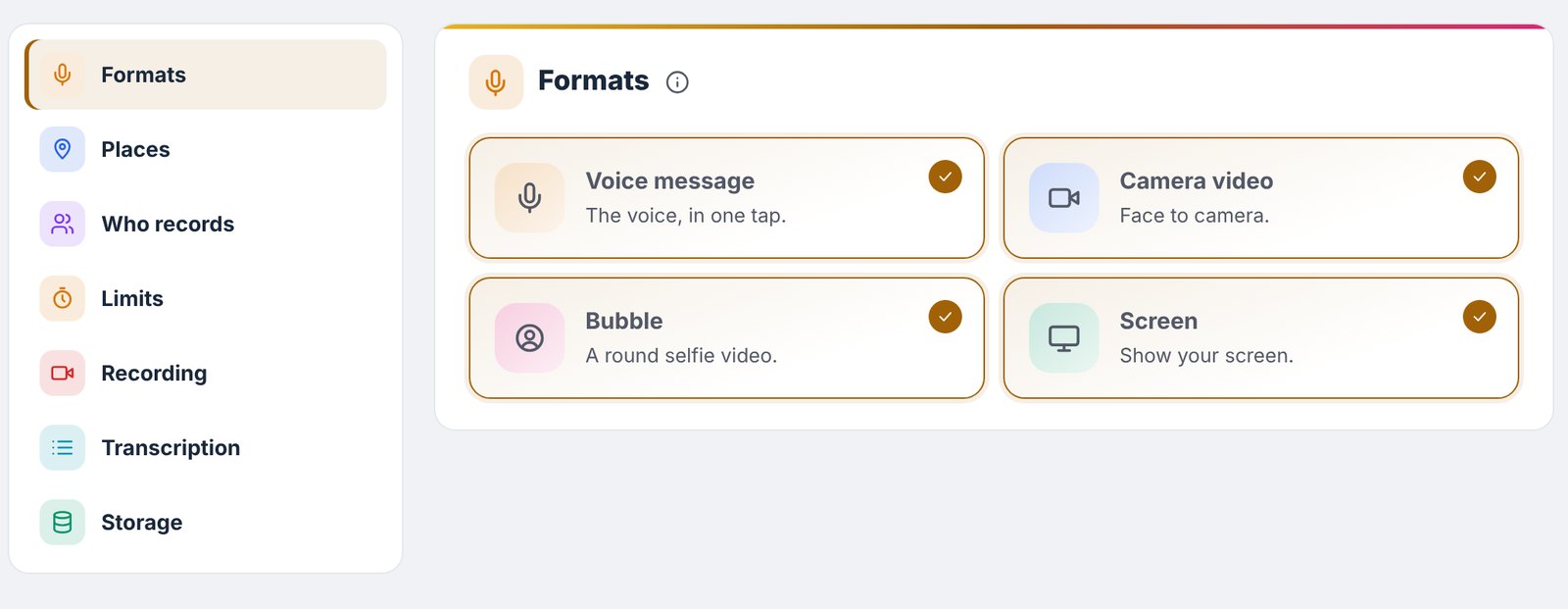
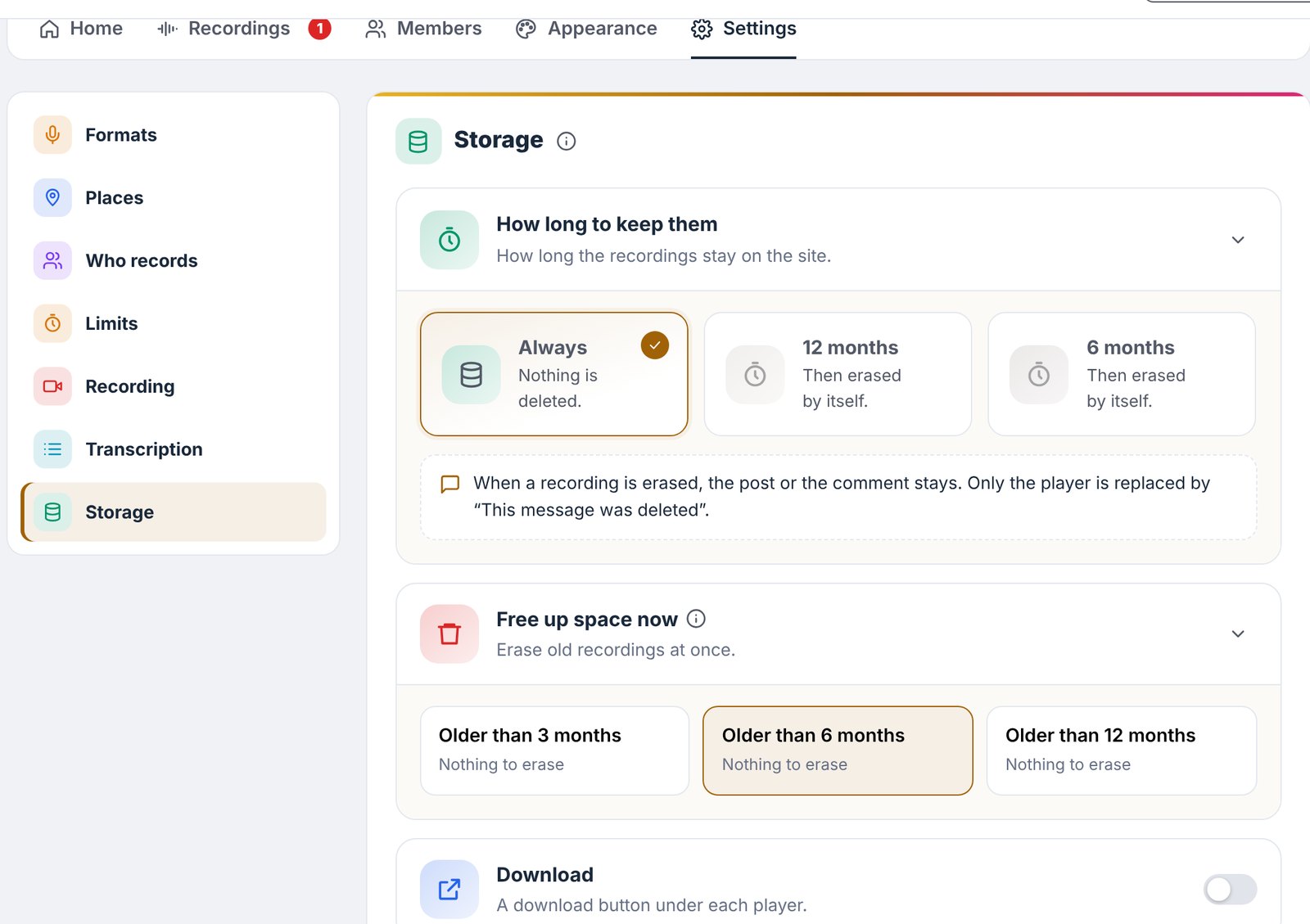
In the settings, you choose the formats, the locations, who can record, and how many messages per day. You also decide how long files are kept. And they stay with you, on your own site.
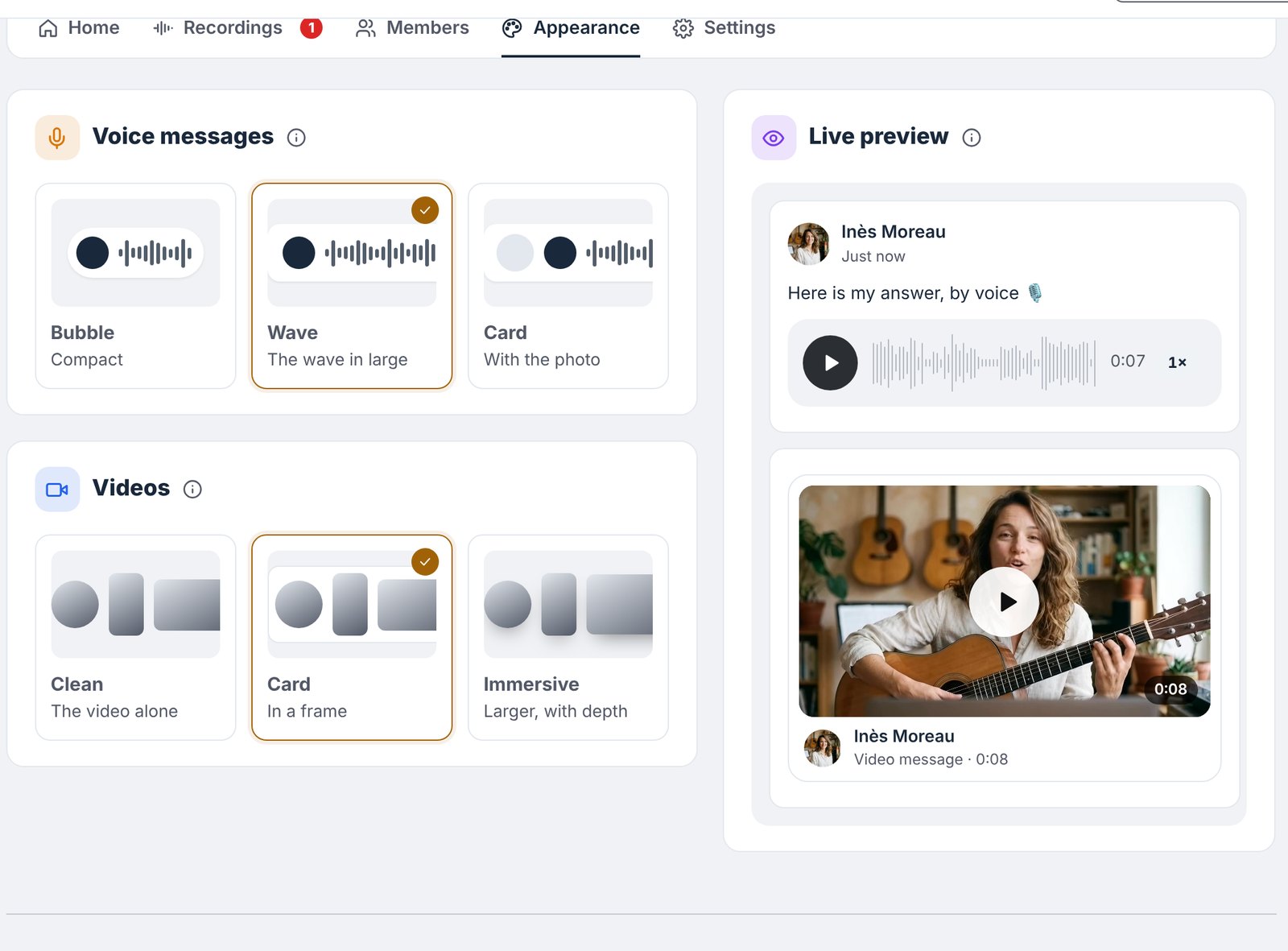
Finally, the players take on your community’s colors, with a live preview while you set them.
How to get Voice & Video Messages
Voice & Video Messages is a free extension from FC Extensions, built for Fluent Community. Get your free key, install FC Extensions, and turn on Voice & Video Messages in one click.
Free extension
Your community speaks up
Voice & Video Messages is one of the free extensions from FC Extensions. Get your key, and your members start talking today.
✓ Native Fluent Community
✓ Voice, camera, bubble and screen
✓ Transcription and subtitles
✓ Your files stay on your own site
To go further, open the Voice & Video Messages page, discover Onboarding Path, Notes and Advanced Bookmarks, watch every extension on video, or browse the extension catalog.
An idea, a question? Find me in the FC Extensions space of the Sdravobiz community, or share your ideas on the roadmap.
Frequently asked questions
What is Voice & Video Messages?
It’s a free extension from FC Extensions, in the Engage family. It lets your members send a voice message, a video or their screen wherever people talk in your Fluent Community.
Which formats can my members record?
A voice message, a video facing the camera, a video in a round bubble, or a screen share. In the settings, you choose which formats you open.
Where can people record?
In posts, comments, private messages and the profile introduction. The extension also works with Notes, Advanced Bookmarks, Onboarding Path, Global Search and other FC Extensions.
How does transcription work?
Every voice message gets its text and every video its subtitles. You add your OpenAI or ElevenLabs key in the settings, and transcription happens on its own.
Where are recordings kept?
On your own site. You choose how long they are kept, and you follow the space they use from the extension’s home screen.
How do I get Voice & Video Messages?
It’s a free extension from FC Extensions. Get your free key, install FC Extensions, then turn on Voice & Video Messages.