
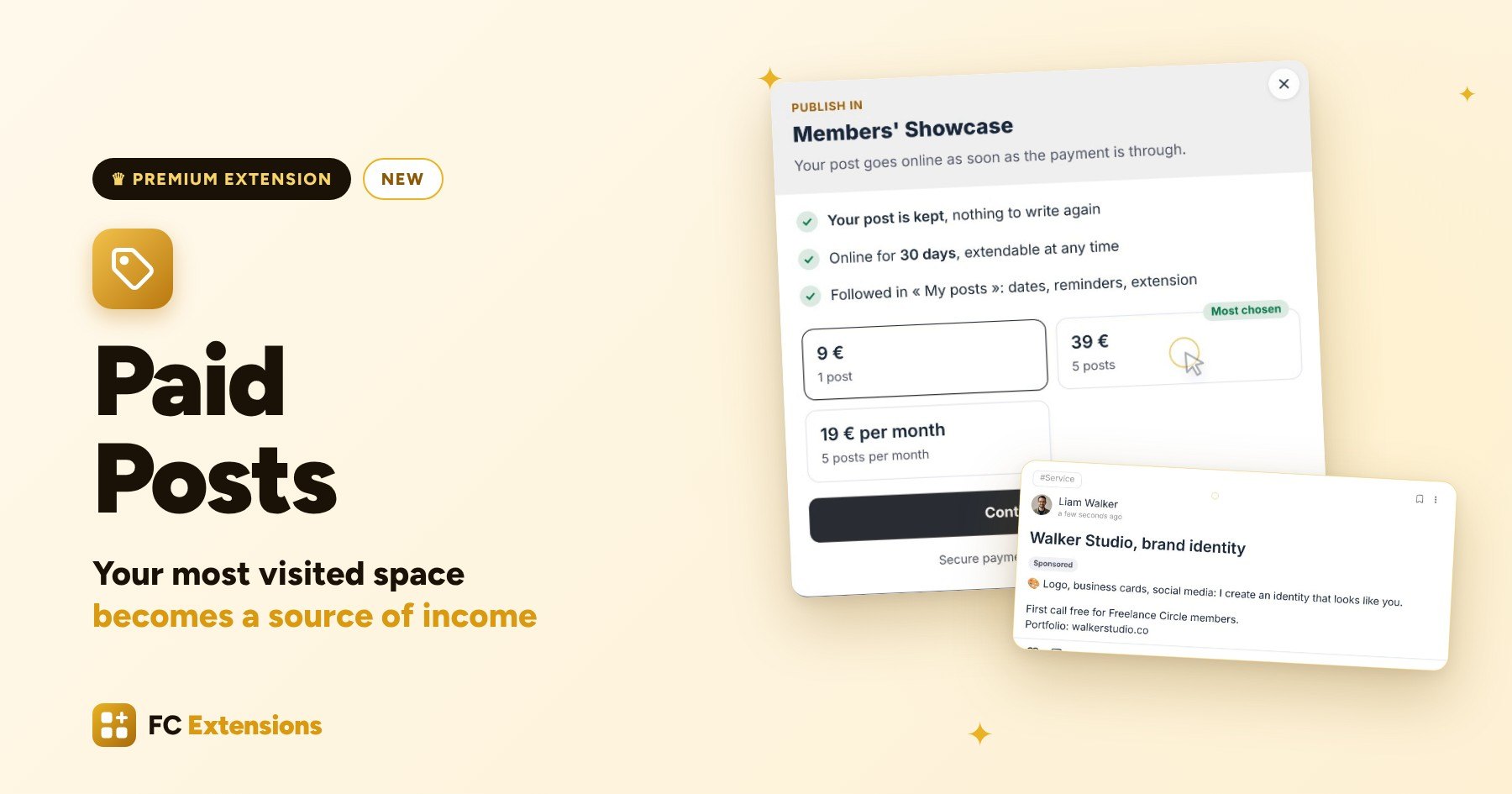
In your community, there is often one space everyone watches. Your members present their services, share a good deal, introduce something new. That space has real value, for them and for you.
With Paid Posts, the new premium extension in the Sell family, your members post there for a small fee. You choose your spaces and your prices. The extension takes care of the rest: the payment, the review, the time online and the sales tracking.
Paid Posts at a glance
- Your space ready in three questions: which posts are paid, who posts without paying, and the review step.
- Ready-made offers: one post, a pack or a subscription, with options for more visibility.
- A purchase in seconds: your members pay without leaving the page and follow everything in My posts.
- Review and going live: one click to accept, the Sponsored label, a one-click extension.
- Your sales at a glance: twelve months of sales, every payment and the upcoming renewals.
See it in action

Want to see the others? Every extension is on video, family by family.
A showcase everyone watches
Meet Emma. She runs Freelance Circle, a community of freelancers and small businesses. Her Members’ Showcase is the most visited space: every post there is seen by hundreds of members.
Emma has an idea: let her members post in this showcase for a small fee. A real source of income for her, and great visibility for them. She simply needed a tool that takes care of everything.
That is exactly why we created Paid Posts.
Step one: setting up your space
Everything is set in the admin. In the Spaces tab, Emma turns on her Members’ Showcase, then clicks Configure. Her other spaces stay as they are.
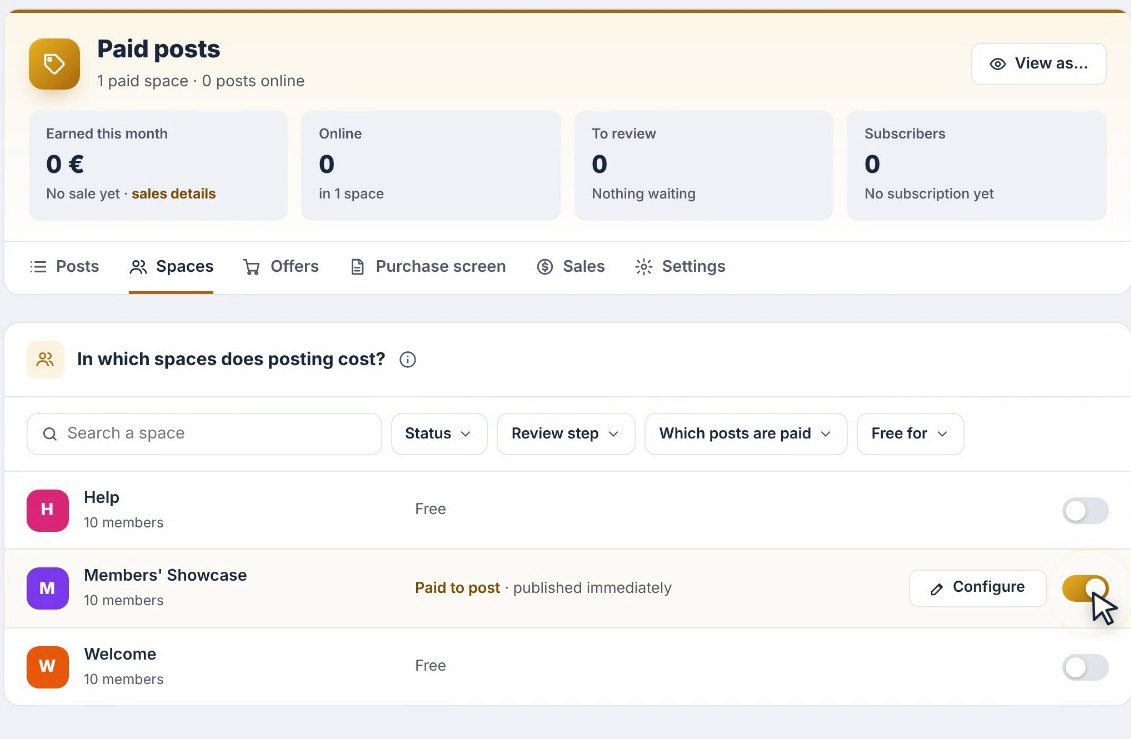
A window opens with three simple questions.
Which posts are paid?
Every post, or only some topics. Topics are the tags your members pick when they post, like Service, Deal or What’s new. Emma makes services paid, and keeps deals and news as they are.
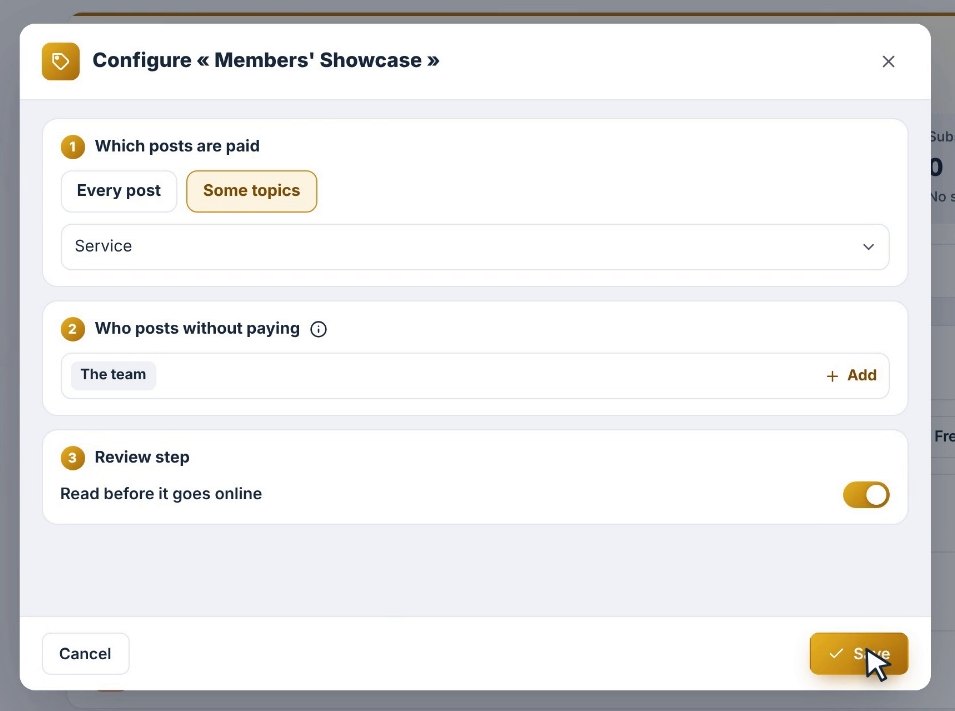
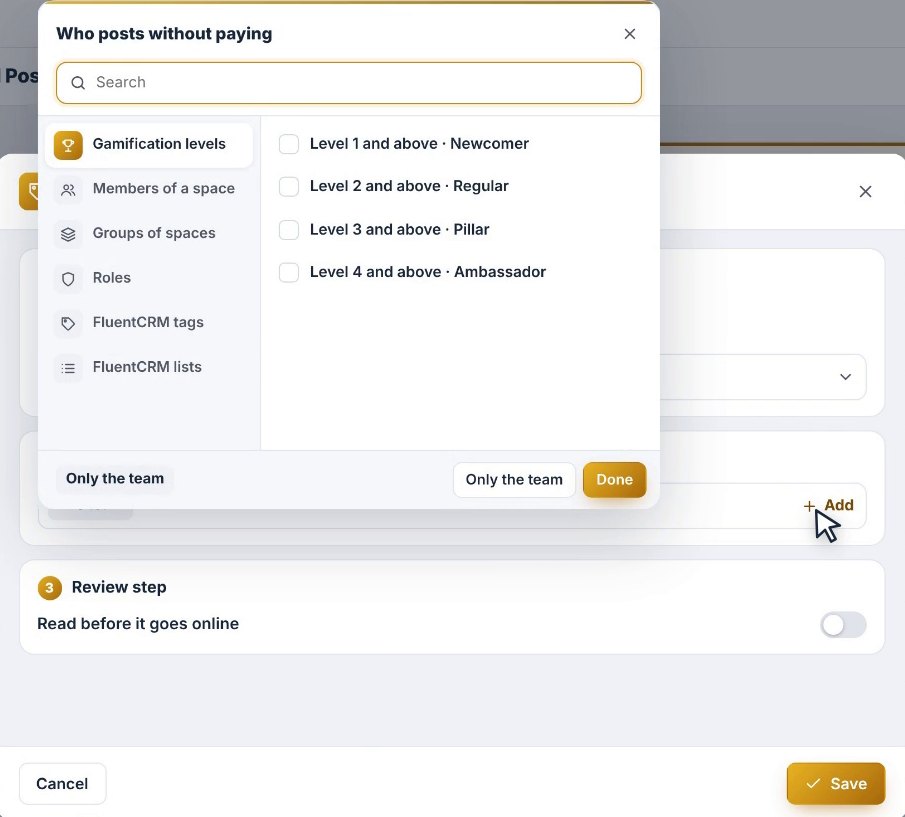
Who posts without paying?
Her team, of course. And if she likes, a level from Levels and Rewards, a group, a role, a tag or a FluentCRM list. A lovely way to thank her most loyal members.
Review before going live?
Emma turns on the review step and saves. Her showcase is ready.
Ready-made offers, and your own
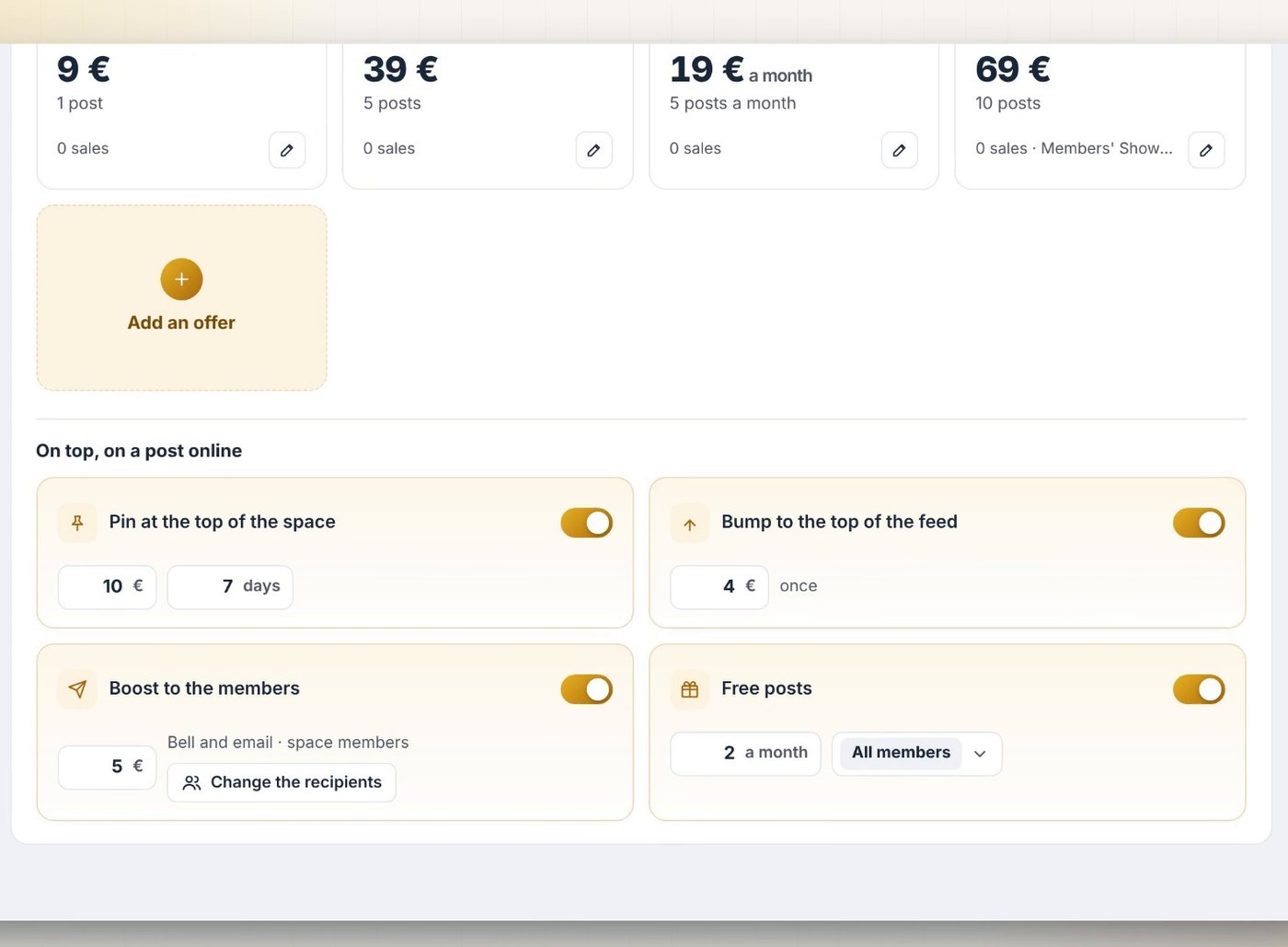
Good news: three plans are already waiting in the Offers tab. One post, a pack of five and a subscription. Emma adjusts the prices right there.
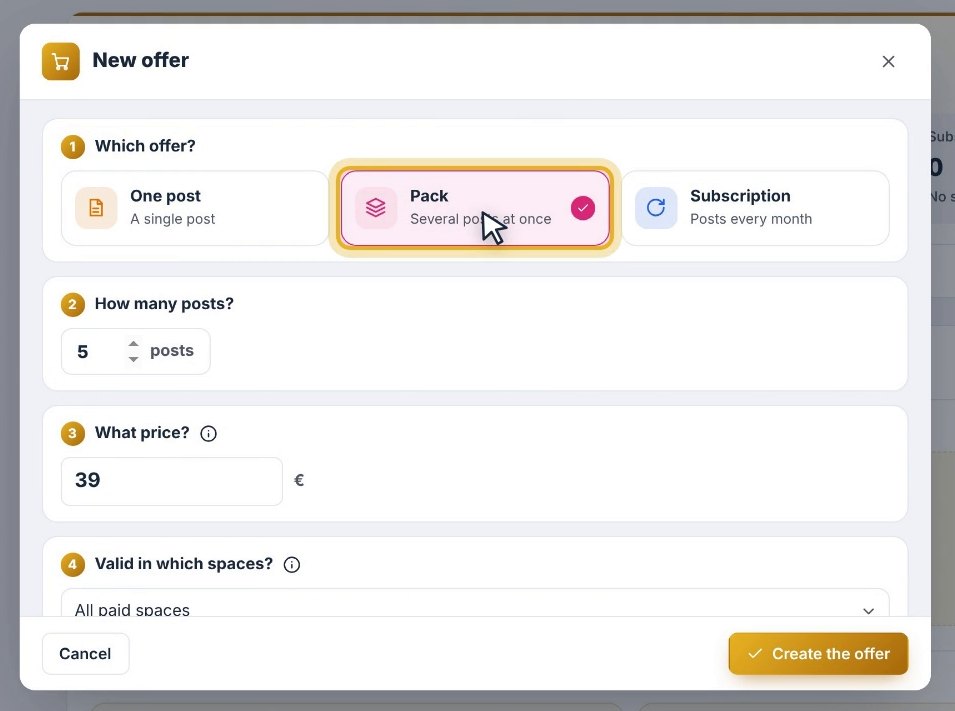
She can also create her own. She picks the type, the number of posts, types her price, chooses her spaces and saves. The FluentCart product is created automatically: payment works right away.
Options for more visibility
On a post that is already online, Emma can offer options:
- Pin the post to the top of the space for a few days.
- Bump it back to the top of the feed.
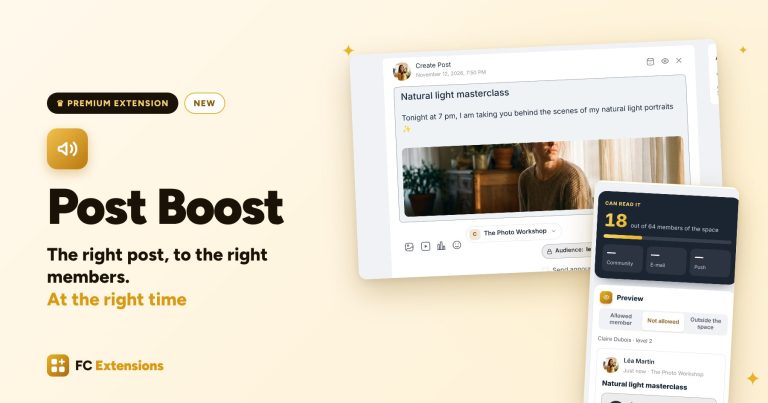
- Boost it to the members with Post Boost: it goes straight to them, by notification and by email.
- Give a few posts every month, to everyone or to a chosen audience.
A purchase screen that looks like you
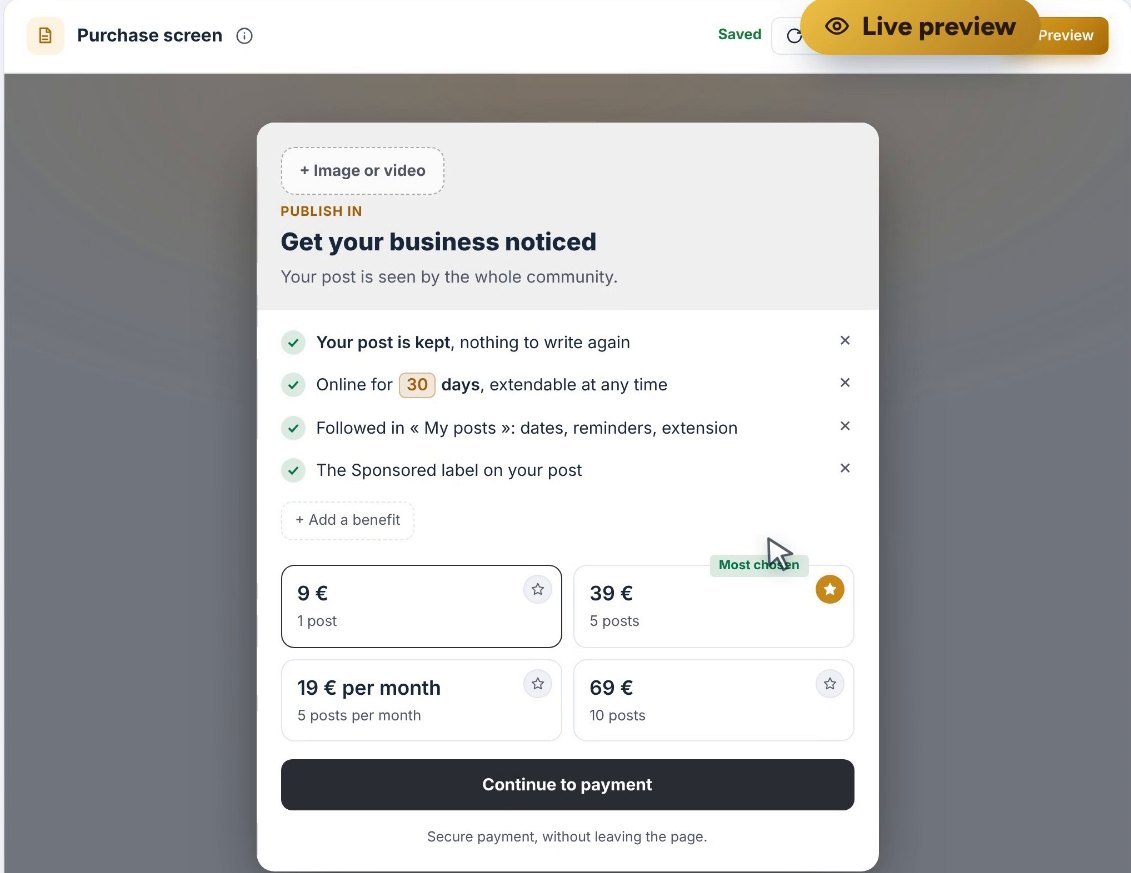
Next comes the purchase screen, the one your members will see. Emma customizes the title, the message and the benefits, then highlights her favorite offer with a click on the star. Every change shows up live in the preview.
View as: your space through everyone’s eyes
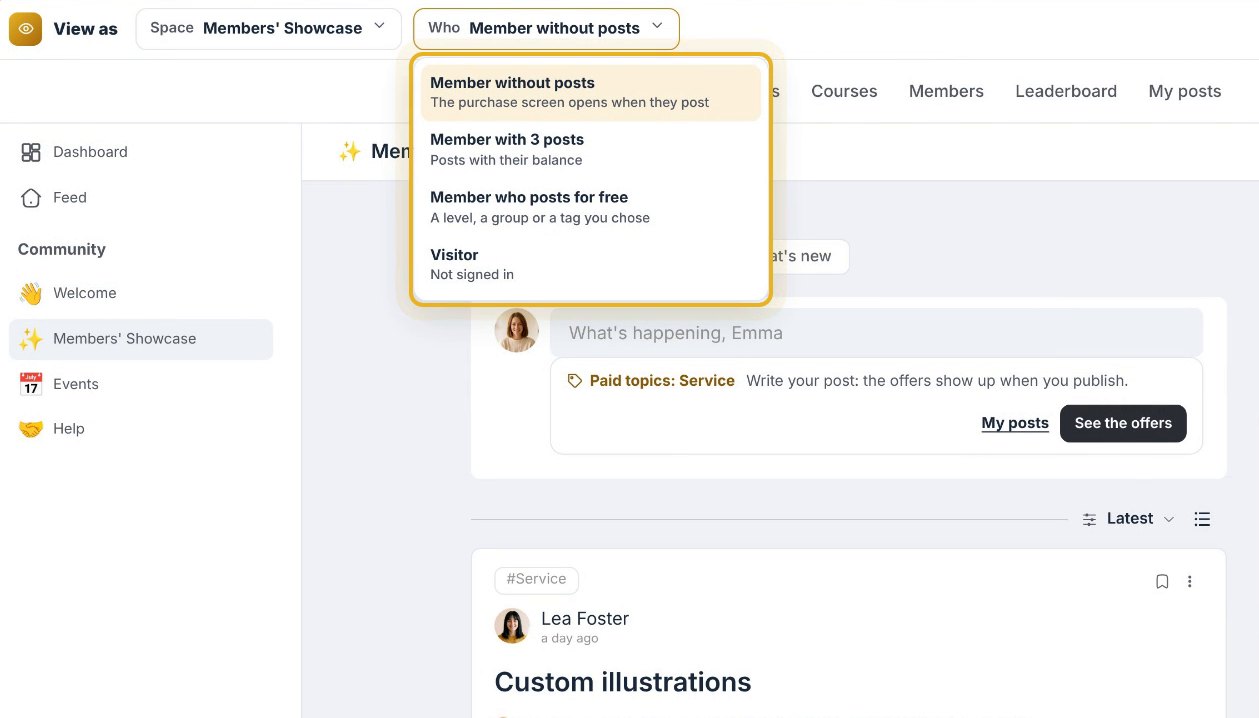
To make sure everything is perfect, Emma opens View as. She steps into everyone’s shoes:
- a member without posts sees the purchase screen open when posting;
- a member with a pack posts with their balance;
- a member who posts for free simply posts;
- a visitor is invited to sign in.
Step two: your members’ experience
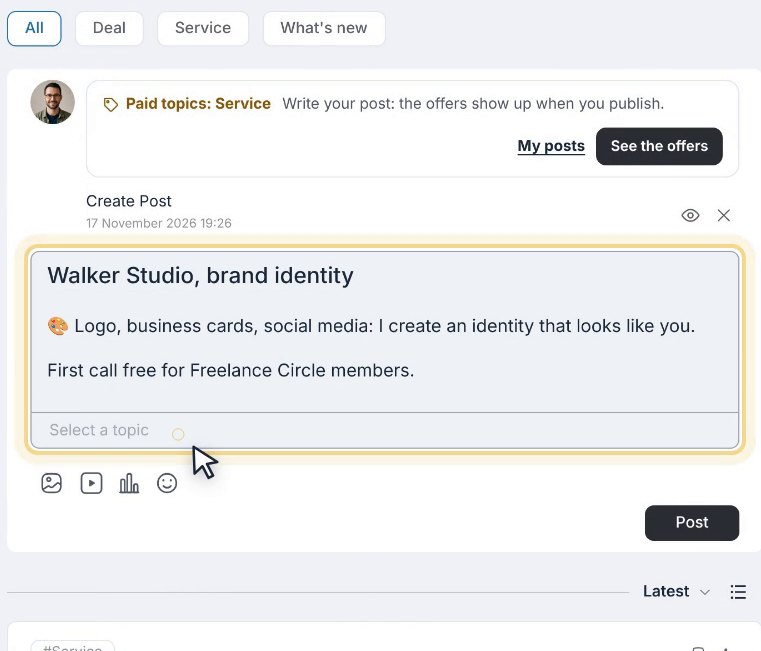
Here is Liam, a graphic designer and member of Freelance Circle. He wants to promote his studio. He writes his post in the Showcase, as usual, and picks the Service topic.
He clicks, and the purchase screen opens over the page. He picks the pack of five, pays in a few seconds, and his post goes to review.
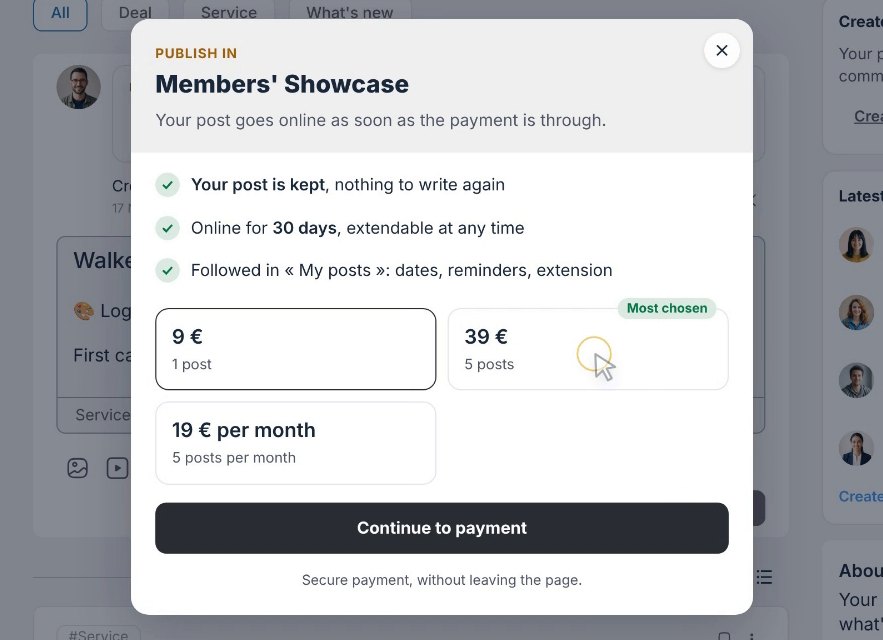
If he would rather wait, his text is kept: he will find it later, ready to post.
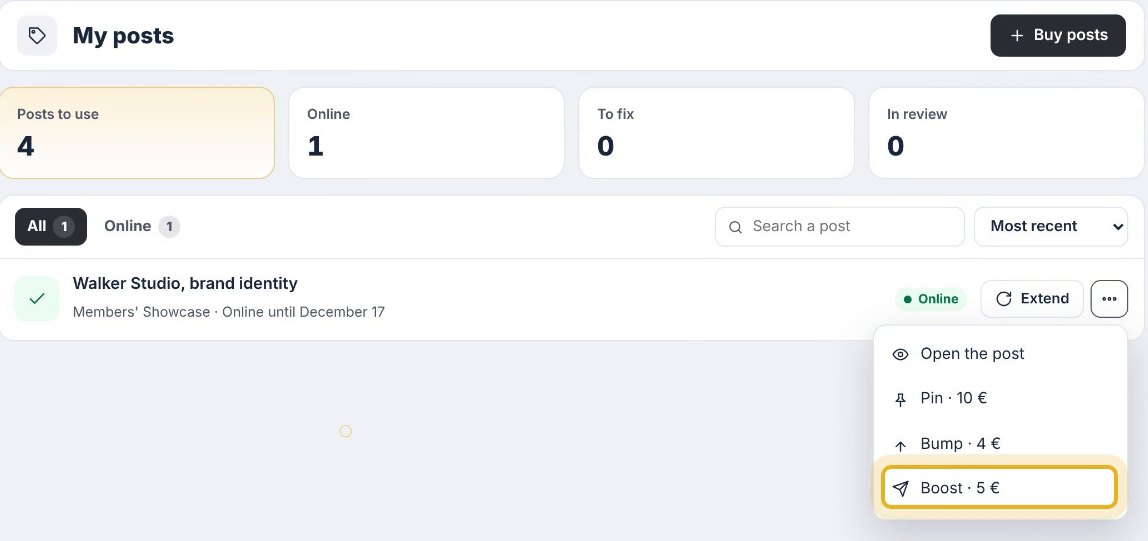
Everything is followed in My posts
The posts he has left, the ones online, the ones in review, and their dates. This is also where he pins, bumps or boosts a post that is already online.
Step three: review and going live
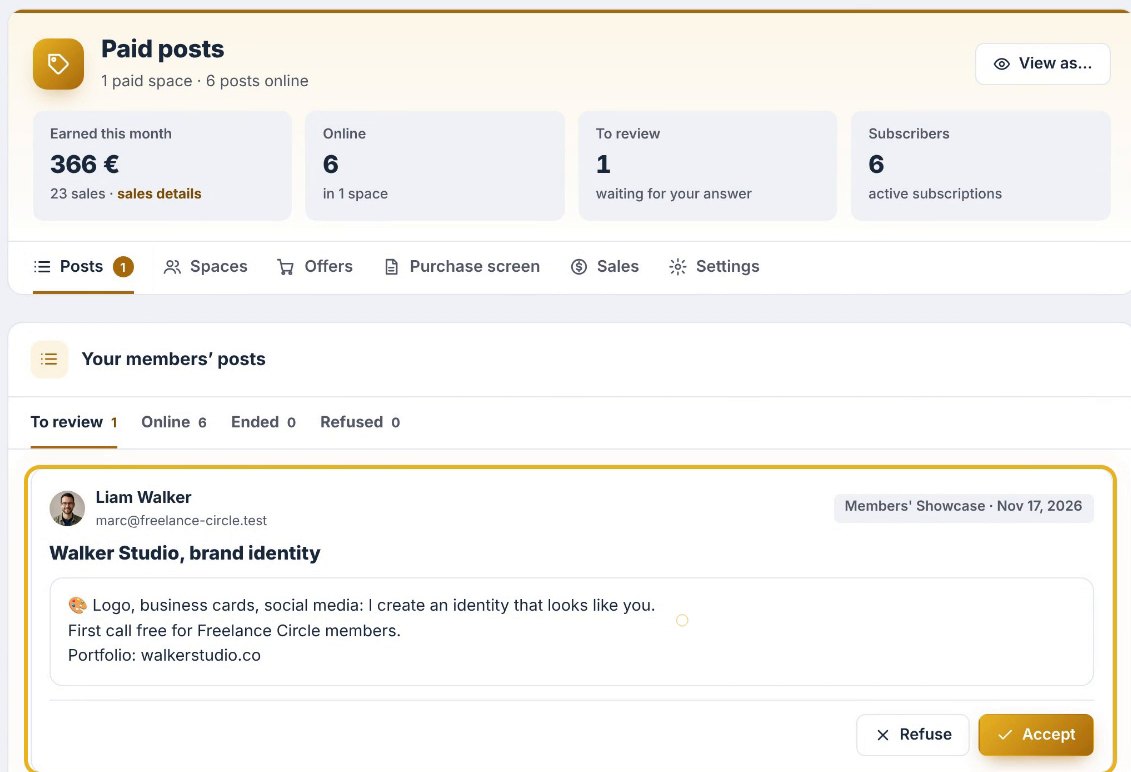
Liam’s post reaches Emma, in the Posts tab. All good? One click on Accept.
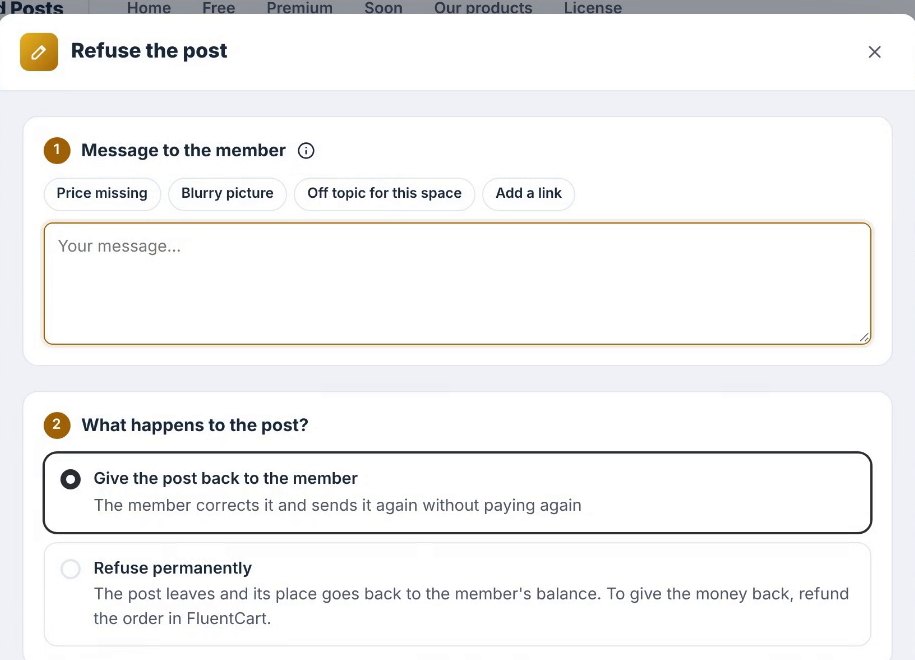
A detail to adjust? Emma sends it back with a short note, ready in one click. Liam fixes it and sends it again, without paying anything more.
Online, with the Sponsored label
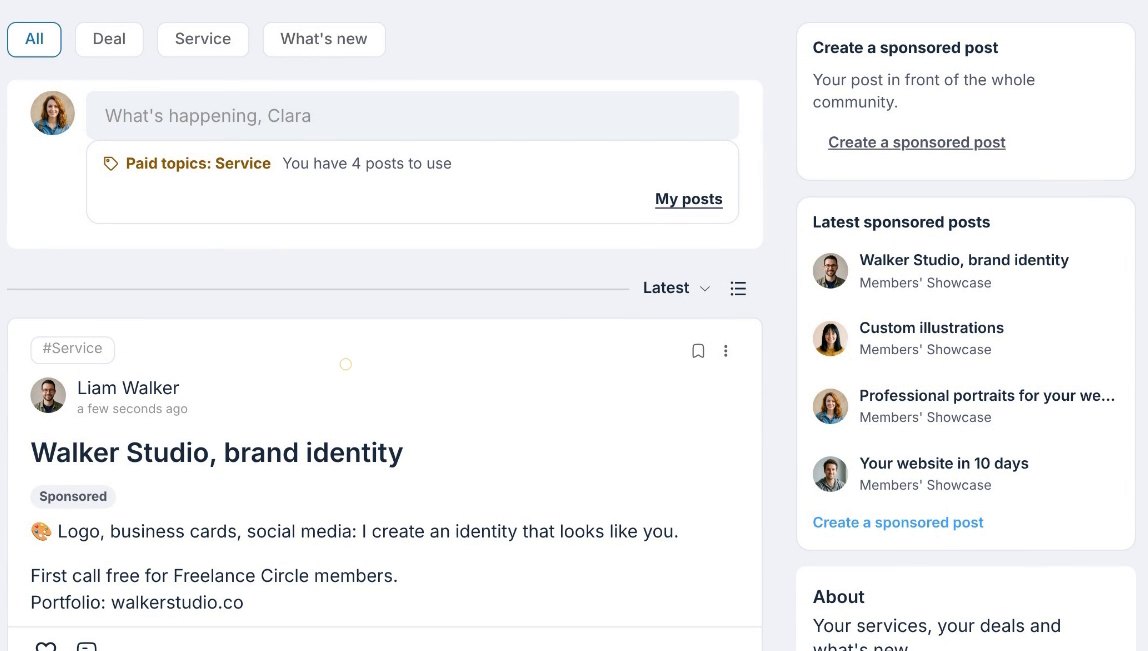
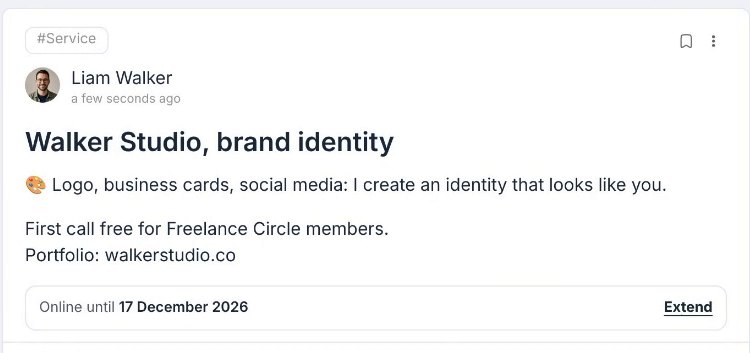
Once accepted, the post is online for the length of time Emma chose, with the Sponsored label. The wording of this label can be changed in the settings.
Want more visibility? Liam can boost it: it goes straight to the members. A few days before the end, he gets a reminder and extends it in one click. And at the right time, it steps aside on its own.
Step four: your sales
Meanwhile, on Emma’s side, the sales add up. In the Sales tab, she sees her last twelve months at a glance, broken down by type of sale: single posts, packs, subscriptions, pins, bumps and boosts.
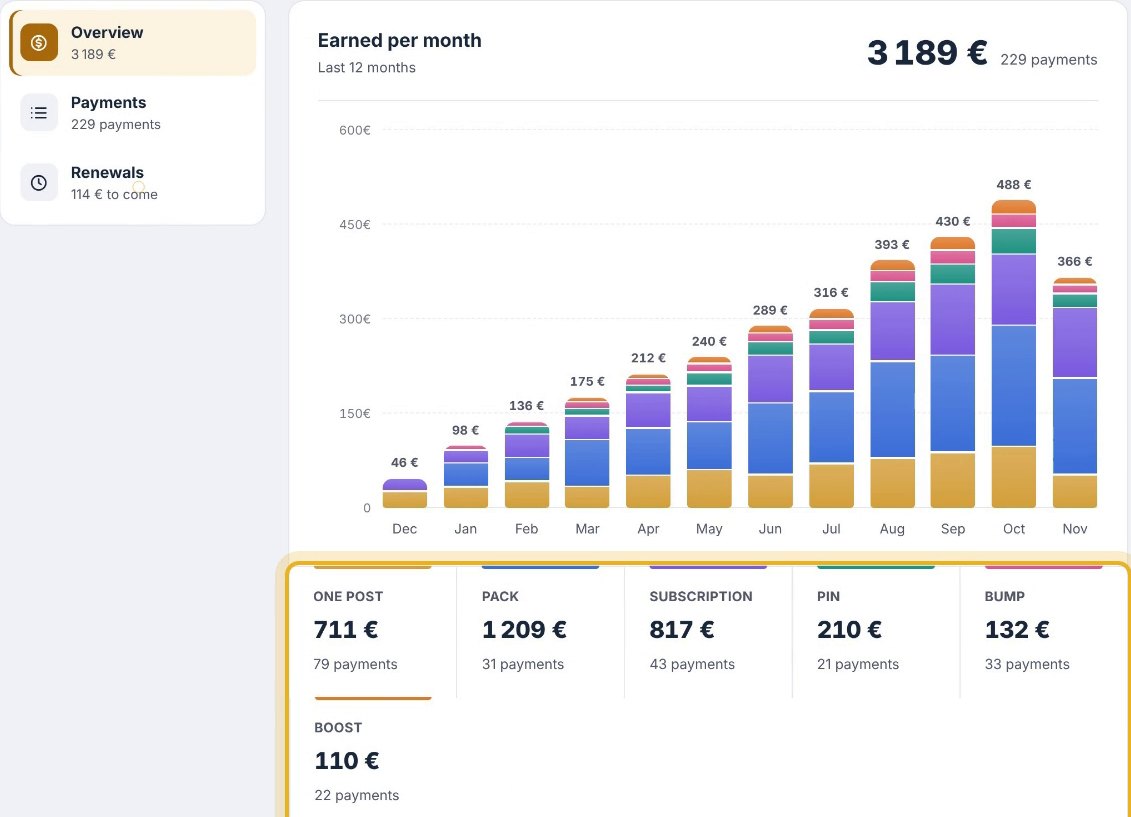
She finds every payment, filters in one click, and sees the upcoming renewals.
Everywhere in your community
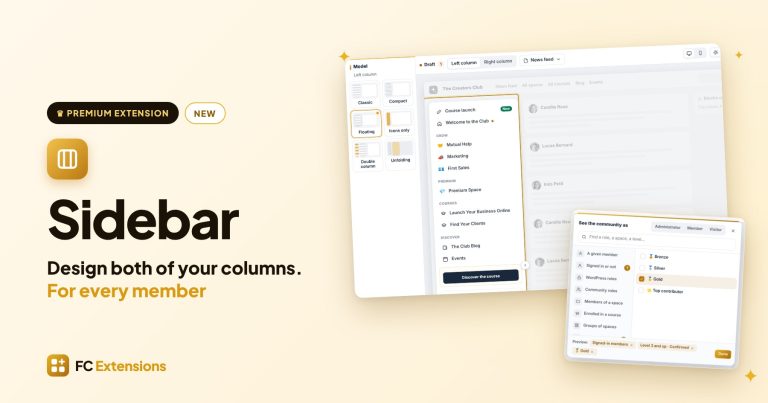
Paid Posts works with the whole FC Extensions family. Your members find the button to post wherever they need it: in Quick Access, in a Page Builder page, in a Sidebar column and in Writing.
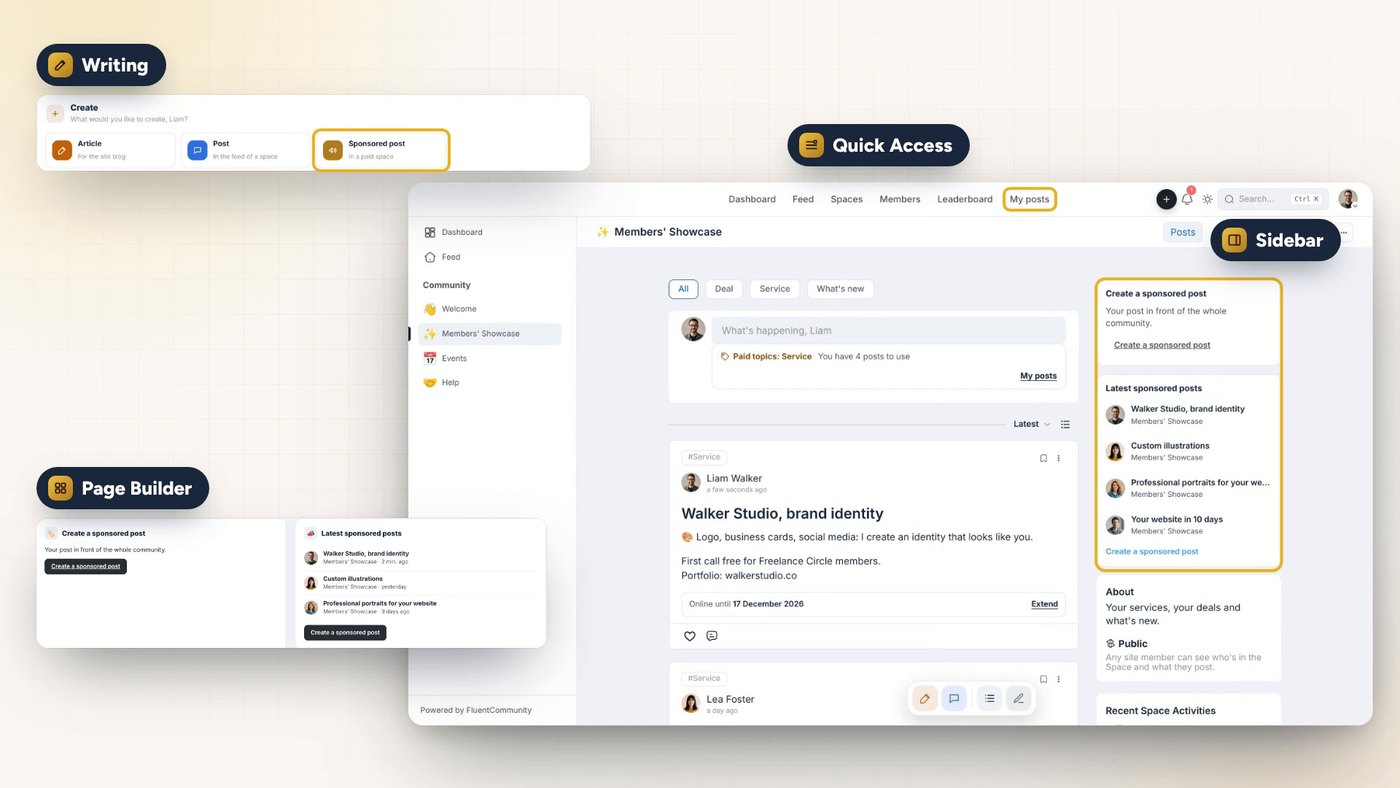
In Writing, “Sponsored post” waits for your members in the Create menu. An article shared in a paid space simply follows the space settings.
How to get Paid Posts
With Paid Posts, your most visited space becomes a real source of income. Your members gain visibility, and you keep your time to bring your community to life.
Already a Founder? Paid Posts turns on from FC Extensions, with a simple switch.
Not a Founder yet? The Founder offer unlocks every premium extension for life, including the ones to come. It ends on Sunday, November 22 at 11:59 PM, Paris time.
Premium extension
Your most visited space becomes a source of income
Paid Posts is one of the premium FC Extensions. It is included in the Founder offer, until Sunday, November 22 at 11:59 PM, Paris time.
✓ Native Fluent Community
✓ FluentCart payment, without leaving the page
✓ Review, Sponsored label, one-click extension
✓ Your sales over twelve months
To go further, open the Paid Posts page, target your posts with Post Boost, design your community columns with Sidebar, write your articles with Writing, watch every extension on video, or browse the extension catalog.
An idea, a question? Join me in the FC Extensions space of the Sdravobiz community, or share your ideas on the roadmap.
Frequently asked questions
What is Paid Posts?
It is the premium FC Extensions extension, in the Sell family, that lets your members post in the spaces you choose for a small fee. It takes care of the payment, the review, the time online and the sales tracking.
Can I make only some topics paid?
Yes. For each space, you choose: every post, or only some topics, like Service. The other topics stay as they are.
Who can post without paying?
Your team, and if you like a level, a group, a role, a tag or a FluentCRM list. You can also give a few posts every month, to everyone or to a chosen audience.
Which offers can I sell?
Three plans are ready: one post, a pack and a subscription. You create your own in a few clicks, and the FluentCart product is created automatically. As options: pin, bump to the top of the feed or boost with Post Boost.
How do my members pay?
The purchase screen opens over the page, and payment goes through FluentCart, without leaving the community. Then everything is followed in My posts: the balance, the posts online, the ones in review and their dates.
How do I get Paid Posts?
Paid Posts is a premium extension. It is included in the Founder offer, which unlocks every premium extension for life, until Sunday, November 22 at 11:59 PM, Paris time.