
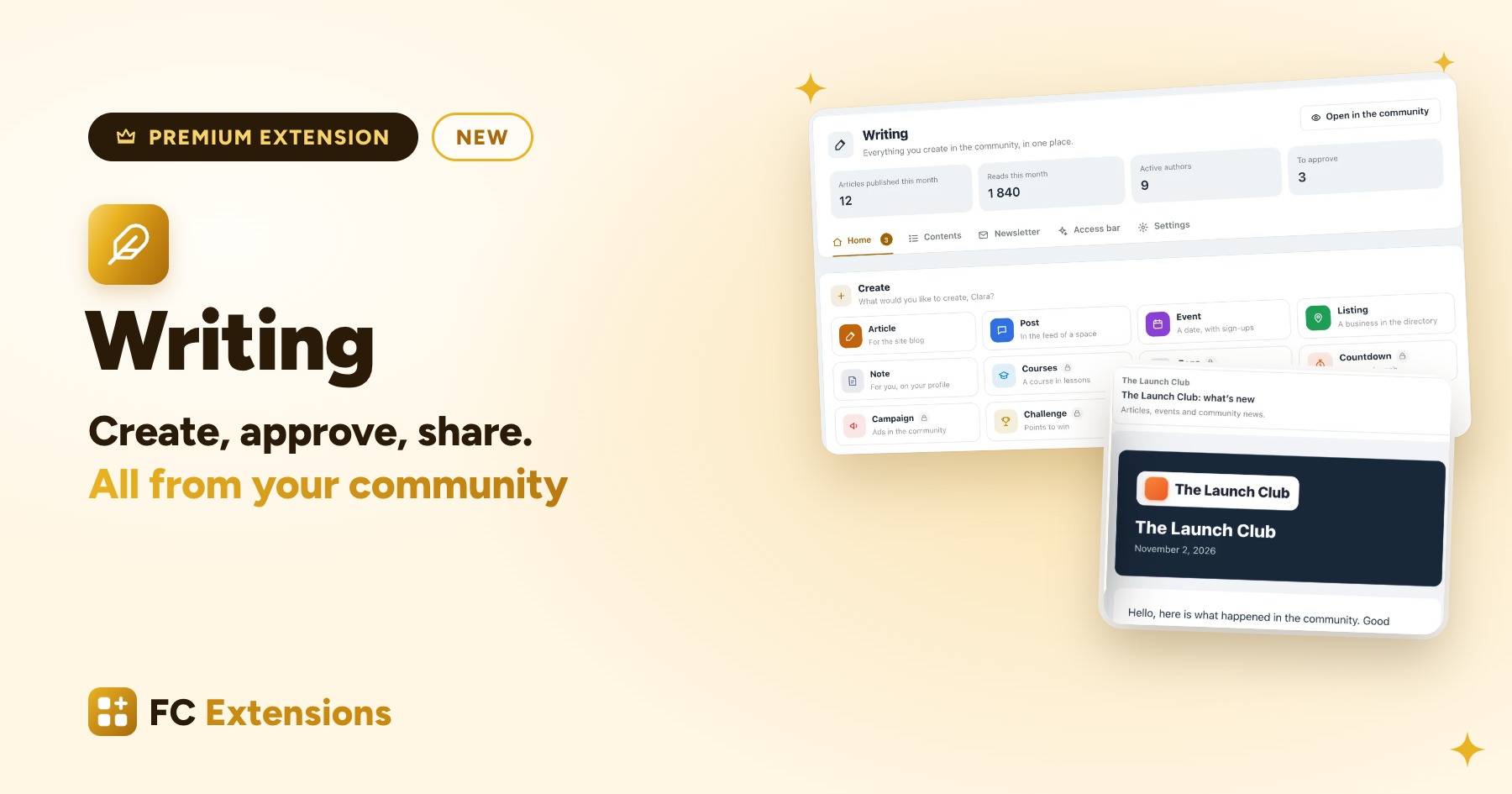
Over the last few days, I let you guess what the third premium extension of FC Extensions would be. Here it is: Writing. It starts from an idea I have cared about for a long time: everything created in your community should be created from your community.
Your members have so much to share: their experience, their advice, their discoveries. Until now, turning that into real articles meant going through the WordPress admin. And every kind of content was created in a different place: the article here, the event there, the directory listing somewhere else.
With Writing, everything happens in the community. Your members write, your team approves, everyone creates and follows their content, without ever opening WordPress. And everyone only sees what they are allowed to create.
See it in action

Create, from anywhere in your community
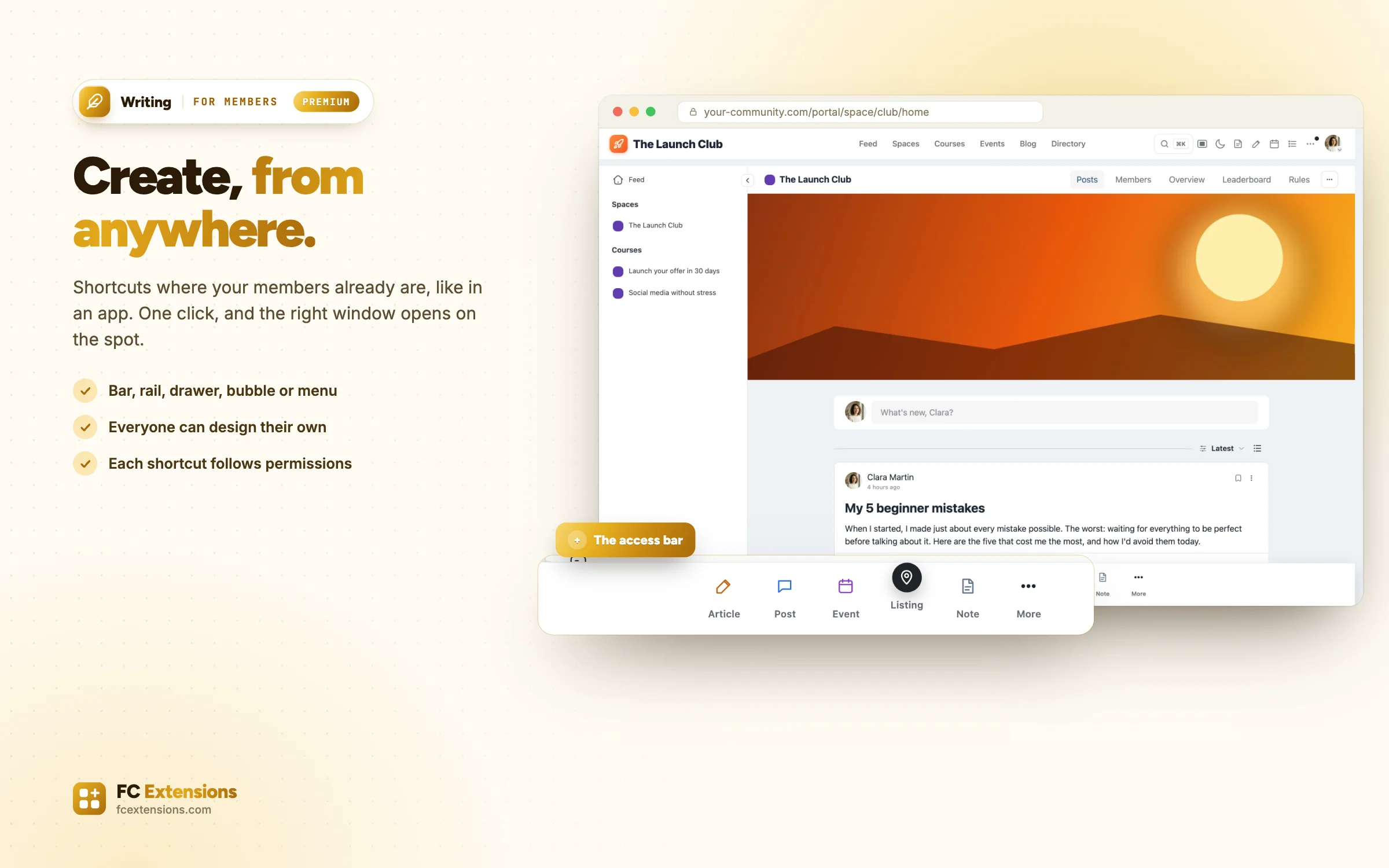
It all starts with a simple gesture: creating. Writing places action shortcuts where your members already are. A bar at the bottom of the screen, like in an app. A rail along the edge, a drawer, a discreet bubble, a button in the header, or a “Create” group in the left menu. And even a palette: press the C key, type what you want to create, and off you go.
You design your community’s bar in a dedicated studio: its template, shape, theme, size, and up to three places at once. You choose what it contains, in which order, and who sees it: your authors, all your members or your team.
If you like, each member can also design their own from “My access bar”, with a preview that reacts like the real bar. On a phone as on a computer, everyone keeps what they create most at hand.
All your content, created on the spot
One click on a shortcut, and the right window opens on the spot, without changing page. Your members can create:
- an article, written in the community (more on that just below);
- a post, with all the feed options;
- an event from Events;
- a listing in the Directory.
And for your team: a page from the Page Builder, a countdown, an Ad Manager campaign, a Gamification challenge, a Blog and Collections collection, or a course.
Each shortcut only shows when the matching extension is active, and only for those allowed to create that content. Your community stays clear for everyone, and Writing grows with the extensions you add.
Real articles, written in the community
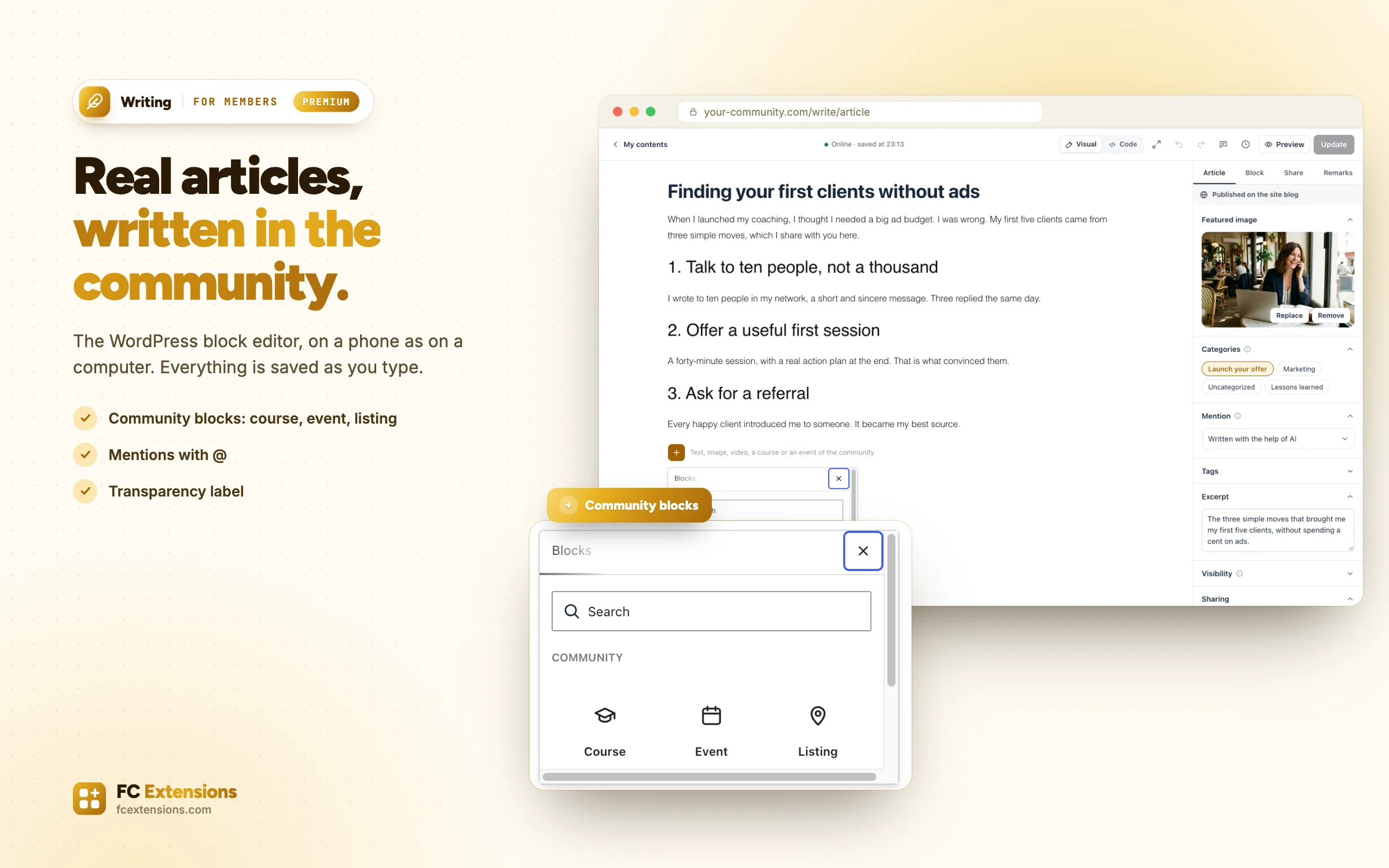
For an article, the WordPress block editor opens right inside the community. The one everyone knows, as pleasant on a phone as on a computer. Text, images, videos: everything is saved as you type, nothing gets lost.
An article that talks about your community
The author presses “+” and picks a ready-made block: a course, an event, a directory listing or another article. They select it from a list, and a beautiful card appears in their text, with its button. No link to copy, nothing to format.
To mention a member, they type @ and the name, and the member is notified. And a great feed post, the one that started a real discussion, can even be turned into an article.
Ready to be read, and to be found
Before sending, the author picks a category and an image, and prepares how the article will look on Google and in AI answers, with the SEO / GEO block.
They can also say how the article was made: written with the help of AI, machine translated, or a label you create yourself. A small tag shows it next to the date. It is a nice way to be transparent with your readers.
Your editorial team is your community
In WordPress, to let someone write, you have to give them a role and open the admin to them. With Writing, your editorial team is your community.
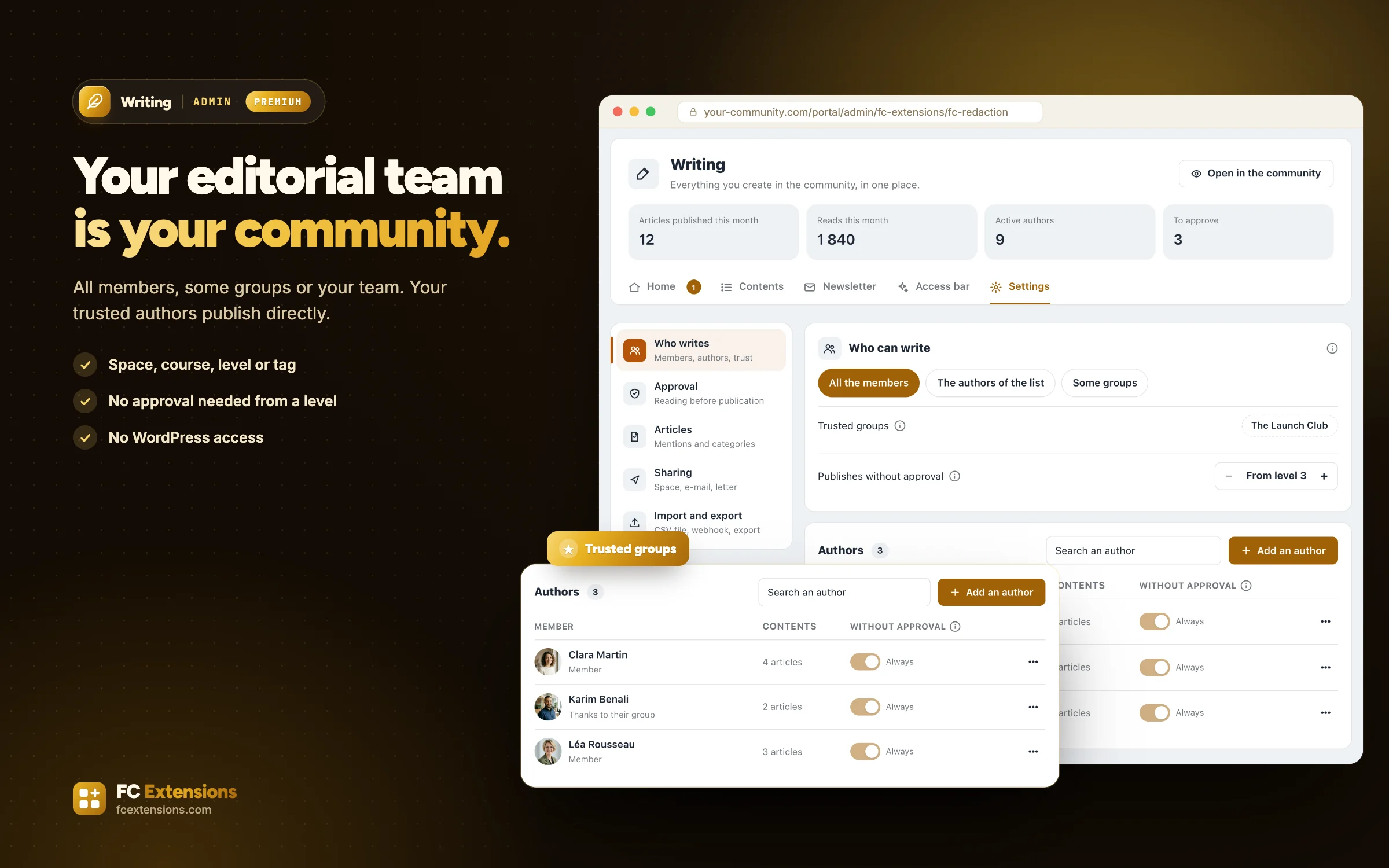
You choose who can write: all your members, some groups, or only your team. You add a member in one click, or whole groups: the members of a space, a course, a Gamification level, or a FluentCRM tag. Your team grows with your community.
And your site stays in your hands. Your authors write without ever entering WordPress, and you have no role to give them. Everyone finds their own images, some categories can be reserved for a few members, and your writing rules are accepted before the first article.
The more a member gets involved, the more freedom they gain
Your trusted authors publish directly. You choose them by hand, by group, from a Gamification level, or you open publishing to everyone. For the others, every article follows clear steps: draft, pending, to touch up, published.
A simple and kind review
You read, you select a passage, and you leave a remark on it. The author knows exactly what to improve, and sends the article back when it is ready. Everyone is notified at each step.
Once the article is live, its changes wait for your approval: the published version stays as you approved it, until you accept the new one.
Run everything at a glance
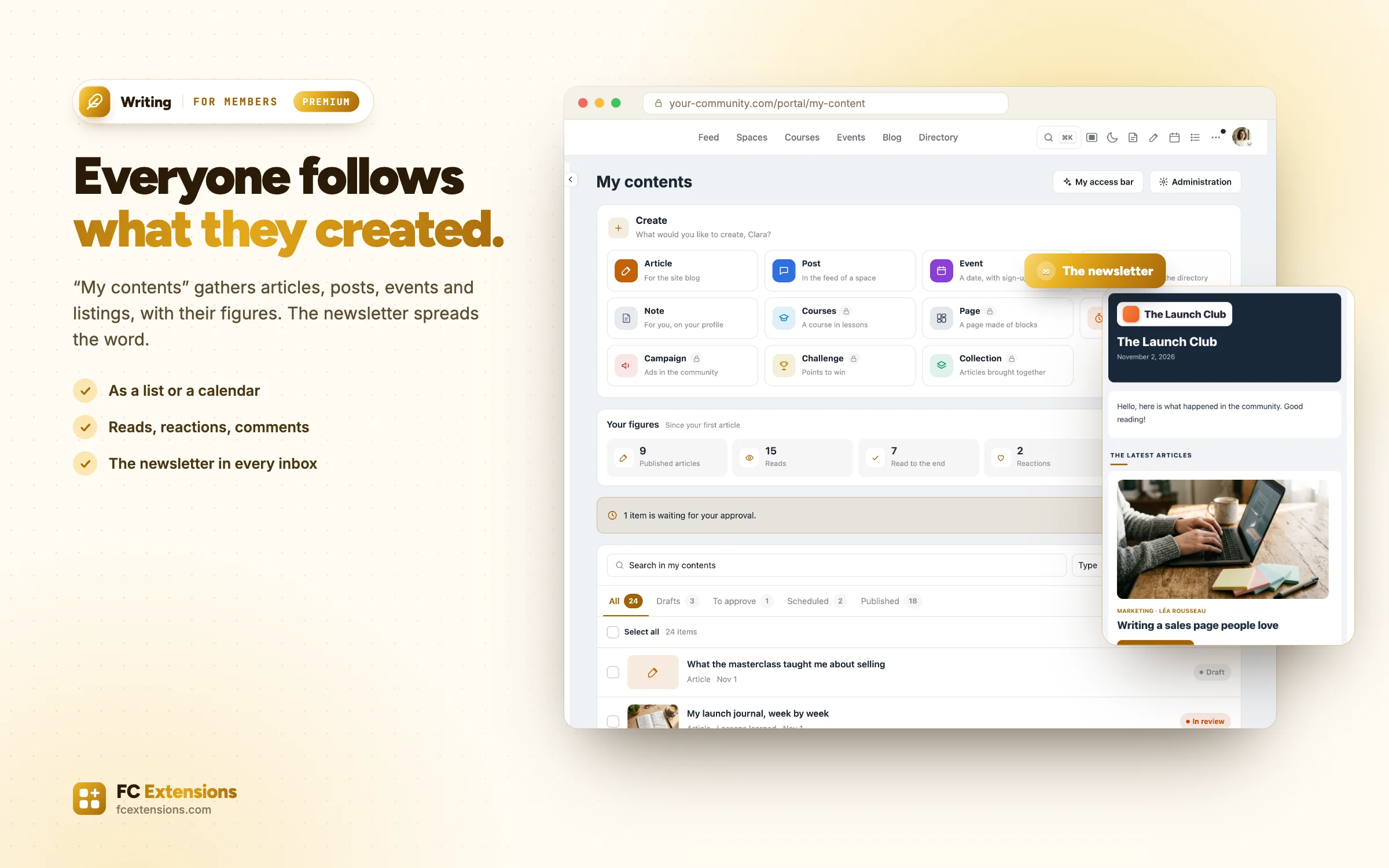
Everyone finds everything they created in “My contents”: articles, posts, events and listings, as a list or a calendar. For each article, they see its figures: reads, readers who reached the end, reactions. Enough to make them want to write the next one.
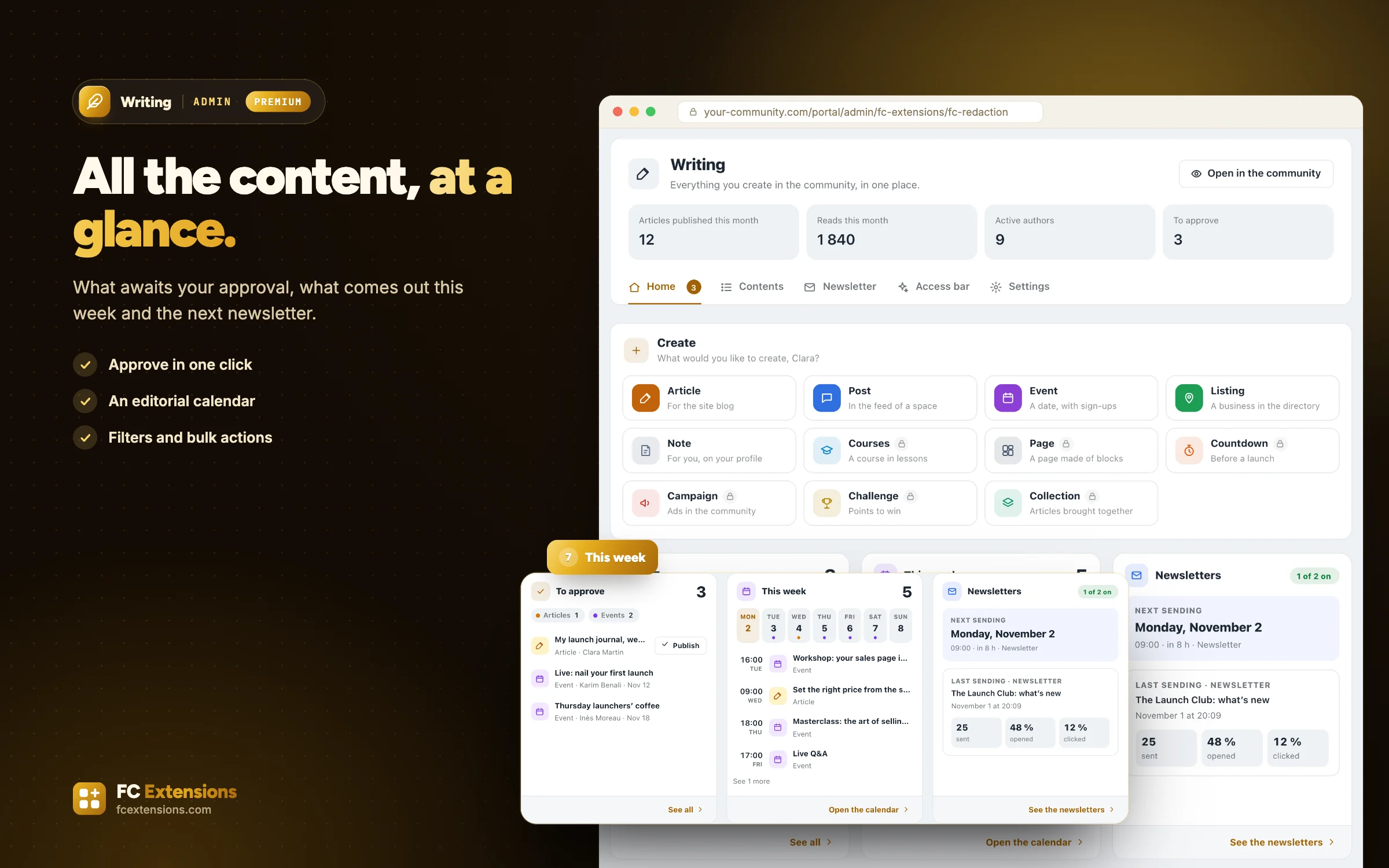
Your team sees all the community’s content on a single screen. The home page shows what awaits your approval, what comes out this week and the next newsletter. The content list has its filters and bulk actions. And the editorial calendar lets you move an article or an event to another date with a simple drag and drop.
Every article finds its readers
Once published, the article can be shared in a space to start the discussion, and sent by e-mail to a FluentCRM list or tag. The author gets their link, ready to share on LinkedIn, Facebook, X or Instagram.
And even before it goes live, a preview link lets you show the article to anyone you like.
The newsletter: your content works for you
Fluent Community already sends you a summary of your conversations. Writing goes much further: it brings together in a single e-mail everything your community has produced.
- your latest articles;
- your upcoming events;
- the new listings in your directory;
- your new courses and their new lessons;
- your upcoming launches;
- your featured members;
- the most loved and most commented conversations.
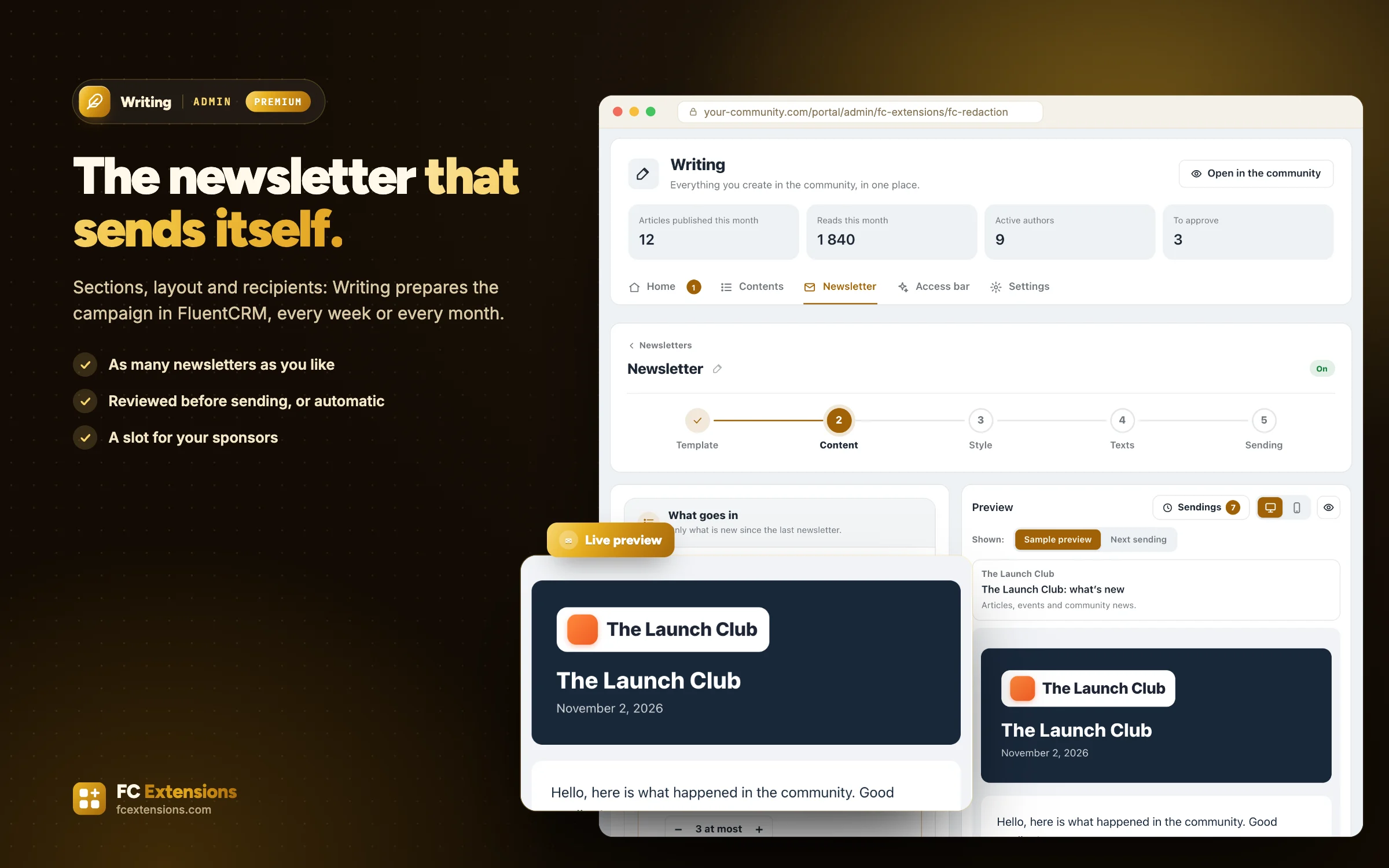
You choose the sections, their order and their length. Then the layout, your colors or your community’s, your logo and your texts, with each reader’s first name. The preview shows you the result on a computer as on a phone.
You choose who receives it: your FluentCRM lists and tags, the members of a space, a course or a level. And you can create as many newsletters as you like: one for your members, one for your prospects, one for each course, each with its own sections, readers and rhythm.
Then it works on its own
Every week, every month or just once, Writing prepares a real campaign in FluentCRM with what has come out since the last one. You review it before it goes out, or it sends itself. And you follow each sending, with its opens and clicks.
And it can even bring in revenue
With the Ad Manager, a sponsored slot awaits your advertisers in the newsletter. With Ad Sales, they buy it themselves, sending after sending, and follow their clicks. You choose which newsletters welcome your sponsors.
Your content attracts readers, and your readers attract sponsors.
A premium extension, included in the Founder offer
Writing joins Gamification and Business Access among the premium extensions. It is included in the Founder offer: a lifetime license, with every premium extension already released, those still to come, and their updates.
I release the premium extensions one at a time, and that is no accident. Each one is refined with your feedback, in the community and in your messages. Writing has already benefited a lot, and it will keep moving forward with you. The Founder price goes up one tier with each new premium release, and those who join keep their price, forever.
If this way of building speaks to you, now is the right time to support the project. If not, no worries: your free extensions stay yours, forever.
Thank you
Writing is probably the extension that took the most care. It touches everything a community lives: what people write there, what they create, and what they share. Thank you to everyone who followed the teaser over the last few days, and to those who sent me their ideas.
I am really curious to know what your members will write first. Come and tell me in the FC Extensions space of the Sdravobiz community.
Founder offer
Create, approve, share. All from your community.
Writing is a premium extension of FC Extensions, included in the Founder offer with every premium extension to come.
✓ Native to Fluent Community
✓ Everything is created from the community
✓ Automatic newsletter with FluentCRM
✓ Lifetime license, updates included
To go further, open the Writing page, watch every extension on video, browse the premium extensions or the full catalog. And to suggest an idea, vote on the roadmap.
Frequently asked questions
Is Writing free?
No, it is a premium extension. It is included in the Founder offer, with every premium extension already released and those still to come. Your free extensions stay free forever.
Do my authors need access to WordPress?
No. They write, send and follow their articles from the community. You have no WordPress role to give them.
Who can write in my community?
You decide: all members, some groups (a space, a course, a Gamification level, a FluentCRM tag) or only your team. Your trusted authors can publish without approval.
What content can be created with Writing?
Articles, posts, events and directory listings for your members. For your team, also pages, countdowns, ad campaigns, challenges, collections and courses. Each shortcut appears when the matching extension is active.
Is FluentCRM needed for the newsletter?
Yes. Writing prepares real campaigns in FluentCRM, sent to your lists, your tags or the members you choose.
Can I have several newsletters?
Yes, as many as you like. Each one has its own sections, readers and rhythm, and you decide which ones welcome your sponsors.