Black Friday−50 %

sur toutes les extensions et les packs

Une remise exceptionnelle, à saisir maintenant. Tout pour faire grandir votre communauté Fluent Community.

J’en profite maintenant →

✓ La remise s’applique toute seule au paiement

Black Friday−50%

on every extension and pack

An exceptional discount, grab it now. Everything to grow your Fluent Community.

Claim it now →

✓ The discount applies automatically at checkout

BLACK FRIDAY · −50% All extensions and bundles at half price Get the deal →

FreeAvailable

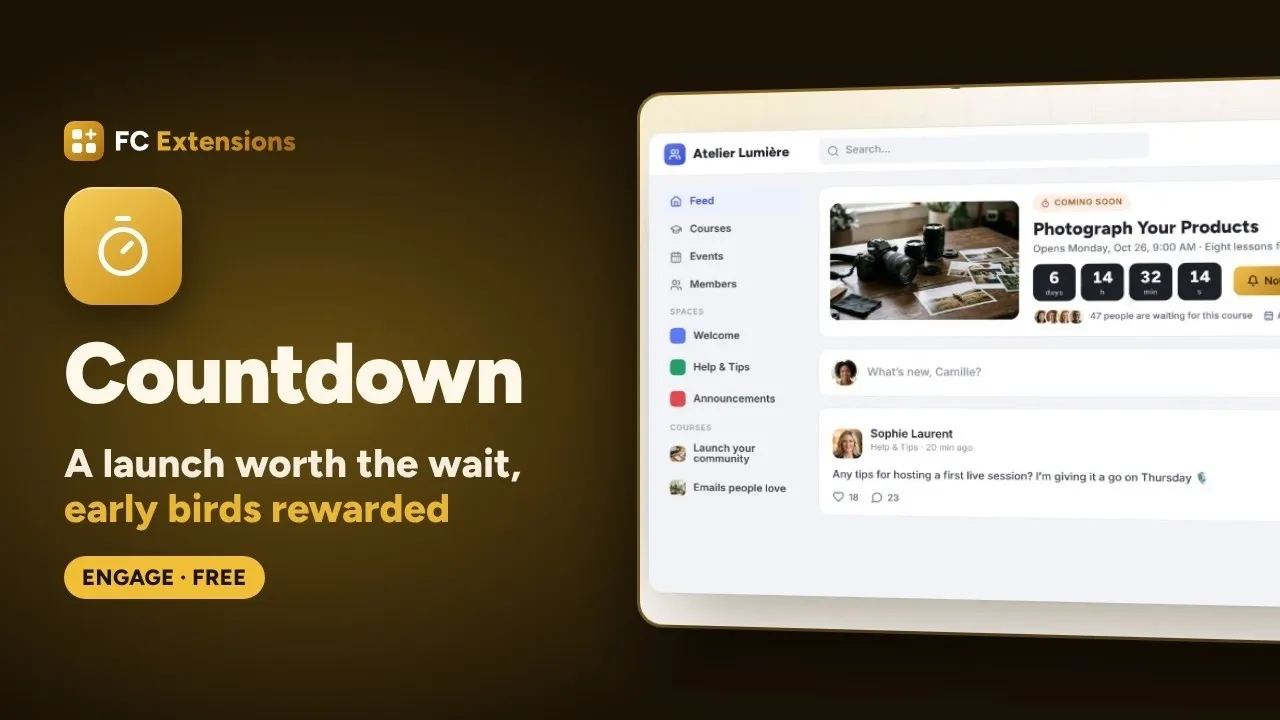
Countdown

Build the excitement. On launch day, everyone is there.

Overview1:43
Play Pause
Backward 10s Play Pause Forward 10s Unmute Mute
/
Settings Playback Accessibility
Announcements
Keyboard Animations
Enter PiP Exit PiP Enter Fullscreen Exit Fullscreen
Countdown for FluentCommunity: build a waiting list for your next course

What's new5:08

Play Pause
Backward 10s Play Pause Forward 10s Unmute Mute
/
Settings Playback Accessibility
Announcements
Keyboard Animations
Enter PiP Exit PiP Enter Fullscreen Exit Fullscreen
Countdown 2 for FluentCommunity: launch countdowns, waiting lists & video trailers

What it brings you

Countdown, for you and your members.

A new course announced in a post quickly goes unnoticed. Countdown builds anticipation: a date, a “Notify me” button, and everyone is told on release day.

  • A countdown in the community and on your site
  • A waiting list with “Notify me”
  • A launch offer on the big day

In pictures

See it in action.

What your members see, and what you set up in the admin.

Public side
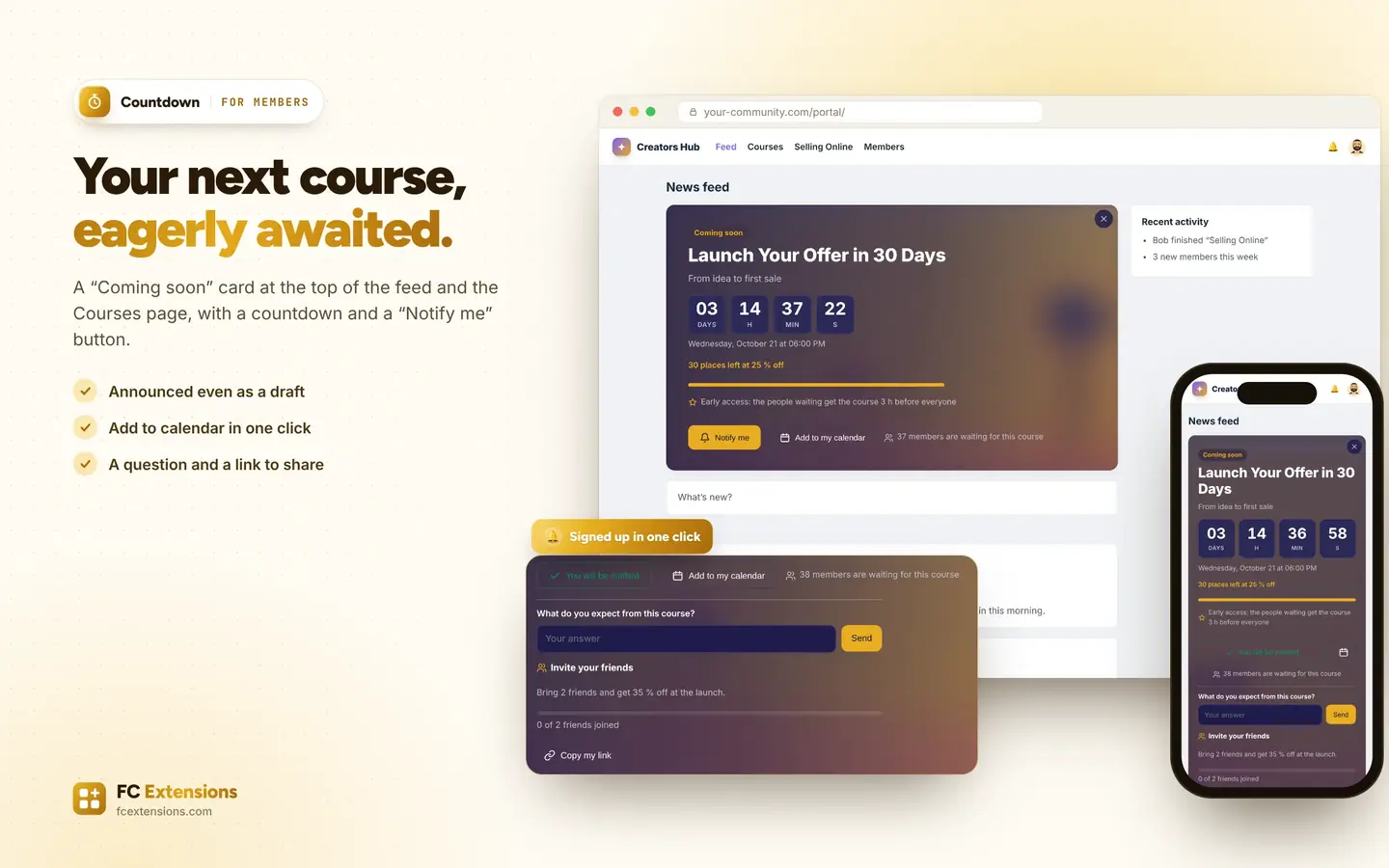
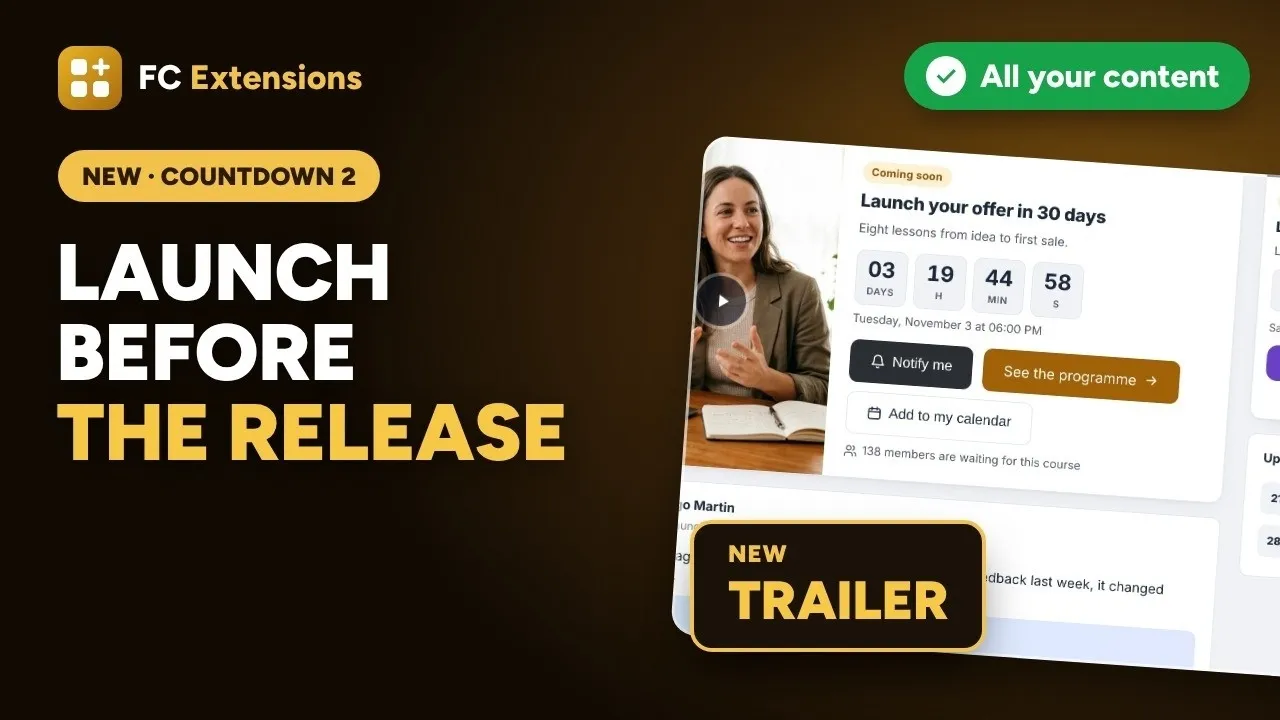
The “Coming soon” card at the top of the feed, after “Notify me”, and on a phone.
Your next course, eagerly awaited.The “Coming soon” card at the top of the feed, after “Notify me”, and on a phone.
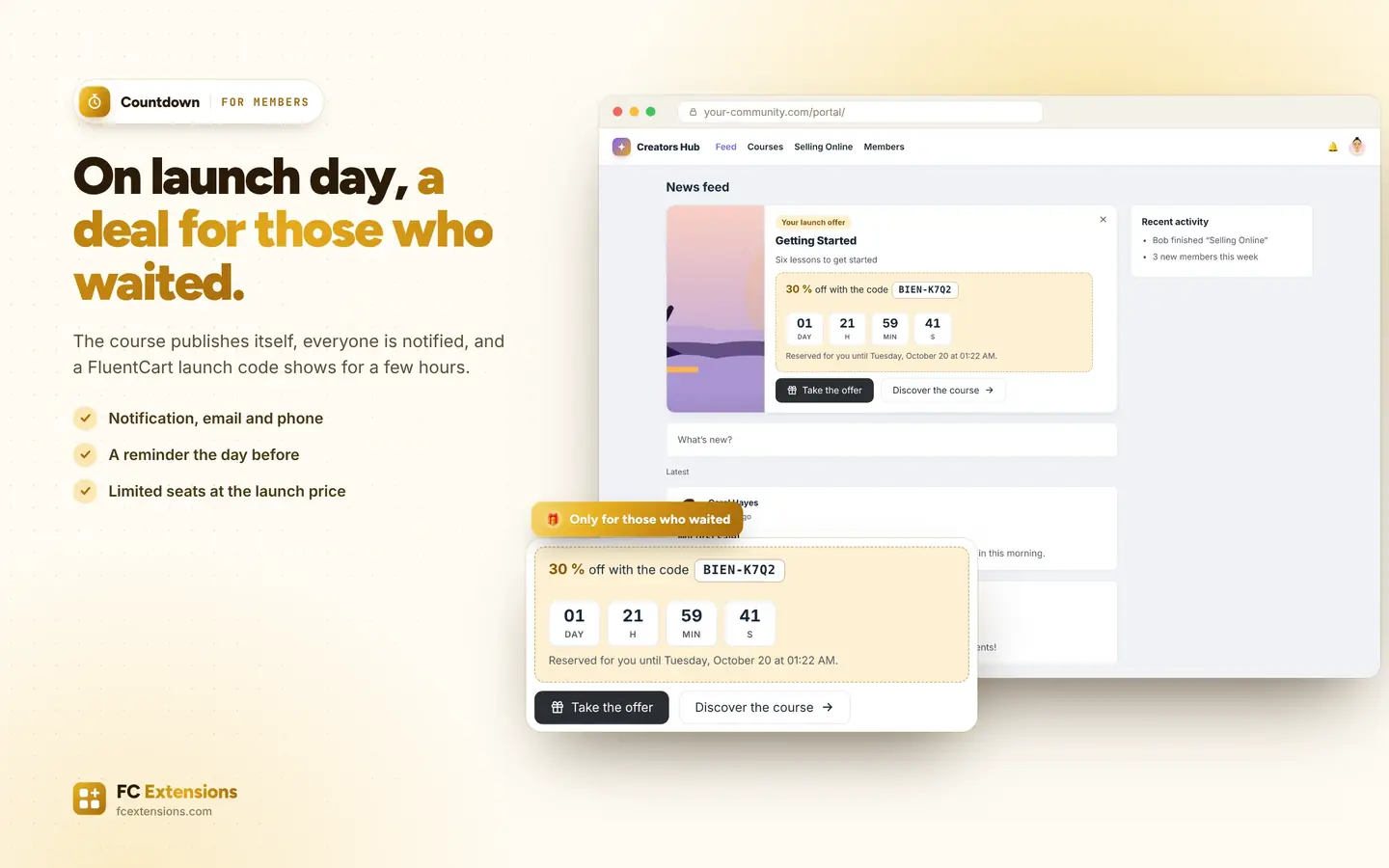
The launch offer card at the top of the feed, with its code and countdown.
On launch day, a deal for those who waited.The launch offer card at the top of the feed, with its code and countdown.
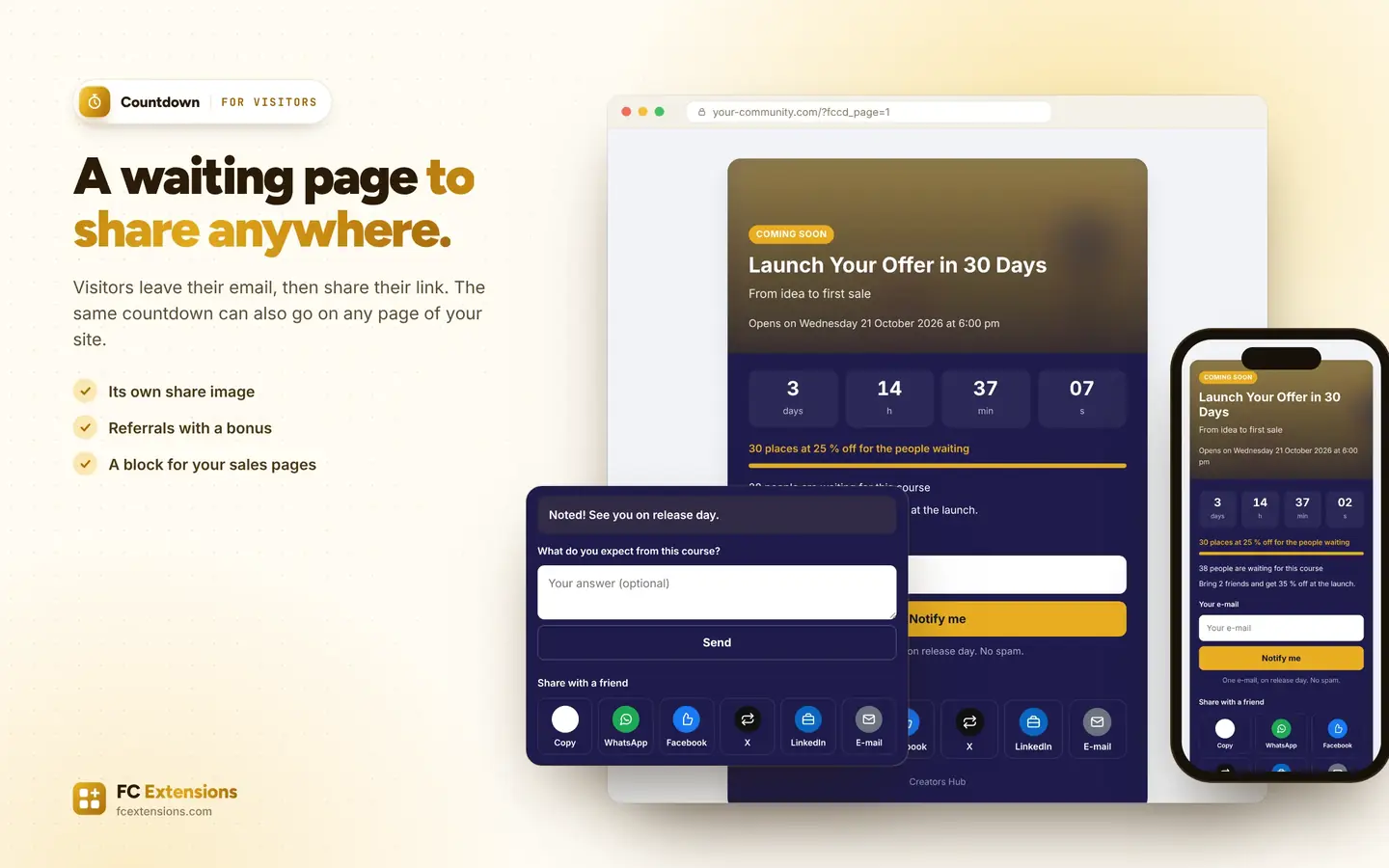
The public waiting page, on desktop and on a phone.
A waiting page to share anywhere.The public waiting page, on desktop and on a phone.

Admin side

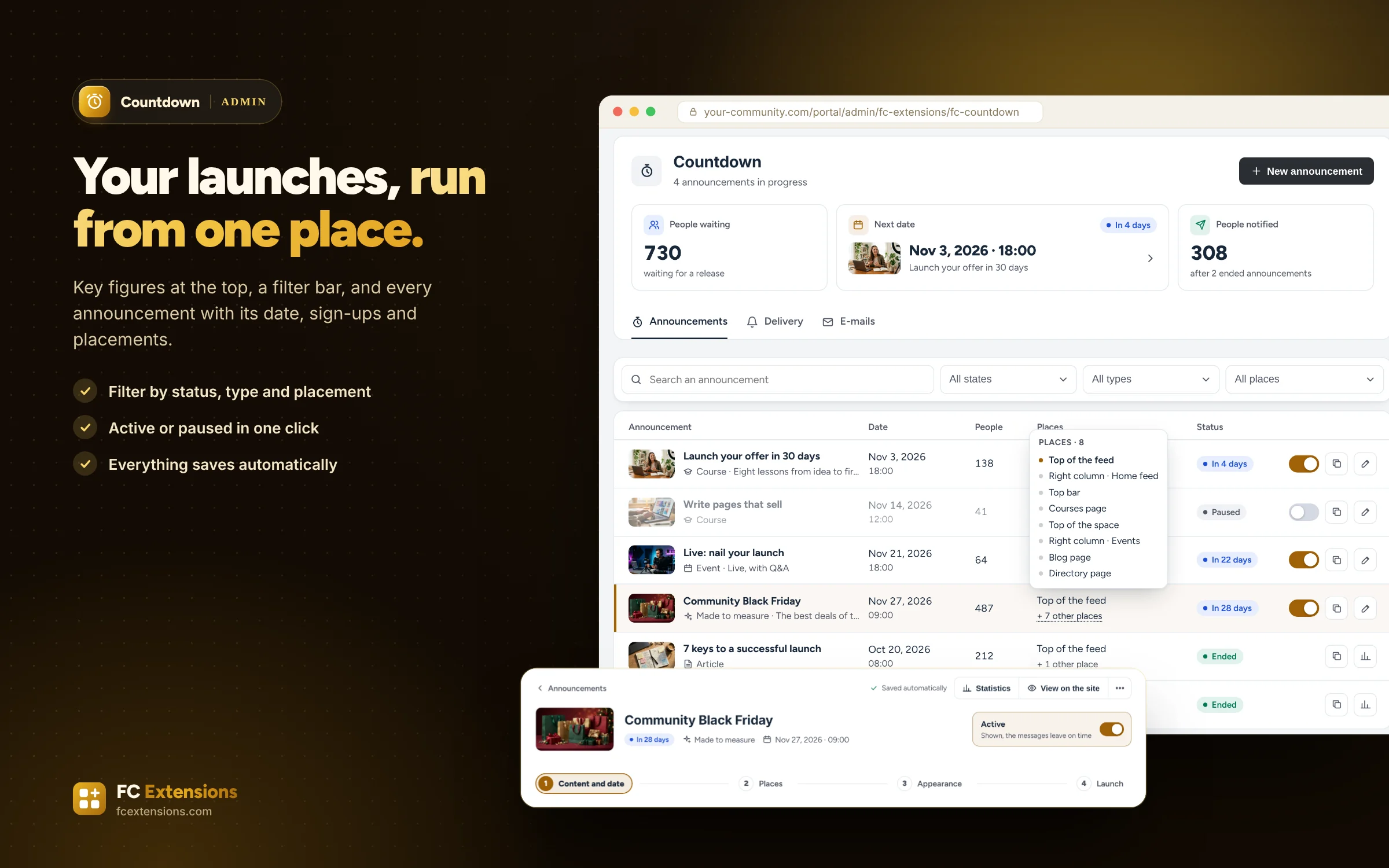
The list of announcements with its key figures and filter bar, and an announcement’s header.
Your launches, run from one place.The list of announcements with its key figures and filter bar, and an announcement’s header.
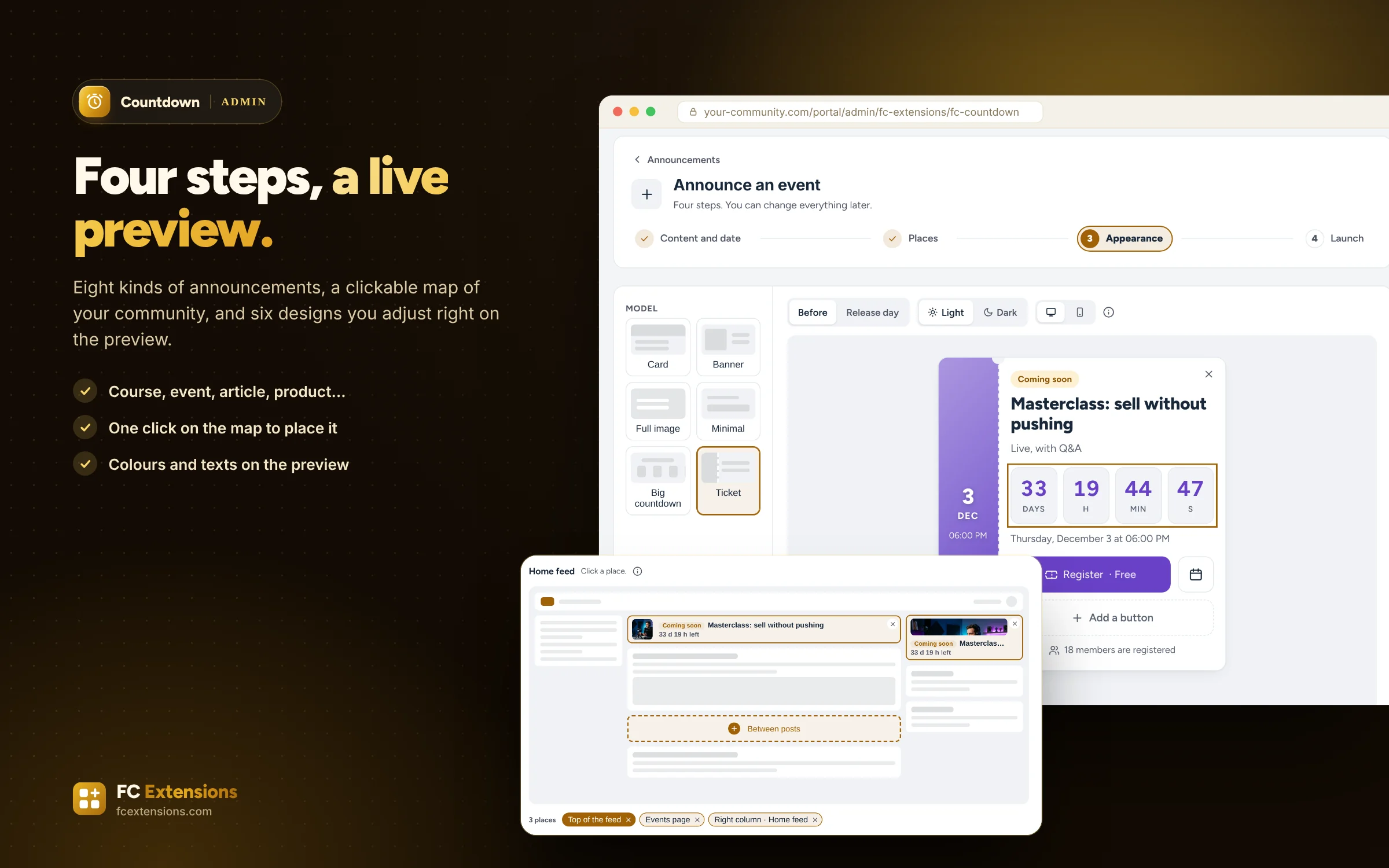
An announcement’s Appearance step with the Ticket design, and the placement map.
Four steps, a live preview.An announcement’s Appearance step with the Ticket design, and the placement map.
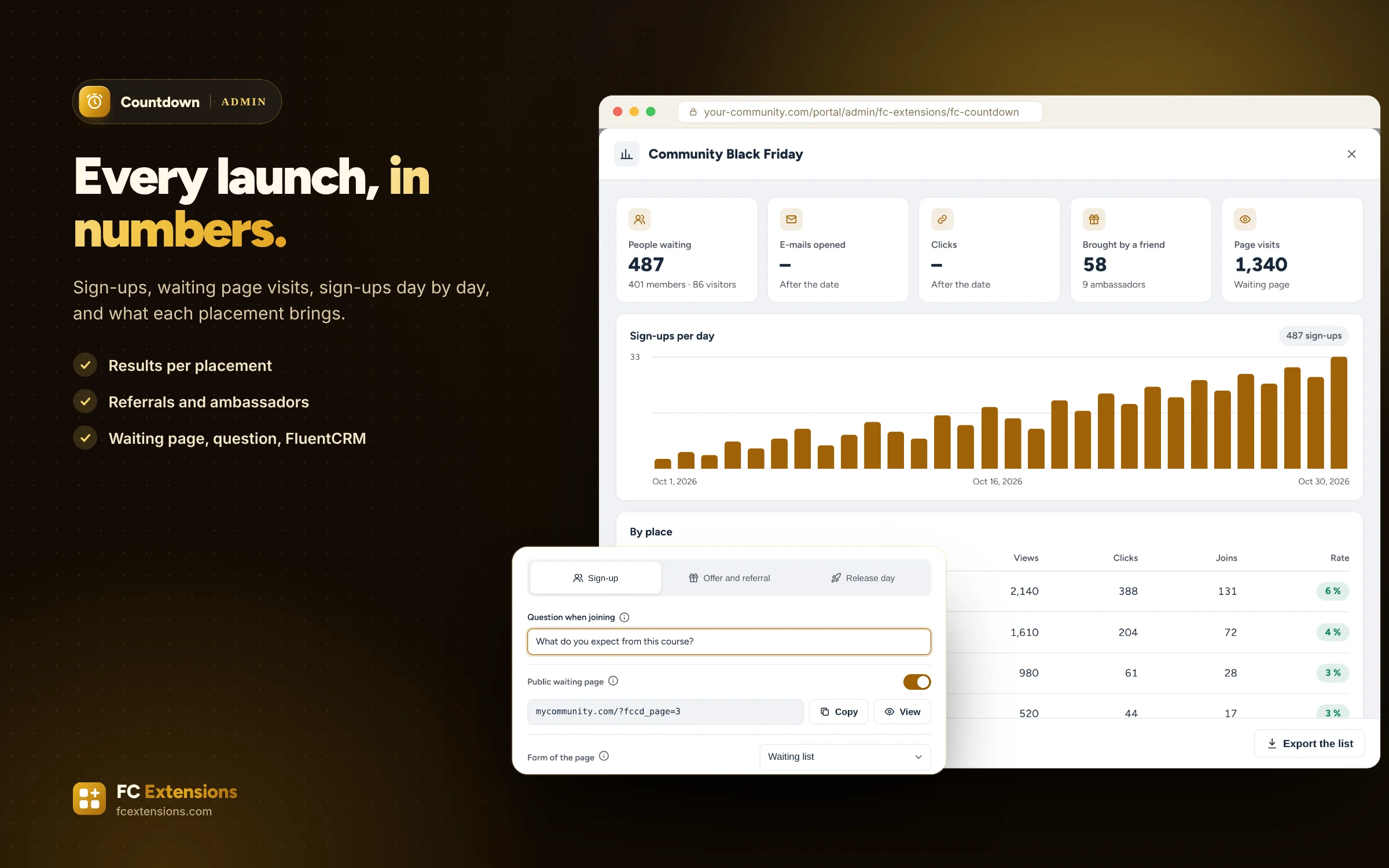
An announcement’s statistics (sign-ups per day, results per placement), and the Launch step with the waiting page.
Every launch, in numbers.An announcement’s statistics (sign-ups per day, results per placement), and the Launch step with the waiting page.

Click a visual to open it full size. Real screens of the extension, with sample data.

In detail

Everything it does for you.

  • Announce a course and its date, even while it is still a draft.
  • A “Coming soon” card at the top of the feed, of the Courses page and inside your courses, with a “Notify me” button.
  • The same countdown on any page of your site, where visitors leave their e-mail.
  • Four templates, your colors, your texts and your image, with a live preview.
  • On the day, the course can publish itself. Everyone waiting is told by notification, e-mail and phone.
  • A reminder the day before.
  • A launch offer: a FluentCart code for the people who were waiting, for a few hours.
  • Early access, limited seats at the launch price, a referral link.
  • A public waiting page to share, with its share image.
  • FluentCRM: a tag for every sign-up, and two triggers.
  • Statistics: sign-ups per day, e-mails opened, clicks, purchases with the code.

How to turn it on

Three steps, and you are off.

  1. 1Get your free key

    Your first name and email are all it takes: FC Extensions and your key arrive right away.

    Get my key
  2. 2Install FC Extensions

    A single WordPress plugin with everything inside. Paste your key on the License page.

  3. 3Turn on Countdown

    One switch in the Fluent Community settings, and you are ready.

Your community deserves to shine.