
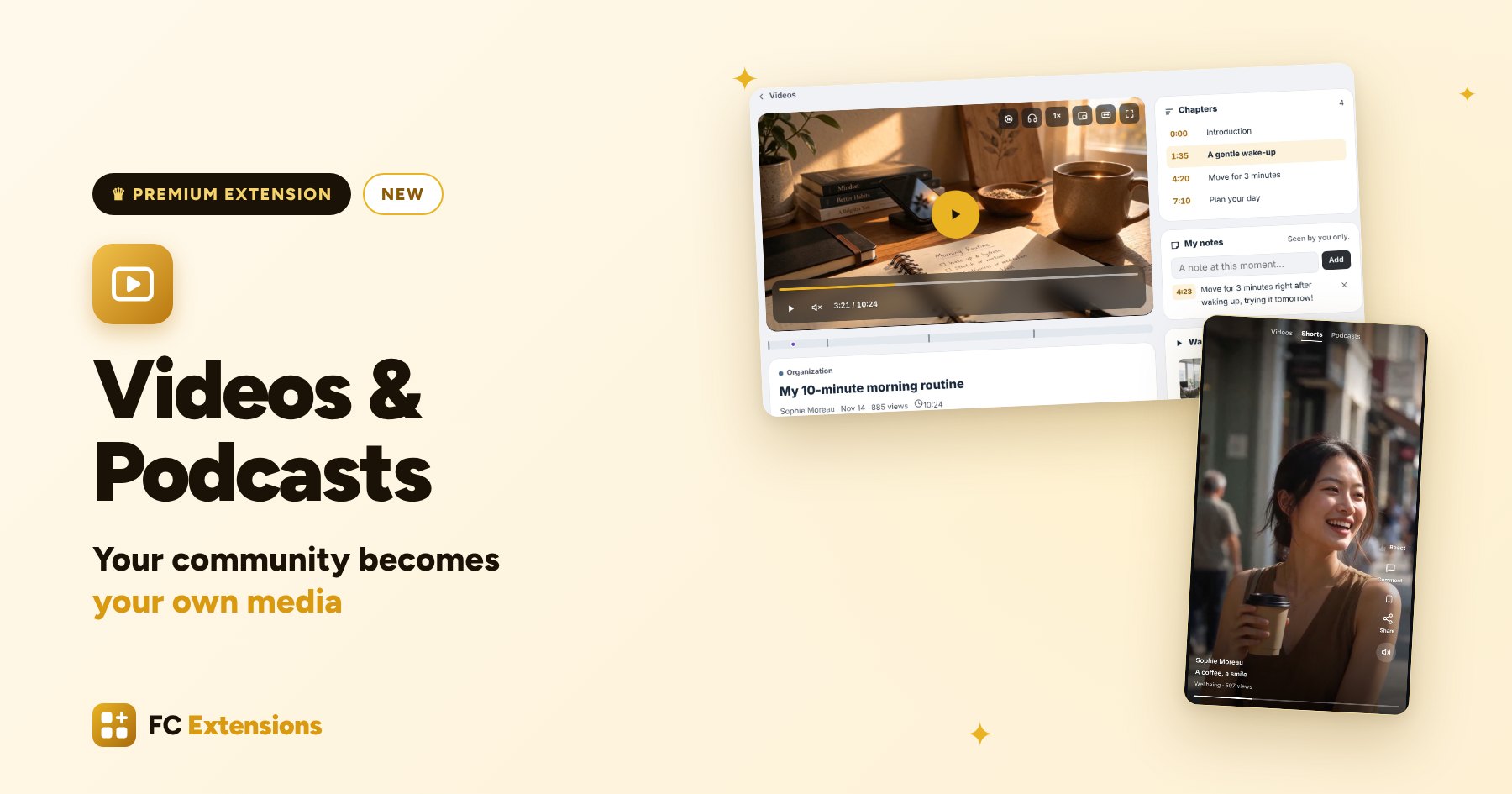
Running a community means creating, again and again. Videos, a podcast, courses, live sessions. A real treasure, often scattered across several platforms.
With Videos & Podcasts, the new premium extension in the Engage family, all your videos and all your podcasts come together at the heart of your community, just like a real channel. A beautiful, well organized library that fills itself, that your members love to browse, and that you can protect, sell and follow.
Videos & Podcasts at a glance
- A library that fills itself: a YouTube link, a channel, a podcast, and everything arrives.
- Simple for you, simple for your members: a wizard to get started, and a library just for them.
- The joy of watching and listening: a player in your colors, Shorts, the audio bar.
- Watch together and learn: premieres, shared clips, programs, subtitles and notes.
- A design that looks like you: the live editor, from the home page to the audio bar.
- Protect, sell, get known: access, protection, sales, creators and ads.
- Follow and connect: your statistics, your tools and your AI agents.
See it in action
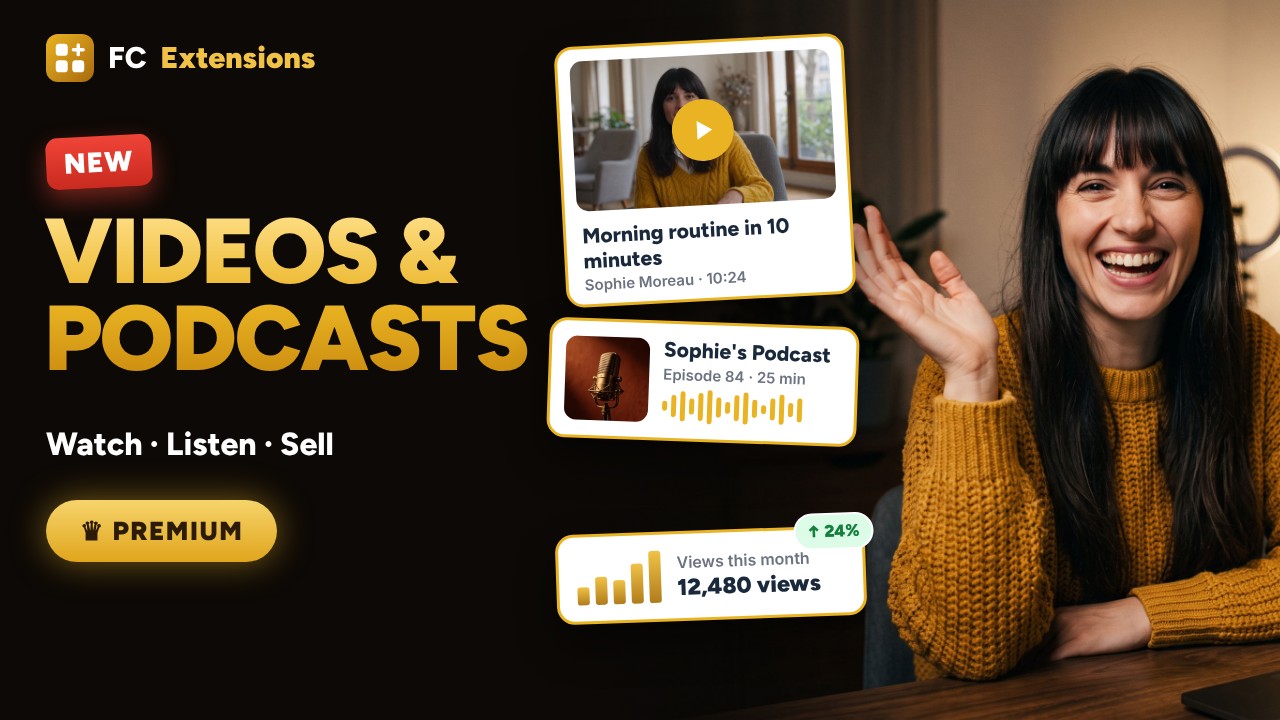
Want to see the others? Every extension is on video, family by family.
A coach, a community, lots of content
Meet Sophie. She is a coach, she runs her community on Fluent Community, and she loves to share what she knows. Every week, a new video on her YouTube channel. And for two years now, her podcast.
In her community, her videos mostly live in the lessons of her courses. The others, she shares in the activity feed, as they come. Lea, one of her members, loves them. She would just like to find them all in one place.
That is exactly why we created Videos & Podcasts: a real library, at the heart of your community. With it, your community becomes your own media.
A library that fills itself
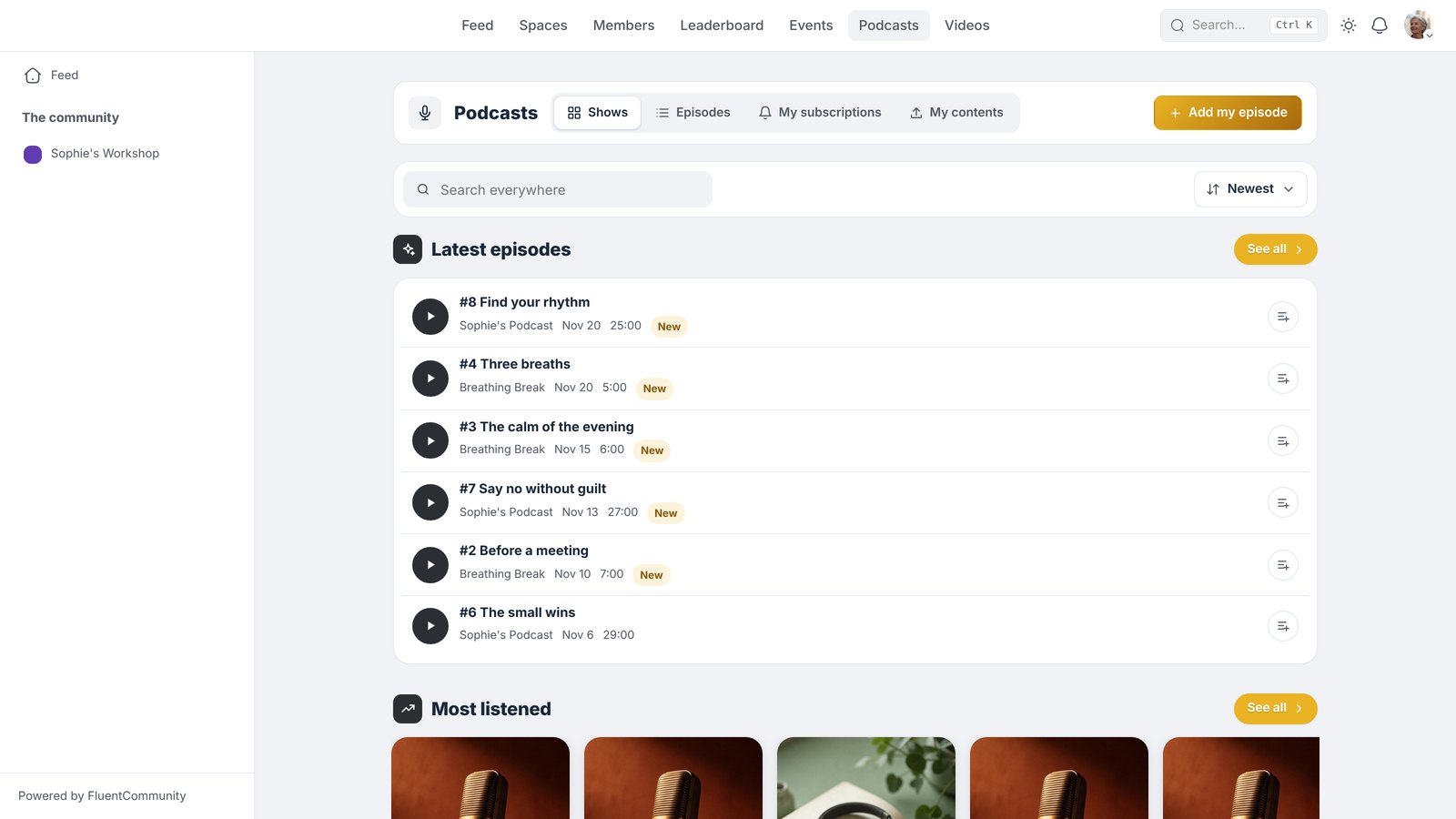
One extension, two spaces: Videos and Podcasts. Sophie pastes the link of a YouTube video, and that’s it: the title, the image and the length arrive on their own. A whole channel, a playlist, her YouTube Shorts? Same gesture. Her Vimeo videos and the ones uploaded to her WordPress join them effortlessly.
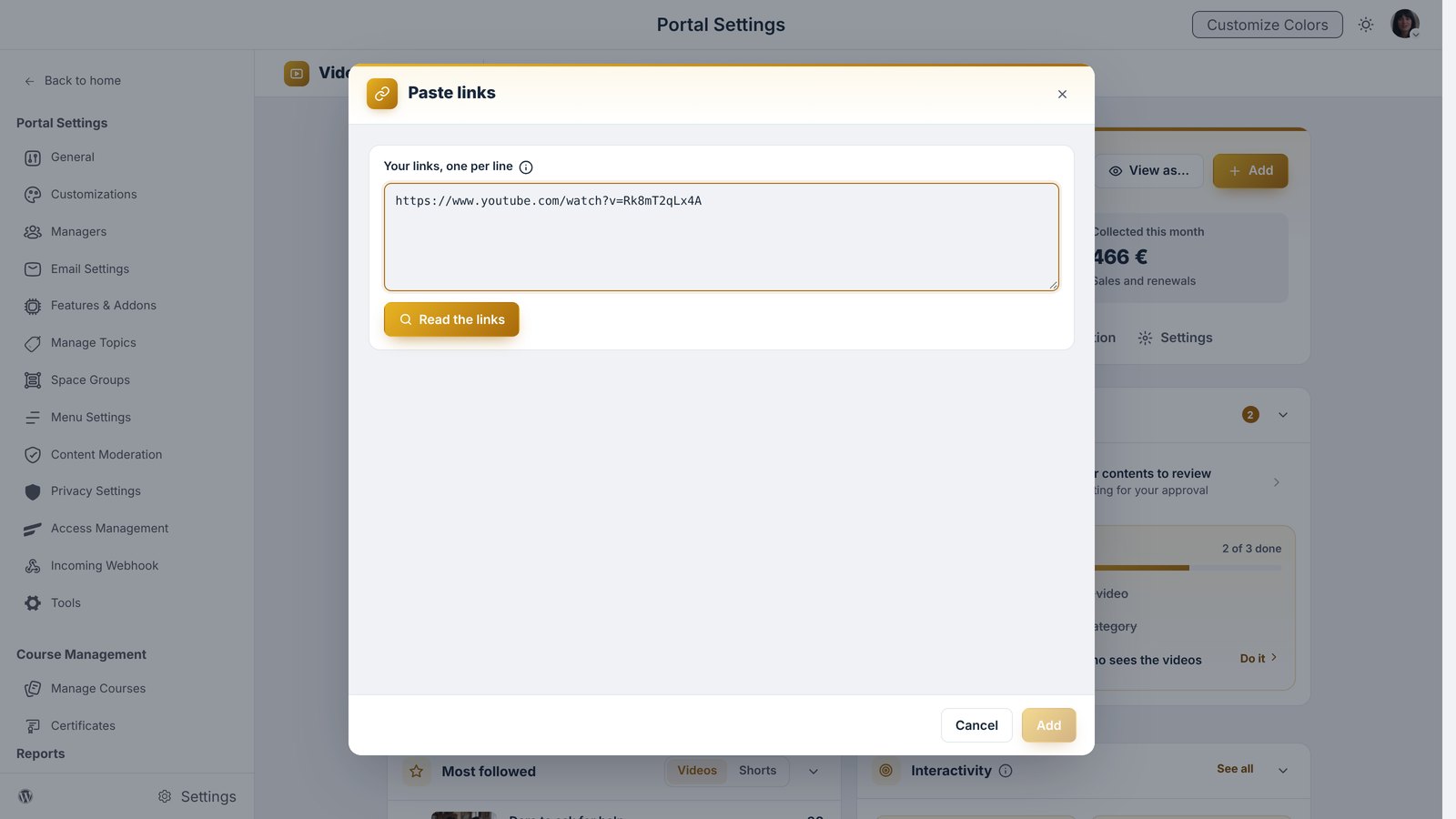
And here is the best part. When Sophie publishes a new video on YouTube, as usual, Videos & Podcasts picks it up and publishes it in her library. She has nothing else to do.
Your podcasts too
Sophie pastes the address of her podcast, and all her episodes arrive in an instant. Each new episode follows the same path, on its own. No podcast yet? She creates one from her audio files.
Everything is found in an instant
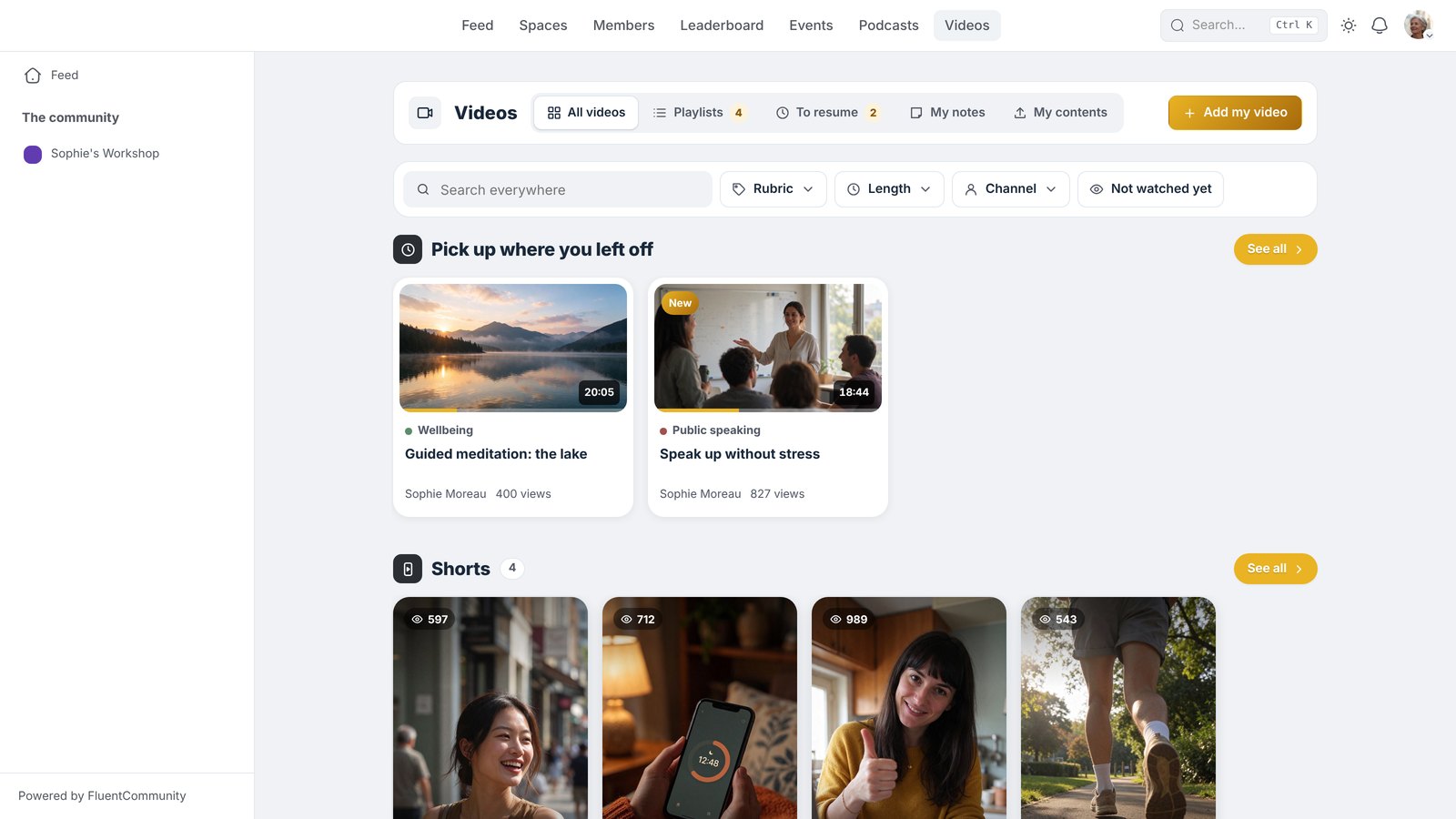
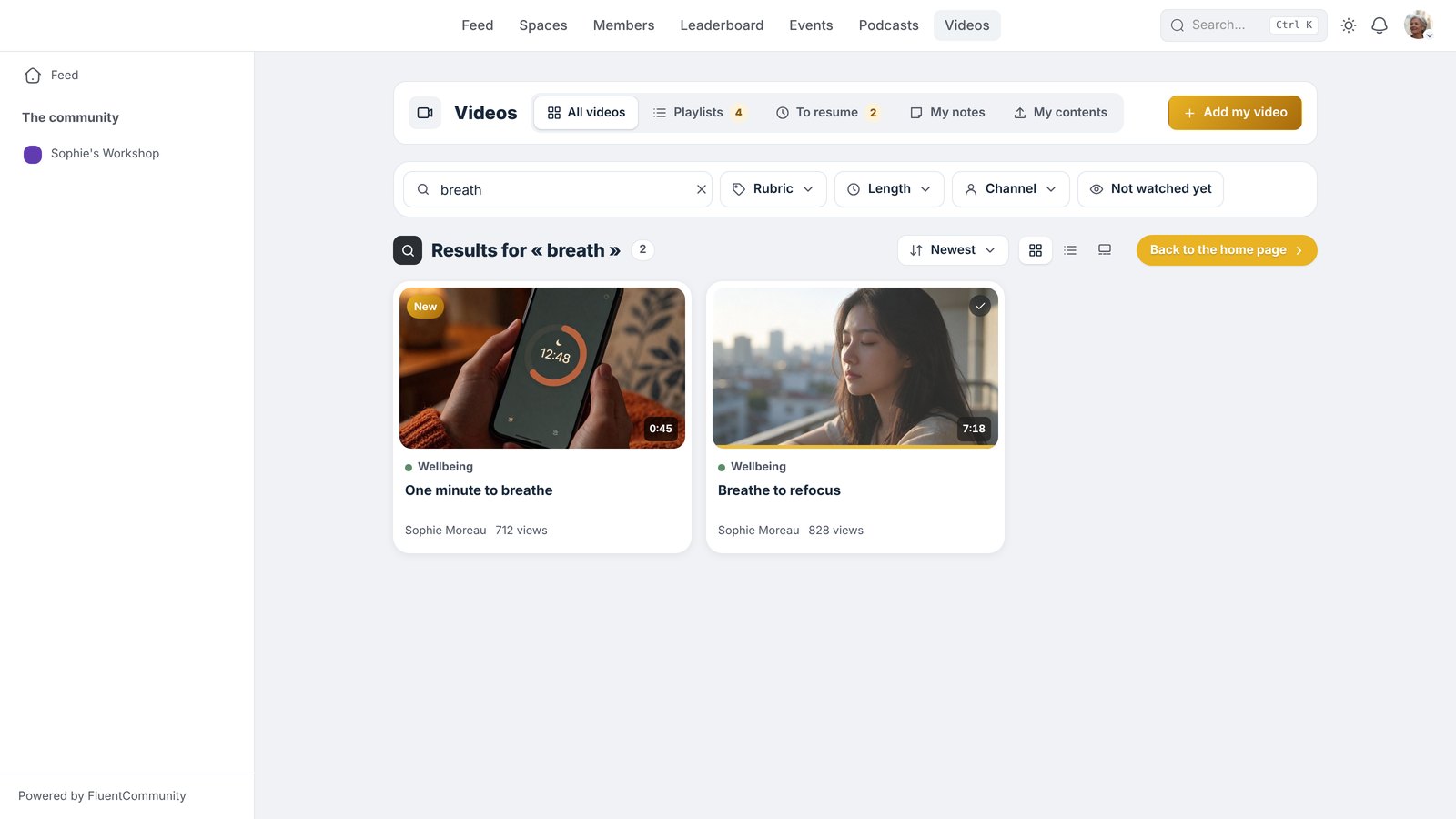
As the library grows, Lea types a word, and every video and every episode that talks about it shows up right away, down to what Sophie says in them.
Simple for you, simple for your members
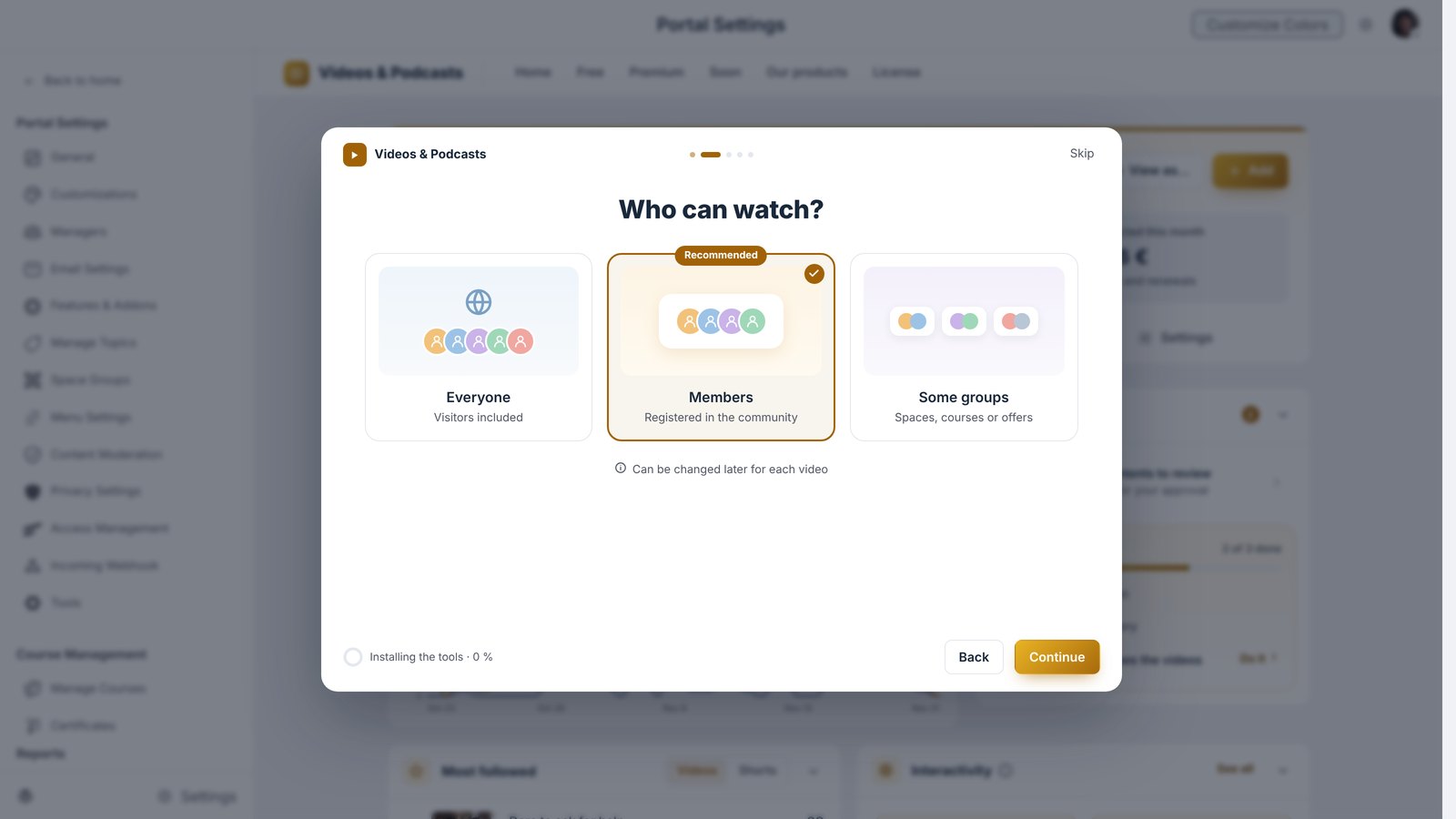
To get off to a good start, a wizard welcomes Sophie. It asks her five questions, one at a time. A few answers, and her library is ready.
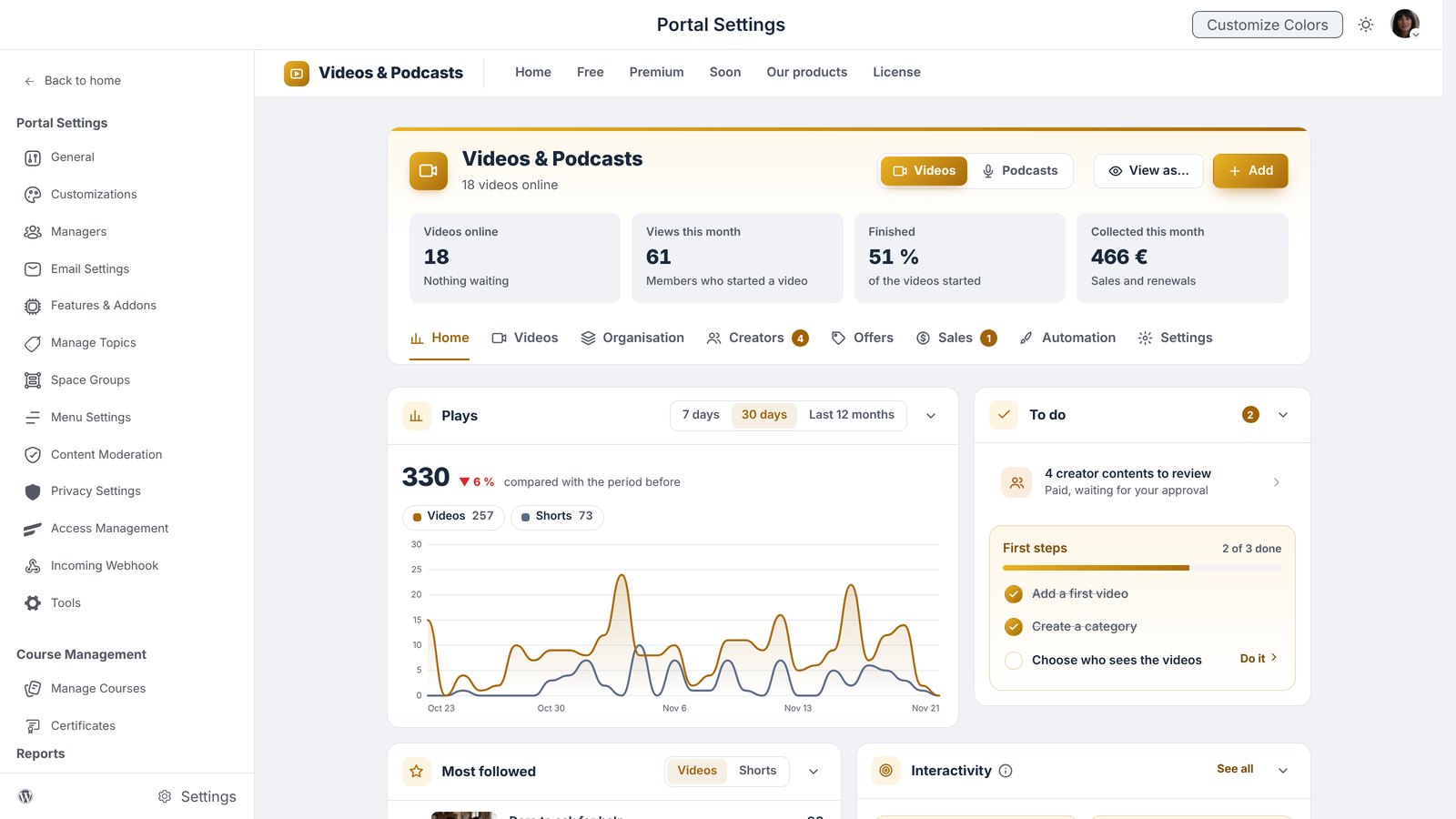
After that, everything is clear. The home screen shows what matters at a glance, videos on one side, podcasts on the other. To set up a video, Sophie opens it, and everything happens step by step. She sorts her categories by dragging them and acts on several videos at once. One click on “A member”, and she sees her library exactly as her members do, on computer, tablet and phone.
And Lea? She has her own library. She picks up her videos where she left off, sorts them into playlists, finds her notes and follows her favorite podcasts. Everything is there, just for her.
The joy of watching and listening
Sophie chooses the style of her player: Modern, Minimal, Cinema or Studio. All her videos, even those from YouTube and Vimeo, play in this player, in her image and in her colors.
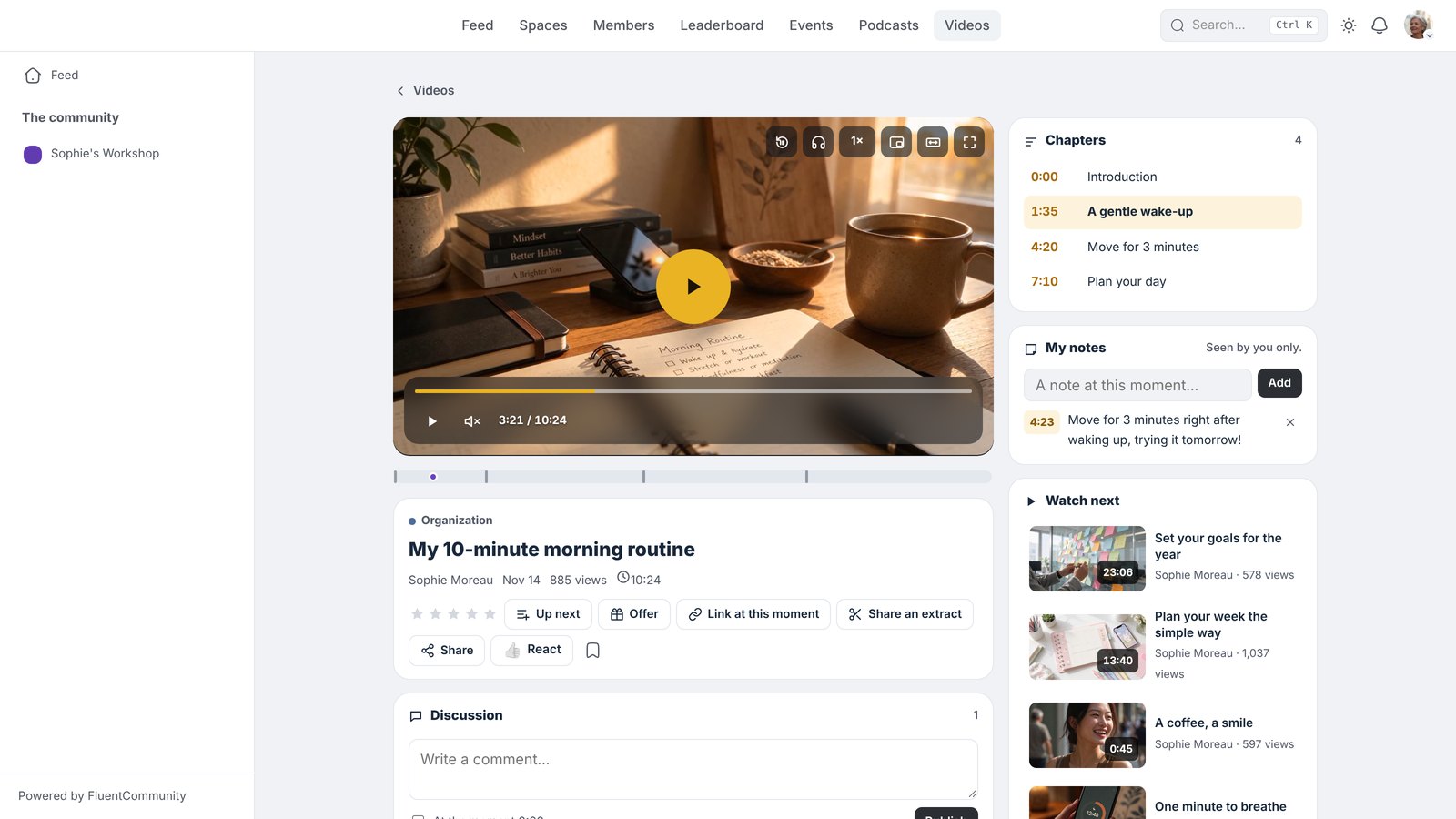
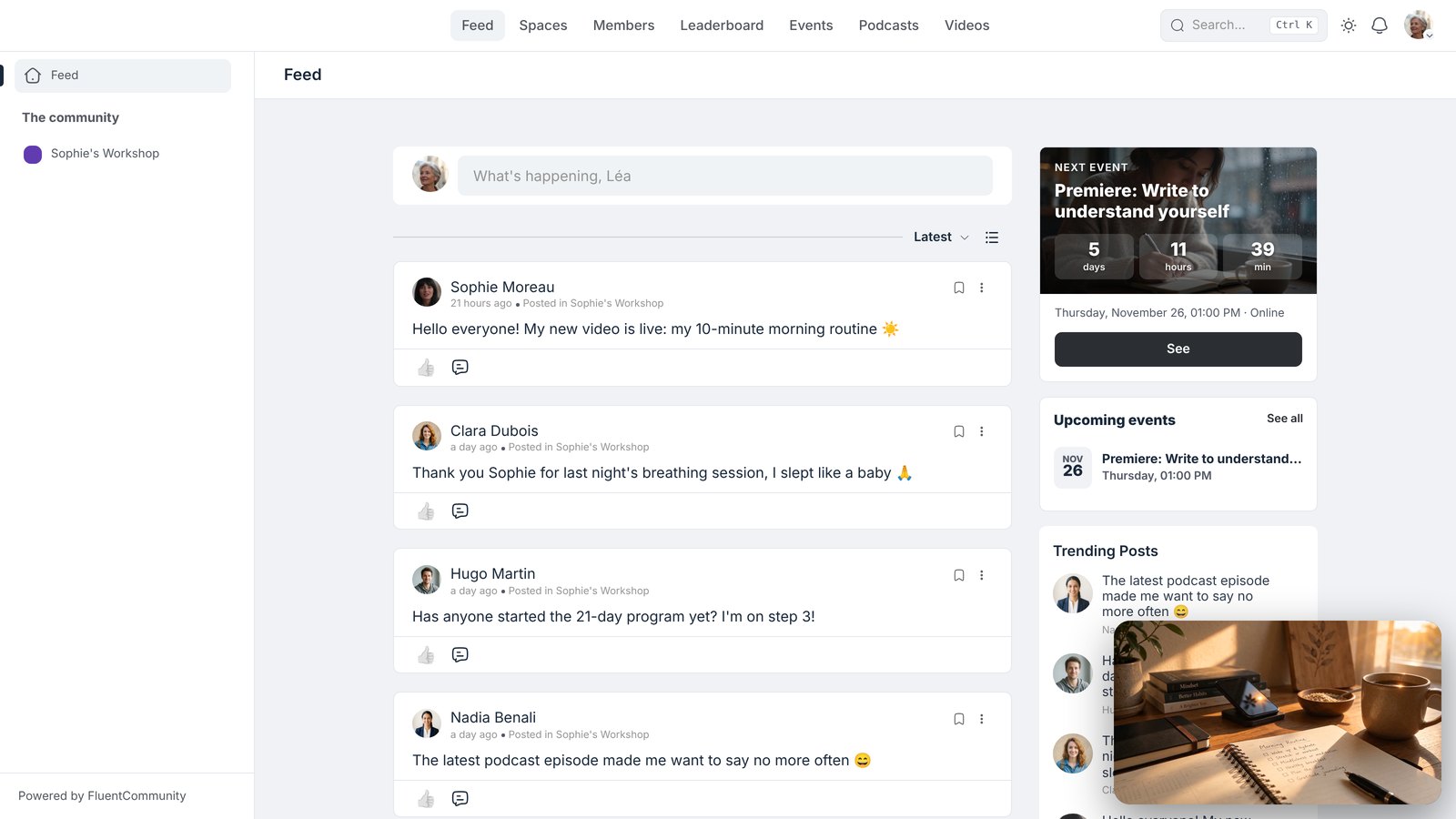
Lea starts a video, then goes off to read a discussion? The video follows her, in a small player at the bottom of the screen. She moves it, enlarges it, or goes back to the video in one click.
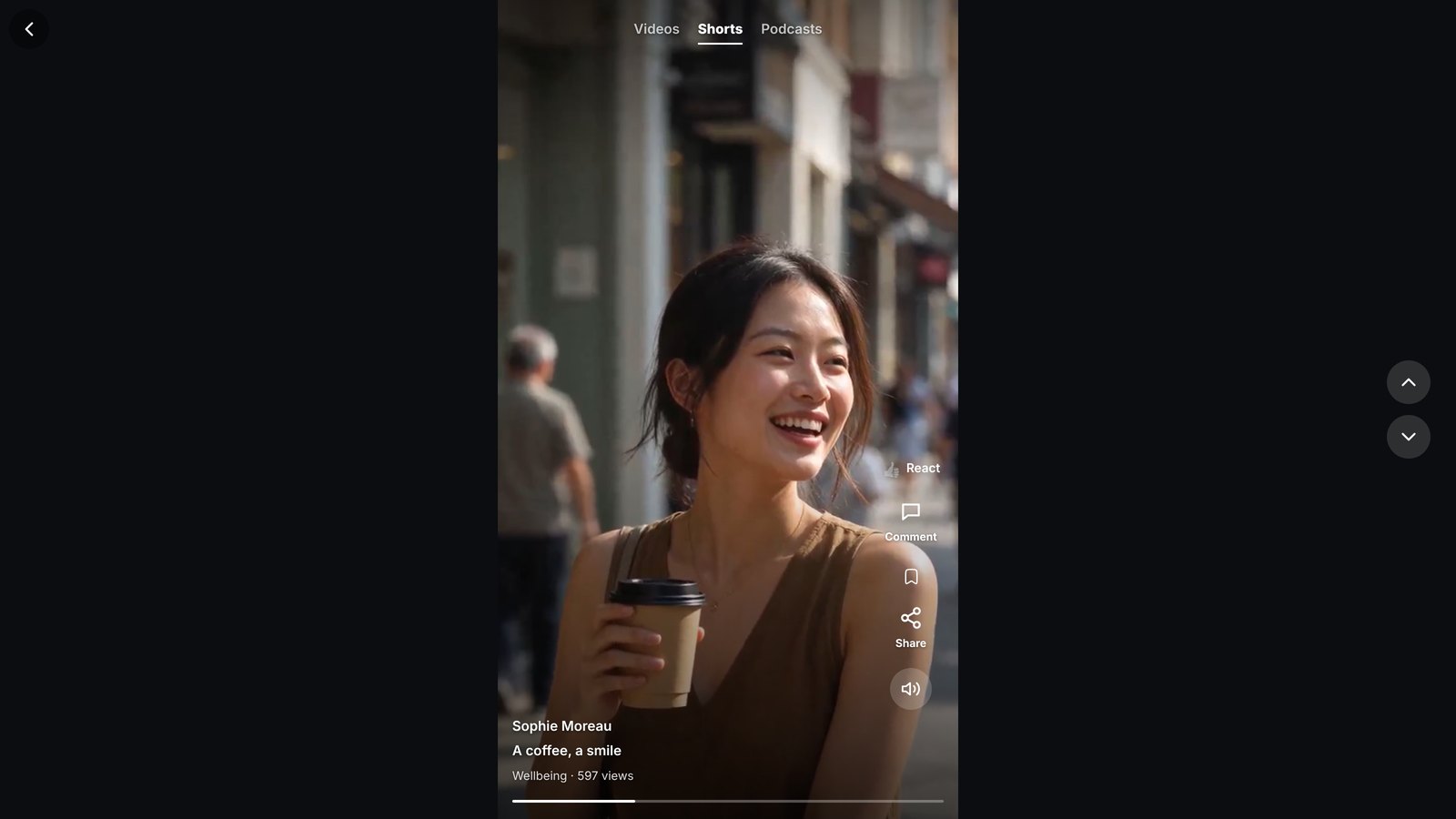
In the mood for short videos? The player adapts to the Short format: full screen, vertical, with the comments right next to it. One swipe, and the next one arrives. For podcasts, an audio bar stays at the bottom of the screen: Lea listens to Sophie while browsing the community. And when she has to stop, she picks up the next day exactly where she was.
Watch together, learn at your own pace
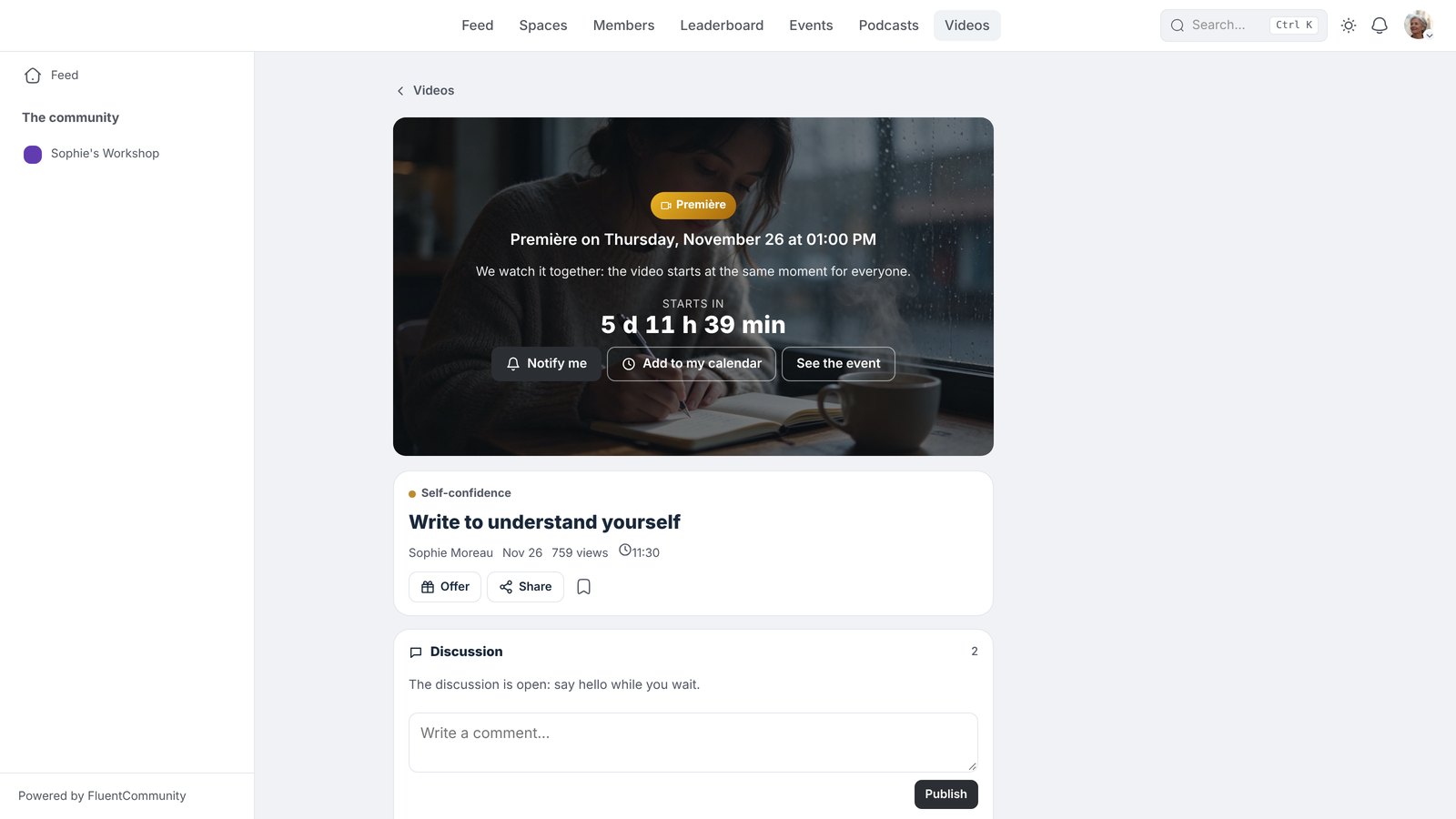
Sophie schedules a new video as a premiere, for Thursday. Lea clicks “Notify me”: on the day, a notification and an email remind her of the date. And with our Events extension, the premiere is also added to the community calendar.
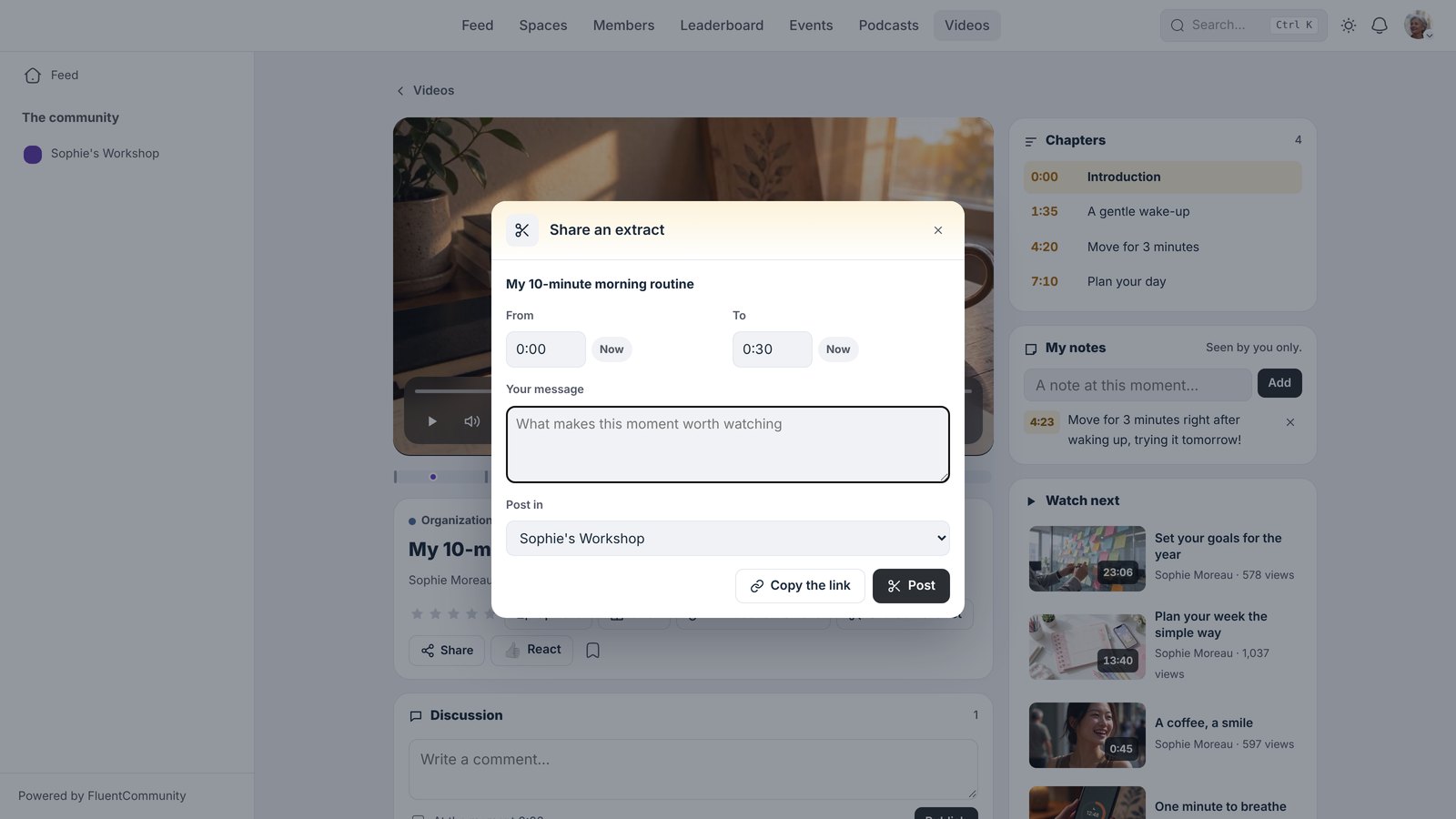
During the video, members react, leave a rating and comment on a precise moment. A part touched Lea? She picks the start and the end, writes a short message, and shares this clip in the activity feed. The others watch it in one click, and want to see the rest.
Programs, chapters and subtitles
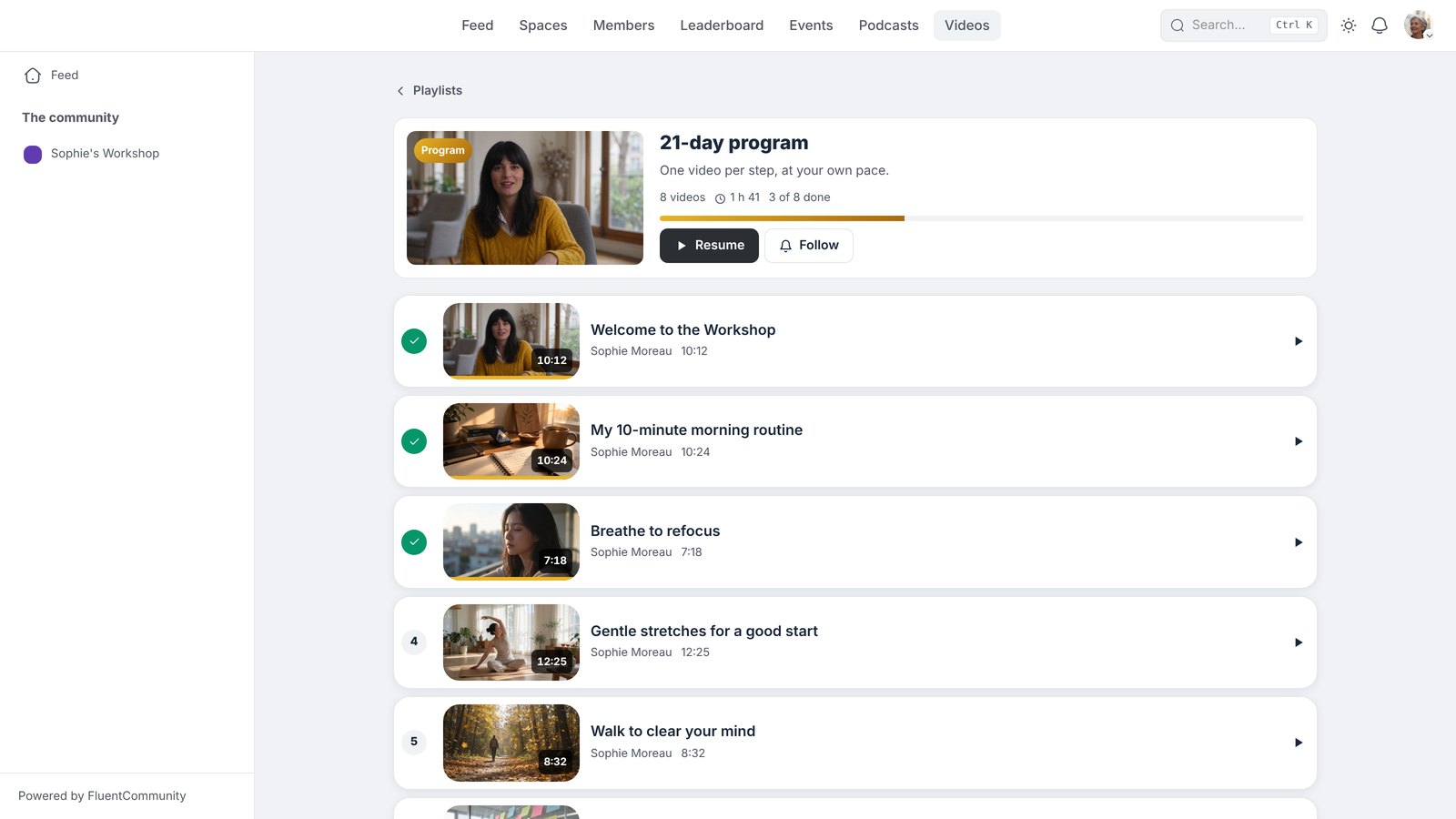
Sophie sorts her videos into categories, then into playlists. A playlist can even become a real program: numbered videos, to follow in order, that open little by little, at everyone’s pace.
Her videos have chapters. For subtitles, Sophie chooses a language: one click, and they write themselves. Lea only has to choose hers. And when an idea strikes her, she takes a note on that precise moment, to find it later in one click.
A design that looks like you
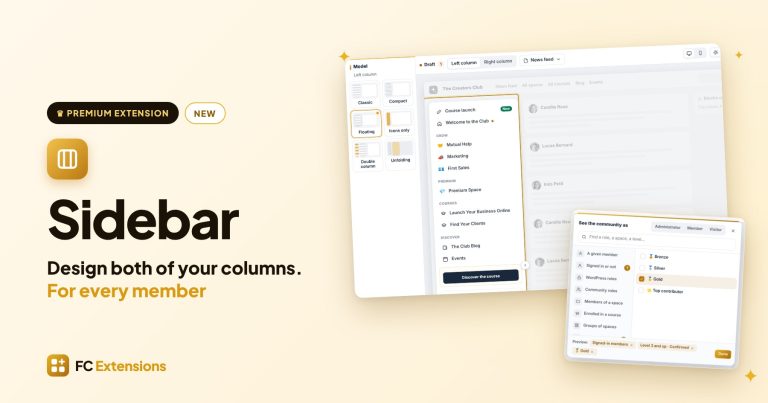
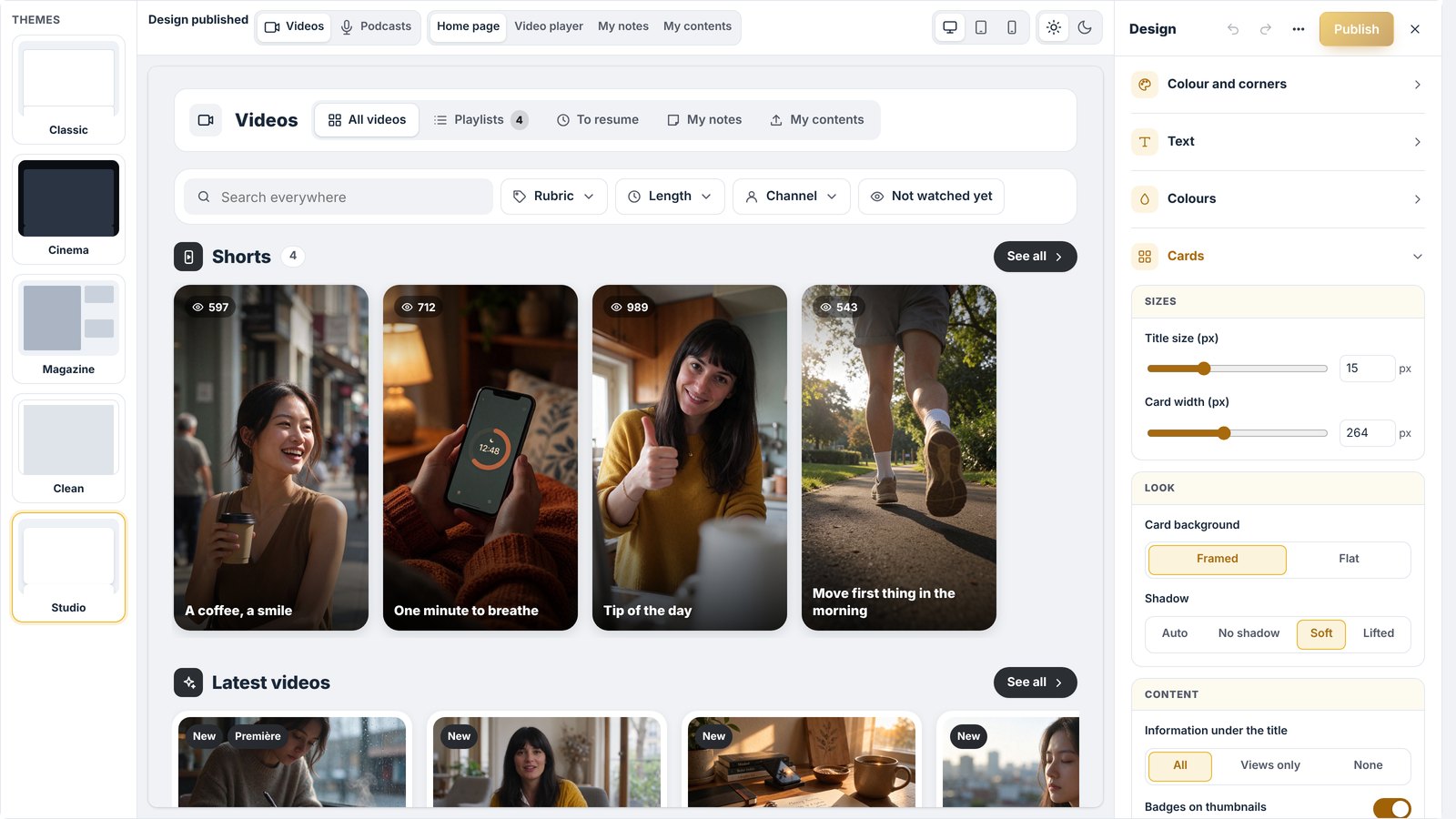
With the live editor, Sophie sees her real page change while she adjusts it. She starts from a template (Classic, Cinema, Magazine, Clean or Studio), then adjusts the color, the corners, the fonts, the cards and the blocks of her home page. The player, the My notes and My contents pages, the podcasts and even the audio bar have their own style. She checks the result on computer, tablet and phone, in light and dark mode, keeps a draft, and publishes when she is proud of the result.
Videos that drive action
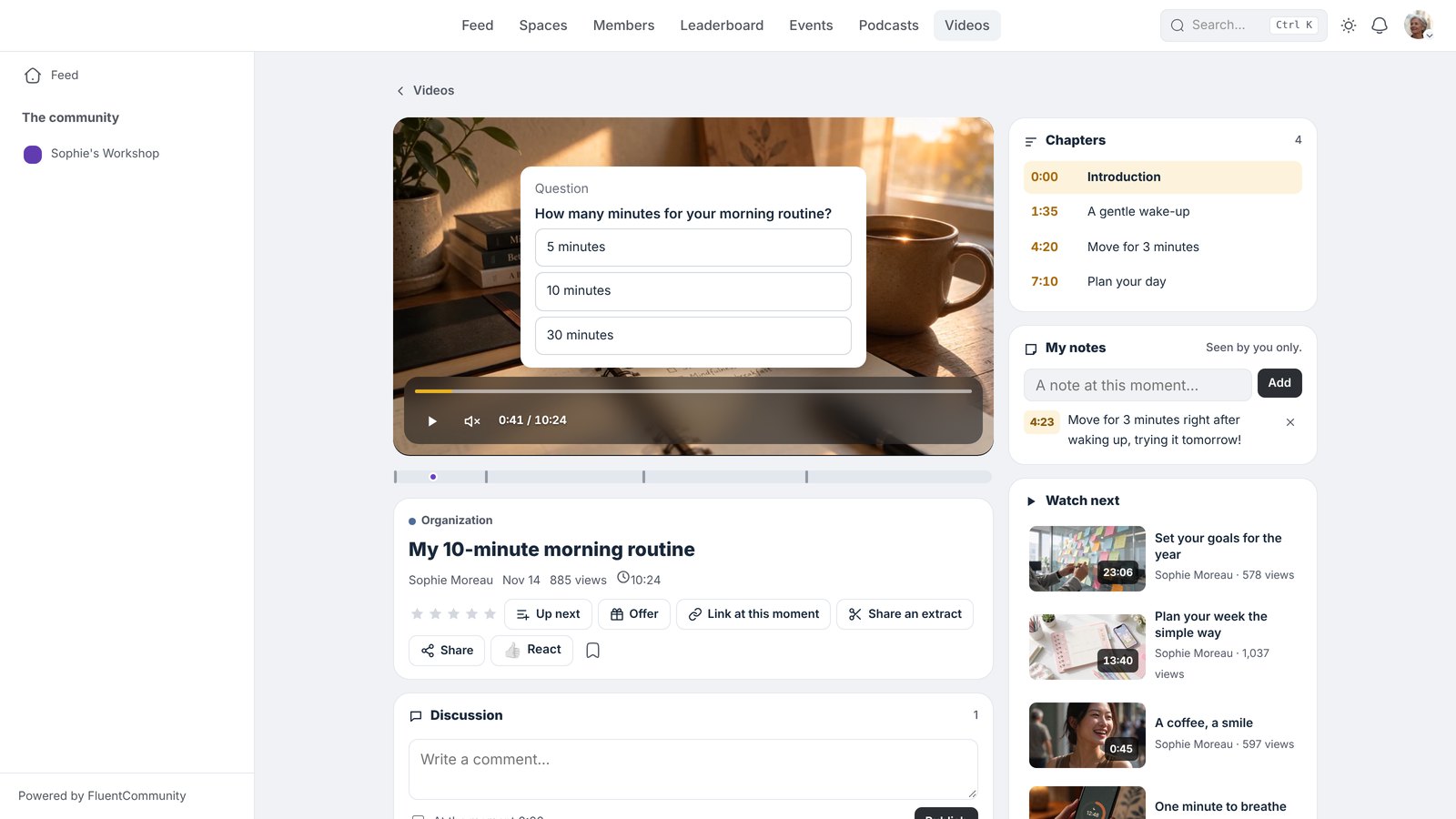
In the Moments tab, Sophie makes a message appear at the right moment, with a button to her program, or a short question to check what Lea remembered. Everything shows on the video, in Sophie’s colors, and she sees how many members clicked and how many answered correctly. Watching becomes a real exchange.
Protect, sell and get known
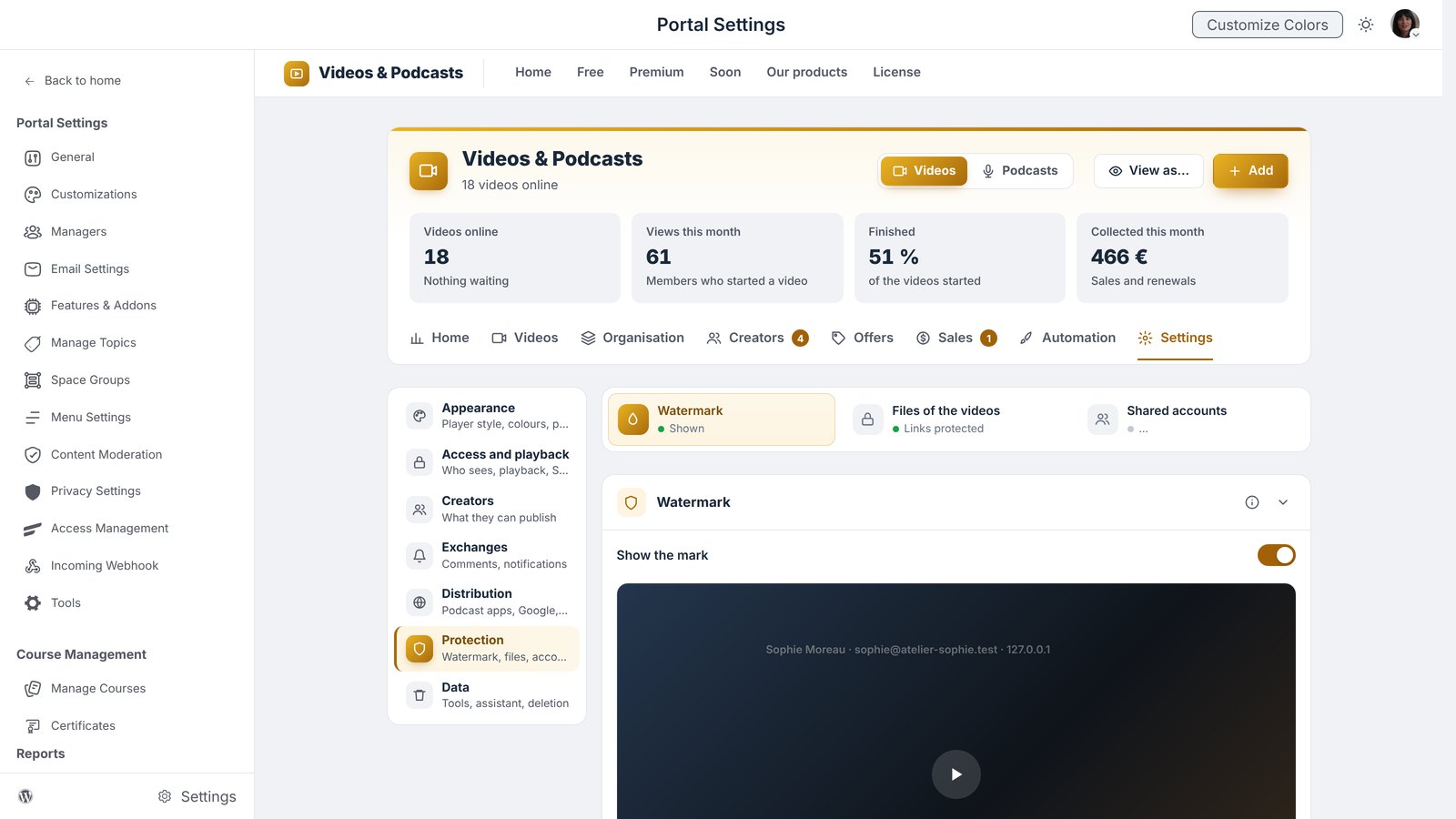
Sophie chooses who sees each video: everyone, logged-in members, or a precise audience (a level, a space, a course, a tag from her CRM). She then turns on the protections of her choice to discourage copying: the member’s name shown on the video, links that expire, encrypted videos and episodes, one screen at a time per account, and an alert as soon as something looks suspicious.
Sell your content
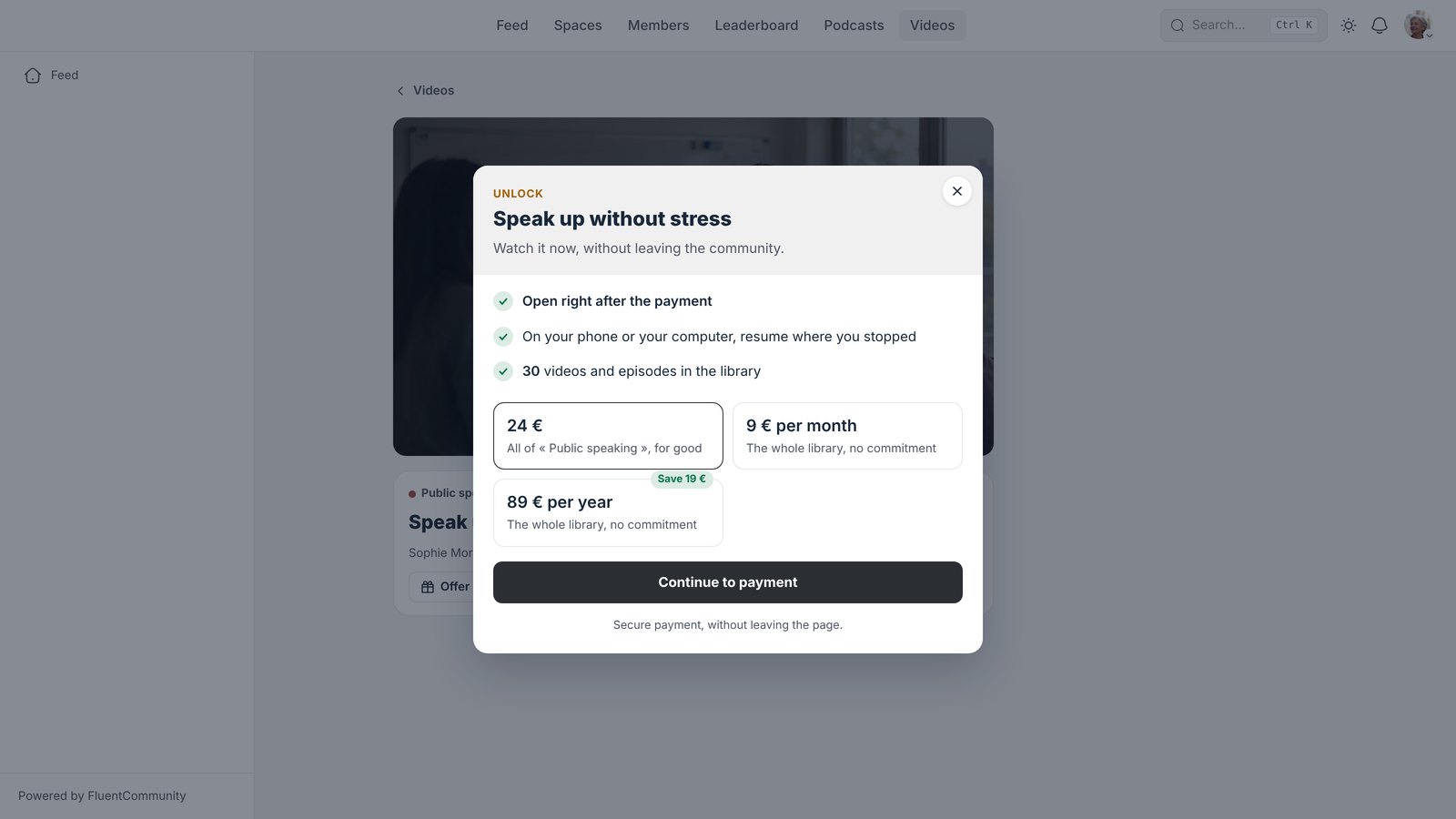
A video, a playlist, a category, a podcast, or the whole library at once with the Pass: Sophie sells what she wants, one by one or by subscription. To make people want more, she shares a preview, a trial episode or a few videos to discover. Members-only content stays visible with a small lock, and a beautiful purchase screen presents the offer. Payments go through FluentCart.
Your members become creators
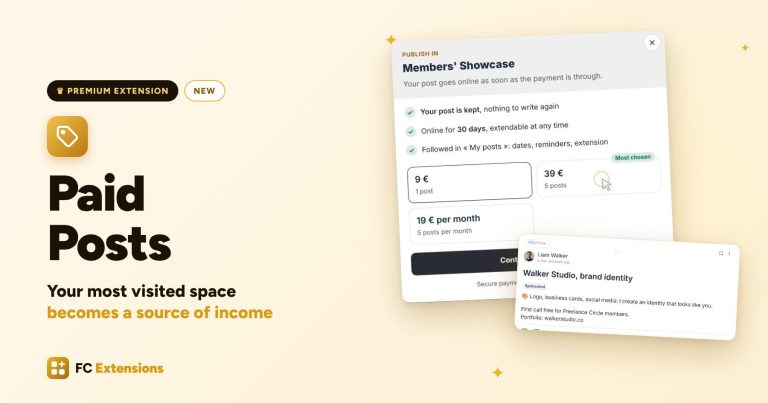
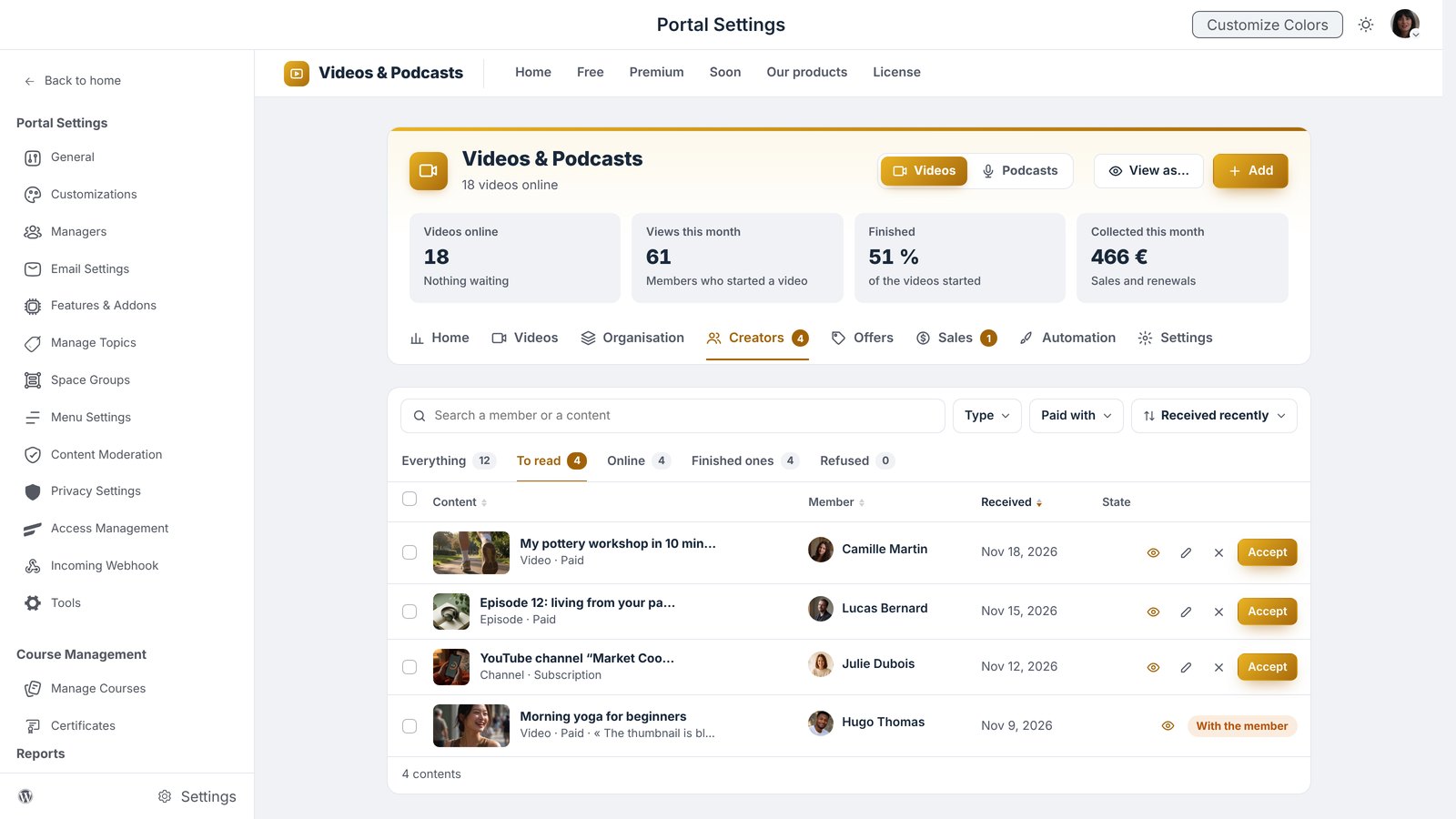
Thomas, an artificial intelligence expert, would like to get known by Sophie’s members. He adds his video himself, chooses an offer to have it featured, and pays Sophie for this service. Sophie reviews it, then publishes it. Thomas gains visibility, receives his report every month, and Sophie enjoys a new source of income. A logic close to Paid Posts.
Advertising, with Ad Manager
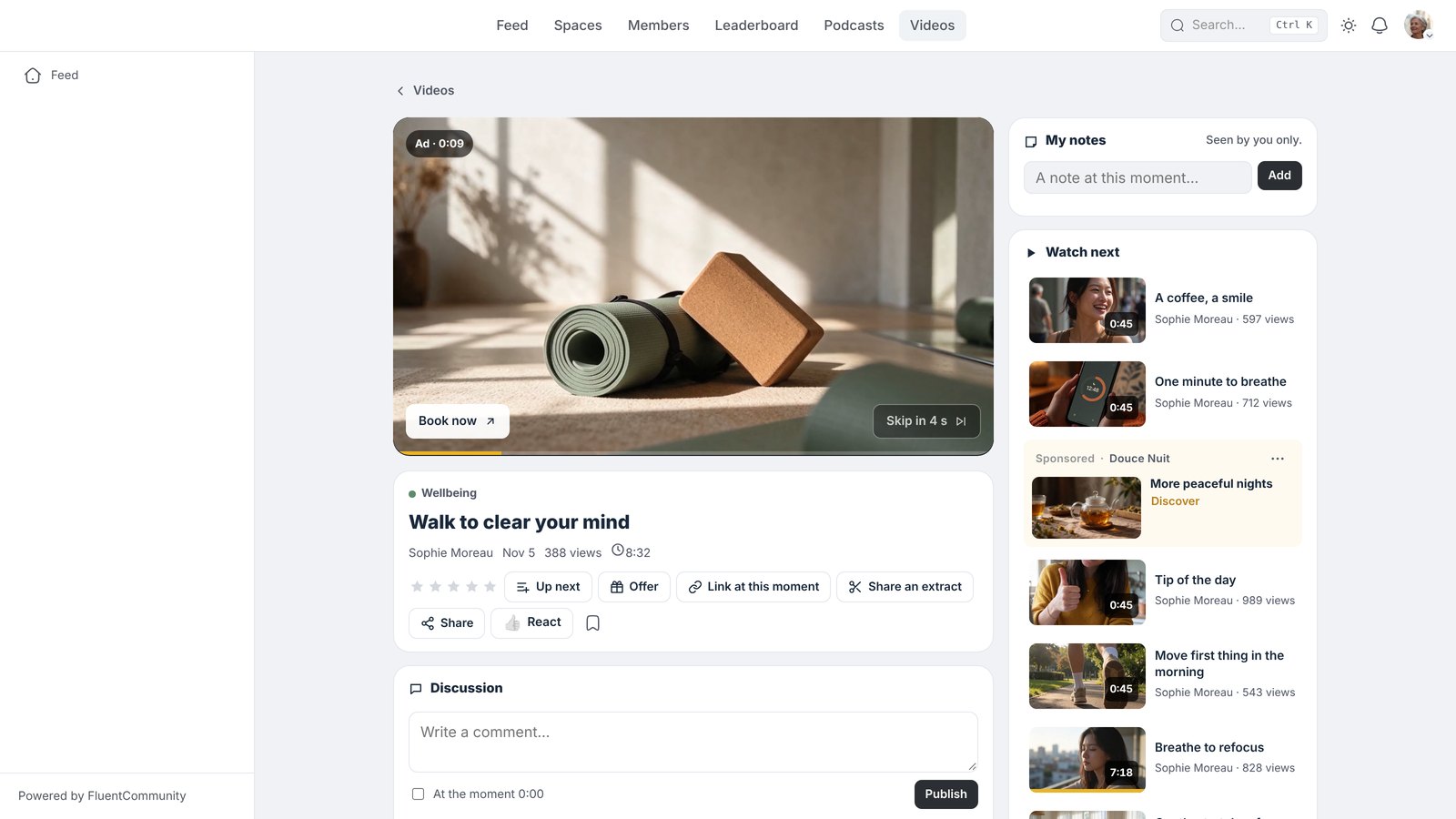
Videos & Podcasts works hand in hand with our Ad Manager extension: a short video, an audio ad or a banner on the image, before or during a video or an episode, a sponsored Short among the others, and sponsored content on every page of the library. And for those who prefer, Sophie can offer a plan without ads.
Follow your results and connect your tools
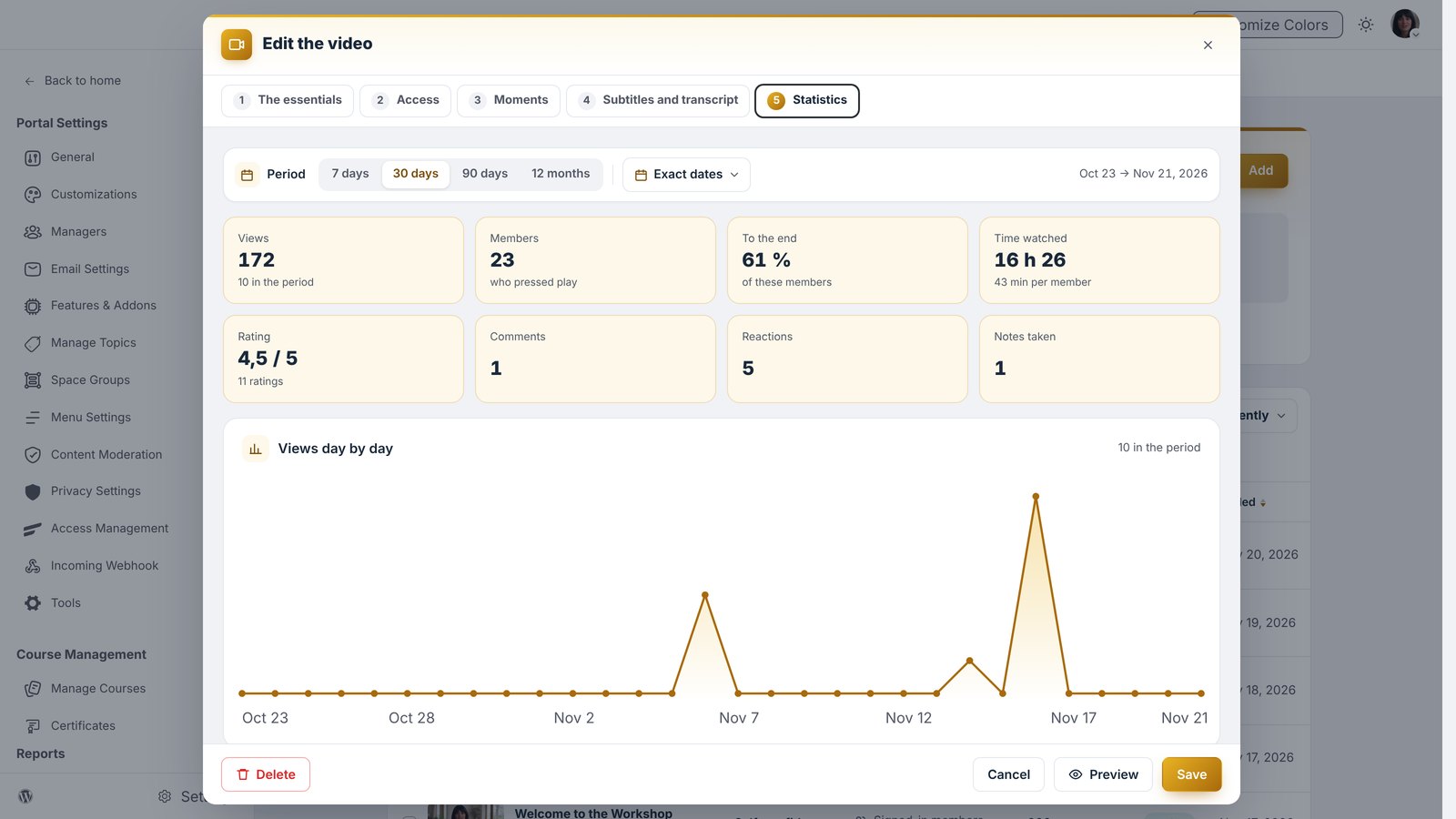
The dashboard gives what matters at a glance: who is watching right now, what is followed the most, the most loyal members and the sales. Each video tells its story: views day after day, the moment members drop off, the time of day it is watched, the most clicked button and the favorite moment. Sophie knows what people like, and prepares her next videos with confidence.
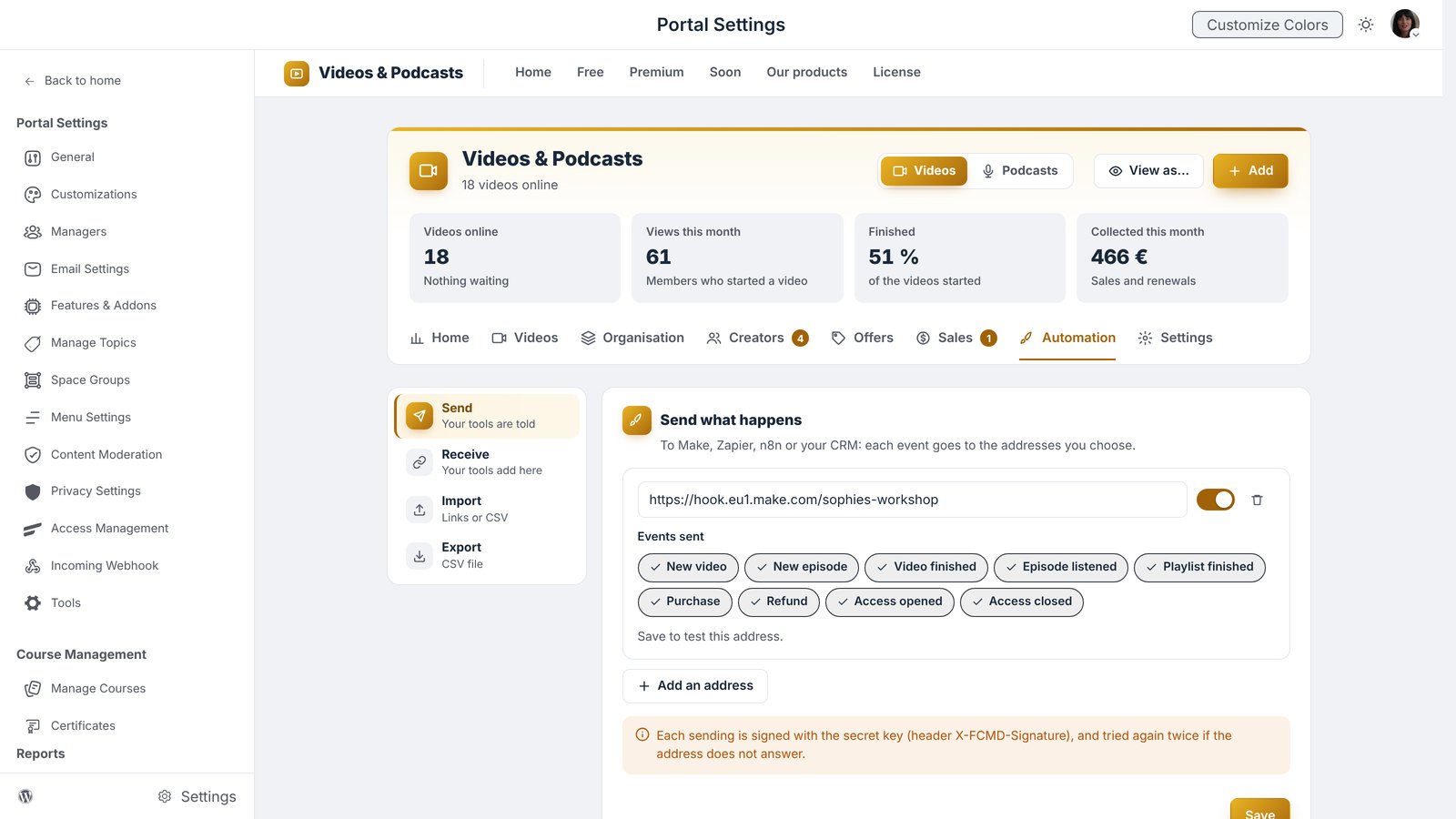
Videos & Podcasts talks to your other software, and even to your AI agents. A video published, a video finished, a payment received: Make, your CRM or your AI agent are told right away. The other way round, your tools add a video or open an access on their own, a list of videos arrives from a spreadsheet, and your figures go to Excel or Google Sheets in one click.
Seen by Google, by AI and everywhere
The videos Sophie opens to everyone are visible to Google and to artificial intelligence: new people discover her and walk through the door of her community. Videos & Podcasts lights up naturally with your other FC Extensions (Bookmarks, Reactions, Gamification, Events, Global Search), and your whole library follows you in your mobile app, with FC Pulse or Maymoune.
How to get Videos & Podcasts
Videos & Podcasts is a premium extension from FC Extensions, compatible with Fluent Community, and with FluentCart for payments. It is part of the Founder offer, which unlocks every premium extension, for life, including the ones to come. The offer ends on Sunday, November 22 at 11:59 PM, Paris time.
Premium extension
Your community becomes your own media
Videos & Podcasts is one of the premium extensions from FC Extensions. It is included in the Founder offer, until Sunday, November 22 at 11:59 PM, Paris time.
✓ Native Fluent Community
✓ YouTube, Vimeo, your podcasts and your files
✓ Protection, sales and advertising
✓ Statistics and automations
To go further, open the Videos & Podcasts page, discover Ad Manager and Events, watch every extension on video, or browse the extension catalog.
An idea, a question? Find me in the FC Extensions space of the Sdravobiz community, or share your ideas on the roadmap.
Frequently asked questions
What is Videos & Podcasts?
It is the premium extension from FC Extensions, Engage family, that brings your videos and podcasts together in a library at the heart of your Fluent Community. It fills itself, is customized live, and lets you protect, sell and follow your content.
Where can my videos come from?
From YouTube (one video, a whole channel, a playlist or your Shorts), from Vimeo, or from your WordPress. New videos from your YouTube channel arrive in the library automatically.
What about my podcasts?
You paste the address of your podcast and all the episodes arrive, then each new episode follows on its own. You can also create a podcast from your audio files.
Can I restrict or sell my videos?
Yes. You choose who sees each video, and you can sell a video, a playlist, a category, a podcast or the whole library with the Pass, one by one or by subscription. Payments go through FluentCart.
Are my videos protected?
You turn on the protections of your choice: the member’s name shown on the video, links that expire, encrypted videos and episodes, one screen at a time per account and an alert in case of suspicious use.
How do I get Videos & Podcasts?
Videos & Podcasts is a premium extension. It is included in the Founder offer, which unlocks every premium extension for life, until Sunday, November 22 at 11:59 PM, Paris time.