
On every page of your community, two places stay in front of your members: the left column, to find their way, and the right column, to discover what’s going on. They are your two best showcases.
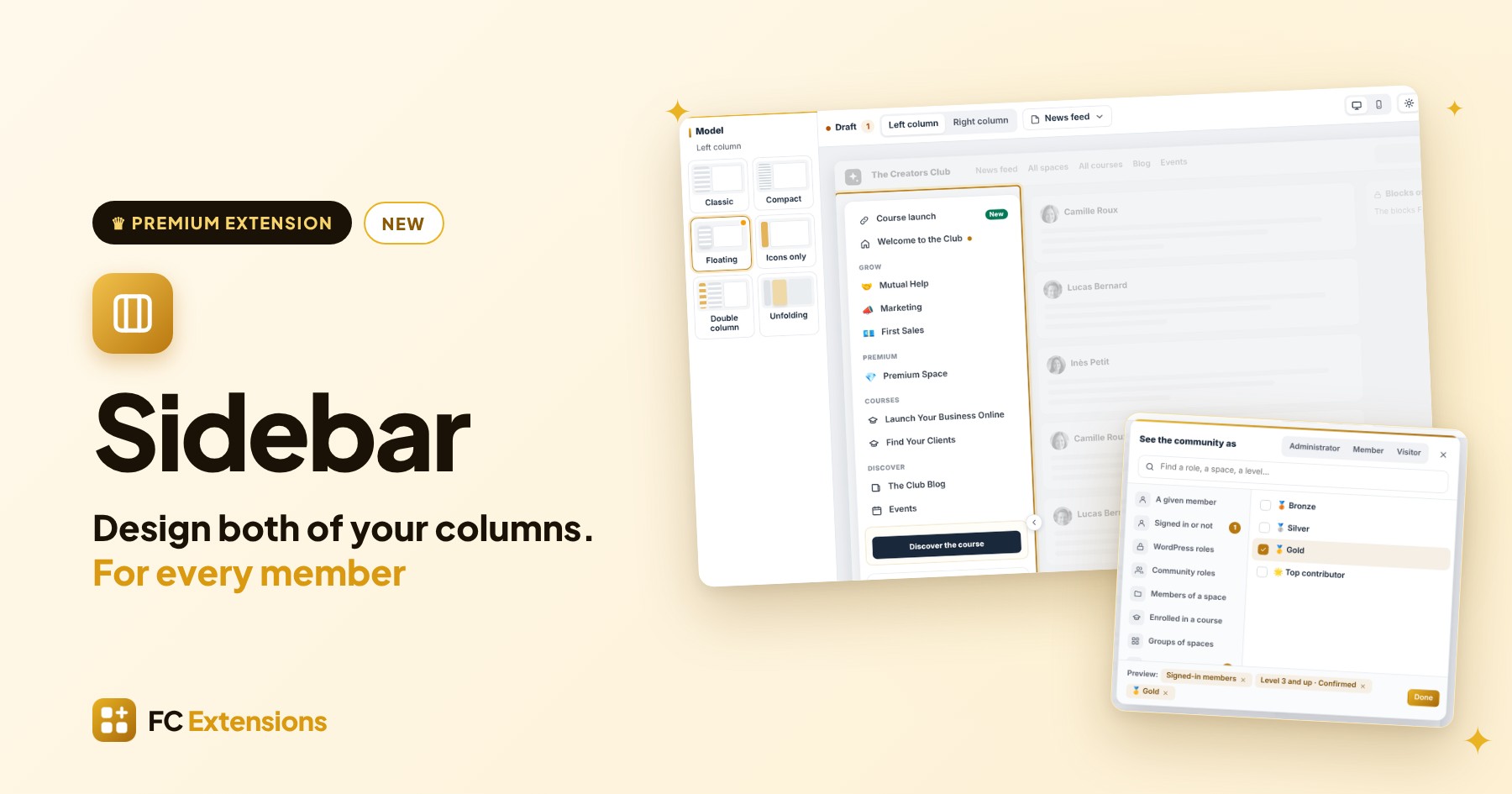
With Sidebar, the new premium extension from FC Extensions, you design them exactly the way you want: in one live editor, with the blocks of all your extensions, and for every member, what matters to them.
Sidebar at a glance
- A live editor: you set both columns right on your real community, on desktop and on mobile.
- The left column: six models, your links wherever you want, labels and blocks.
- The right column: page by page, with ready-made templates and blocks from the whole ecosystem.
- For every member: each line and each block for the right audience, checked with “See as”.
- Publish and track: a draft, a history, and the numbers for every block.
See it in action
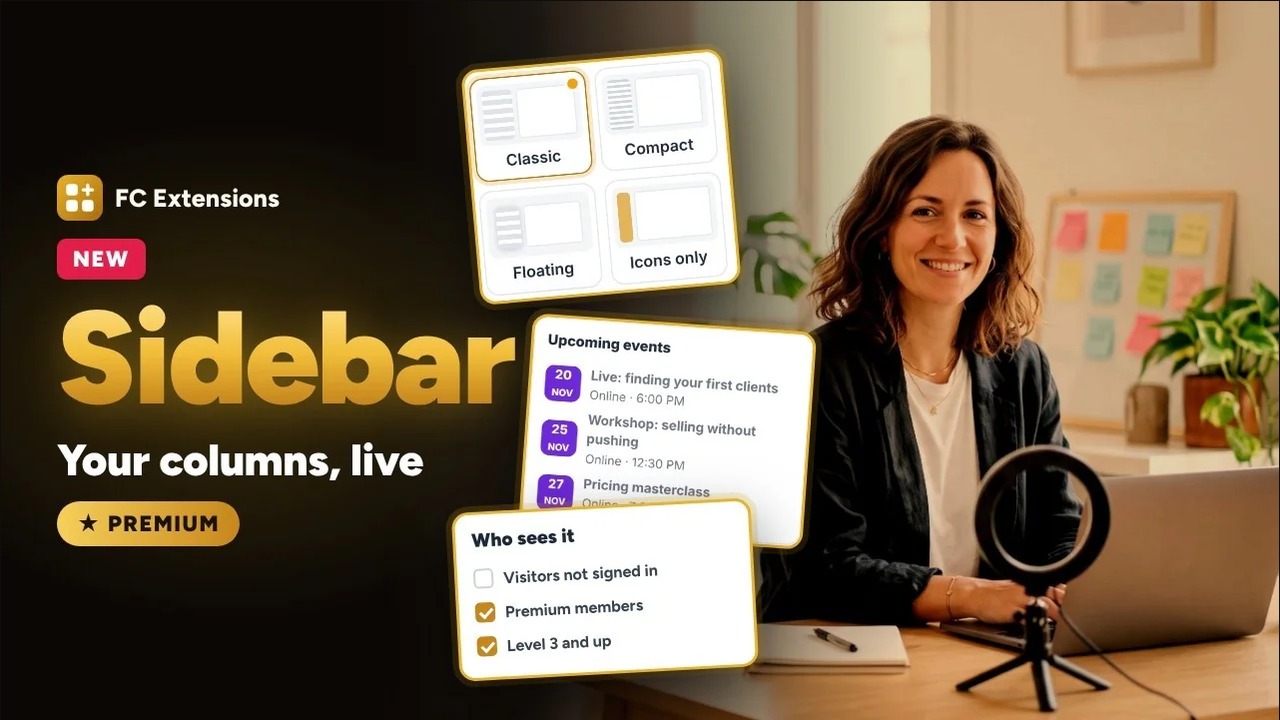
Want to see the others? Every extension has its video, family by family.
A live editor, right on your real community
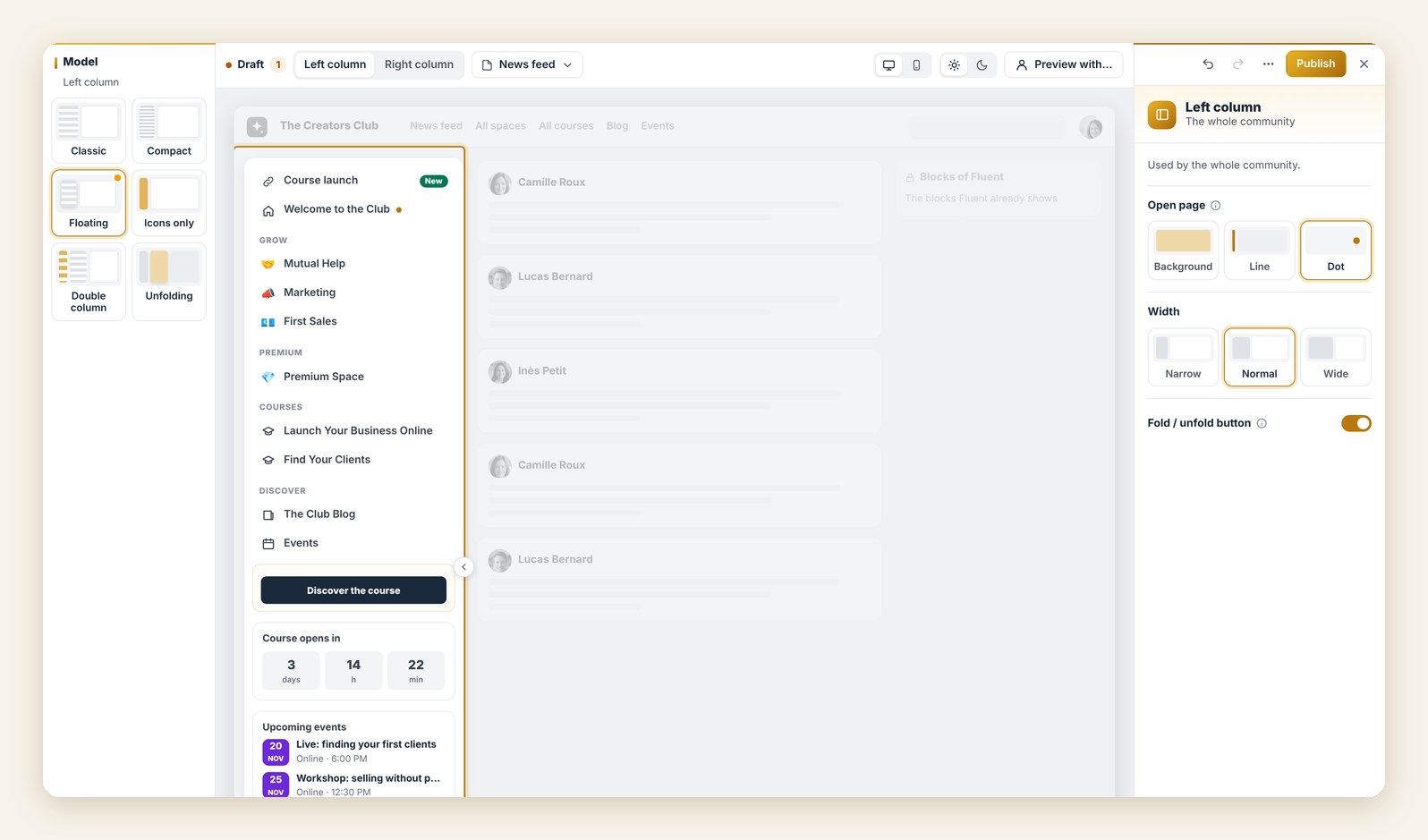
It all starts with one button: “Edit the columns”. One click, and you are in the editor, in front of your community just as your members see it.
You click what you want to change, and everything else fades away so you stay focused. One more click, and you switch from desktop to mobile.
Already using Quick Access or Community Layout? Sidebar picks up your settings. You start from your community as it is, without losing a thing.
The left column, to find your way
Six models to get started: Classic, Compact, Floating, Icons only, Double column, or Unfolding, which opens on hover. You set the width and how the current page stands out: a background, a line or a dot.
Your links, exactly where you want them
With “Add a line”, you add a link, an extension page, a title or a separator, then drag it into place.
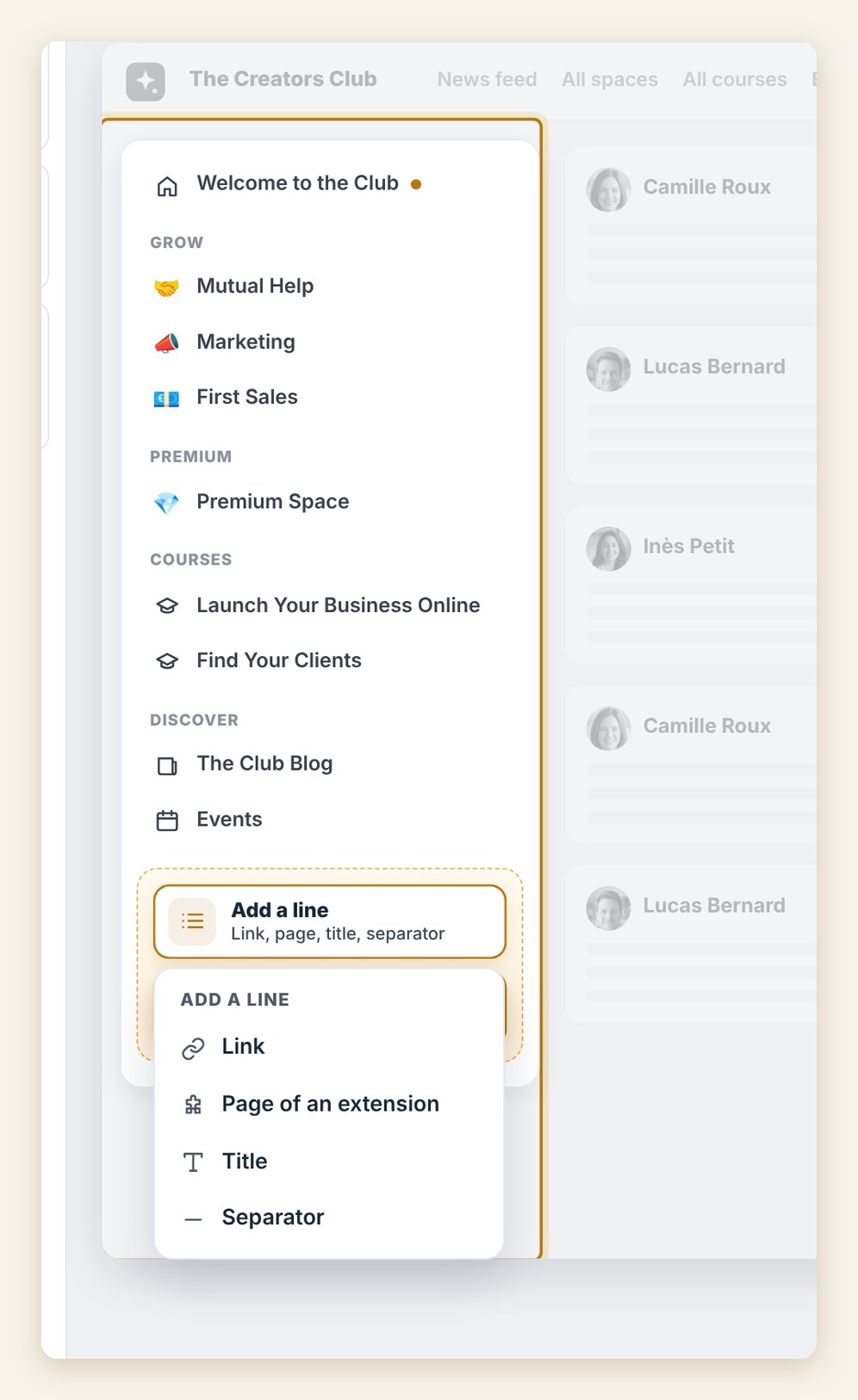
Each line has its name, its icon, and why not a label: New, Promo, Live, in the color of your choice. Below your lines, you can also add blocks: a button to your course, a countdown, your upcoming events.
Going further
In double column, each title becomes an icon in a slim bar, with its own menu. Inside a course, the column shows the lessons and the student’s progress. And a small round button lets every member fold or unfold the column.
The right column, where the action is
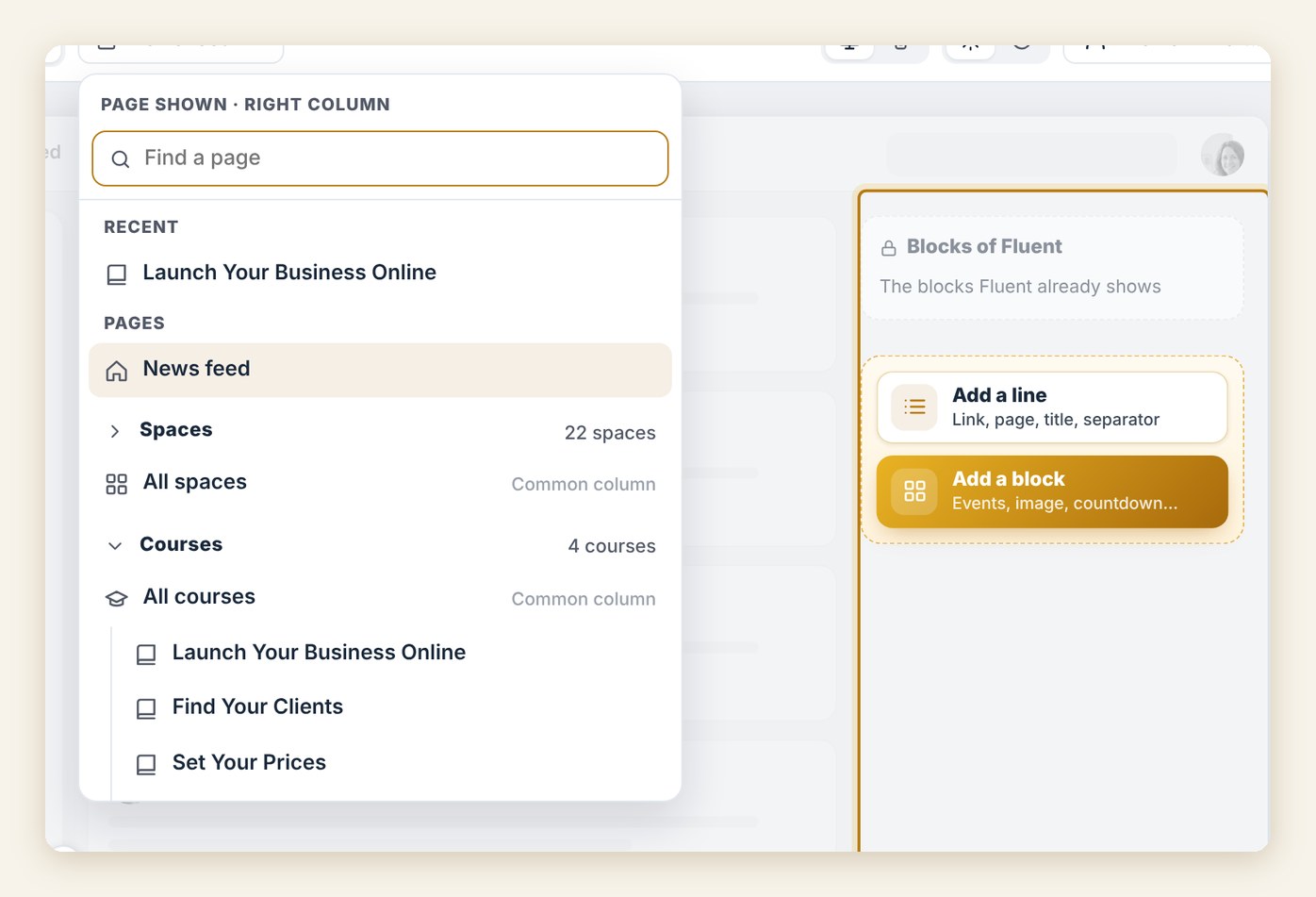
The right column is set page by page: the news feed, spaces, courses, and even the pages of your extensions, like events, the directory or the blog. You find every page in a clear list, with a search and your recent pages.
Ready-made templates, then your blocks
To move fast, four ready-made templates: Lively community, Academy, Shop window and Plain. One click, and the column fills up.
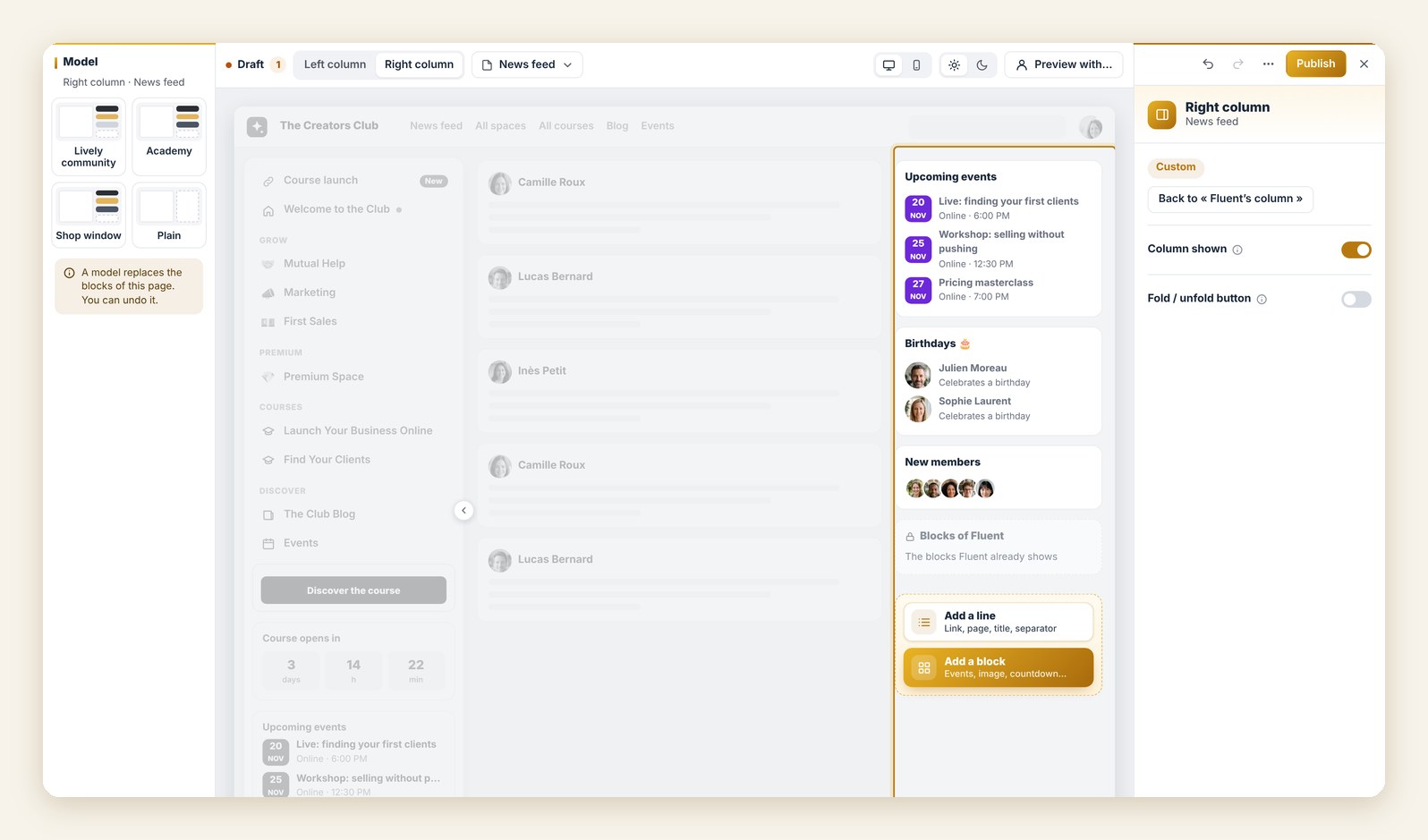
You keep the Fluent Community blocks you like, and place yours above, below or in between.
The whole ecosystem, in one catalog
“Add a block” opens the whole catalog: text, image, banner, button, video, quick links, and the blocks of your FC Extensions: events, countdown, ads, level, birthdays, resume lesson, directory, blog articles.
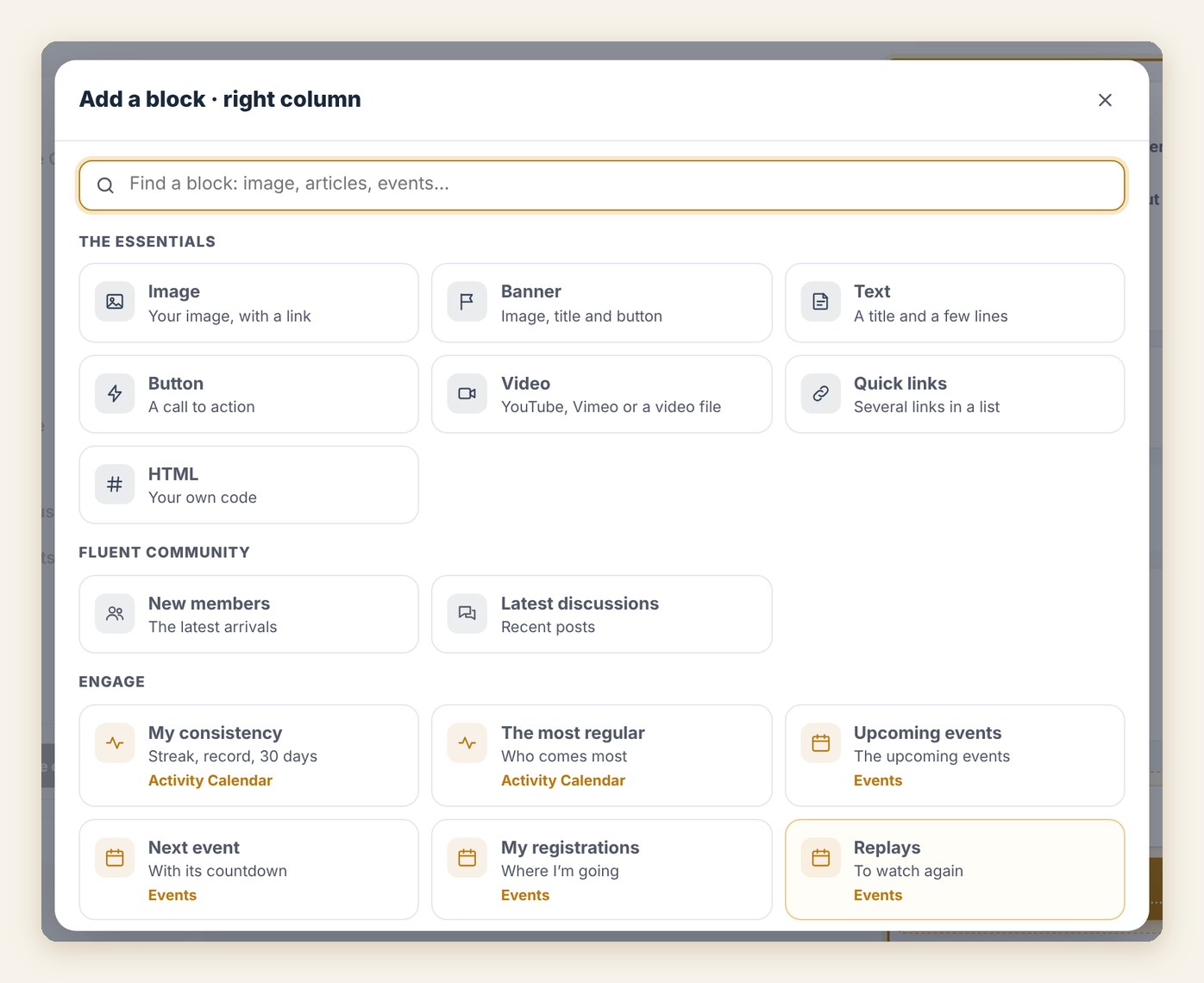
You choose exactly what you show: one event rather than all of them, a partner’s listing, or several ads taking turns in the same spot. A block can even stay visible while the page scrolls.
Spaces and courses
Your spaces share a common column, set only once. You edit a space? It gets its own column, simply.
And in your courses, focus mode hides the right column during lessons. Students stay on their course.
For every member, what matters to them
Each line and each block has its “Who sees it” setting. Everyone, visitors, signed-in members, a role, the members of a space, the students of a course, a level, a badge, a purchased offer, or a FluentCRM tag. You can also hide it from some.
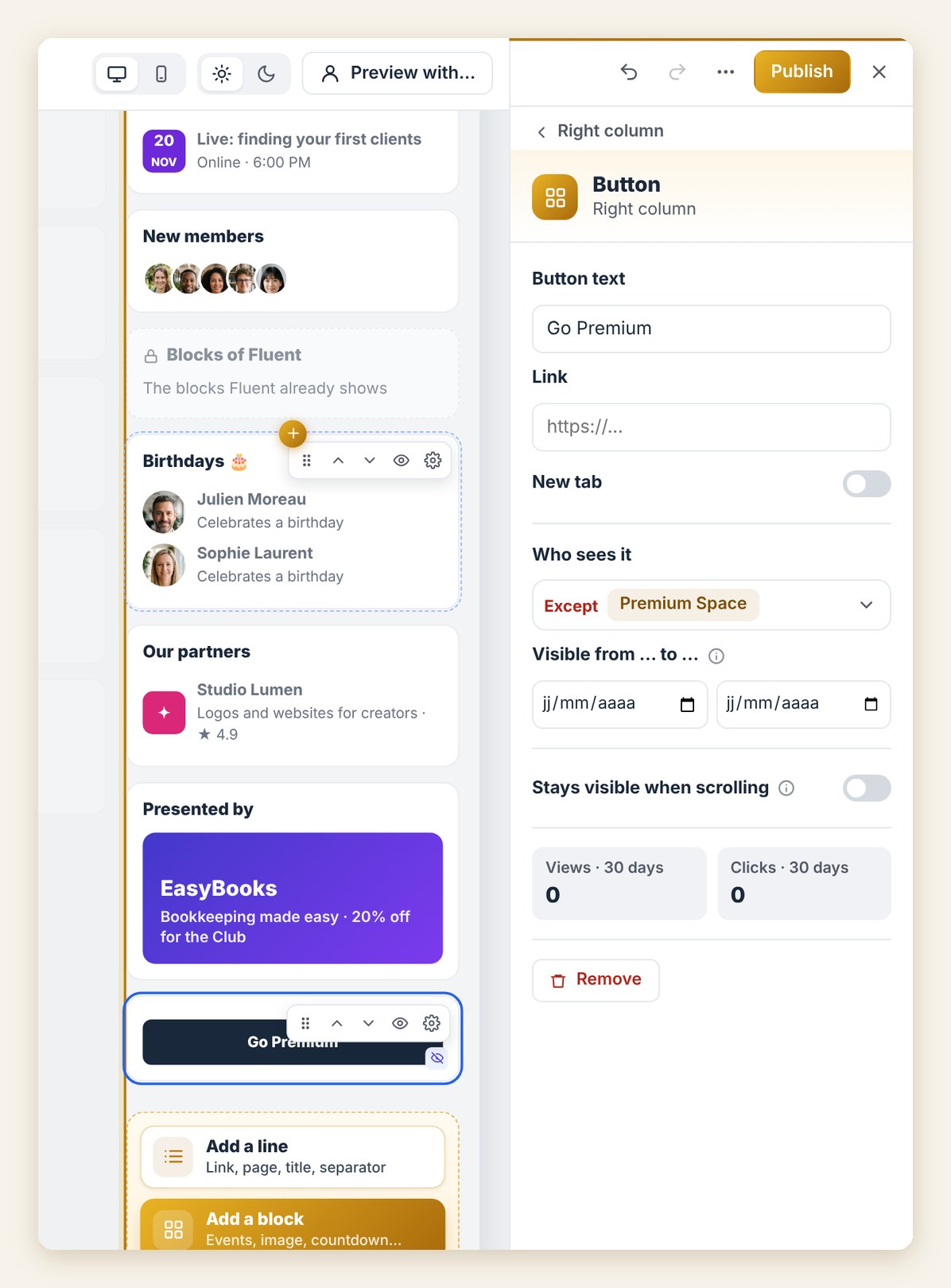
For example, the “Go Premium” button only shows to members who are not premium yet. And with dates, the link to a workshop stays visible until the big day, then disappears on its own.
See as: check everything at a glance
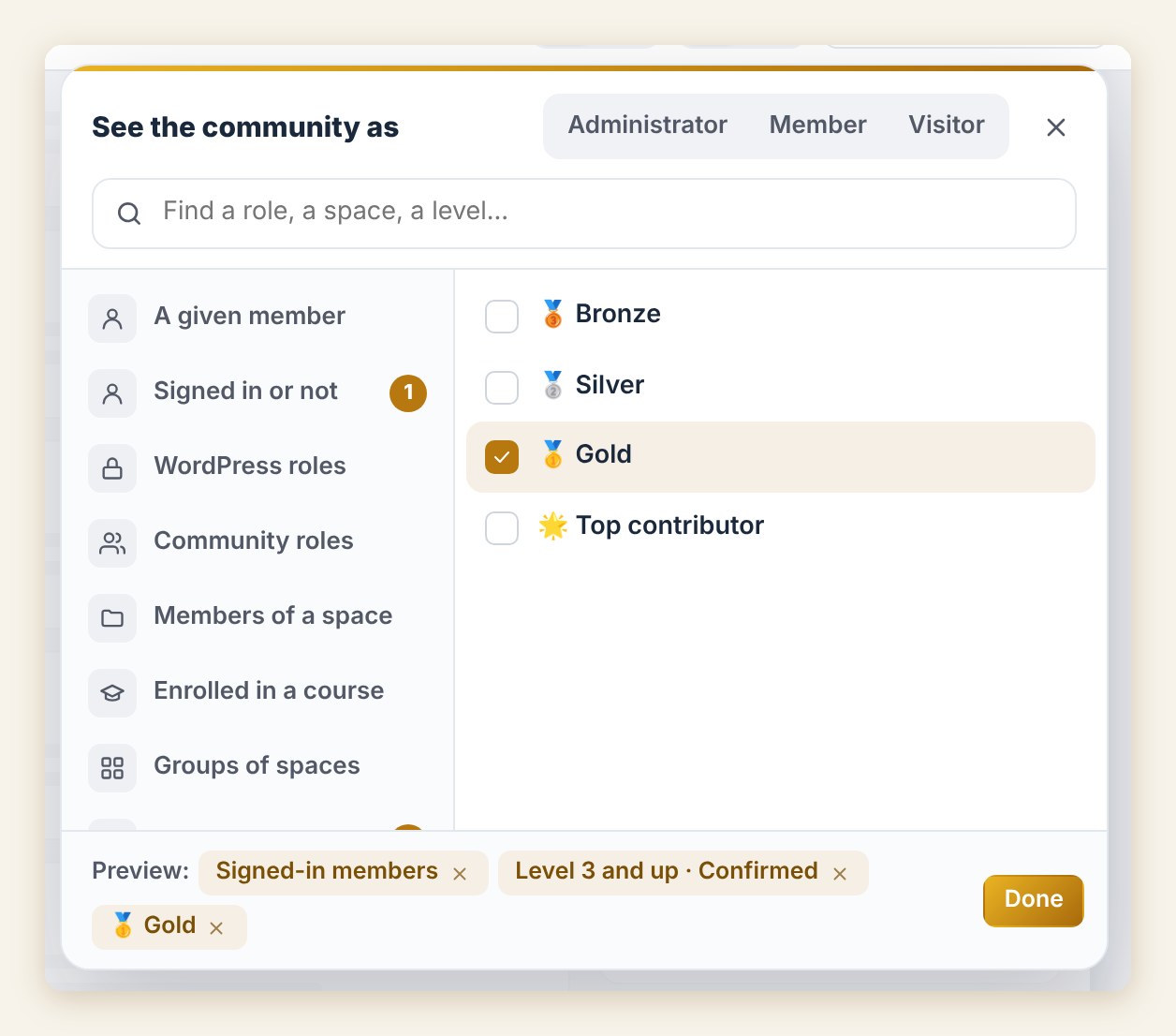
In the editor, “Preview with” shows the columns for the audience of your choice. From the Sidebar home, “See as” opens your real community as a visitor, a given member, or a profile you build, for example level 3 with the Gold badge.
Publish when you’re ready, then track
You work calmly on a draft. As long as you don’t publish, your members see the community as before.
On the Sidebar home, you find your changes to publish, one by one. You review them, take a look at the preview, and publish when you’re ready.
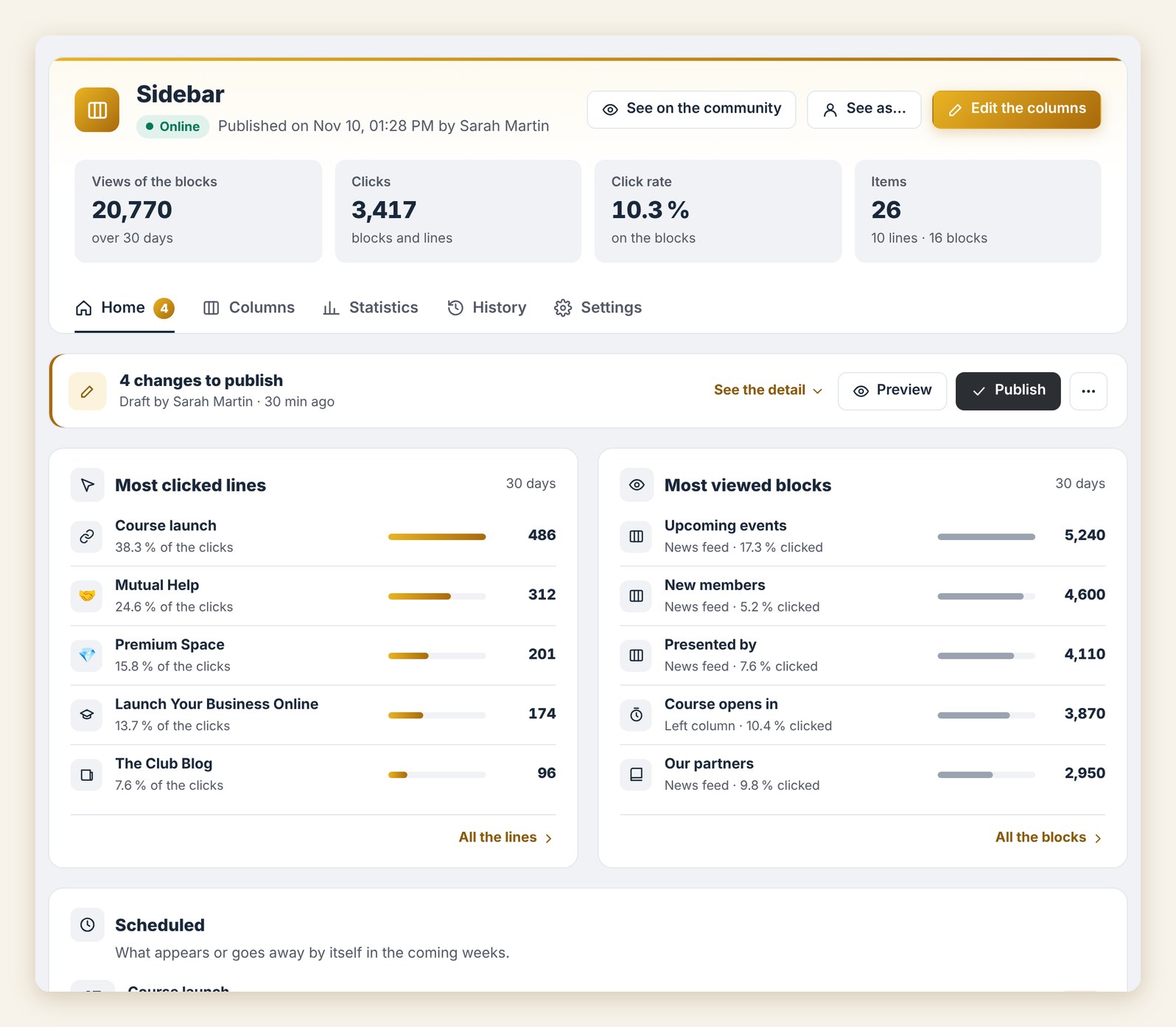
Every publication is kept in the history, with what changed. Want to go back? One click on “Restore”, and the previous version comes back into the draft.
You know what interests your members
The home shows the most clicked lines and the most viewed blocks. The Statistics tab gives the details day by day: views, clicks and click rate, for every block and every line, with no personal data, and a one-click export.
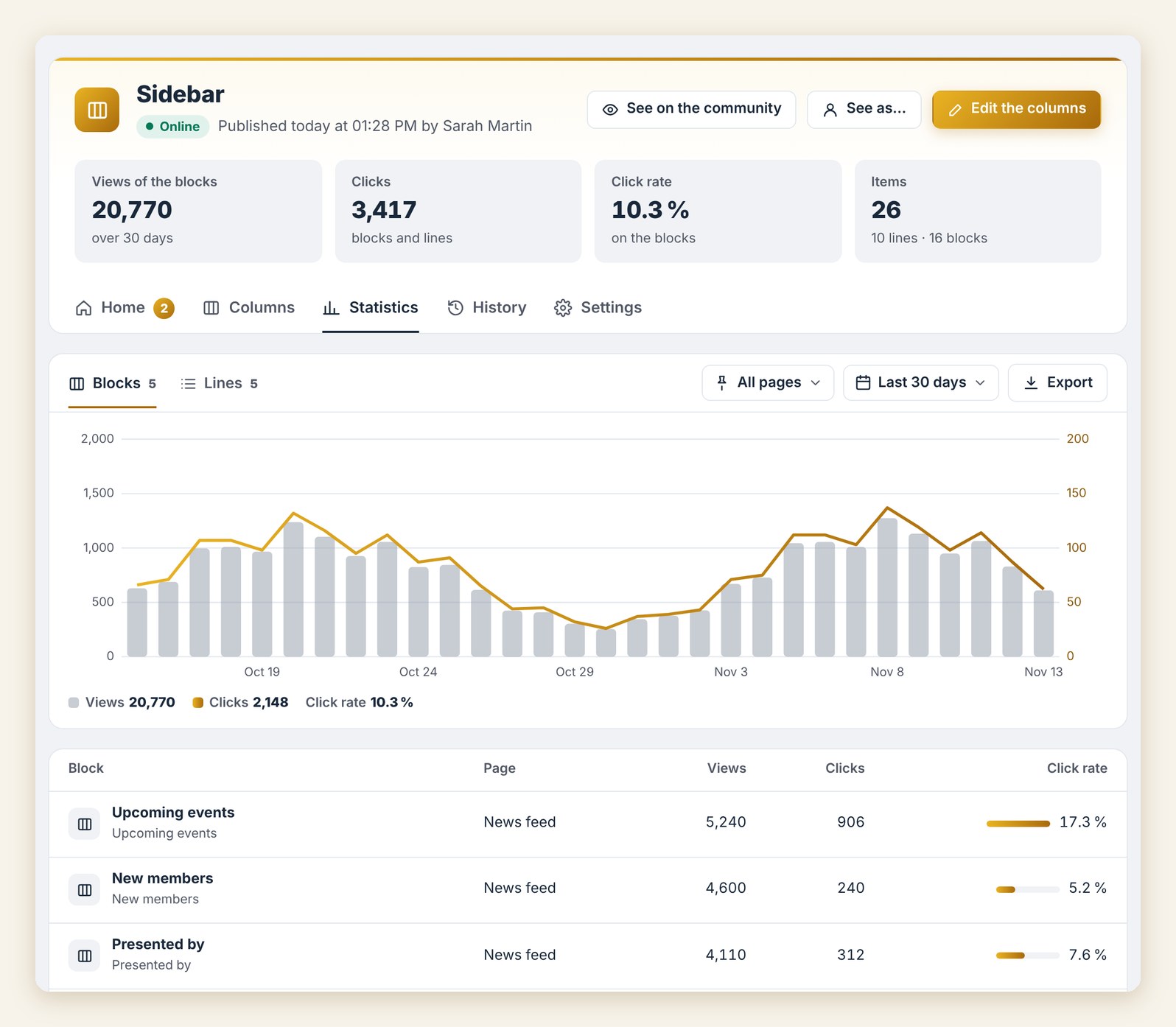
You see what works, and your next column will be even better.
How to get Sidebar
With Sidebar, both columns of your community become real showcases: your way, on every page, with what matters to every member.
Already a Founder? Sidebar turns on from FC Extensions, with a simple switch.
Not a Founder yet? The Founder offer unlocks every premium extension, for life, including the ones to come. It ends on Sunday, November 22 at 11:59 pm (Paris time).
Premium extension
Both columns, your way
Sidebar is one of the premium extensions of FC Extensions. It is included in the Founder offer, until Sunday, November 22 at 11:59 pm (Paris time).
✓ Native to Fluent Community
✓ A live editor
✓ The blocks of all your extensions
✓ For every member, what matters to them
To go further, open the Sidebar page, give your community its colors with Theme Studio, watch every extension on video, or browse the extension catalog.
An idea, a question? Join me in the FC Extensions space of the Sdravobiz community, or share your ideas on the roadmap.
Frequently asked questions
What is Sidebar?
It is the premium extension of FC Extensions that sets both columns of your Fluent Community, left and right, in one live editor, with the blocks of all your extensions.
Do I keep my Quick Access and Community Layout settings?
Yes. Sidebar picks up your settings. Quick Access stays available for its other features, and its left column is then set in Sidebar.
Do my members see my changes while I work?
No. You work on a draft. Your members see the community as before, until you click “Publish”.
Can I show a block to some members only?
Yes. Each line and each block has its “Who sees it” setting: visitors, members, role, space, course, level, badge, purchased offer or FluentCRM tag. You can also add display dates.
Can I keep the Fluent Community blocks?
Yes. You keep the ones you like and place yours above, below or in between.
How do I get Sidebar?
Sidebar is a premium extension. It is included in the Founder offer, which unlocks every premium extension for life, until Sunday, November 22 at 11:59 pm (Paris time).