
Your community is a lively place. Every day, you share announcements, tips and invitations there. And some posts matter more than others: those deserve to reach exactly the right members.
With Post Boost, the new premium extension in the Engage family, everything is set right as you write: who sees your post, who receives it and when, then how it was received.
Post Boost at a glance
- Who sees it: with the whole space, with a lock or hidden, for a level, a course, a space or a role.
- Who receives it, and when: community notification, email and push, at the best moment, with an automatic reminder.
- The results: members reached, opens, unlocked reads, day by day and channel by channel.
See it in action
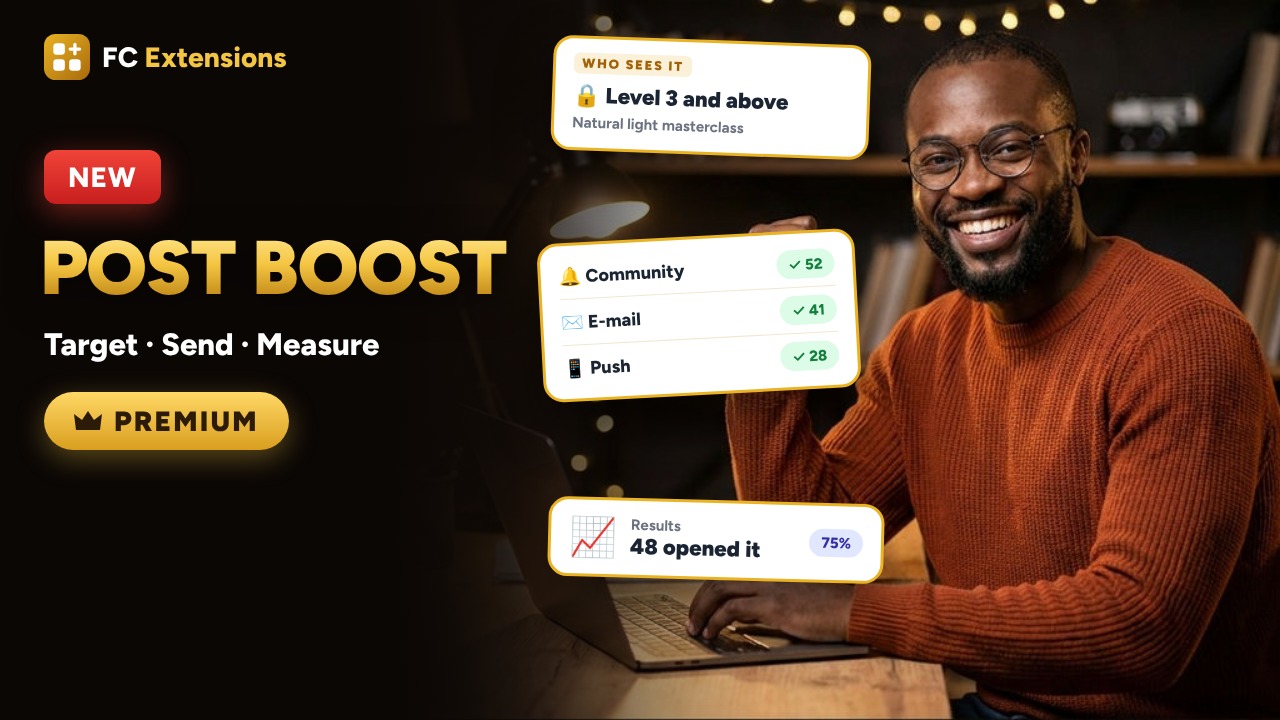
Want to see the others? Every extension is on video, family by family.
A masterclass, and the right members to attend it
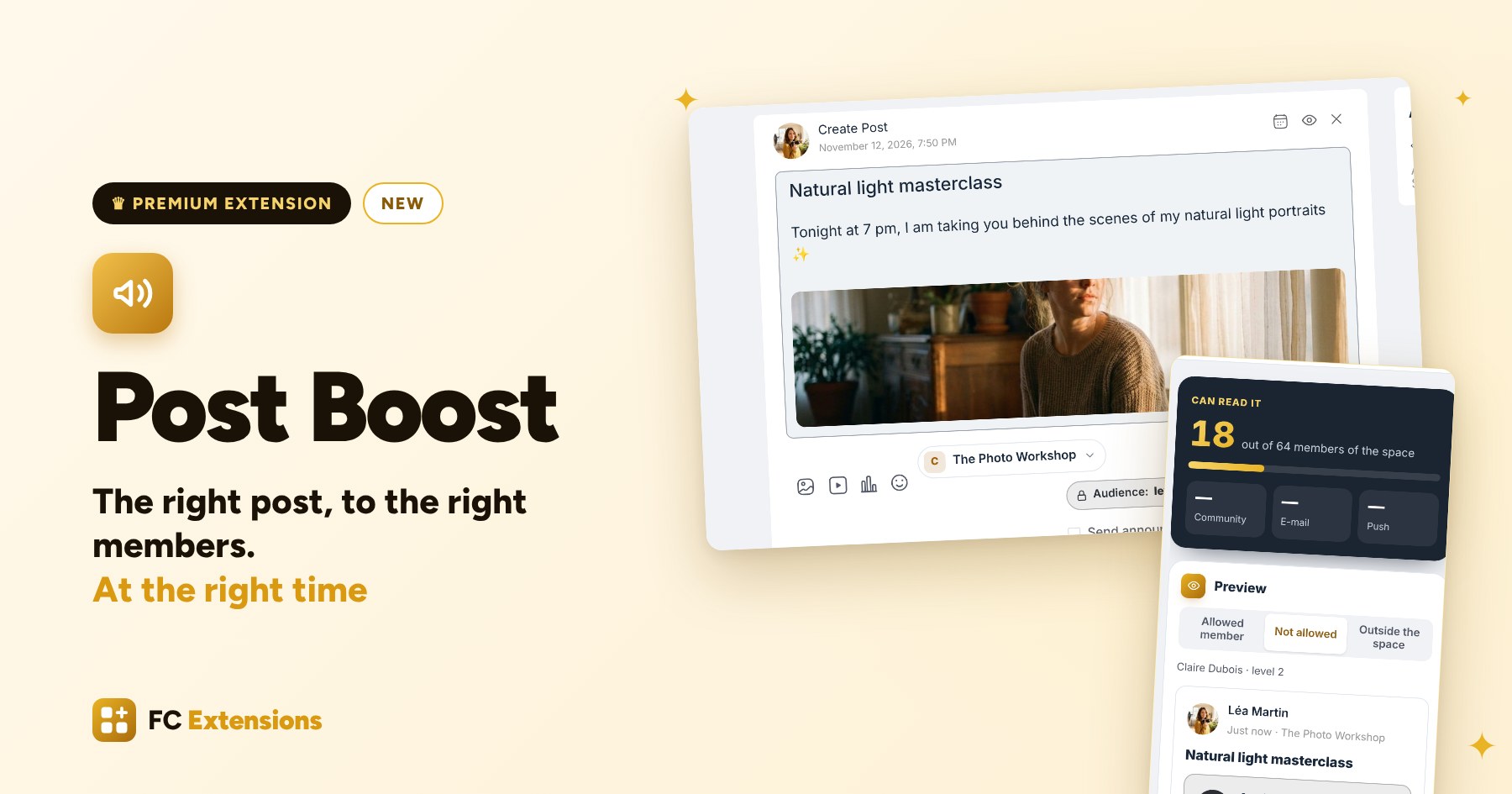
Meet Léa. She runs The Photo Workshop. Tonight, she is hosting a masterclass for her most advanced members, those at level 3, and she wants the announcement to reach the right people.
Until now, a post went out to the whole space, the same way for everyone. To keep it for a few members, you had to create a space just for them. For an email, build a list in another tool. And to know who read it, keep track of everything by hand.
That is exactly why we created Post Boost. Léa opens the editor, as usual. She writes her title and her text, and adds a photo. And right next to the Post button, there is a newcomer: the Audience button. One click, and Post Boost opens.
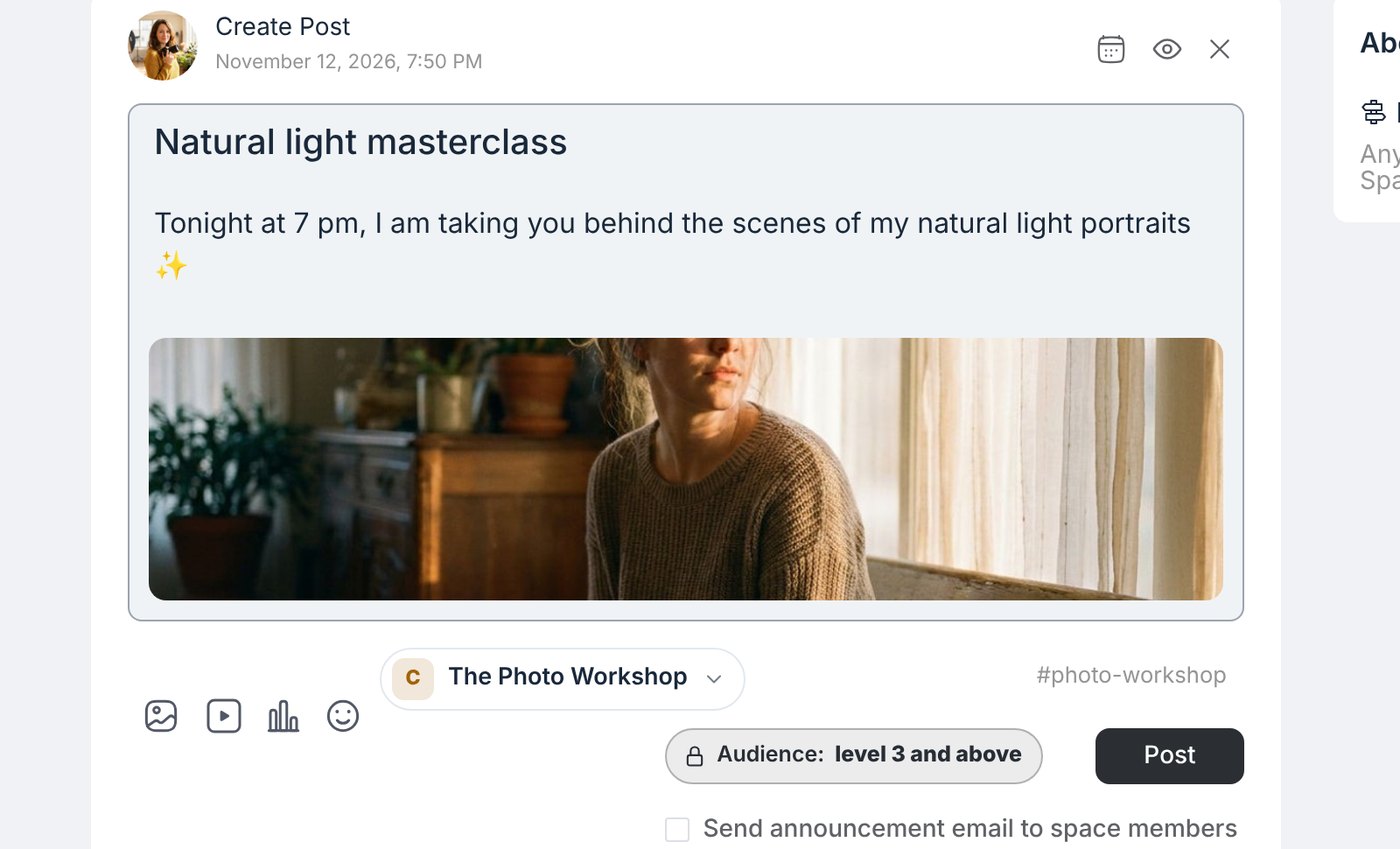
Step one: who will see your post
Léa has three ways to share her masterclass:
- With the whole space, as usual.
- With a lock: everyone sees it go by, and only the right members can read it.
- Hidden: it only appears for those who have access.
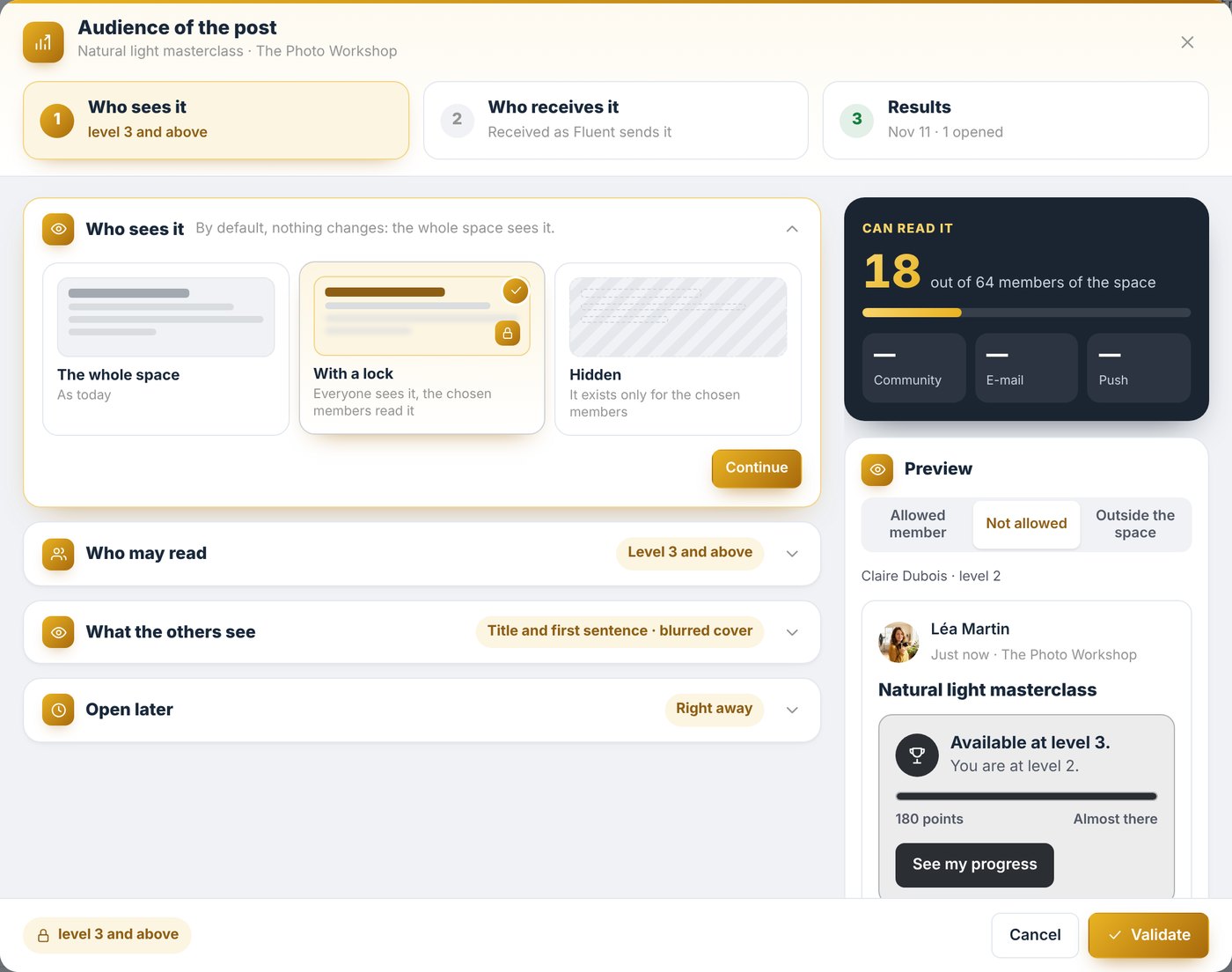
Who may read it
Then she chooses who may read it: a level, a course, a space, a role, or several at once. Here, level 3 and above. Post Boost shows her right away how many members will be able to read it.
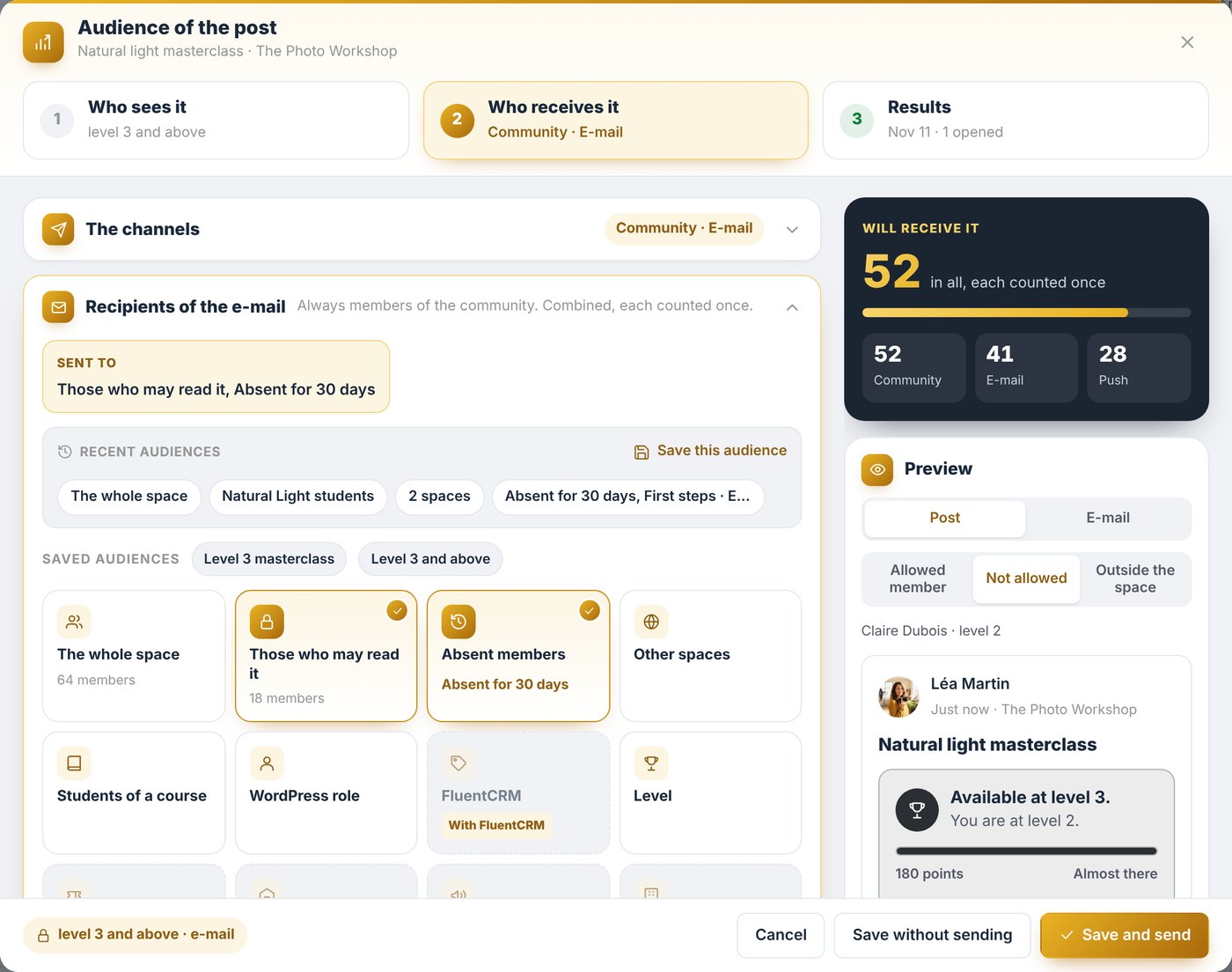
Your other extensions add their own audiences: people registered for an event with Events, employees of a client company with Business Access, or a FluentCRM list.
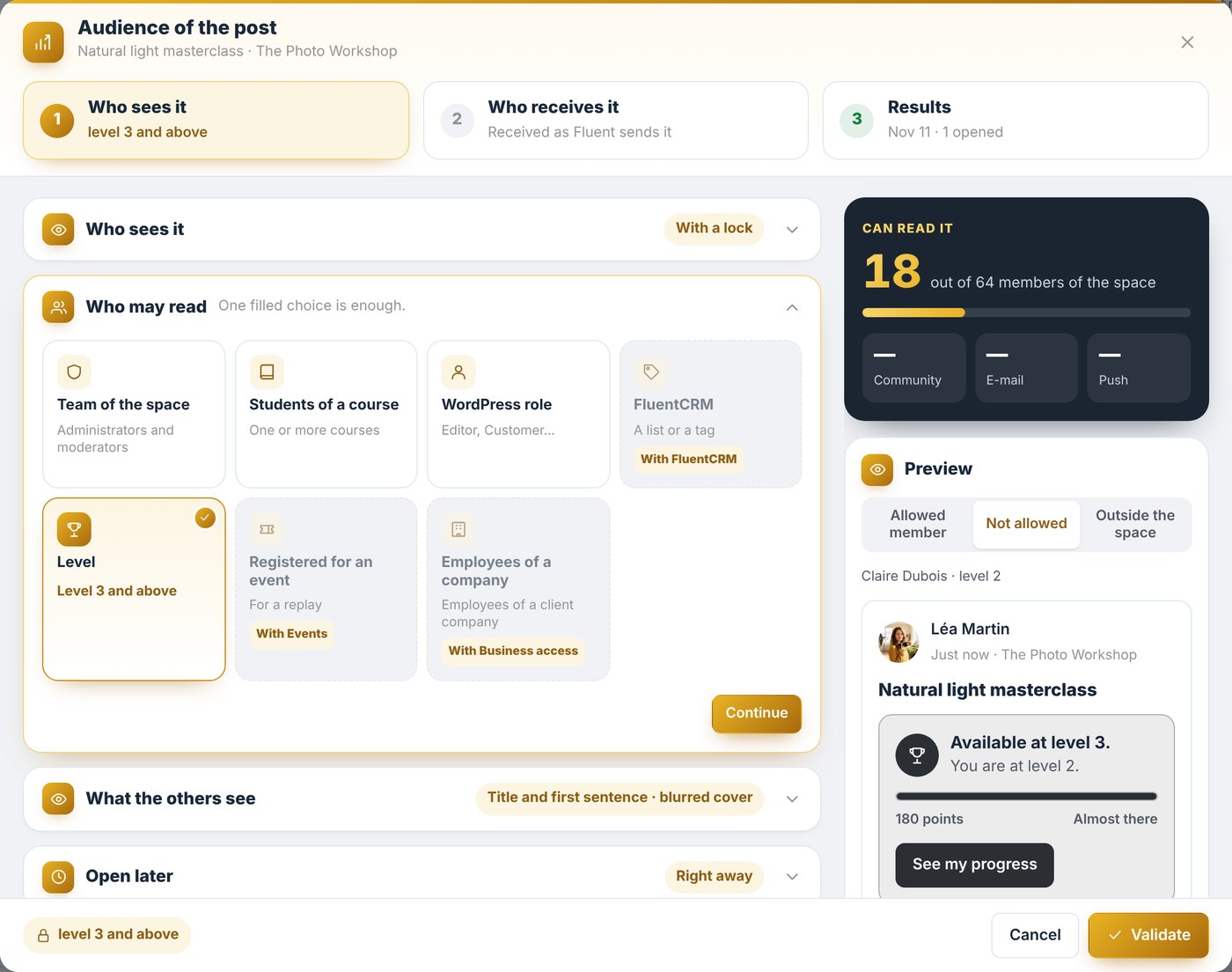
A great reason to level up
And the other members? They see the beginning of the post, with an invitation: “You are at level 2, almost there!” Every reserved post becomes a great reason to climb the levels of your community.
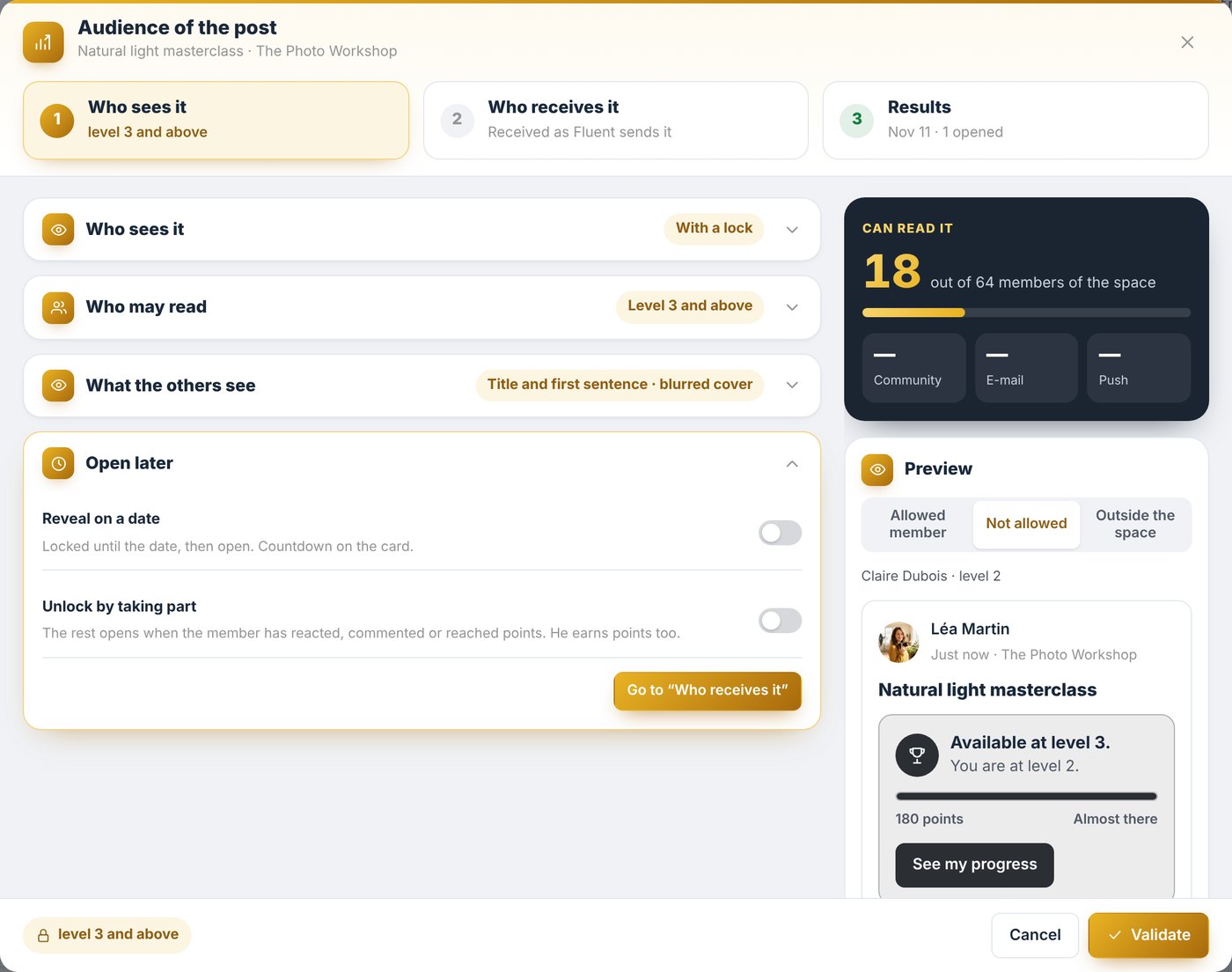
And if she wishes, Léa will open it to everyone later, on the date of her choice.
Step two: who will receive it, and when
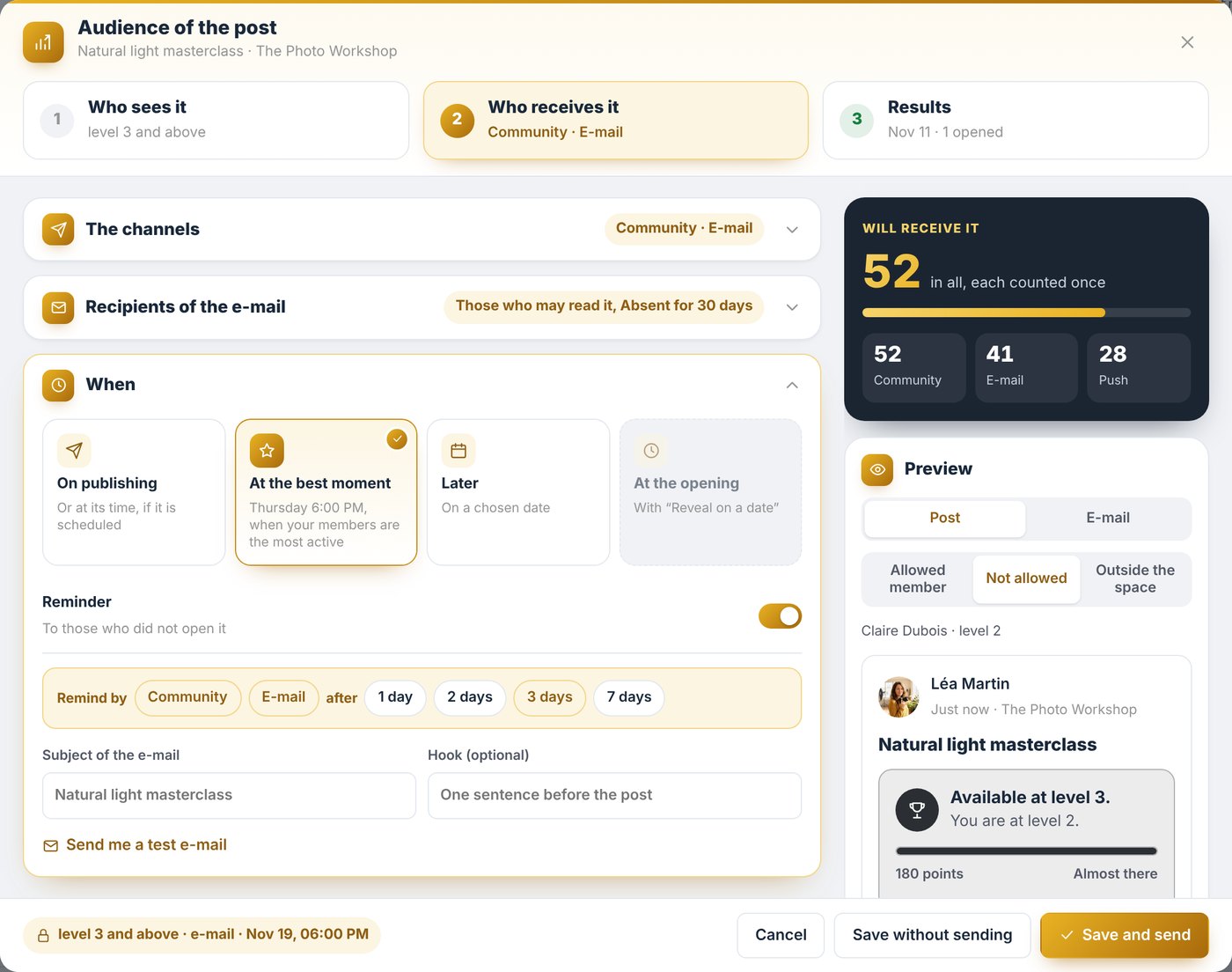
A reserved post is great. It still has to reach the right members. Post Boost offers three channels: the community notification, the email, and the push notification on the phone.
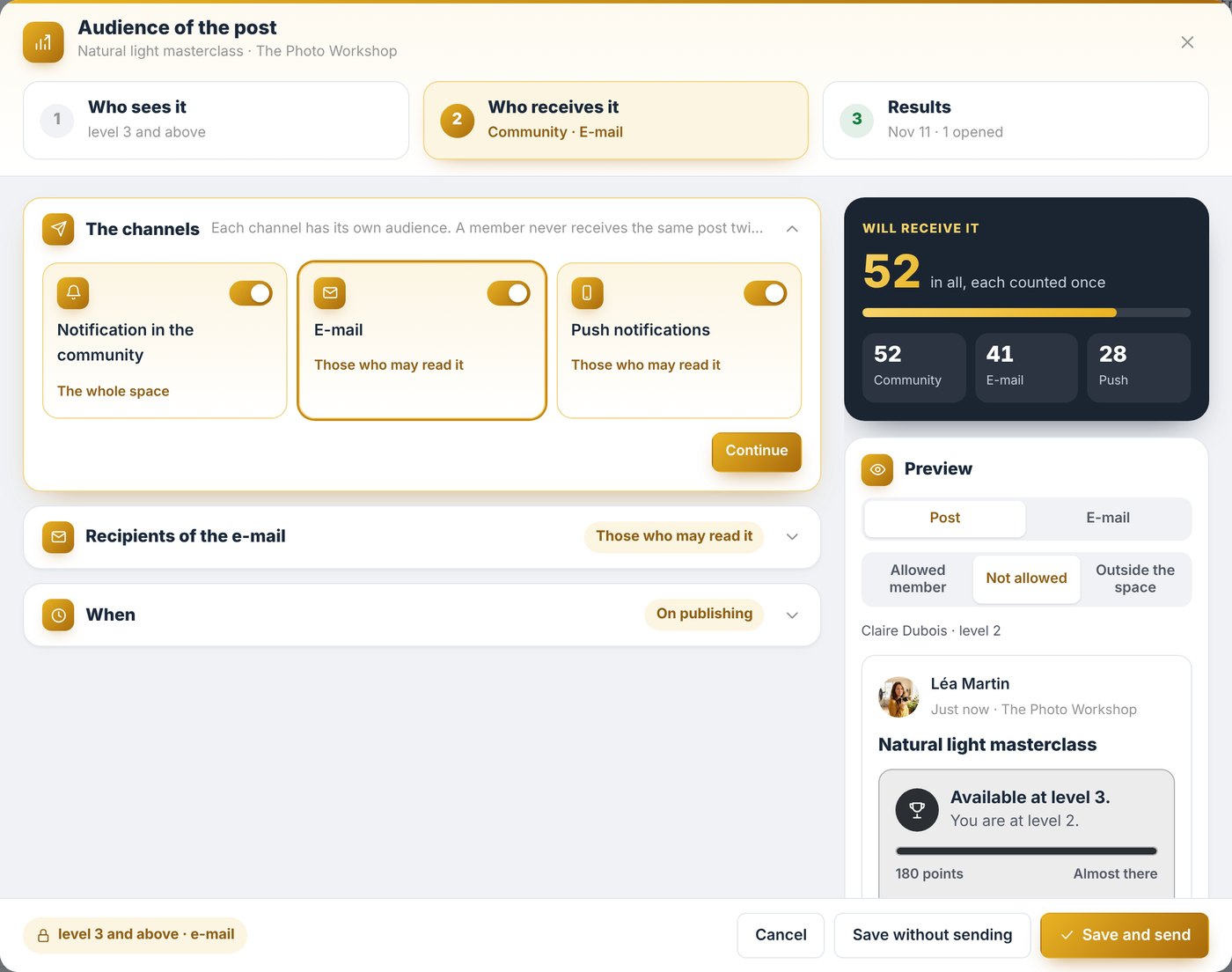
For each channel, the right recipients
For each channel, Léa chooses who receives it. Those who can read it, of course. And why not members who have been away for a month, to give them a great reason to come back.
She can aim even more precisely, by setting an audience aside in one click, for example her team, who already know. And her favorite audiences are ready for her, from one post to the next.
An email ready in seconds
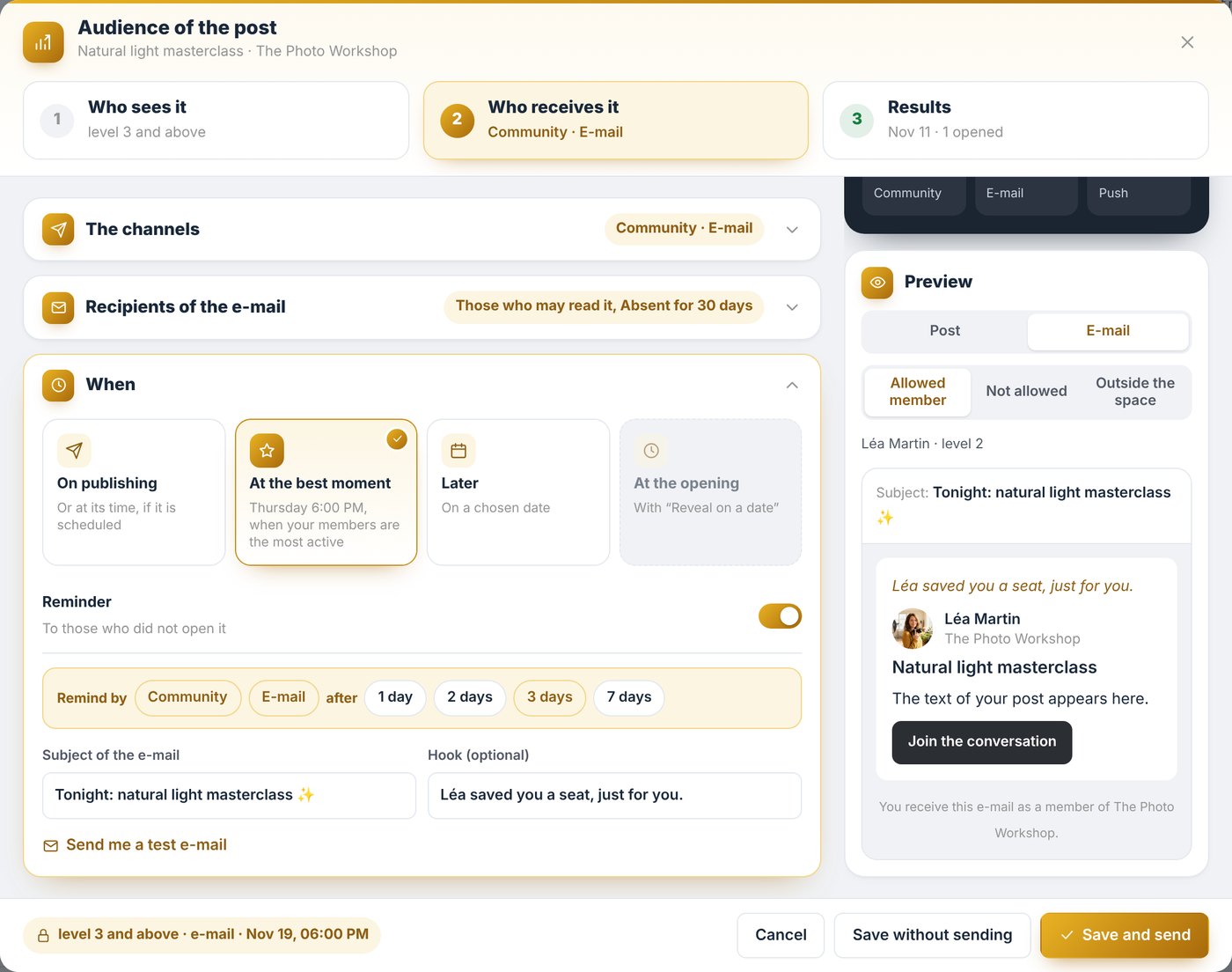
For the email, a subject, a hook, and Léa sees it exactly as her members will receive it.
The right moment
Then comes the right moment: right away, later, or at the best moment. Post Boost spots when your members are most active. For The Photo Workshop, that is Thursday at 6 PM.
And for those who missed it, a reminder goes out on its own a few days later. Léa publishes, and Post Boost takes care of the rest.
For a post that is already live
Just as simple: in the post menu, “Audience of the post” opens the same window. You set its audience and its sends, without rewriting anything.
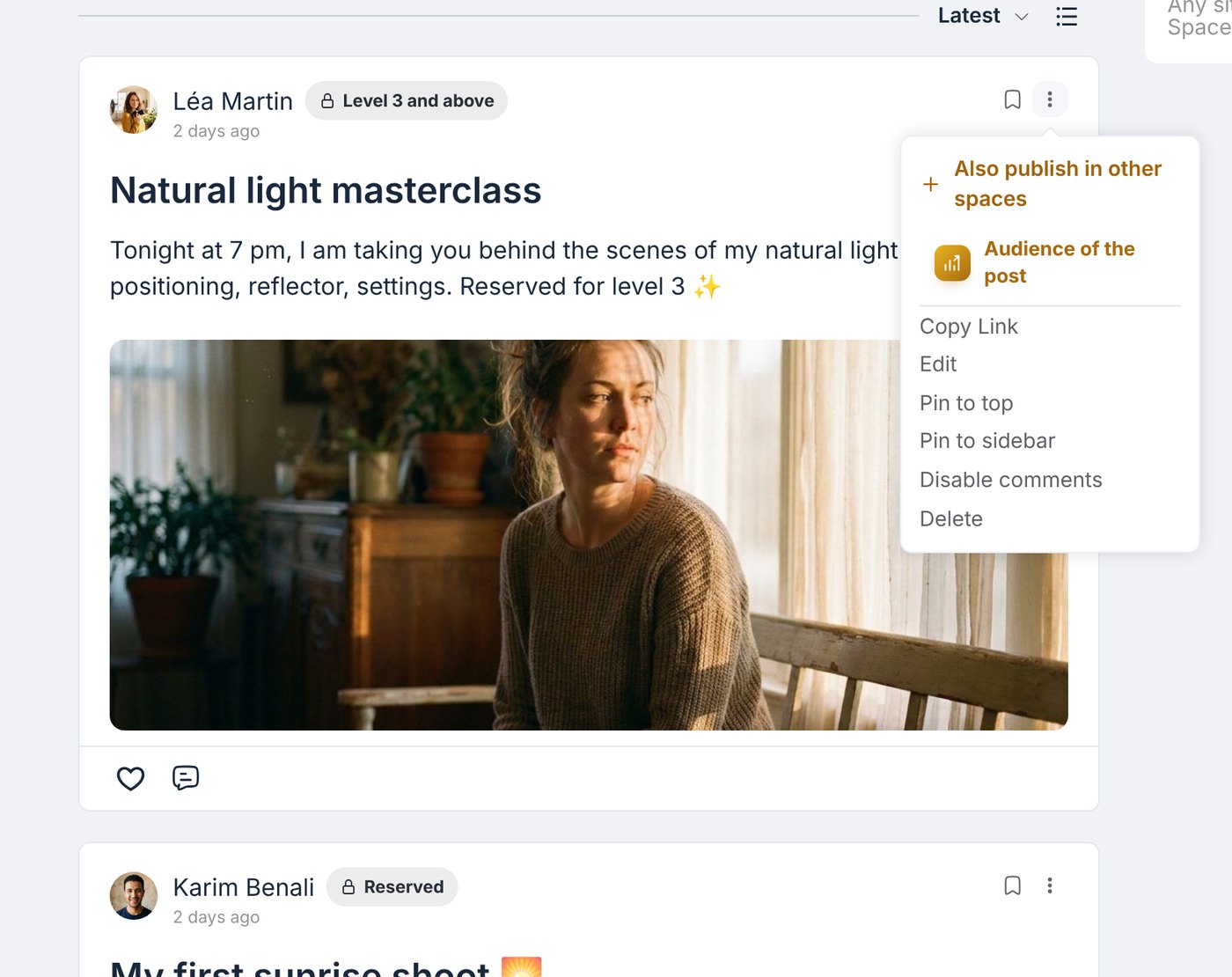
Just above, “Also publish in other spaces” comes from Multi Post: the same post, shared in several spaces in one click.
Step three: the results
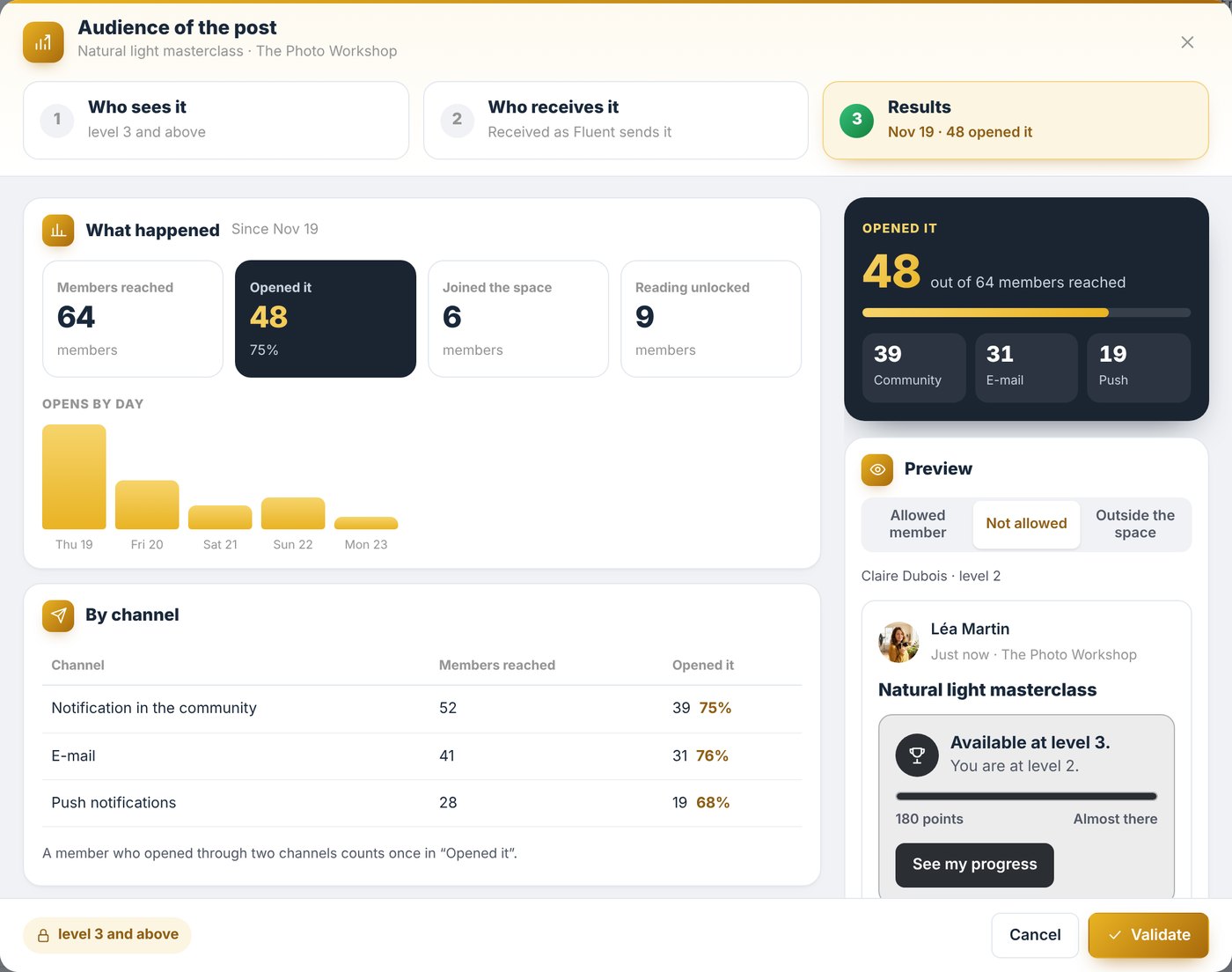
A few days later, Léa opens the window again. At a glance, she sees how many members were reached, how many opened it, and how many unlocked it.
Day by day, channel by channel, she knows what works best with her members. And with one click on Remind, only those who have not opened it yet receive it again.
These numbers stay within your team. Your members simply enjoy messages that truly speak to them.
How to get Post Boost
With Post Boost, every important post finds its audience: the right message, to the right members, at the right moment. And you know how it was received.
Already a Founder? Post Boost turns on from FC Extensions, with a simple switch.
Not a Founder yet? The Founder offer unlocks every premium extension, for life, including the ones to come. It ends on Sunday, November 22 at 11:59 pm (Paris time).
Premium extension
The right post, to the right members, at the right time
Post Boost is one of the premium extensions of FC Extensions. It is included in the Founder offer, until Sunday, November 22 at 11:59 pm (Paris time).
✓ Native to Fluent Community
✓ Who sees it: level, course, space, role
✓ Community, email and push, at the best moment
✓ The results, day by day
To go further, open the Post Boost page, design your community columns with Sidebar, host your masterclasses with Events 2.0, write your articles with Writing, watch every extension on video, or browse the extension catalog.
An idea, a question? Join me in the FC Extensions space of the Sdravobiz community, or share your ideas on the roadmap.
Frequently asked questions
What is Post Boost?
It is the premium FC Extensions extension, in the Engage family, that sets for every Fluent Community post who sees it, who receives it and when, then shows how it was received.
Can I keep a post for a level or a course?
Yes. You choose who may read it: a level, a course, a space, a role, or several at once. Other members see the beginning of the post with an invitation, or do not see it at all, as you prefer.
Which channels let my members know?
The community notification, email and push notification. For each channel, you choose who receives it, and you can set an audience aside in one click.
Can I use it on a post that is already live?
Yes. In the post menu, “Audience of the post” opens the same window.
Do my members see the numbers?
No. The results stay within your team. Your members simply receive messages that truly speak to them.
How do I get Post Boost?
Post Boost is a premium extension. It is included in the Founder offer, which unlocks every premium extension for life, until Sunday, November 22 at 11:59 pm (Paris time).