
Since its release, Events has kept your community’s calendar alive. You publish your sessions, your members register in one click, and you can even sell your seats.
Many of you adopted it, and many of you shared your ideas with us. We listened to every one of them. The result is Events 2.0, the biggest update since launch.
Whether you teach a yoga class every week, run an online masterclass or a two-day training, or are preparing your members’ big annual party, this version is designed to support you from start to finish: prepare, sell, welcome, and stay connected after the event.
Events 2.0 at a glance
- A visual editor: your calendar, pages, tickets and certificates are all customized in one place.
- A redesigned edit window: categories, language, team, FAQ, files, replay, intro video.
- Selling for every case: free, single price, multiple rates, pay what you want, options, Pass, seat bundles.
- Tickets with QR codes: one ticket per seat, scanned at the door with a simple phone.
- Attendance certificates: sent automatically the next day, as a PDF.
- Participant reviews: genuine stars that Google can display.
- Richer statistics: your registrations, sales and attendance, month after month.
- And many more new features: map, reminders, a calendar per space, terms to accept…
See it in action
Want to see the others? All the extensions are on video, family by family.
The new visual editor
Let’s start with the most spectacular new feature: the new visual editor.
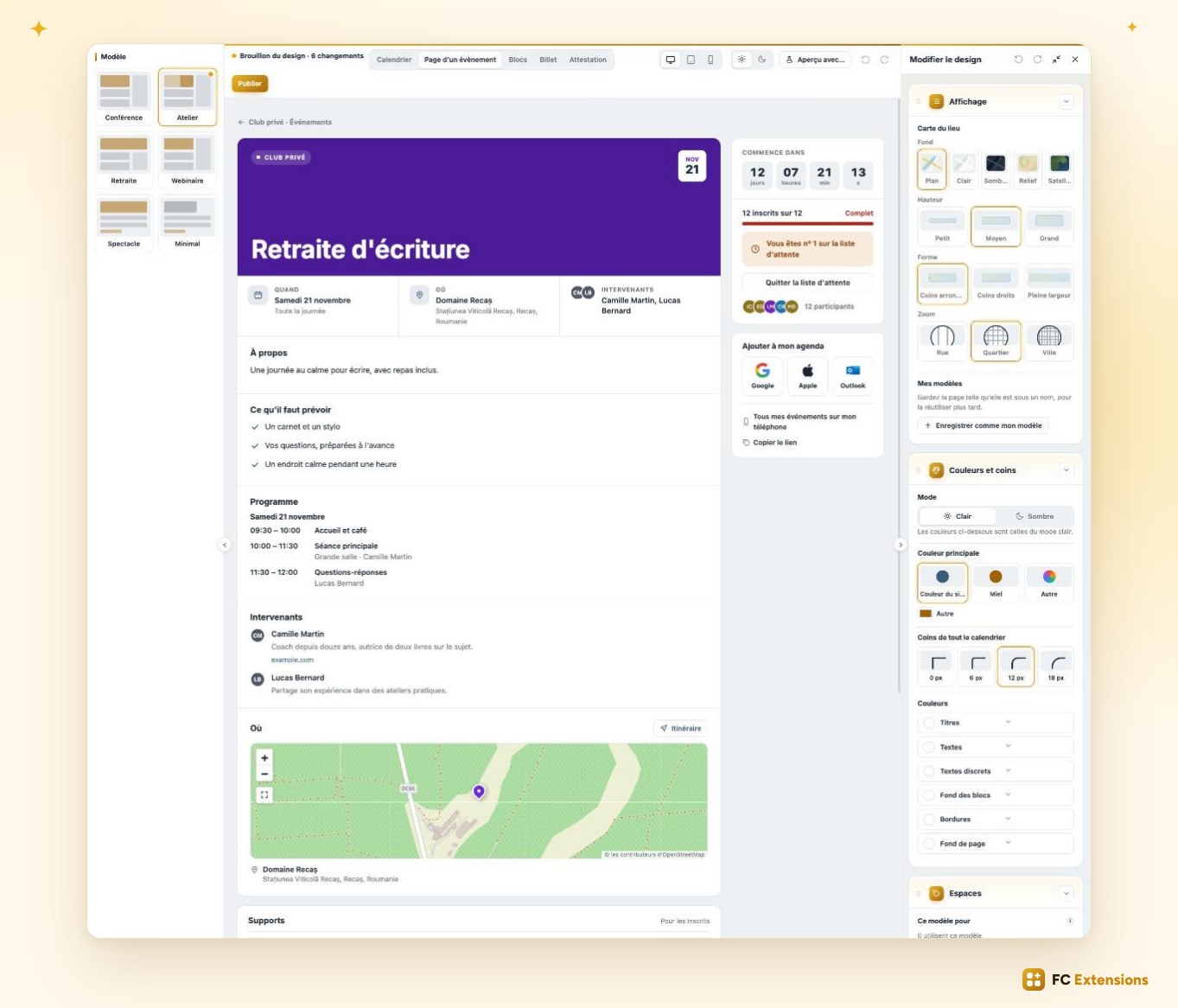
It opens full screen and brings together everything your members see: the calendar, each event page, the blocks, the tickets and the certificates. Everything is customized in one place.
A template to get started
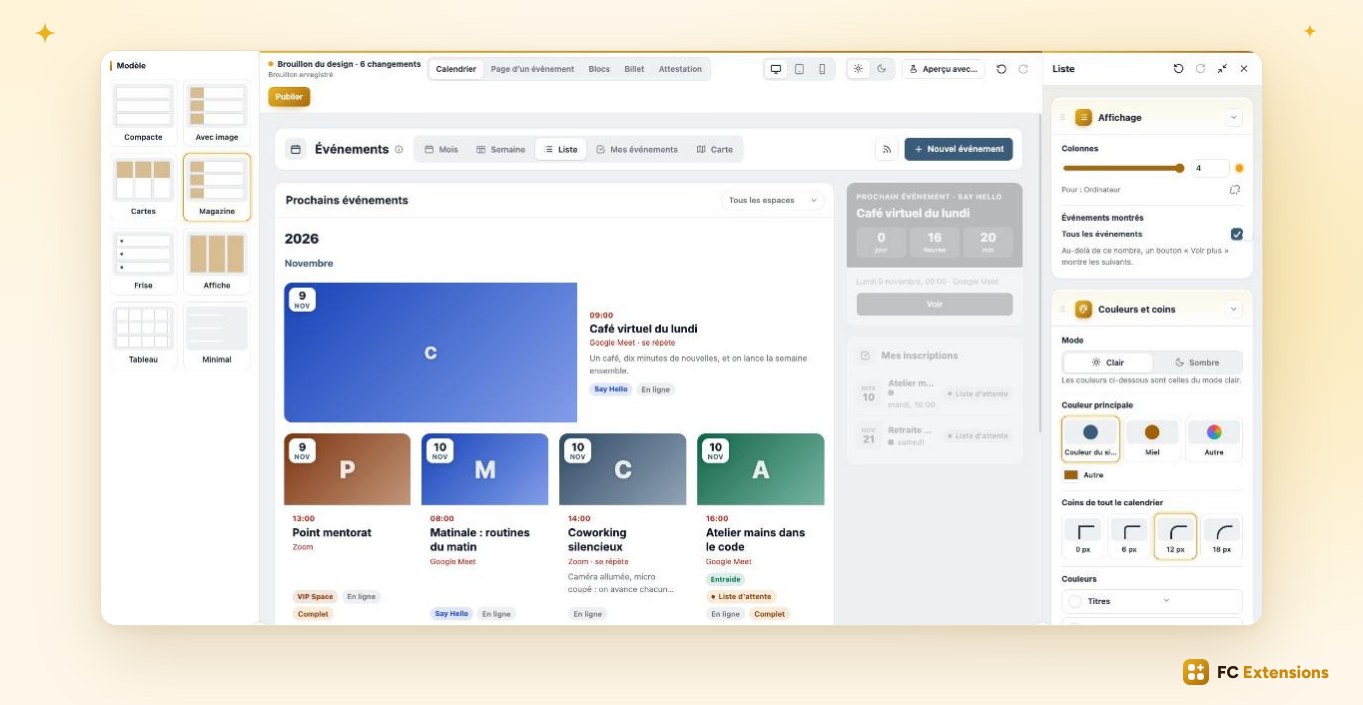
To get started, you pick a template. Six page templates, each designed for a type of event: Conference, Workshop, Retreat, Webinar, Show or Minimal. And eight layouts for your event list: cards, magazine, timeline, poster…
Every element, adjusted in one click
Then it’s your turn. Click any element and adjust it to your taste: the date box, the countdown, the seats bar, the calendar buttons, the speakers’ photos, the titles… You move sections around and show the ones that matter to you. And every change appears instantly before your eyes.
Your colors, always readable
Your colors follow your community’s, or the ones you choose. And the editor watches readability for you: at a glance, it confirms your text stays perfectly readable. Your calendar looks great, and is comfortable to read for everyone.
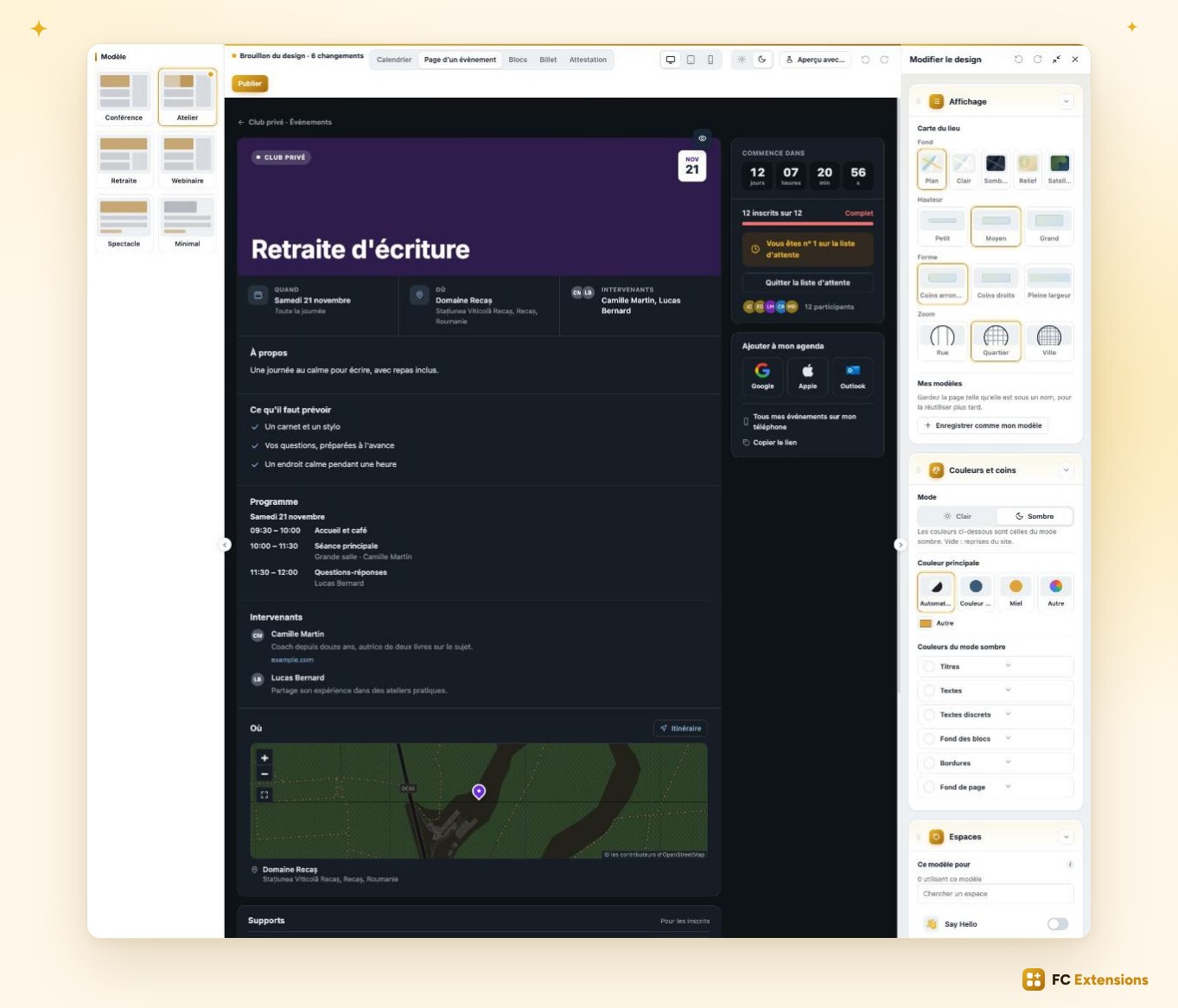
Love dark mode? It now has its own colors, refined one by one.
Check, then publish
Before publishing, you check the result on desktop, on tablet, and on a real phone. You can even test with a very long title or no image, to make sure everything stays flawless. You have a draft and a history, and you publish when you’re happy.
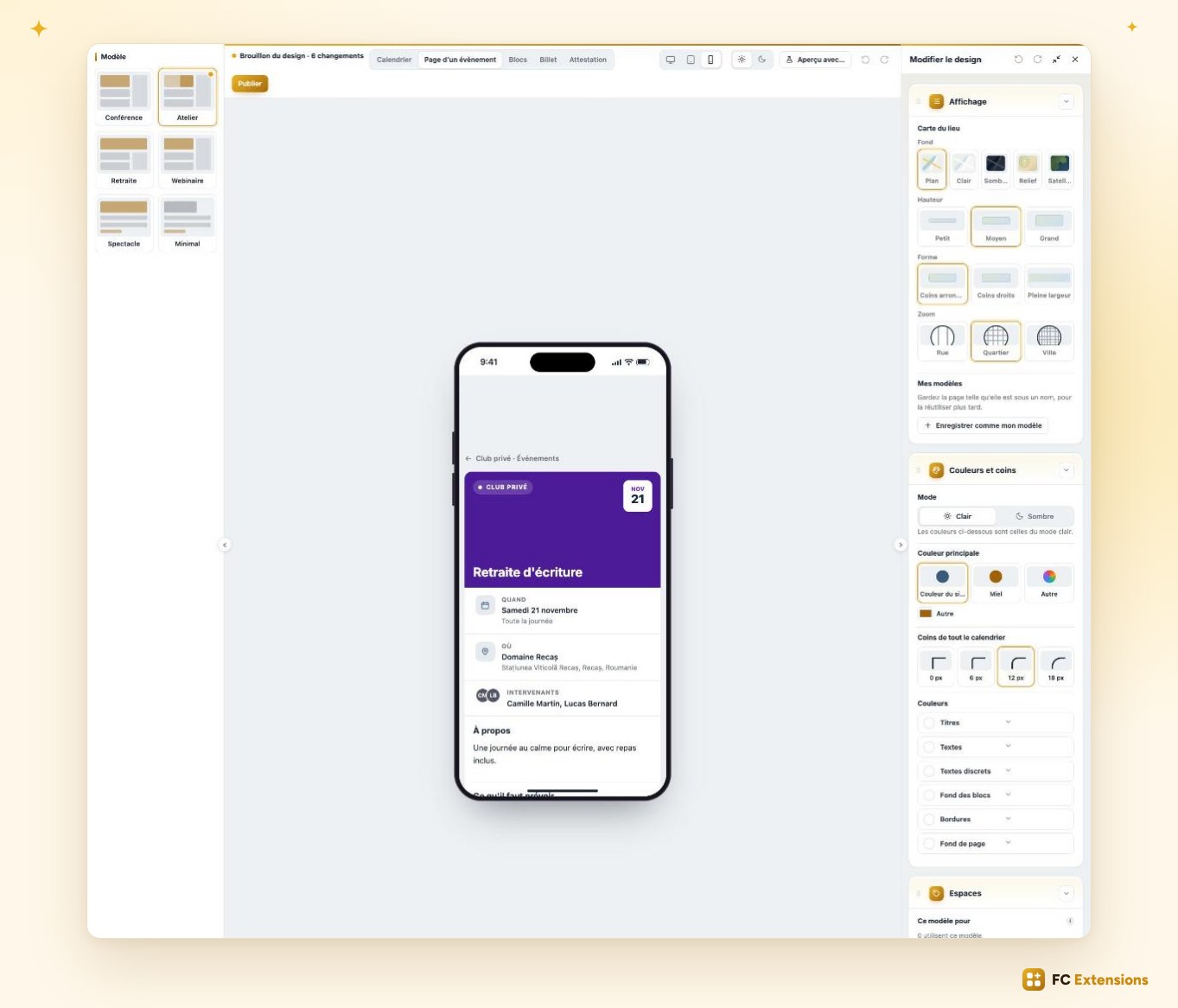
And since every space has its own personality, each one can have its own style. Your yoga space soft and calm, your business space more sober. Your calendar finally looks like you.
The edit window, completely redesigned
Everything starts in the edit window. For version 2.0, we completely redesigned it, based on your feedback. Whether you create an event or edit it, everything now happens in one place, and it’s a real pleasure.
Picture this: you’re launching a new workshop next Thursday. You click “New event”, give it a name, and choose which space of your community it will be published in.
Categories and a language
First new feature: categories. Yoga, Workshop, Live, Conference… They sort your events by theme, and your members filter the calendar in one click to find what interests them right away. The category you need doesn’t exist yet? You create it right there, without leaving the window.
Another new feature: you set the language your event takes place in, with its flag. Your community is international? Everyone sees at a glance whether the event is for them.
Dates for every rhythm
Then comes the date, and here too, everything was rethought. Your workshop happens once? Simply pick the day. Running a three-day seminar? Click the first day and the last. Teaching a class every Thursday? Create a series, and all the sessions appear at once. And if your dates follow no pattern, tick them one by one on the calendar.
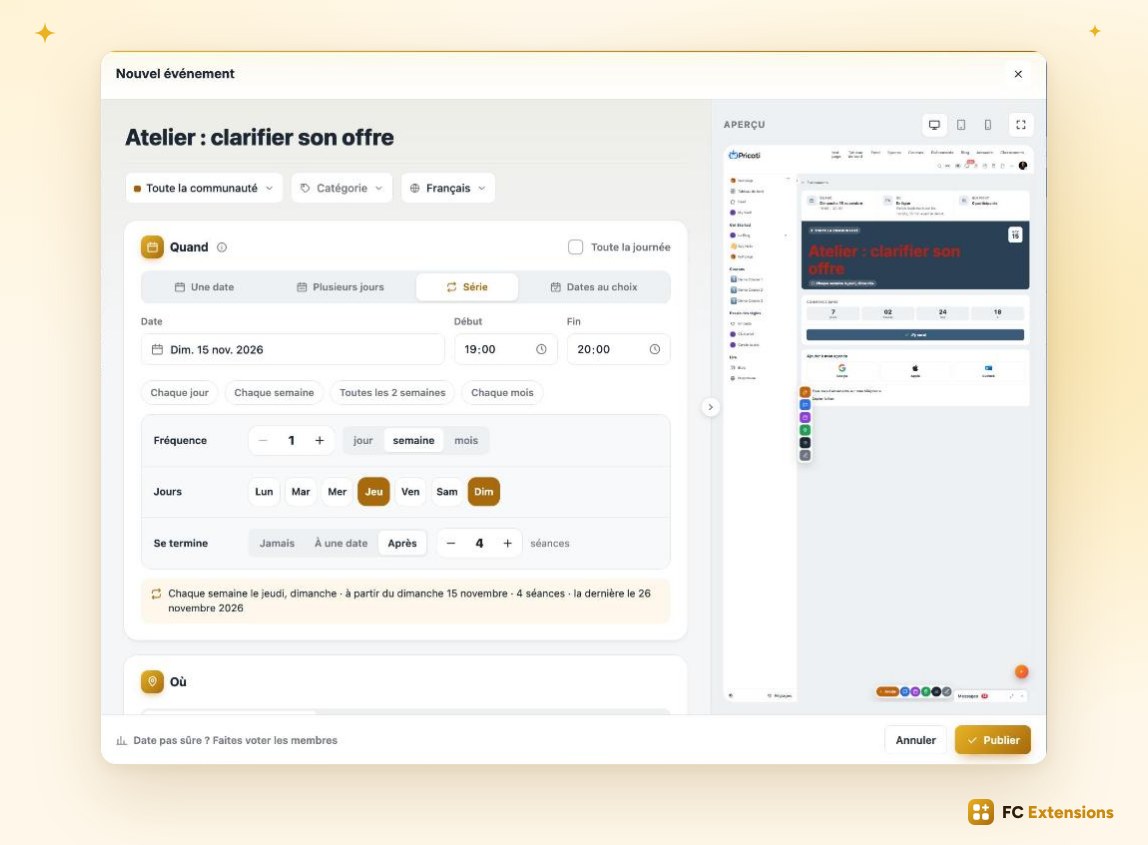
Online or on site
The venue is just as simple: online, in a room, or both at once. You paste your video call link, or start typing the address and it’s suggested to you. Using our Directory extension? Pick a place already saved in your directory: the address fills itself in.
A presentation that makes people want to come
Now for the presentation. A short summary that shows in your calendar and that Google will index. A full description, nicely formatted. A cover image for the page, and a thumbnail for your lists.
And a big new feature: an intro video. A few seconds to introduce yourself, show your venue or your last workshop, and people want to register right away.
Everything is already set
And that’s only the beginning. Just below, a whole range of new possibilities awaits. Everything is already set with your usual settings: you see it all at a glance, and you only change what you want.
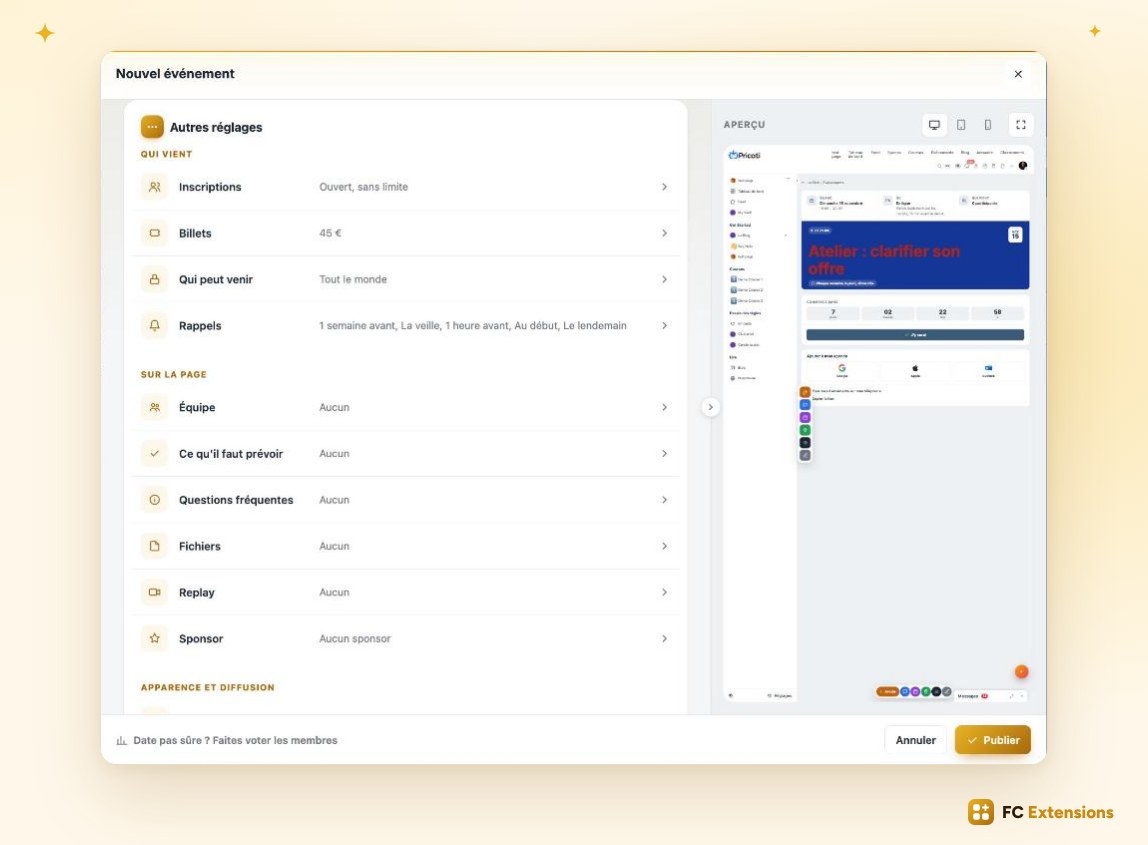
The team: organize together
Add co-organizers: they run the event with you, see the registrants, check people in at the door and can edit the event.
Add your speakers: they are showcased on the page with their photo and bio, and their seat is free. Even a guest without an account in your community can be featured. Everyone has their role, and exactly the rights they need.
The FAQ
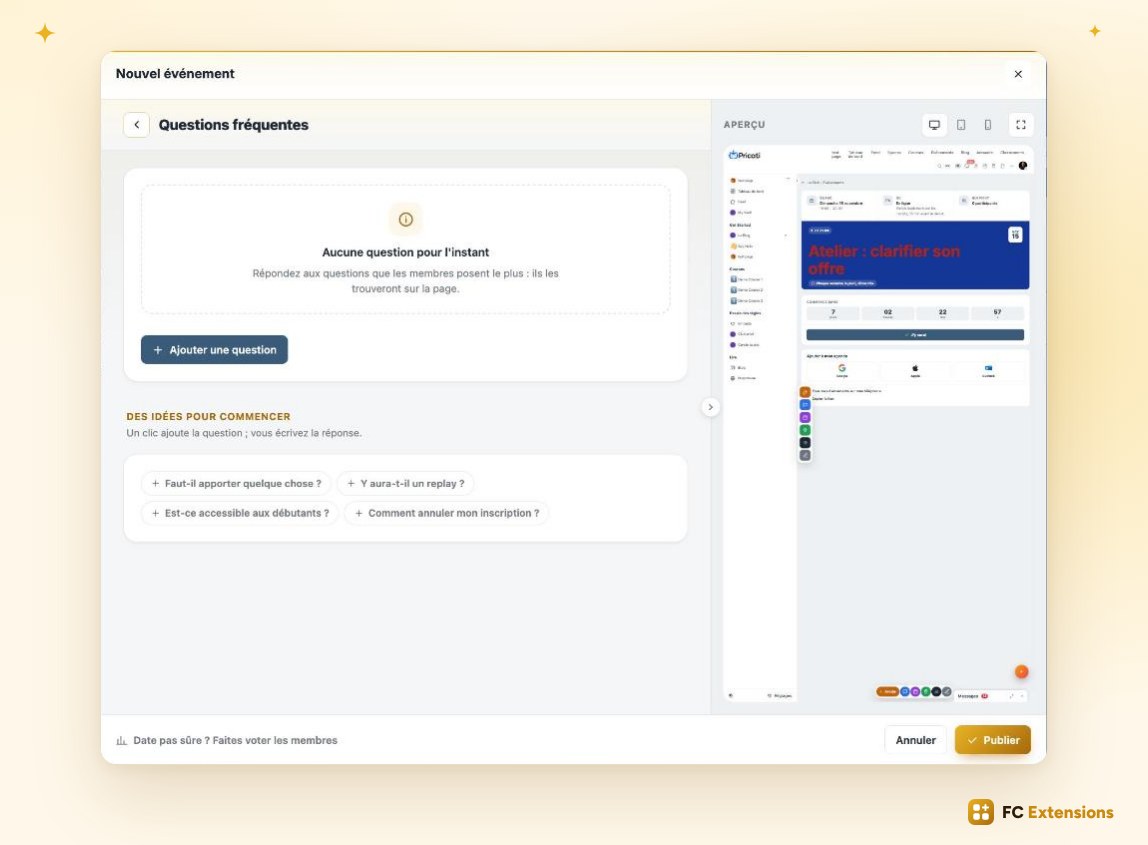
Your participants often ask the same questions before registering. Should I bring anything? Will there be a replay? Is it beginner friendly? You answer them once and for all, right on the page.
Question ideas are already waiting for you: one click and the question is added, you just write the answer. Your future participants find what they’re looking for right away, register with peace of mind, and you save precious time.
What to bring, and the program
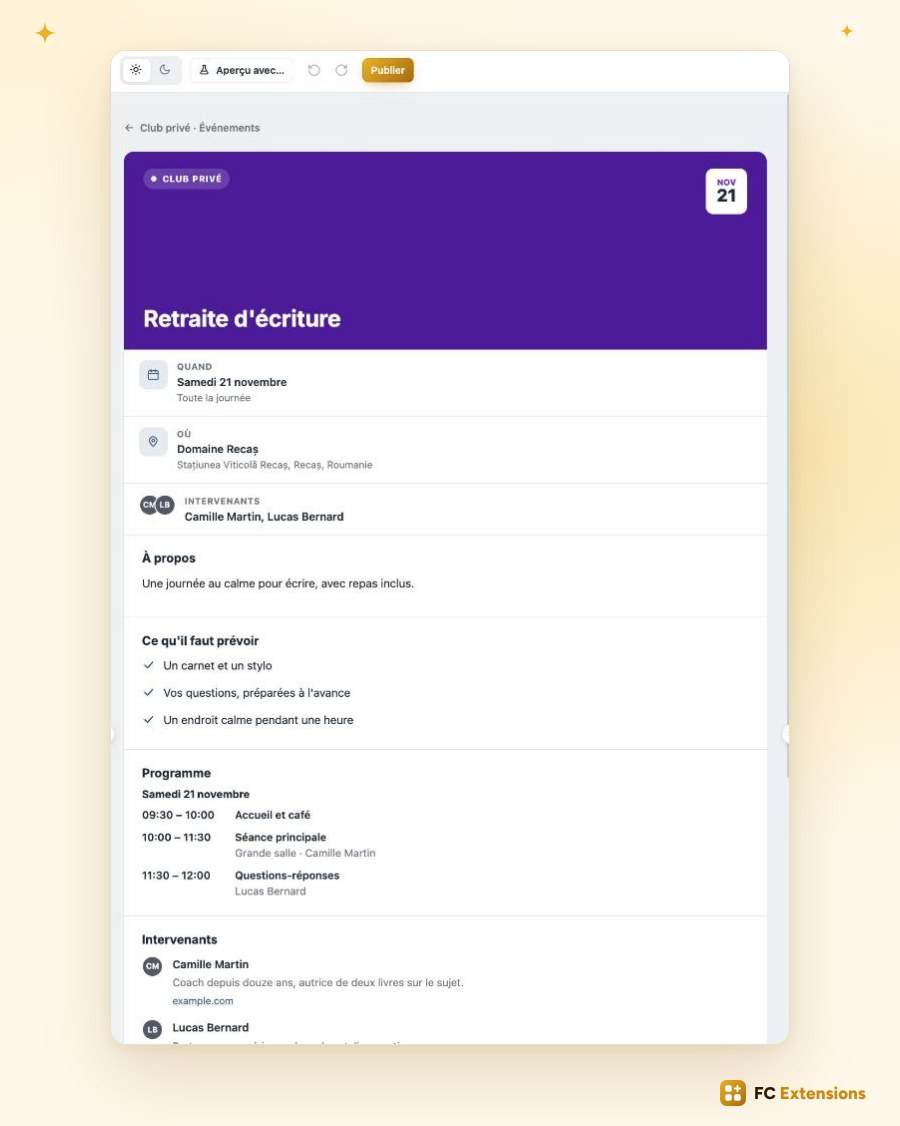
For a yoga class, list “What to bring”: your yoga mat, comfortable clothes, a water bottle. Your participants also find it in the reminder email the day before. Everyone arrives ready.
For a training or a conference, show the program hour by hour, with the rooms and speakers for each slot.
Files
Upload the program, the slides, the workbook right onto the page. You decide who can access them: everyone, registrants only, or only after the event. Your participants find all their documents in one place, when they need them.
The replay, from wherever you want
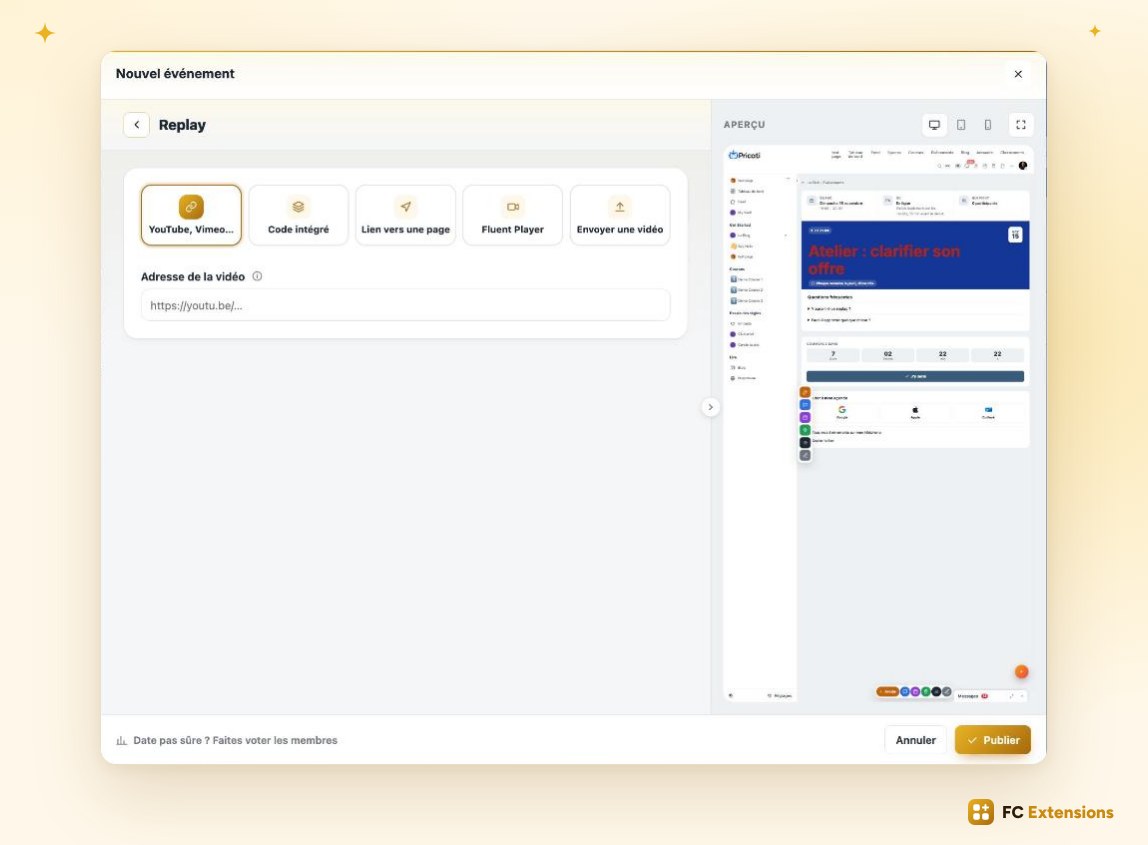
The replay takes on a whole new dimension. After your live session, the video plays right on the event page, and you take it from wherever you want. It’s on YouTube, Vimeo or Loom? Just paste the link. It’s in your Fluent Player library? Pick it in one click. Or upload your own video file.
Every source works. Your participants, and those who couldn’t make it, relive your event whenever they like.
A sponsor in the spotlight
One more new feature: the sponsor. Put a partner in the spotlight on your event page, and give yourself the means to think bigger.
The built-in preview
You also choose the page template that best suits your event, and announce it in your space’s feed.
And to top it all off: the built-in preview. One click on “See preview”, and your page opens full size, inside your community, exactly as your members will see it. On desktop, tablet and phone. You adjust, you check, and you publish when everything is perfect.
In a few minutes, your event is online, beautiful and complete, ready to welcome your participants.
Selling: every scenario covered
Let’s talk about selling.
Since the first version, you could sell your seats, with your rates, pay later and the waiting list. You told us everything else you needed. So we reworked selling in depth, to cover every scenario.
Four starting points
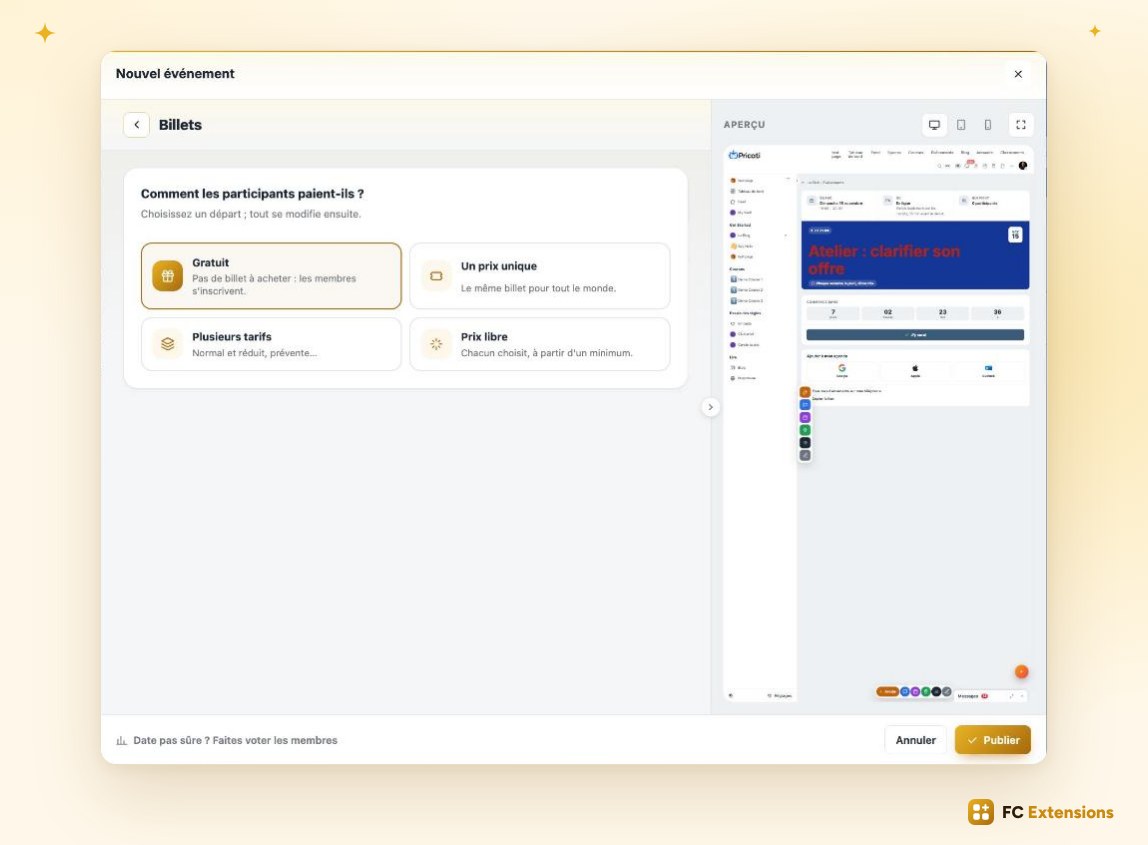
It all starts with a simple question: how do your participants pay? You have four starting points.
- Free, for your sessions open to all.
- A single price, the simplest: one seat, one price.
- Multiple rates, for example a standard rate, a student rate, and a rate reserved for your premium members.
- Pay what you want: everyone gives what they wish, above a minimum you set. Perfect for a charity workshop.
You choose your starting point, and you can adjust everything afterwards.
A more complete registration
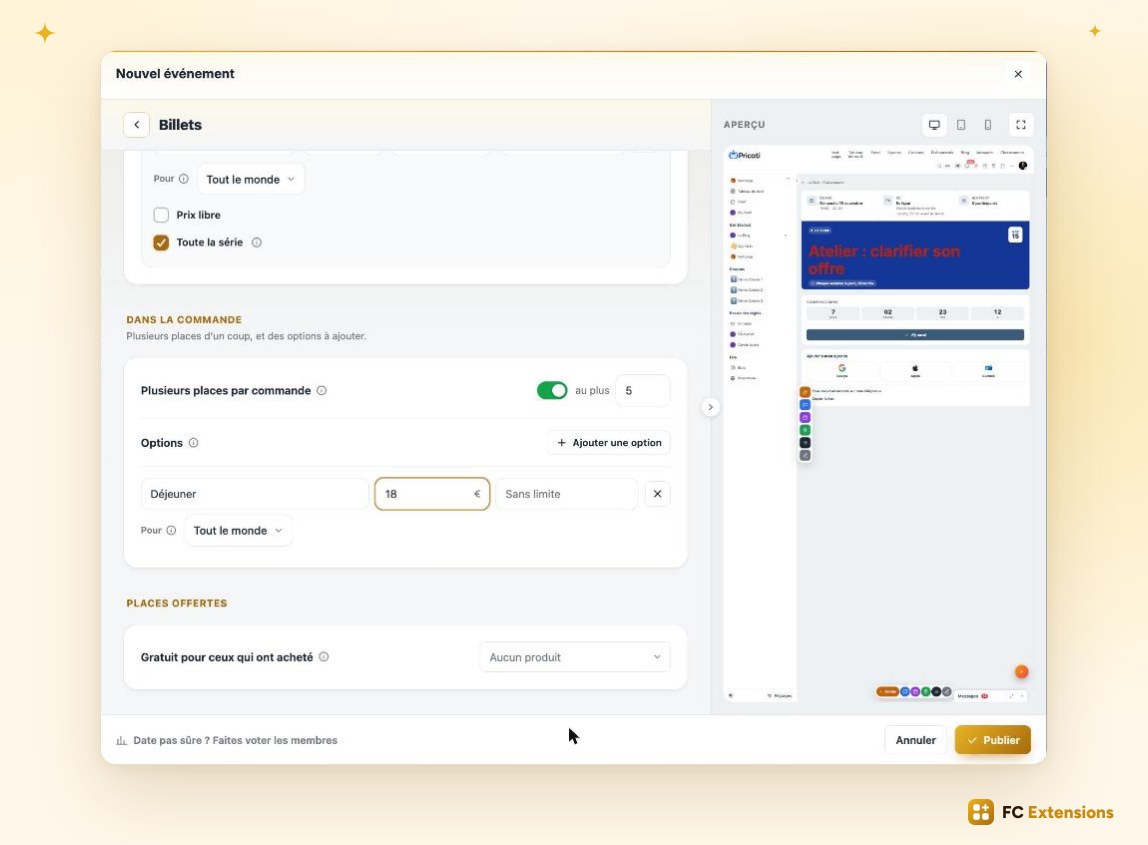
And selling goes much further. Your participants pay right in the registration window, without leaving your community. They can book several seats at once, with each person’s name: a family, a team, a group of friends.
Add options: lunch at a seminar, a hotel night for a training, the author’s book. For a four-session training, your participants pay for the whole cycle in a single payment. And your visitors can buy without even creating an account.
Offers that bring your members back
Then there are offers, to bring your members back. Each one is explained with a concrete example, so you set it up in minutes.
- The Events Pass: for example, €29 a month, and your member joins all your events.
- The seat bundle: ten yoga classes for €150, used at their own pace.
- A free seat every month: a lovely gift for your VIP members.
- Publishing by your members: they publish their own events in your calendar, and feature them, for a small fee.
For each offer, you choose exactly who it’s for: a space, a course, a level, a FluentCRM list… and you instantly see how many members it reaches.
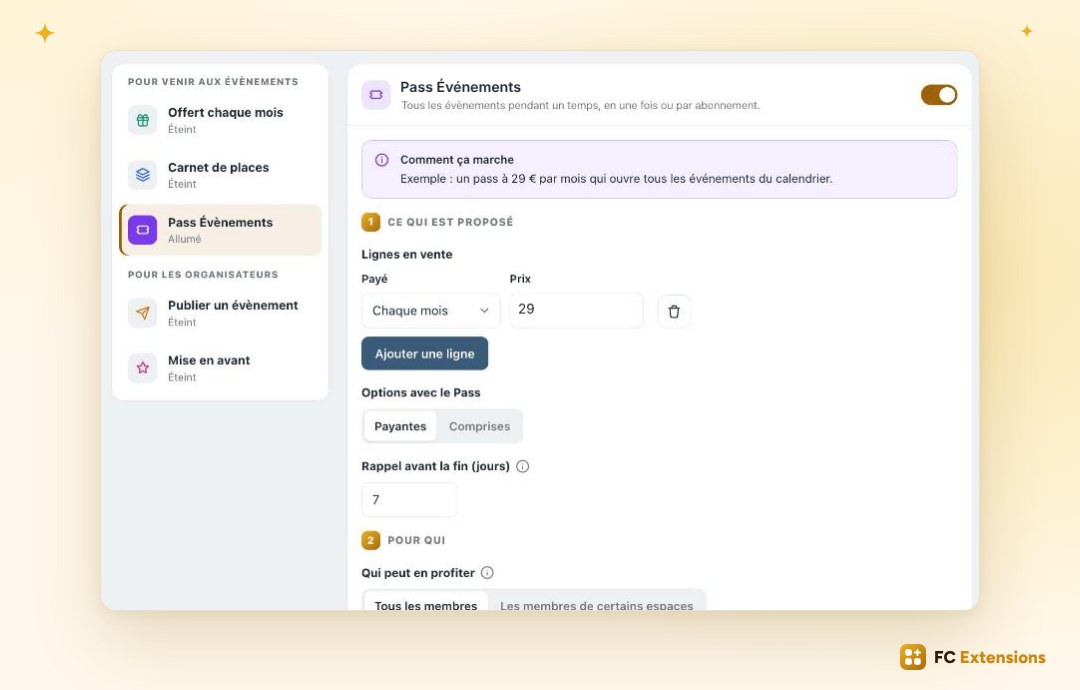
With all this, you truly cover every way to sell your events.
Tickets with QR codes
Now for the big day.
You’re hosting a conference, a fair, or your community’s annual party. A hundred people are about to arrive at the same time. How do you know who has a seat, without a queue and without a paper list?
With Events 2.0, every participant receives a real ticket, as a PDF, in their confirmation email. One ticket per seat, in their name, with their rate, their options, and above all a unique QR code.
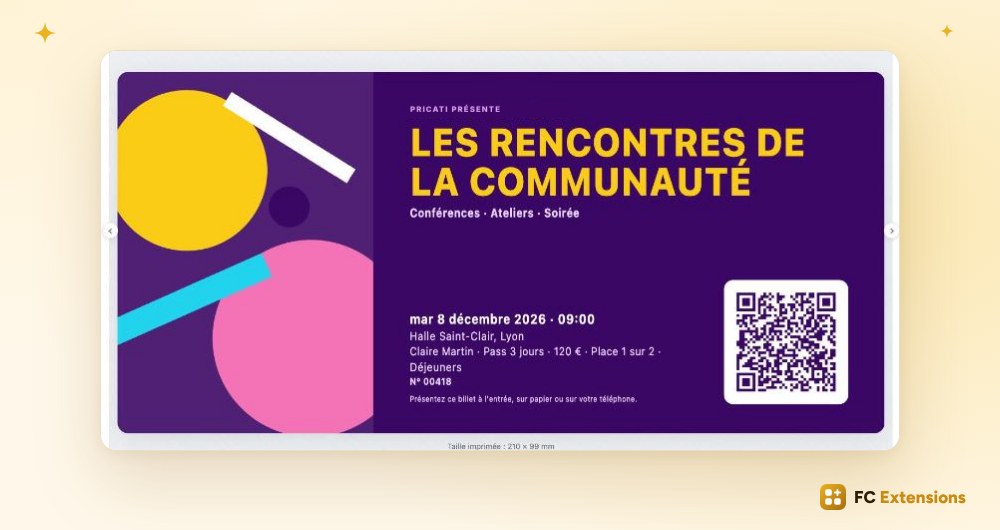
And you choose this ticket from eight templates: a colorful festival ticket, a boarding pass, a conference badge, an elegant design… You customize it in the editor, and send yourself a test PDF to see it for real.
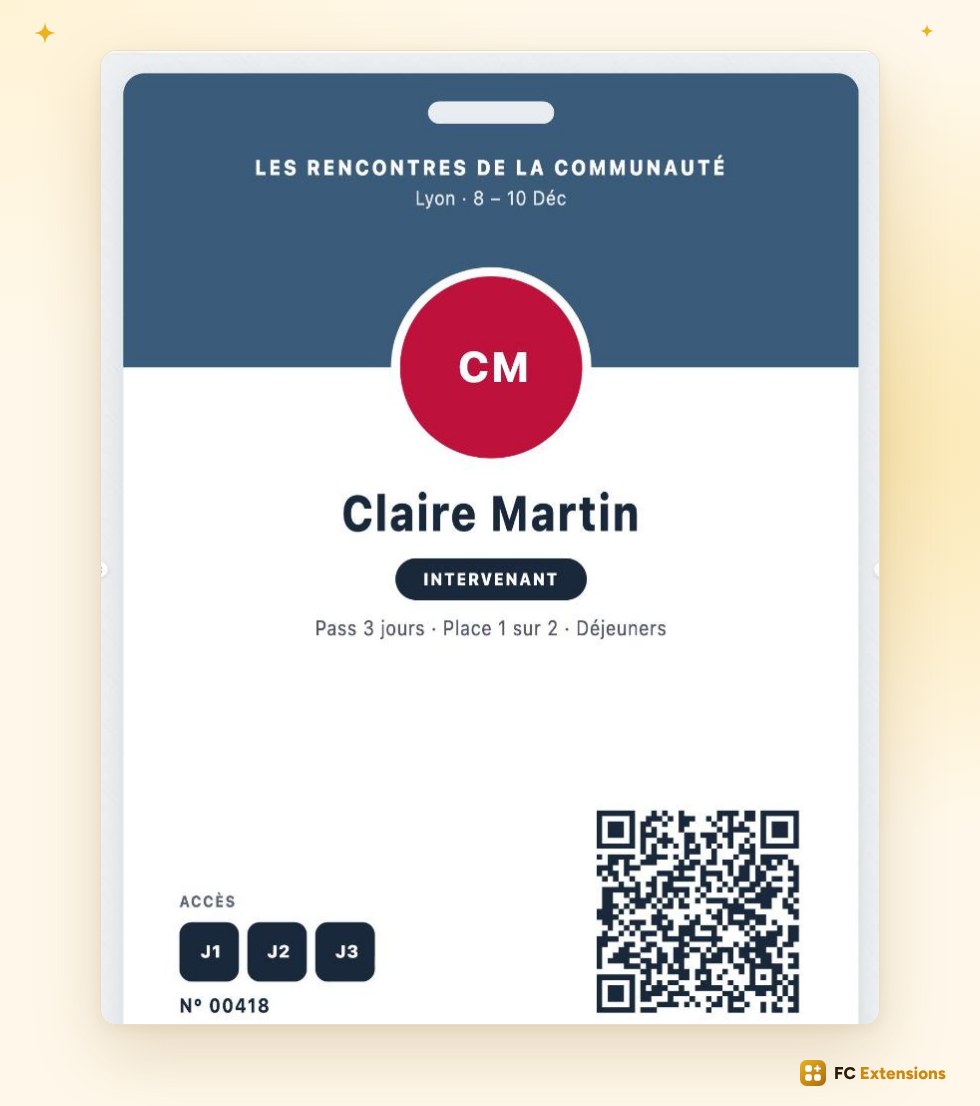
At the door, your team simply takes out their phone and scans the tickets. No app to install. Each scan confirms the seat and records attendance. Your guests are in within seconds, and you always know who has arrived.
It’s the kind of tool you find on the big ticketing platforms. Here it is, in your community.
Attendance certificates
Are you a trainer, a coach or a training organization? Your participants often need proof that they attended your session. With Events 2.0, these documents prepare themselves.
The attendance certificate goes out on its own. The day after the event, every participant who attended receives theirs as a PDF, automatically.
It’s complete: their name, the event, the dates, the hours attended and the days present, calculated for you. Your signature, with your name and role. And a QR code with a verification code, to prove it’s genuine.
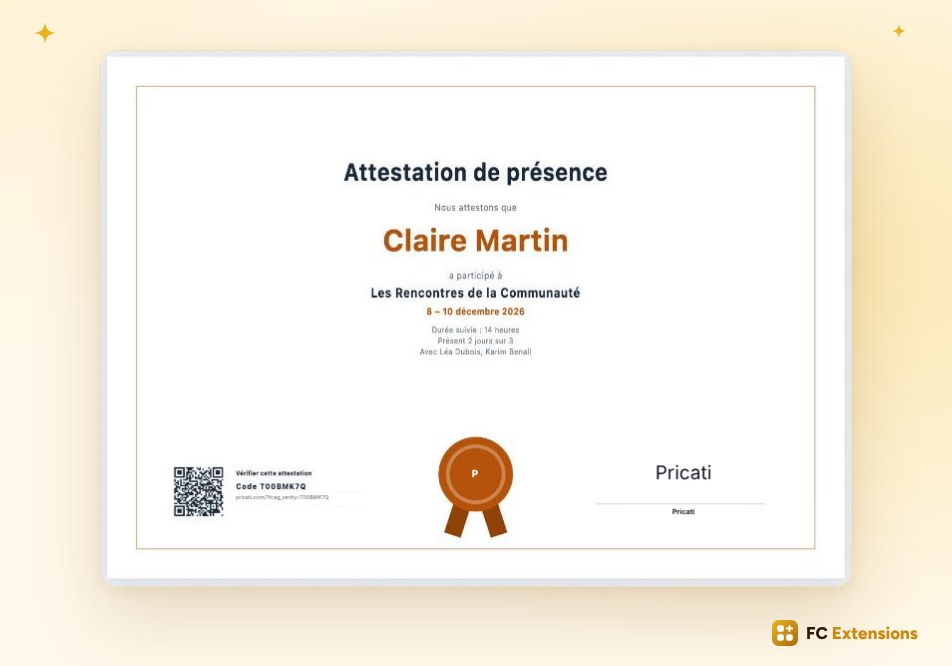
You choose its style from six templates: Classic, Modern, Diploma, Clean, Medal or Banner. Add your logo, choose the medal color, write your own text. And send yourself a sample to discover it before your participants do.
A professional document, in your image, with no effort at all.
Reviews from your participants
After the event, one essential step remains: trust.
With 2.0, your participants leave their review right on the event page. A star rating and a few words. And only those who attended can do it: every review is genuine.
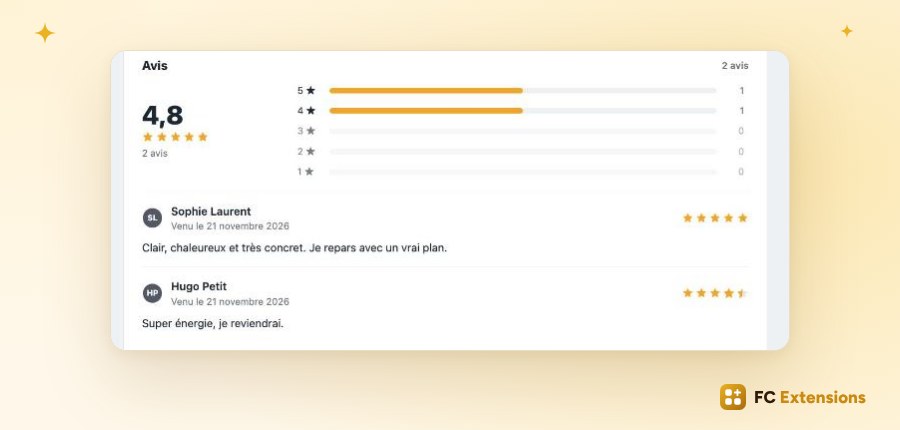
These reviews show on the page, with the average rating. They reassure those still hesitating to register for your next date. And Google can read your stars and show them in its search results.
Your happy participants become your best ambassadors.
Richer statistics
And to steer it all, statistics have grown a lot too.
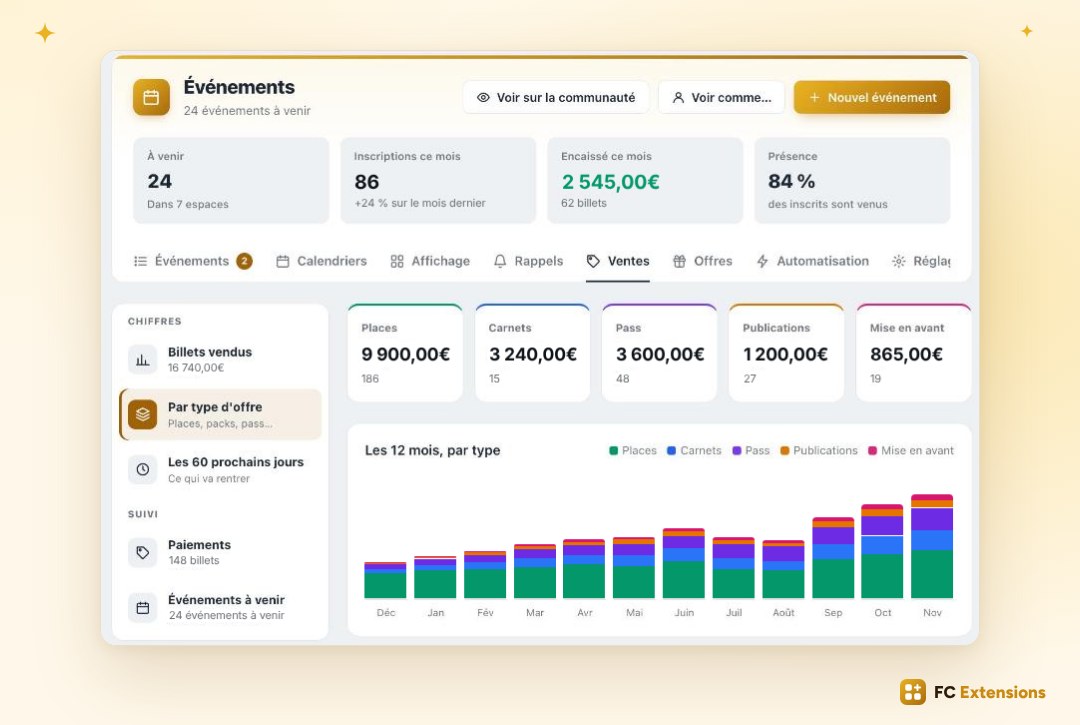
As soon as you open the admin, four numbers give you the pulse of your events: what’s coming up, this month’s registrations, what you’ve collected, and the attendance rate.
In sales, you see what each type of offer brings in, tickets, bundles, Pass or publications, month after month. And what’s still coming in over the next sixty days.
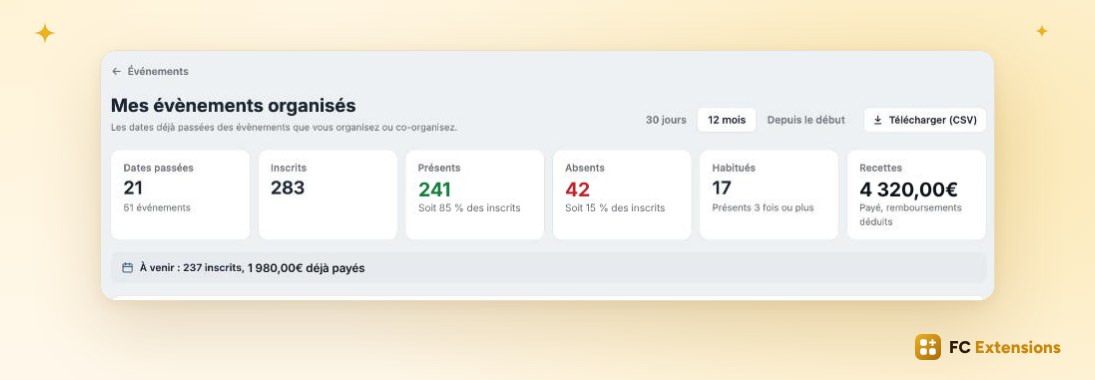
Each organizer also has their own dashboard: registrants, attendees, no-shows, the regulars who keep coming back, and revenue, date by date. One click to message the participants of a date, one click to download everything.
You know what works, and you plan what’s next with confidence.
And that’s not all
And 2.0 is packed with even more new features.
- Your events map gets a new look: list beside or below, and five map styles, from street map to satellite.
- Reminders are created in one click: the day before, an hour before, or fifteen minutes before your live session.
- Your emails get formatting: bold, links, lists.
- Each space can have its own calendar, and you choose who can create events in it.
- Your course openings appear in the calendar, with a “Notify me” button.
- Your events show up in the feed, in spaces and in courses, thanks to blocks.
- Your events can last several days, bookable day by day.
- Before registering, your participants accept your terms with a simple checkbox.
- Your live session link appears on its own at the right moment, with a countdown.
- A free seat can be offered to those who bought one of your products.
- And all your settings are organized into clear cards, easy to find.
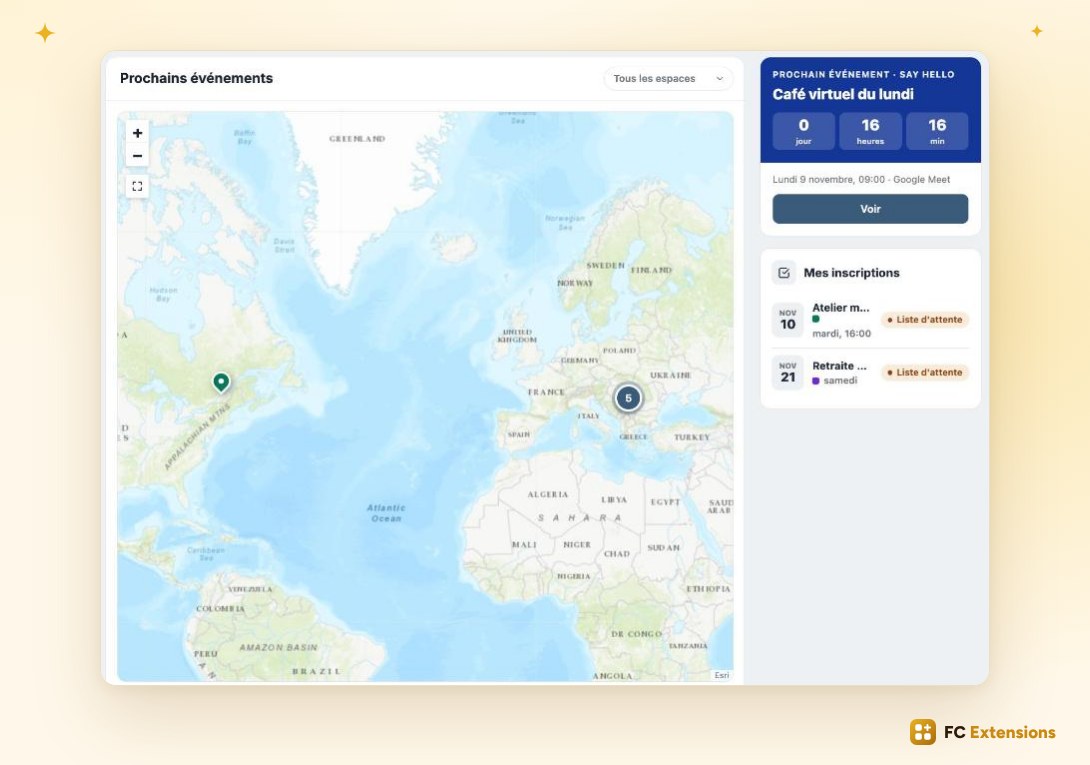
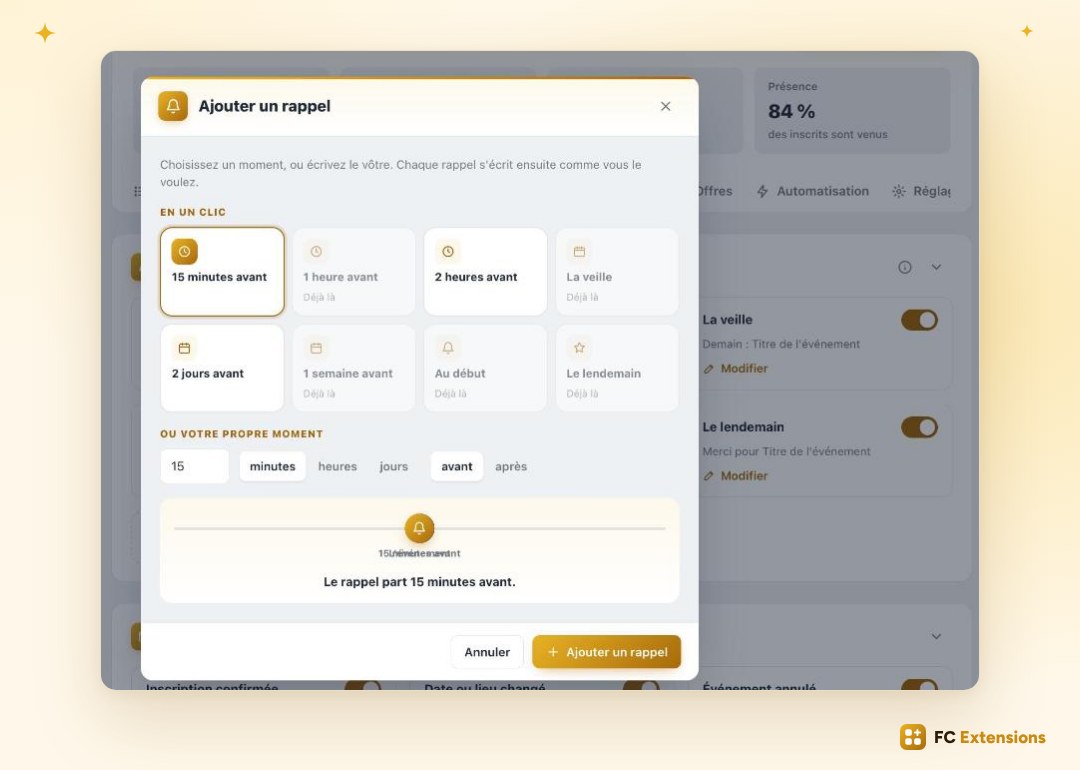
And many more features, designed to make managing your events easier every day. I’ll let you enjoy discovering them.
Available now
Events 2.0 is an update built with you and for you, to make every one of your events shine even brighter, and to grow your community.
Already installed? The update is available now. Run it in one click from FC Extensions, and discover it for yourself.
Not installed yet? Get your free key: Events joins your community in a few seconds, along with all the other free extensions.
Free extension
Prepare, sell, welcome, and stay connected
Events is one of the free FC Extensions. One free key, and everything opens up.
✓ Native to Fluent Community
✓ Visual editor, tickets and certificates
✓ Selling for every case
✓ Automatic updates
To go further, open the Events page, watch every extension on video, or browse the extension catalog.
An idea or a question? Come and say hello in the FC Extensions space of the Sdravobiz community, or vote for what’s next on the roadmap. And thank you all: this version was born from your ideas.
Frequently asked questions
How do I get Events 2.0?
The update takes one click from FC Extensions. Your events and registrations stay in place, and you discover what’s new at your own pace.
Do I need an app to scan tickets?
No. Your team scans tickets with their phone, nothing to install. Each scan confirms the seat and records attendance.
Who receives an attendance certificate?
Every participant who attended. They receive it as a PDF, automatically, the day after the event. You pick its template from six, with your logo and your signature.
Who can leave a review on an event?
Only participants who attended. Every review is genuine, and the average rating shows on the event page.
Can my visitors buy a seat without creating an account?
Yes. They pay right in the registration window, and can book several seats at once, with each person’s name.
Is Events free?
Yes. It is one of the free FC Extensions. Your first name and email are all it takes to get your free key.