
Your directory is already your community’s trusted guide. Your members present their business, recommend the best places, and professionals can pay to be featured.
In October, it learned to recommend, earn even more and work for you. Thanks to your feedback, it now takes a new step forward, with three new features: a new look, a redesigned form, and job offers.
What’s new at a glance
- A new look: pages in the style of Events, a page that takes shape while it loads, and a view for each category.
- A redesigned form: choosing the category on large cards, three clear steps, and a full page preview before publishing.
- Job offers: posted with the same form, one-click applications, and real follow-up for the recruiter.
See it in action

Want to see the others? Every extension is on video, family by family.
A new look
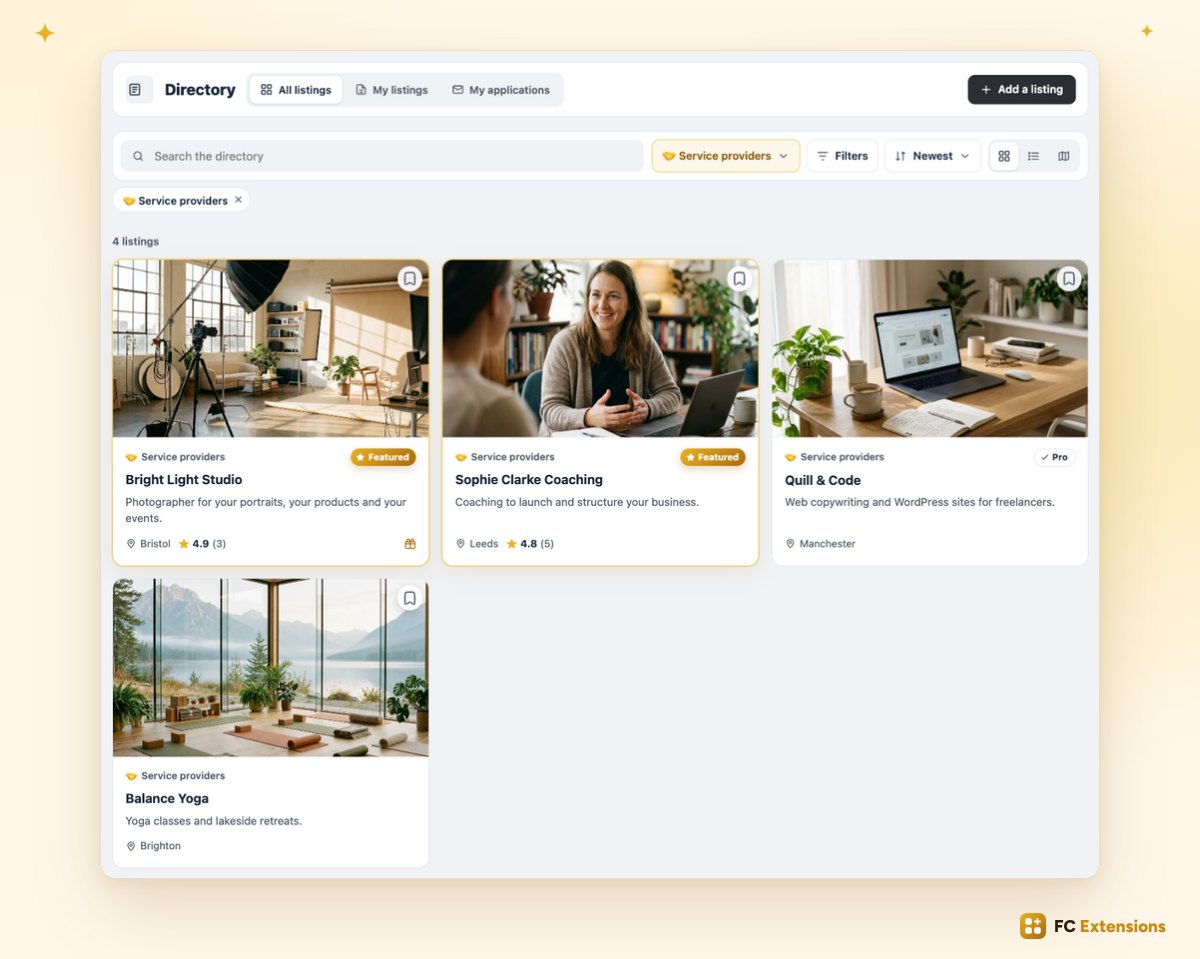
Your directory pages now take on the style of Events. At the top, a single card brings together the title, the tabs and the button to add a listing. Just below, search and filters are neatly arranged in their own card.
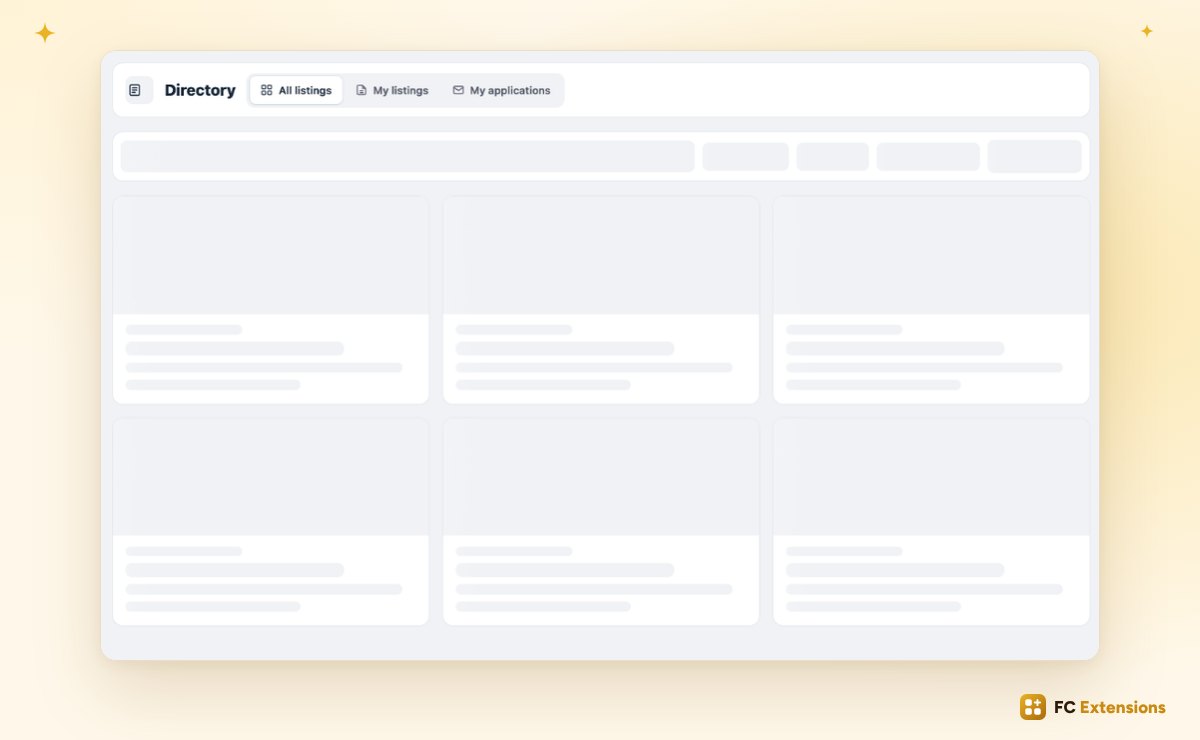
The page already takes shape
While the page loads, it already takes shape. No more waiting in front of a blank screen: your members see right away where they’ve landed, then the listings take their place.
A view for each category
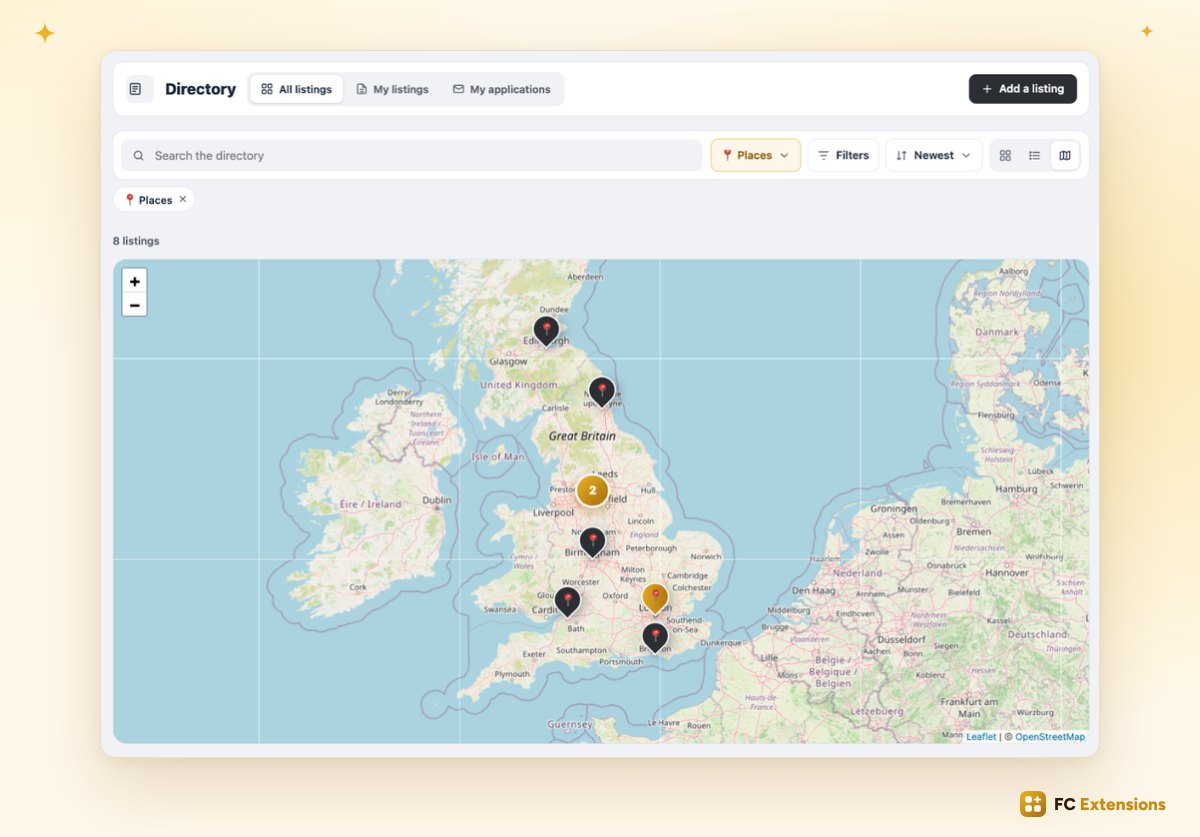
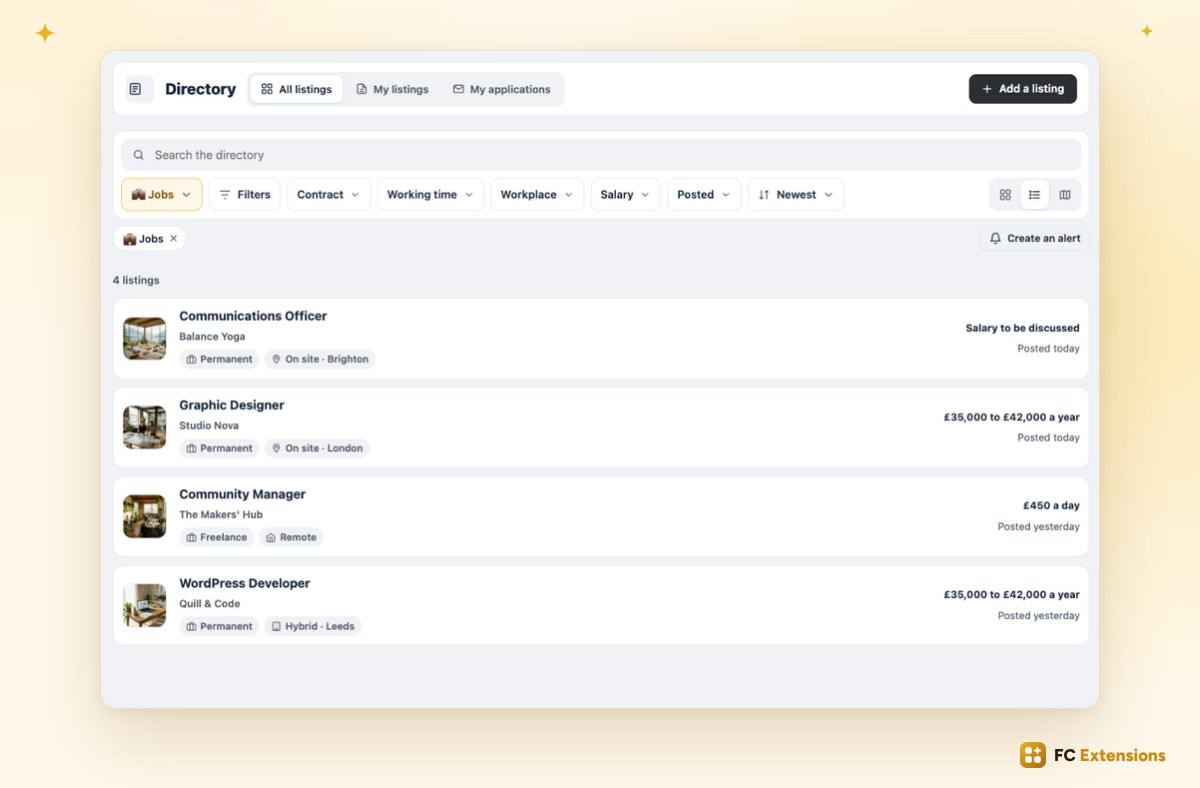
And each category now has its own view. Places on the map, service providers in a grid, job offers in a list: you choose, category by category.
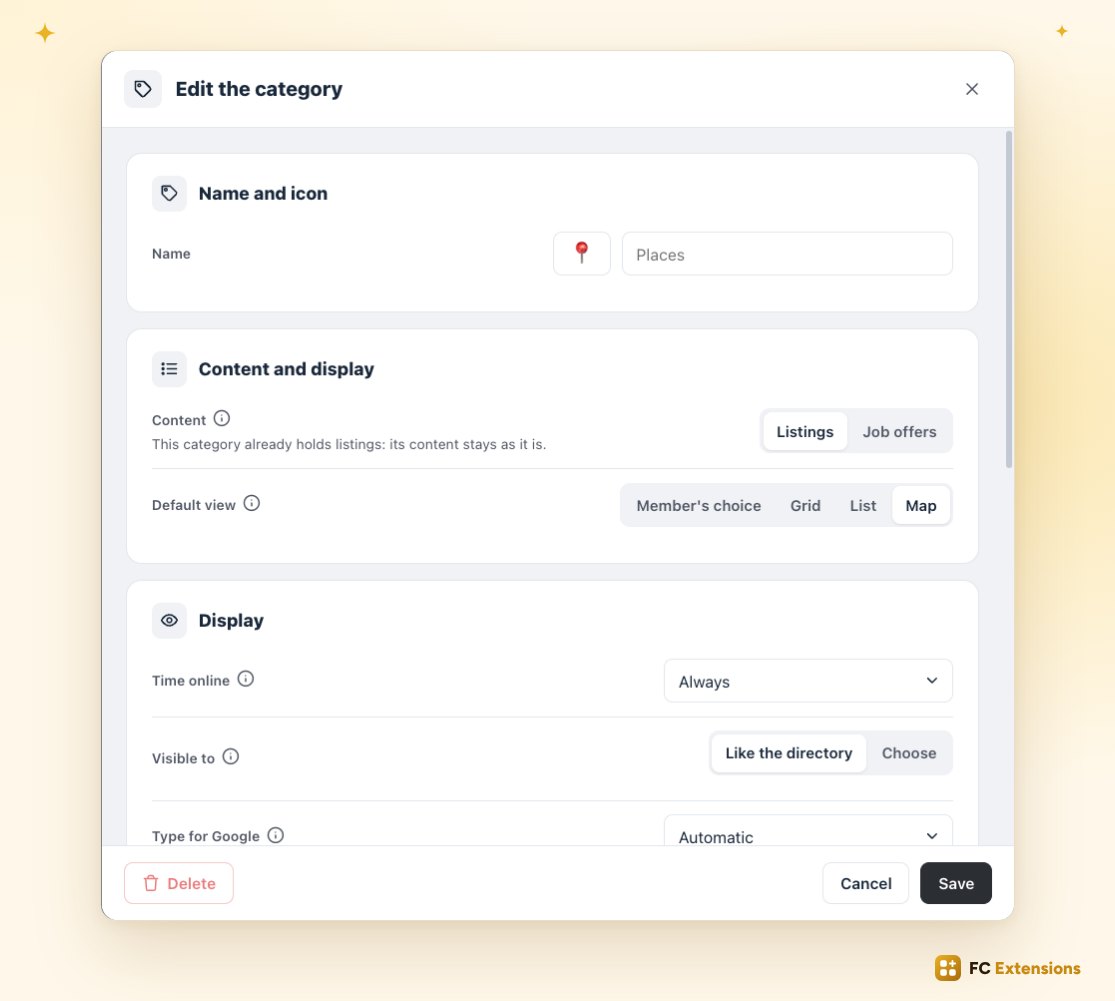
The setting lives in each category, one click away: the map, the grid, the list, or the member’s choice.
A redesigned form
Adding a listing is now even easier. It all starts with choosing the category, on large cards.
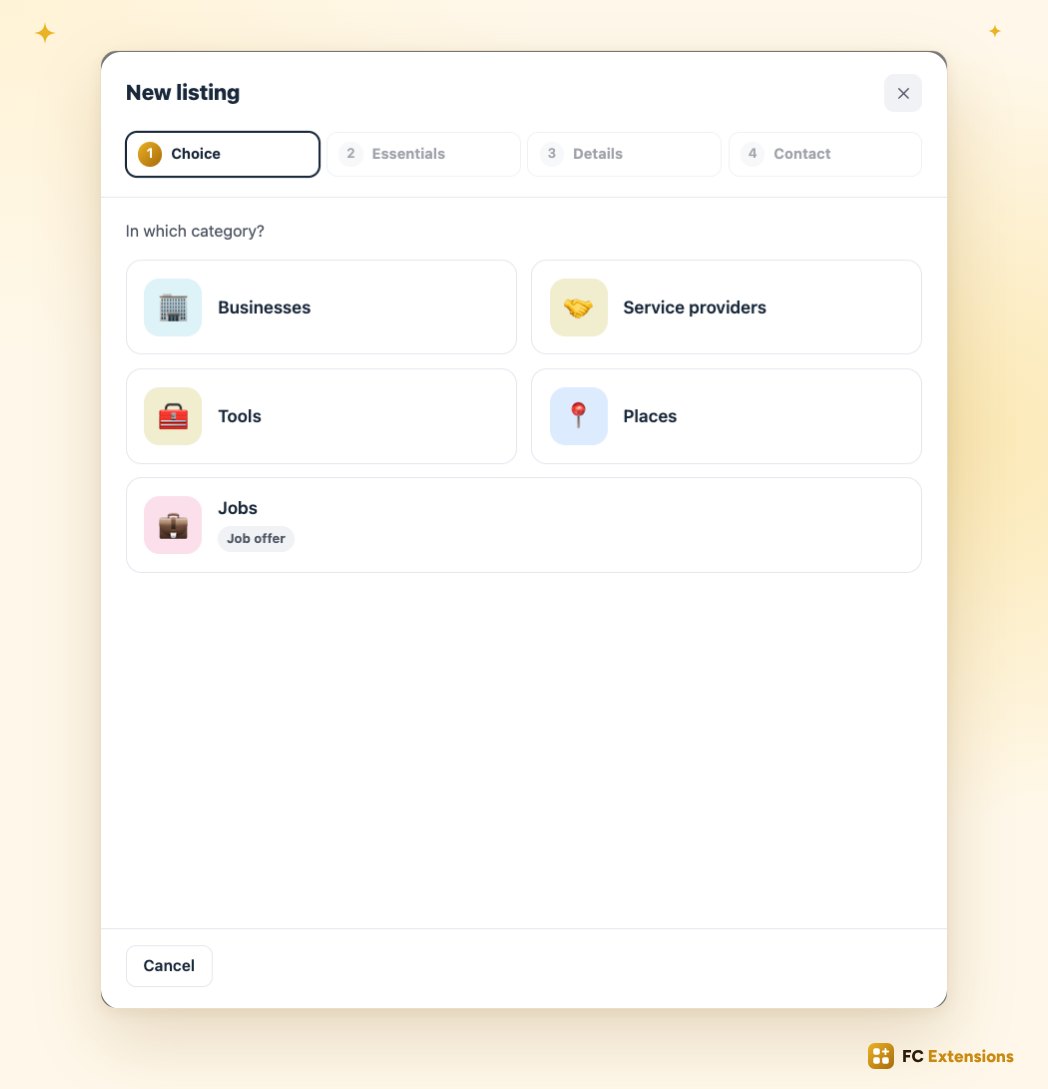
Then, three clear steps: the essentials, the details and the contact. At each step, the essentials are on screen: the name, the short description, the logo, the presentation.
Go further, just below
Everything else is waiting just below, under “Go further”: photos, video, the member offer, opening hours… Each row tells you what it holds, and whether it’s filled in. One click opens it, one click brings you back to the step.
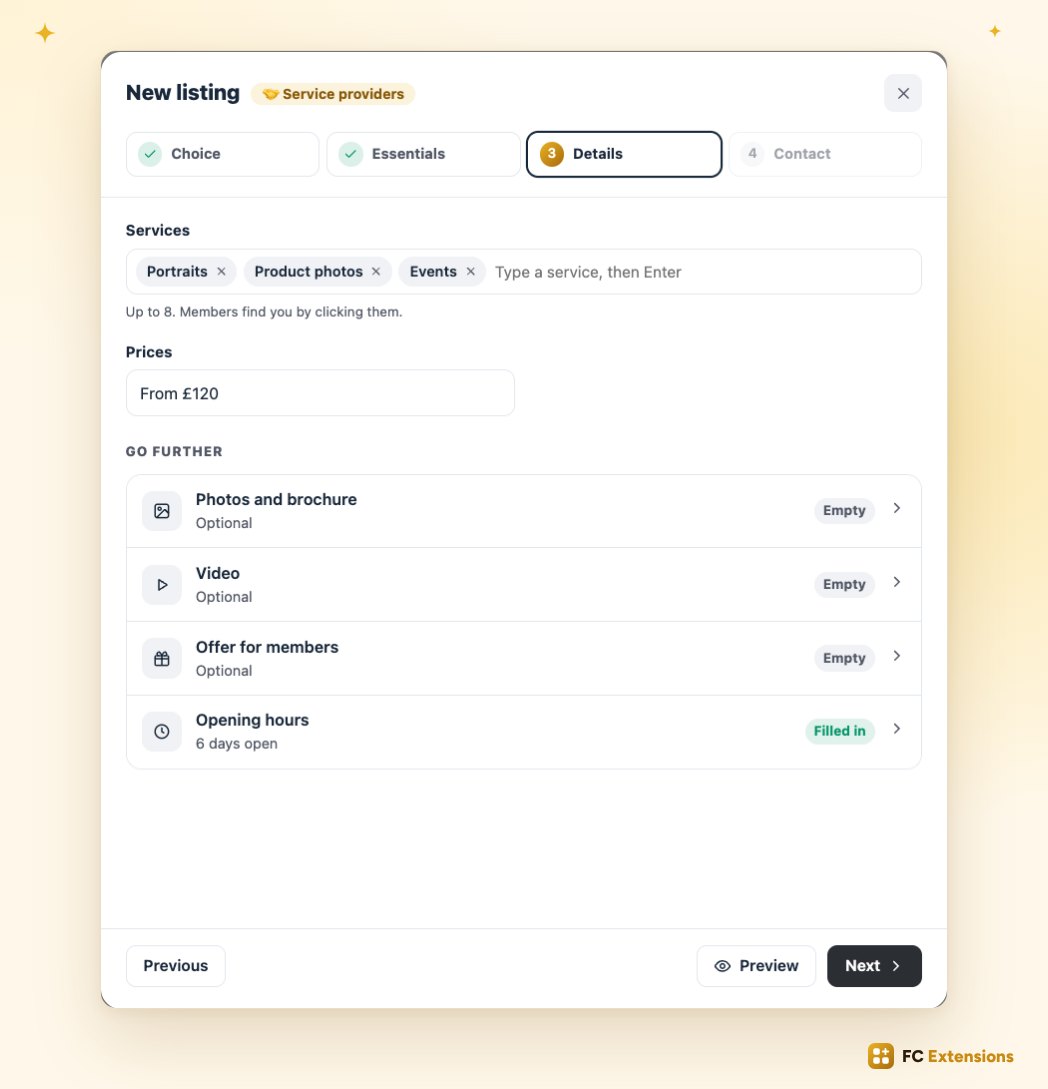
Your video goes in just as quickly: a YouTube, Vimeo, Loom or Dailymotion link, or a file directly.
A full page preview
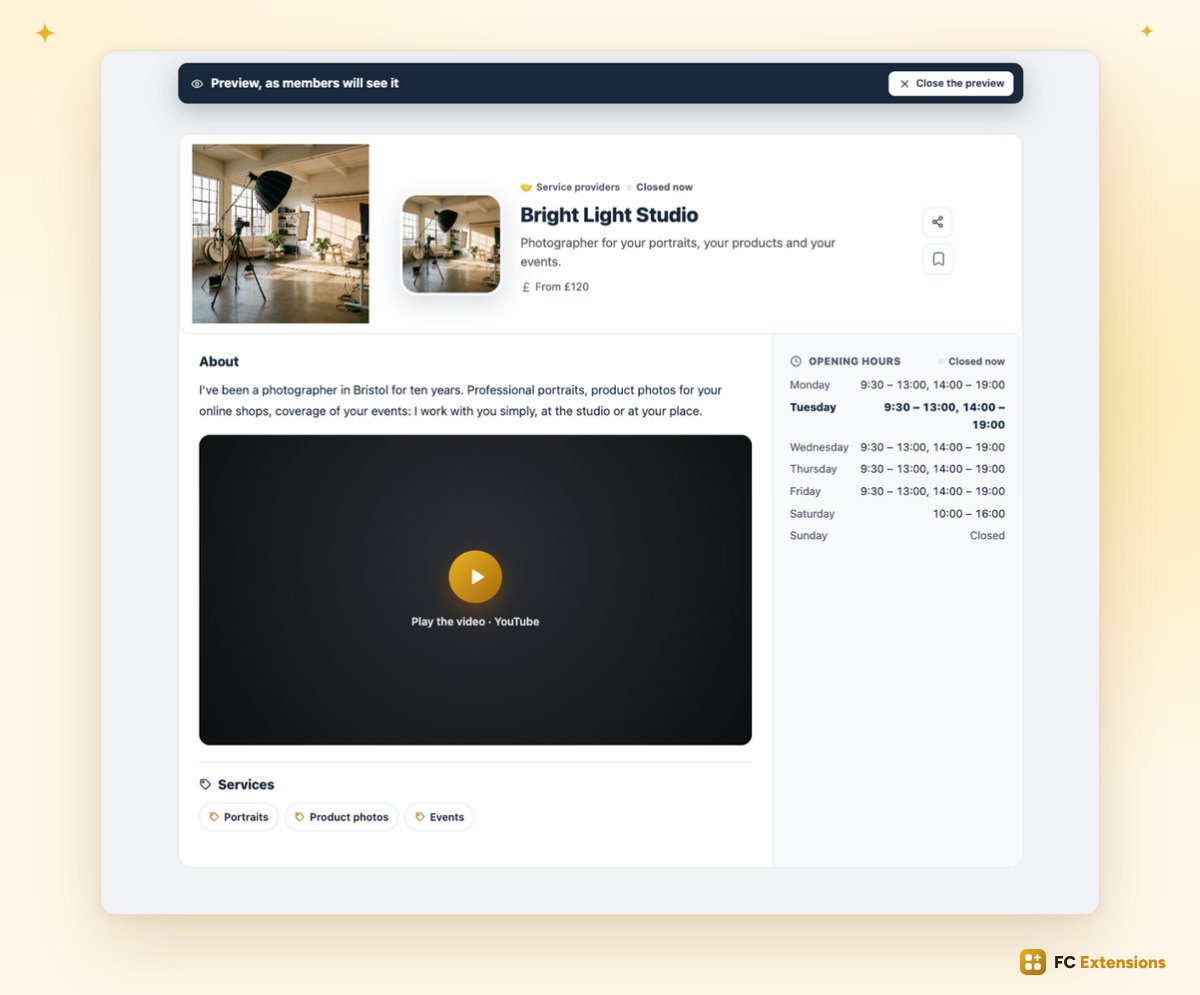
And before publishing, one click on “Preview”: you see your listing full page, exactly as your members will see it. Its presentation, its video, its opening hours, everything is there.
Editing a listing, even faster
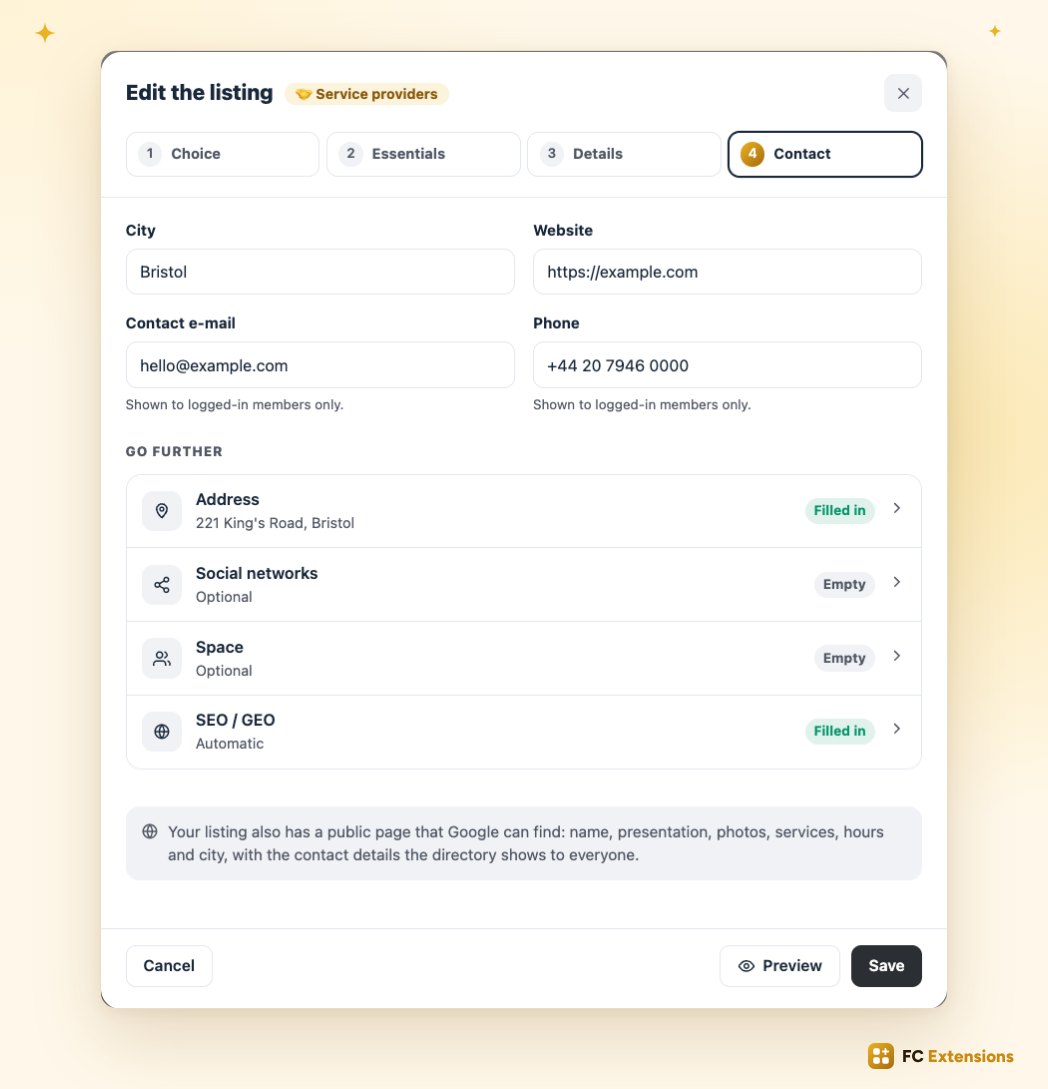
Editing a listing is even faster: every step opens in one click, and “Save” is always there.
Job offers
In a community, people trust each other. It’s the ideal place to hire, and to find a job. Your directory now welcomes job offers.
Posted with the same form
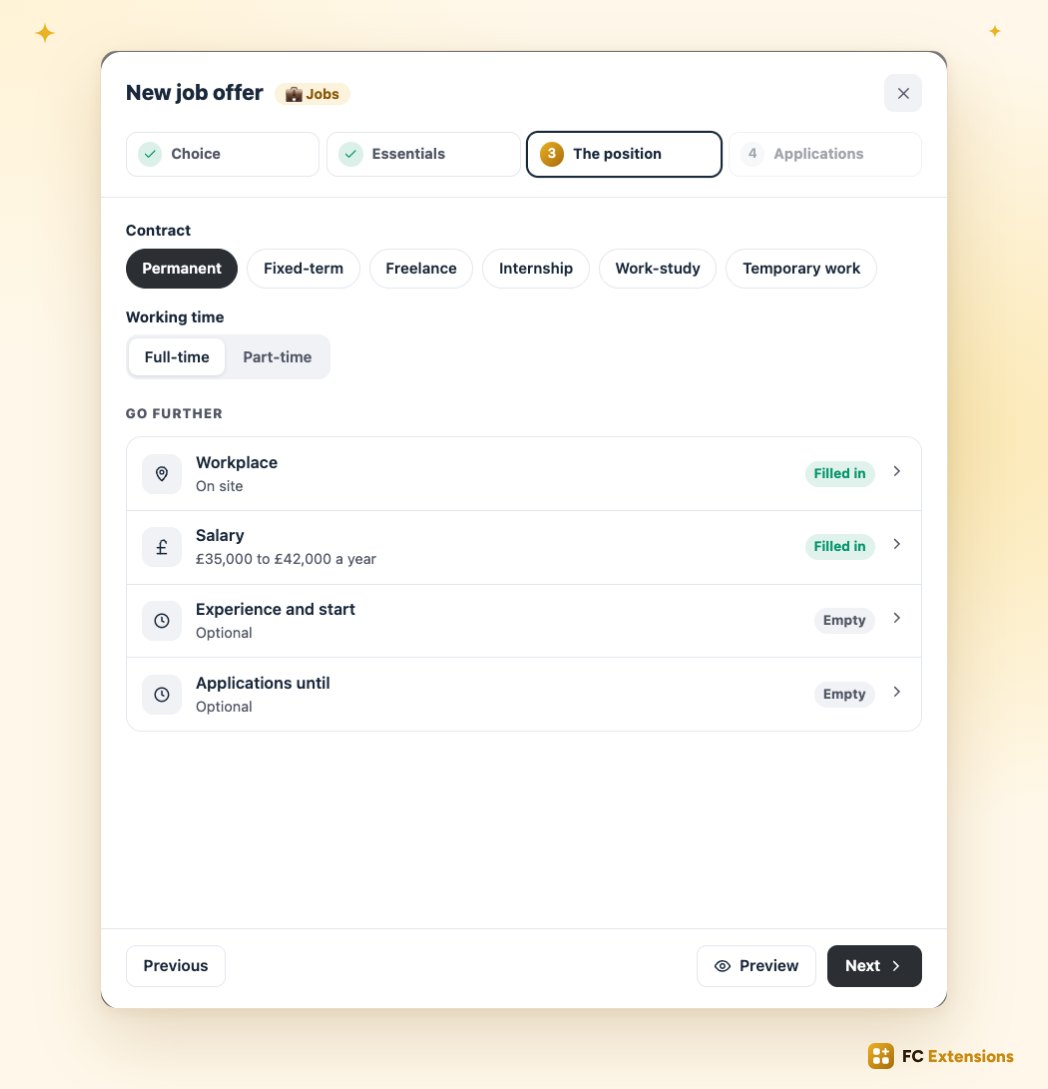
And they’re posted with the same form. An agency in the community is looking for a graphic designer: it picks the “Jobs” card, describes the position, then the contract, the location and the salary.
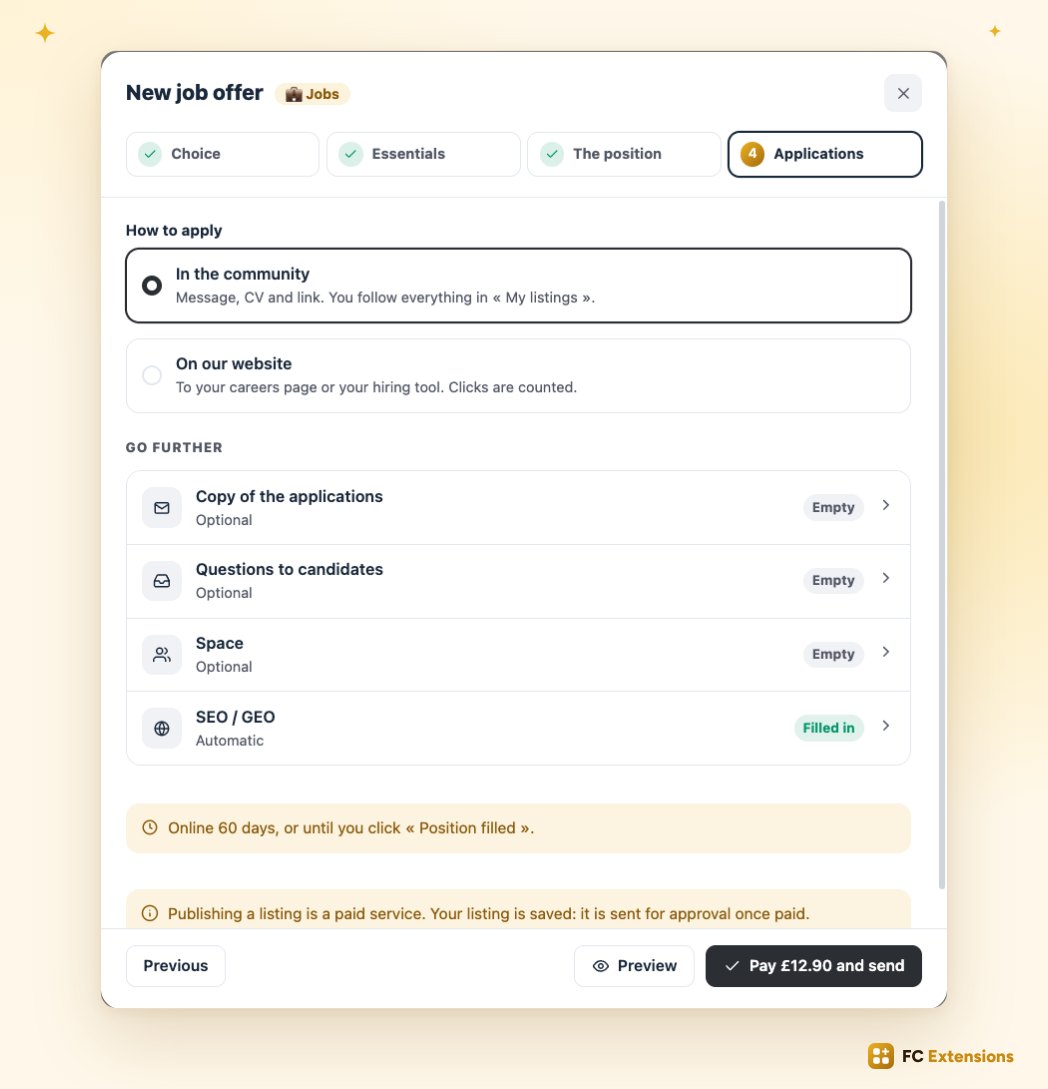
It also chooses how to receive applications: directly in the community, or on its own website.
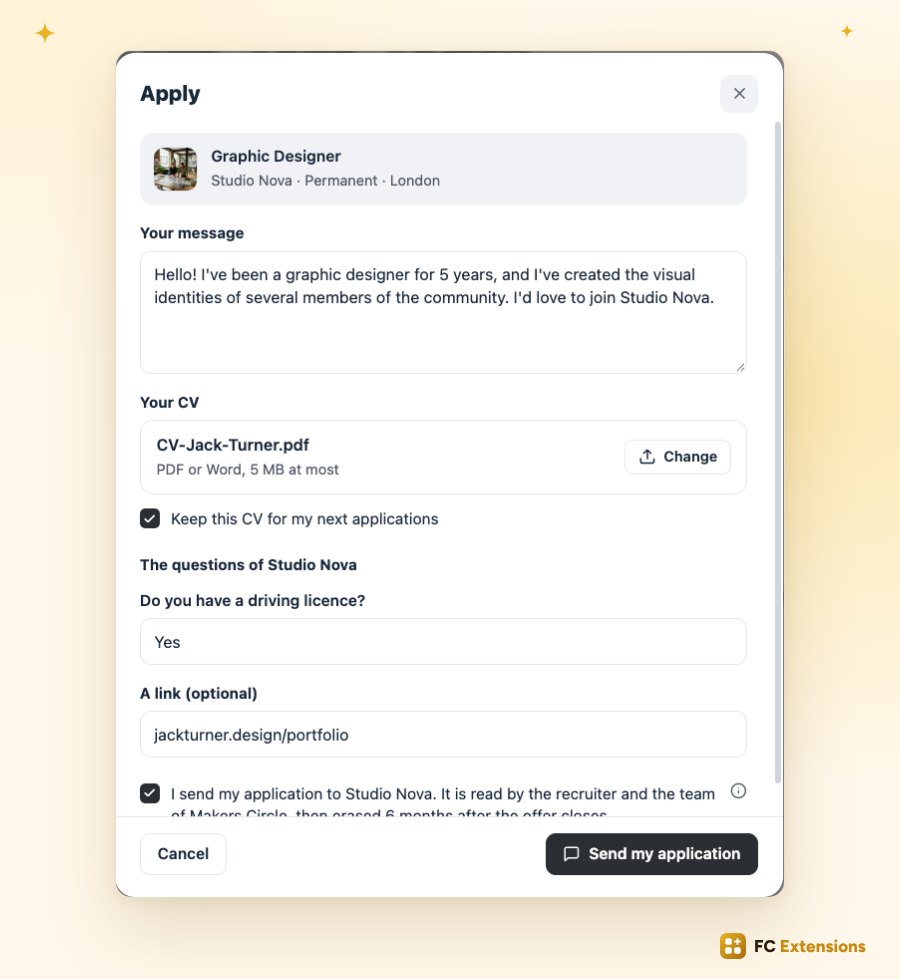
Apply in one click
On the other side, your members find offers with filters made for them: contract, location, salary. They apply in one click, with a message and their CV.
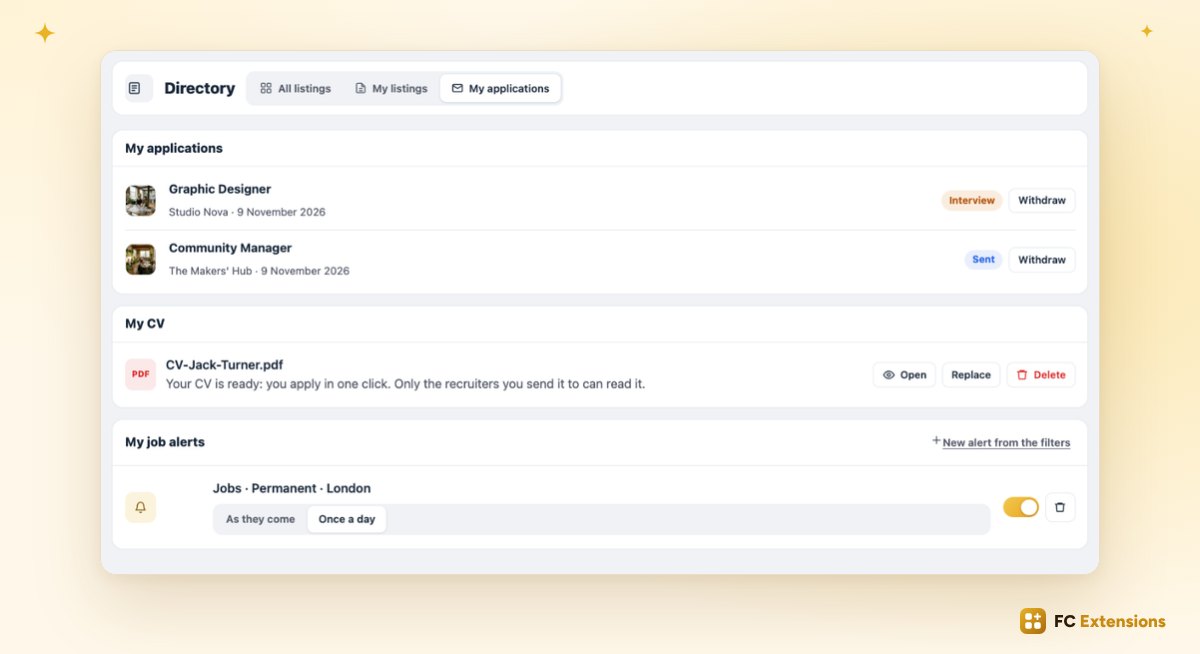
They then follow their applications in their own space, and can get an alert as soon as a new offer matches them.
The recruiter stays in control
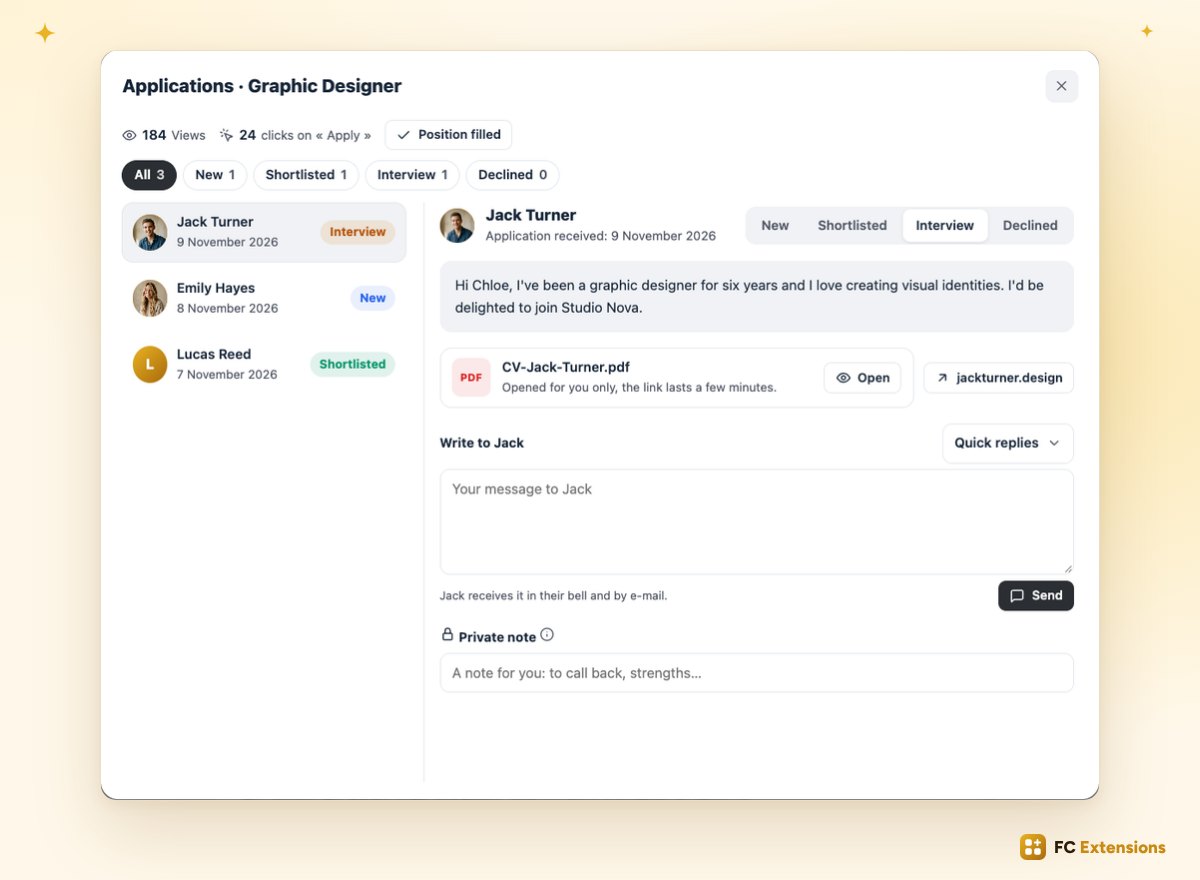
The recruiter sees every application come in. They reply in one click: shortlisted, interview or declined. And once they’ve found someone, one click on “Position filled” closes the offer and lets the other candidates know.
On Google, and in your admin
Every open offer is ready for Google for Jobs. Your offers bring new visitors to your community.
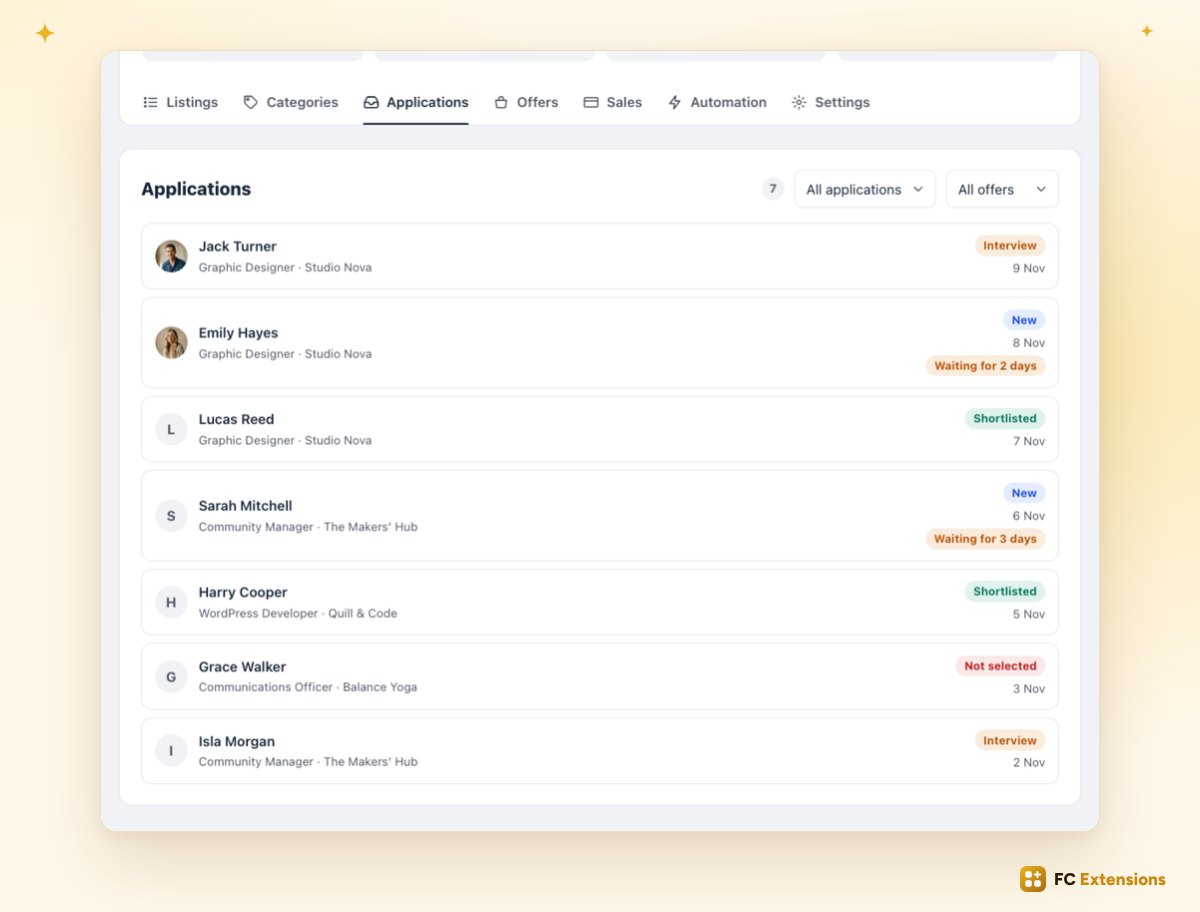
And for you, just like listings, publishing an offer can be paid. You follow every application from a single tab.
Available now
A directory with a new look, an even easier form, and job offers: your community becomes the place where people show what they do, hire, and find work.
Already installed? The update is available now. Run it in one click from FC Extensions.
Not using FC Extensions yet? Download FC Extensions, then discover the Directory page.
Becoming premium soon
Your community, the place to hire
The Directory becomes premium when the Founder offer ends. It is already included in the Founder offer.
✓ Native to Fluent Community
✓ A new look
✓ A three-step form
✓ Job offers
To go further, read what was new in October, watch every extension on video, or browse the extension catalog.
An idea or a question? Come and say hello in the FC Extensions space of the Sdravobiz community, or vote for what’s next on the roadmap. And thank you all: these new features were born from your ideas.
Frequently asked questions
How do I get these new features?
Run the update in one click from FC Extensions. Your listings, categories and offers stay in place, and the new pages show up right away.
Who can post a job offer?
Your members, with the same form as a listing: they pick the “Jobs” card, then describe the position. Just like listings, you can make posting paid.
Do candidates have to leave the community to apply?
No. They apply in one click, with a message and their CV, right inside the community. The recruiter can also choose to receive applications on their own website.
Do job offers show up on Google?
Every open offer is ready for Google for Jobs. Your offers can bring new visitors to your community.
Can I choose the view of each category?
Yes. In each category’s settings, you pick the map, the grid or the list, or you let the member choose.
Is the Directory a premium extension?
The Directory becomes premium when the Founder offer ends, at the launch of the fifth premium extension. It is already included in the Founder offer.