
Theme Studio already gives your community its own colors, fonts and shapes. Fifteen templates, a live preview, and colors that always stay readable.
Thanks to your feedback, it goes even further, with three new features: worlds, the selection for members, and “View as”.
What’s new at a glance
- Worlds: a theme for each course, space, page or group of people, all the time or between two dates.
- The selection for members: everyone picks their theme, and a theme can even become a reward.
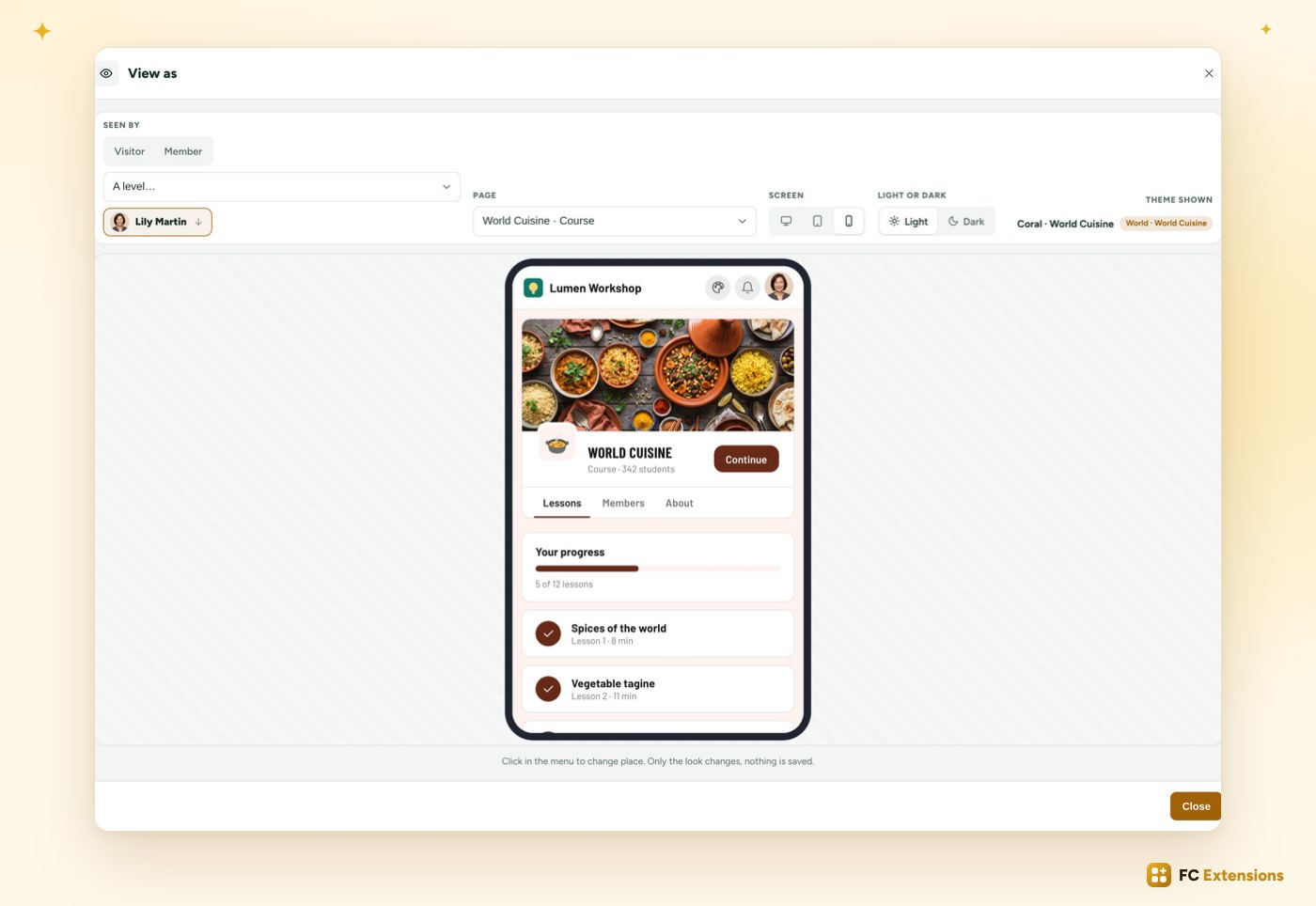
- View as: your community seen by a visitor, a member, a level or one specific member, on computer or phone.
See it in action
Want to see the others? Every extension is on video, family by family.
Worlds: a theme for every place
With worlds, each part of your community can have its own theme. Your “World Cuisine” course takes on warm colors, your Sewing space a soft mood, and the rest of the community keeps its colors.
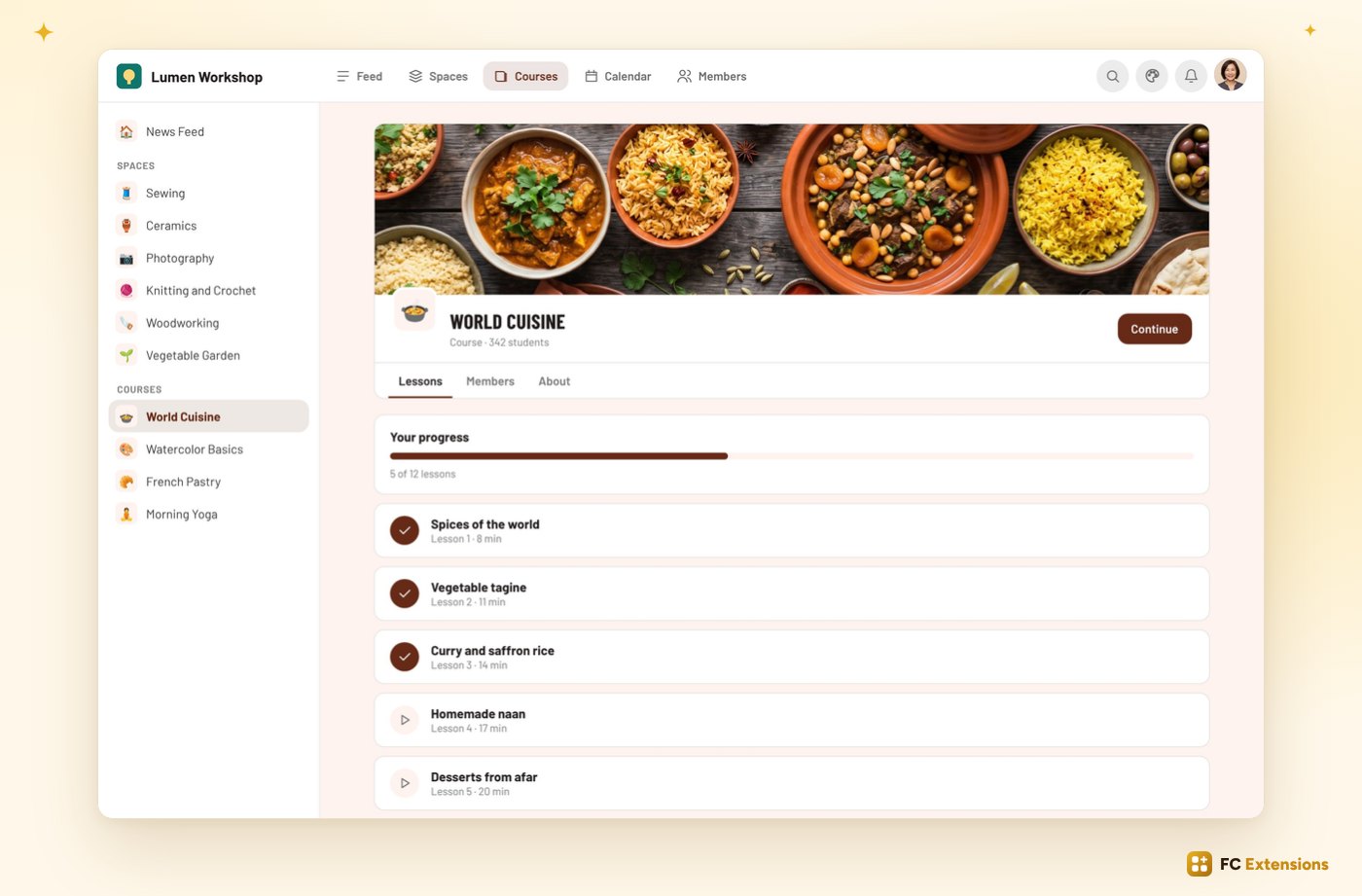
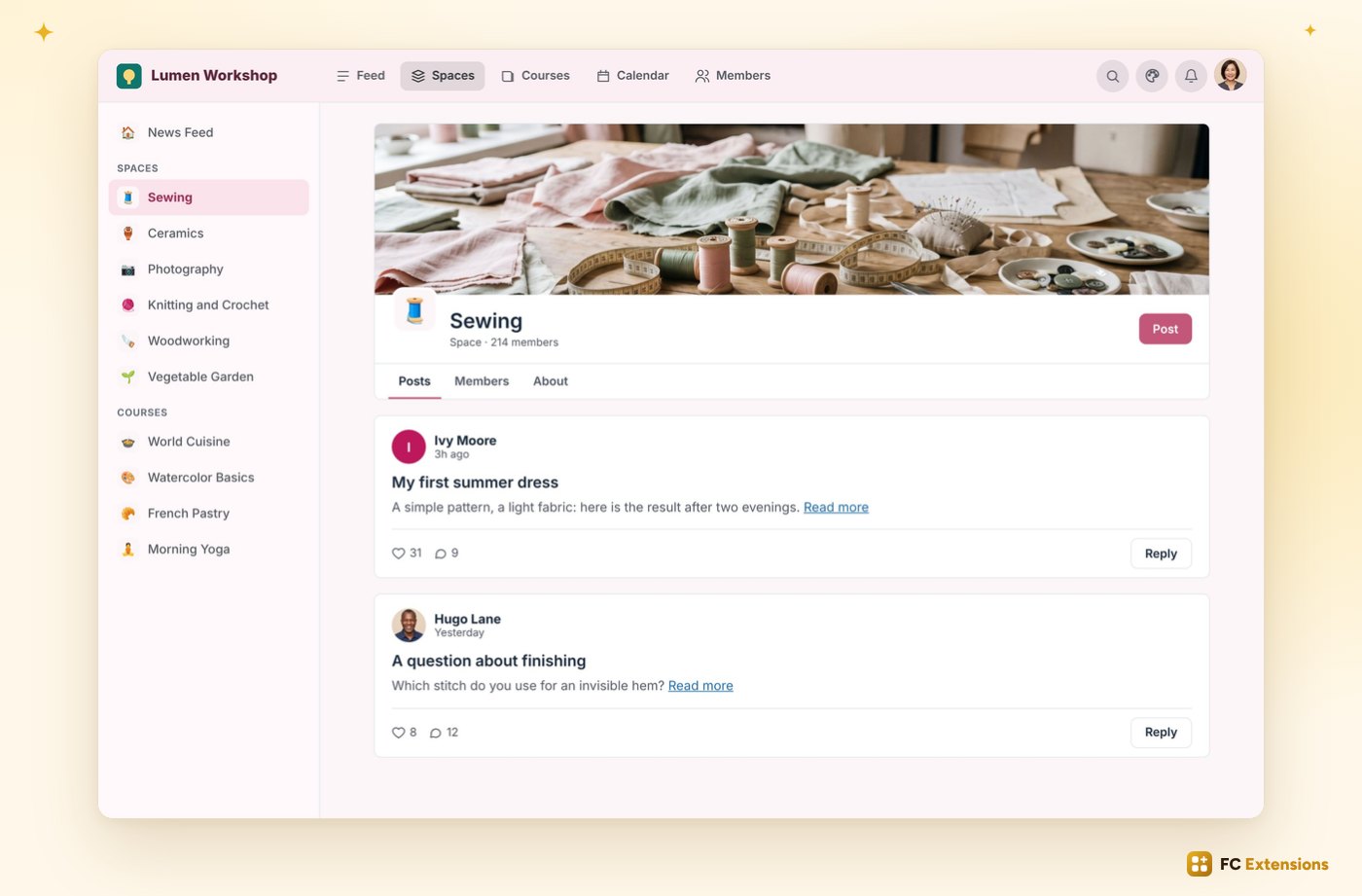
From one place to the next, the colors change smoothly. Your members feel right away where they are.
Four steps, a few seconds
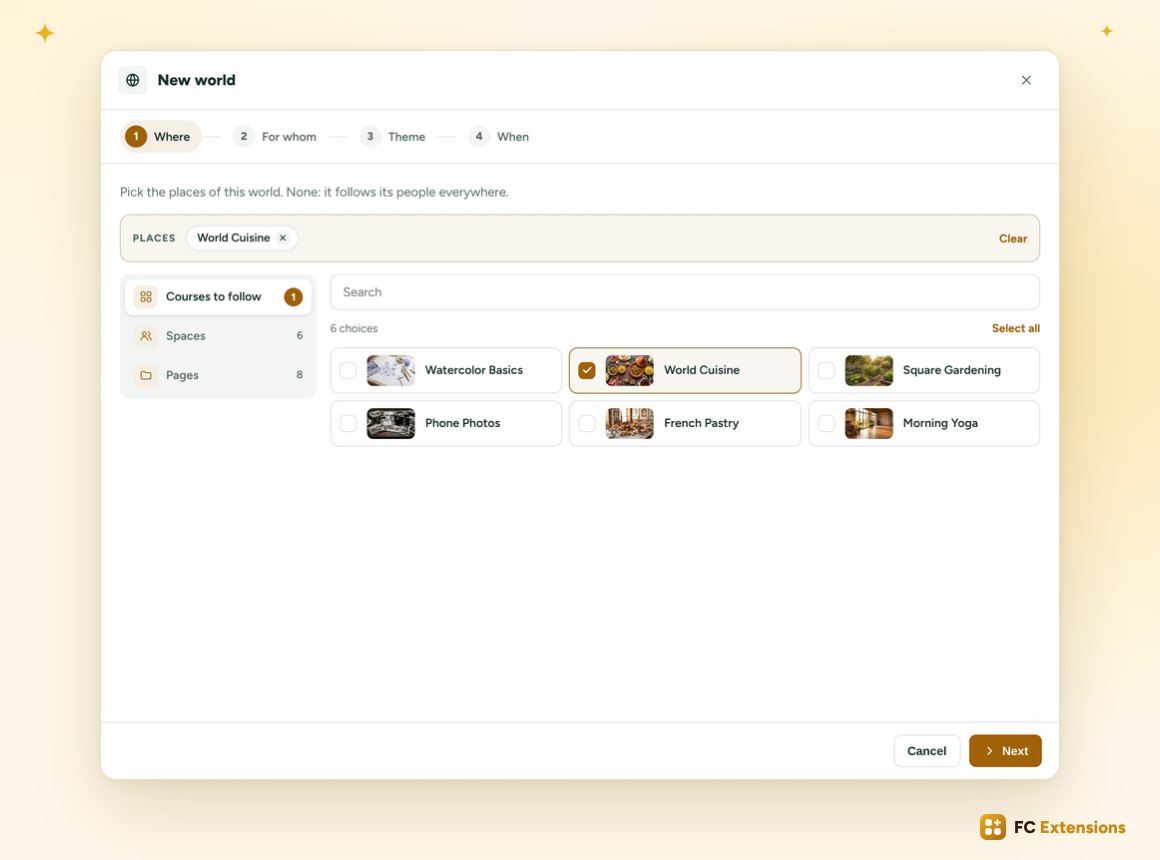
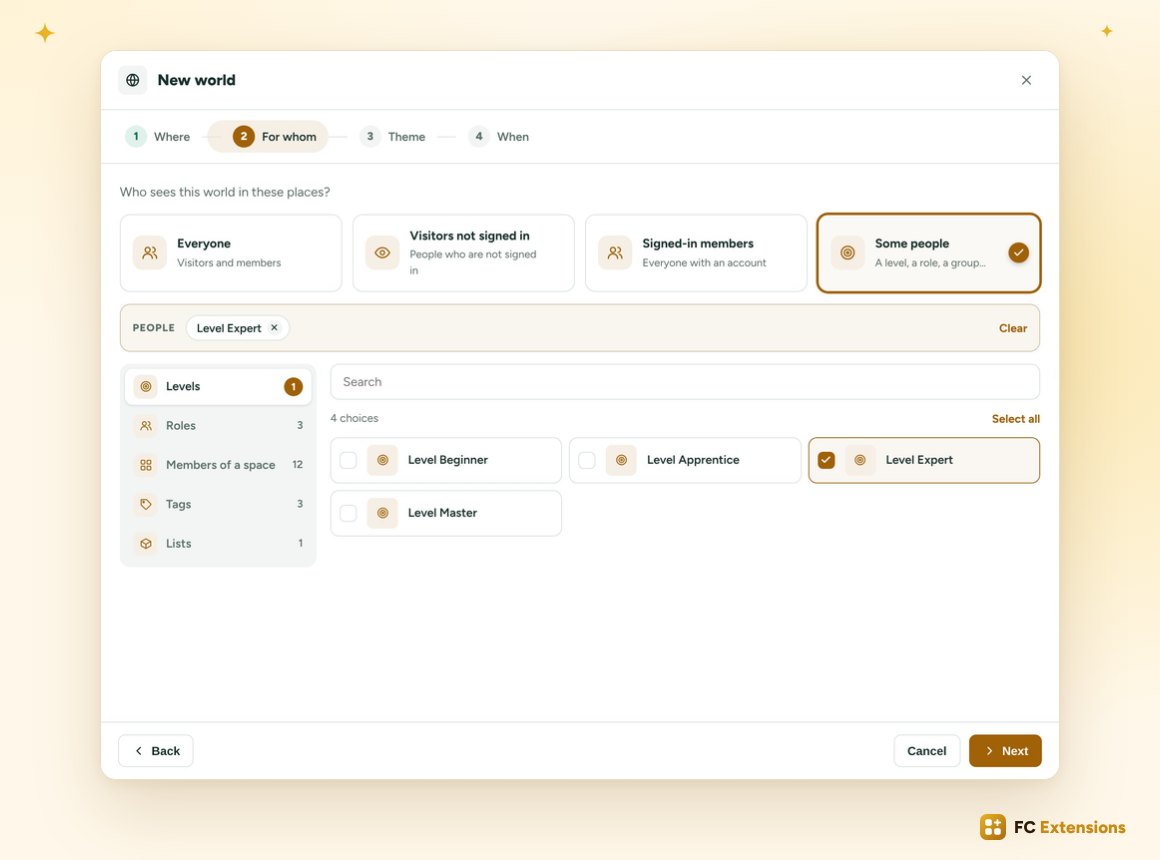
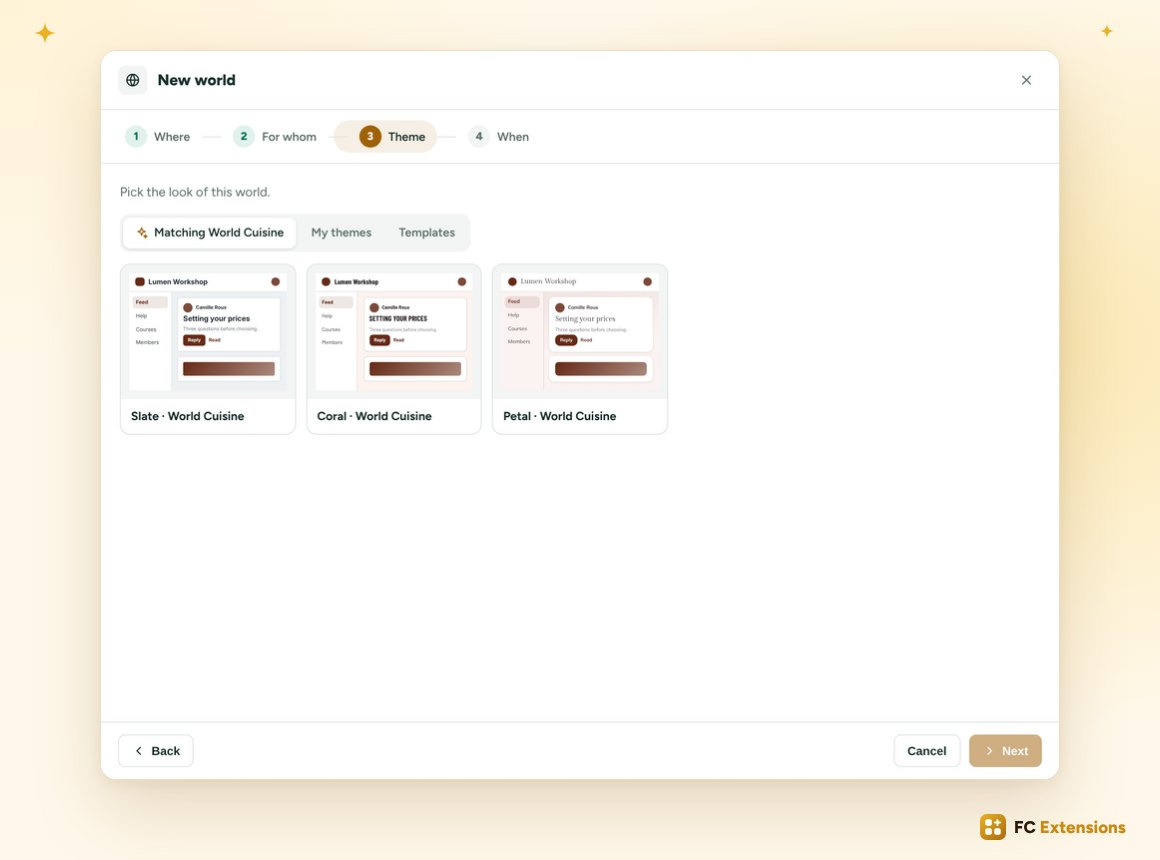
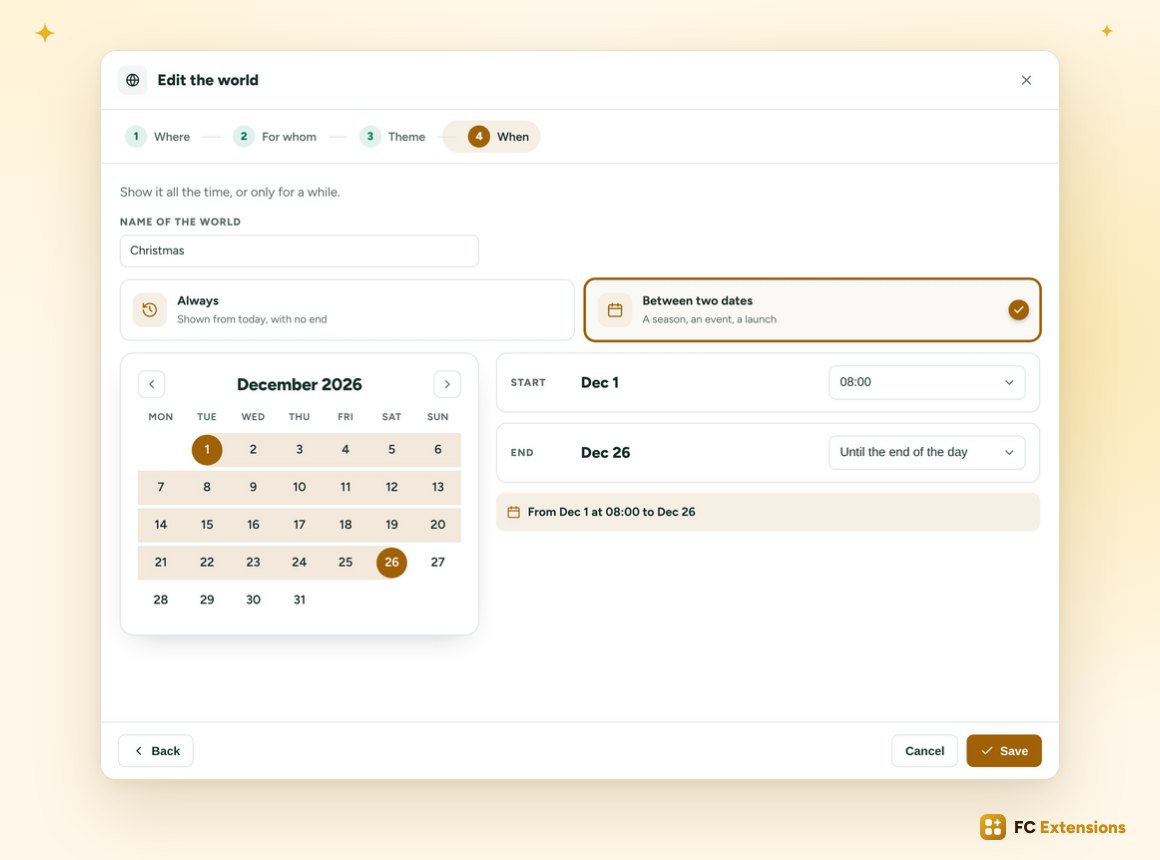
Creating a world takes a few seconds. A window guides you through four steps: where, for whom, which theme, and when.
Where. Pick a family, courses, spaces or pages, then check anything in your content. What you pick stays visible at the top.
For whom. Everyone, your visitors, your members, or some people: a Gamification level, a role, the members of a space, a FluentCRM tag or list.
The theme. Theme Studio reads your course image and suggests three matching themes. You can also take one of your themes, or one of the templates. One click, and it’s chosen.
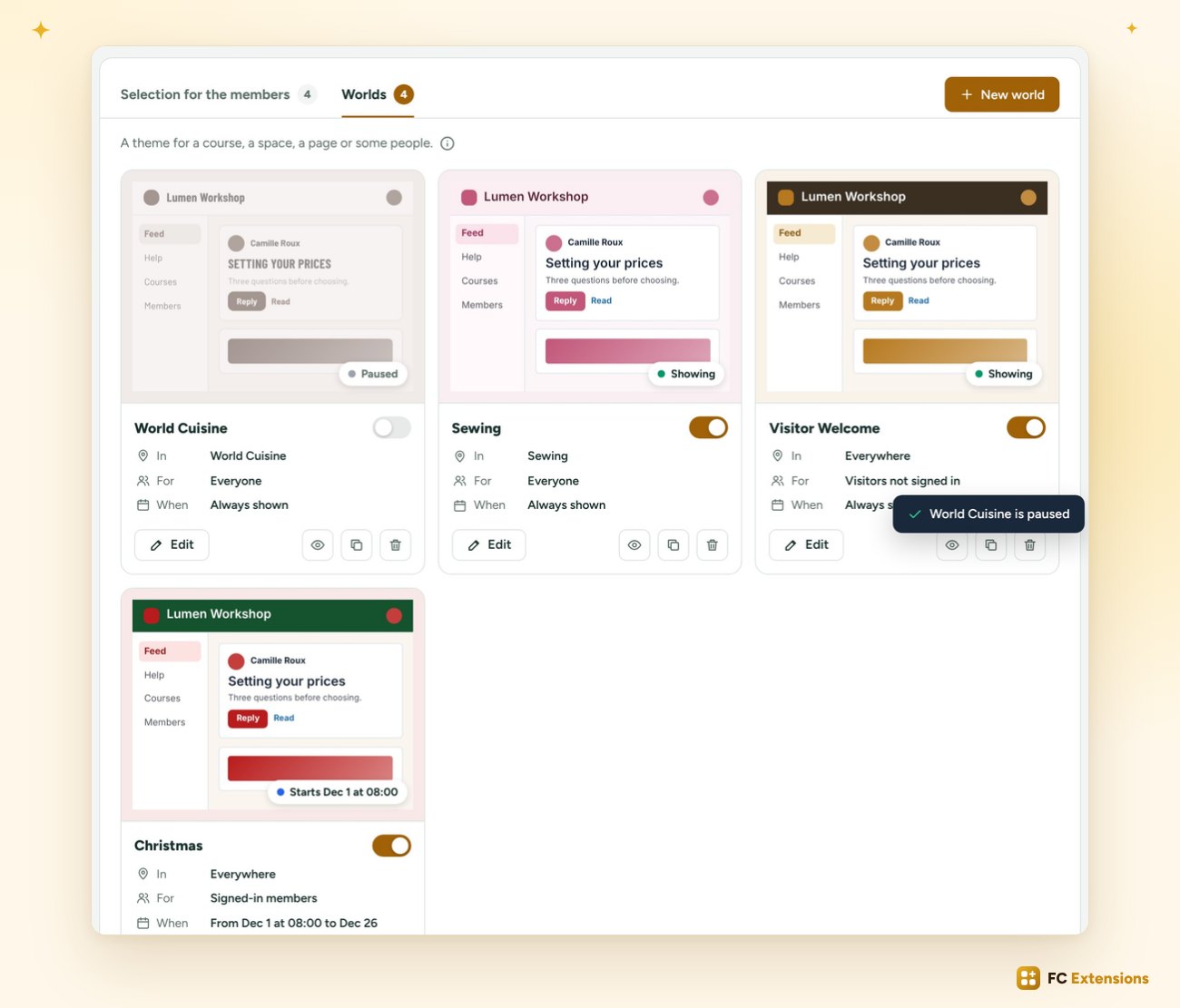
When. All the time, or between two dates and two times. Your Christmas world starts on December 1 at 8 am, ends on the evening of the 26th, then disappears on its own.
A card for every world
Each world has its card: its preview, where it shows, for whom and when, and its status, “Showing” or “Starts Dec 1”. A switch pauses it in one click.
You can also rename a world, duplicate it, and drag the cards to choose which one comes first.
The selection for members
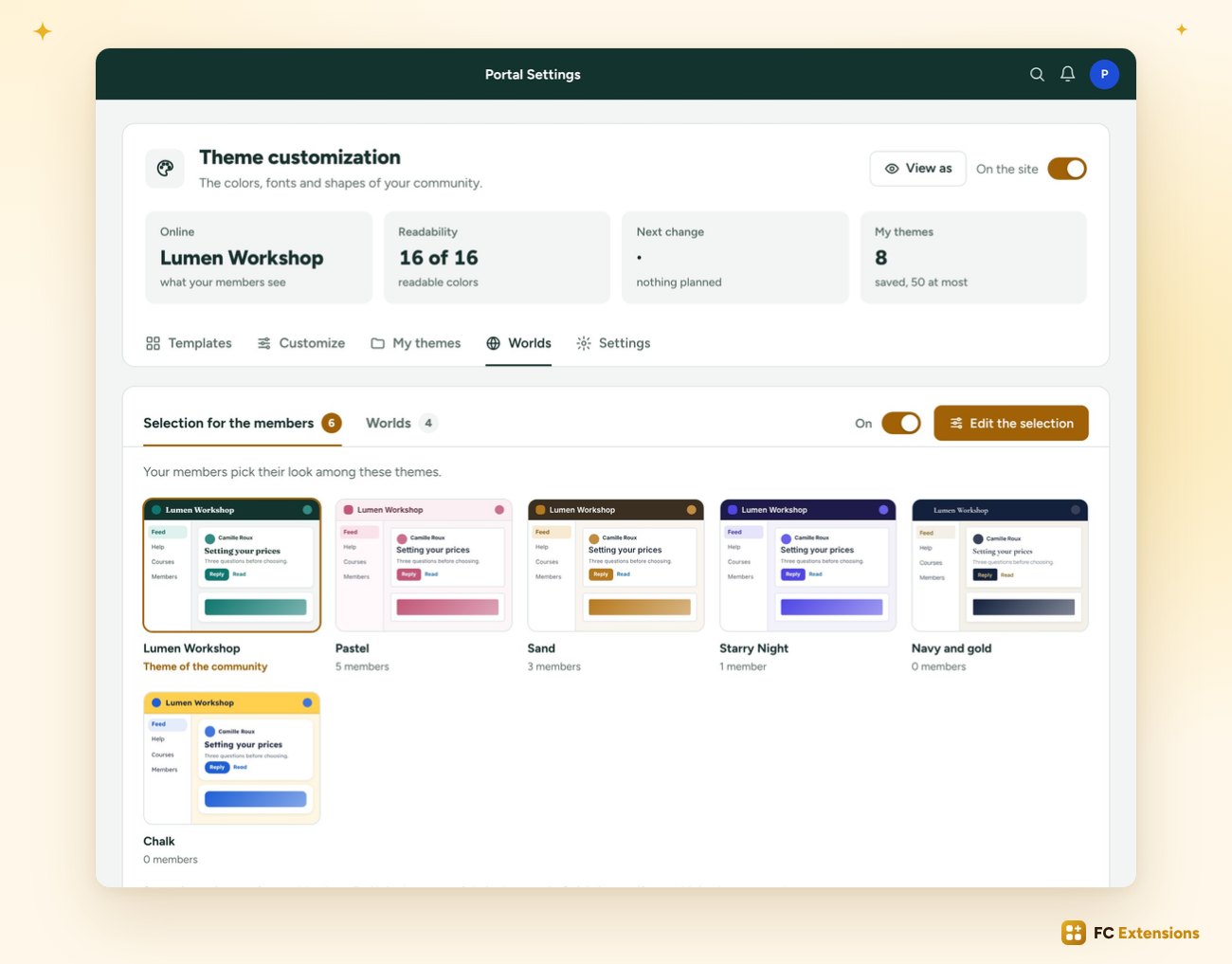
You choose the themes your members can pick, among yours or among the templates, in one click. Under each theme, you see how many members picked it.
Everyone their own look
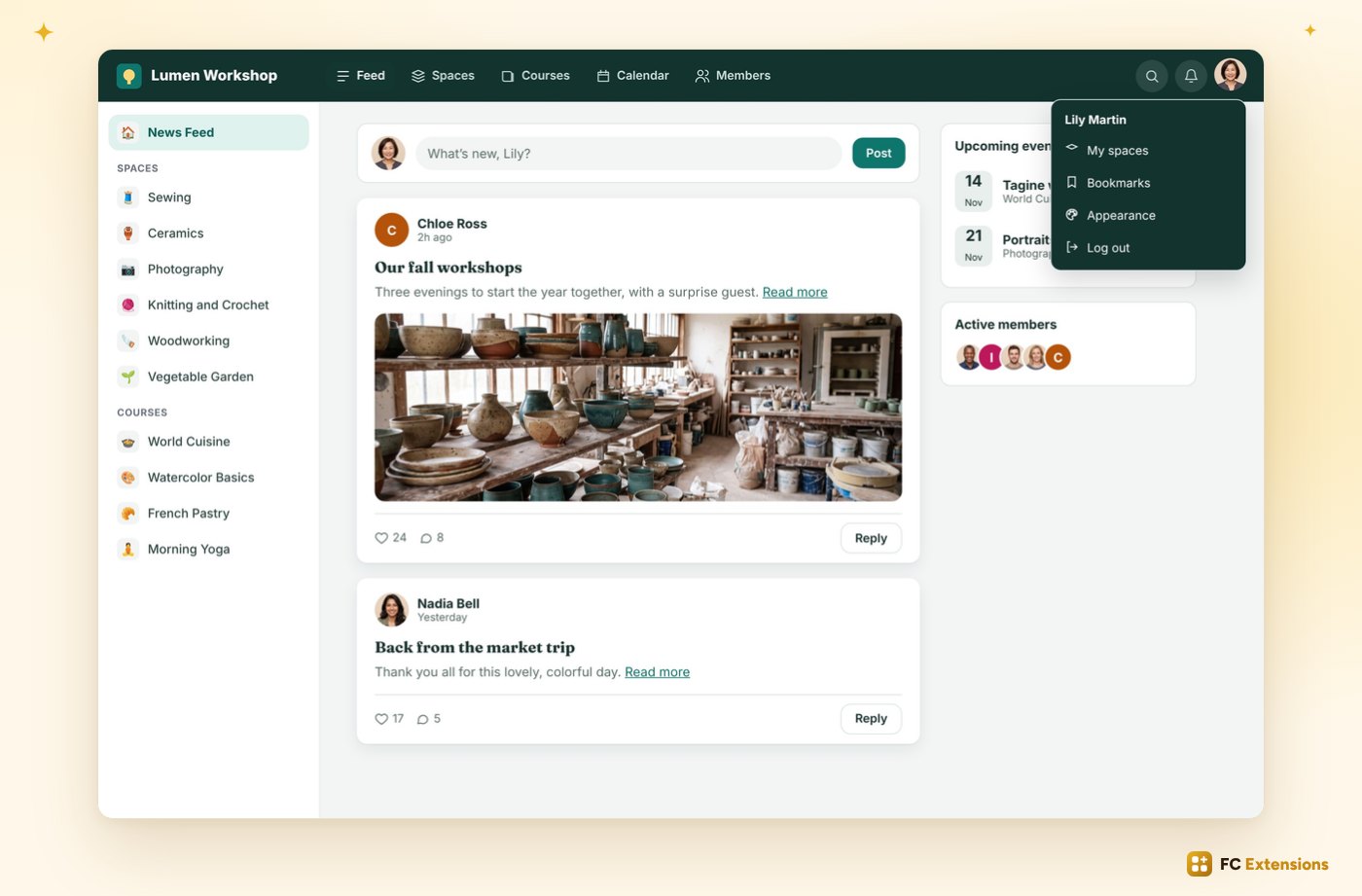
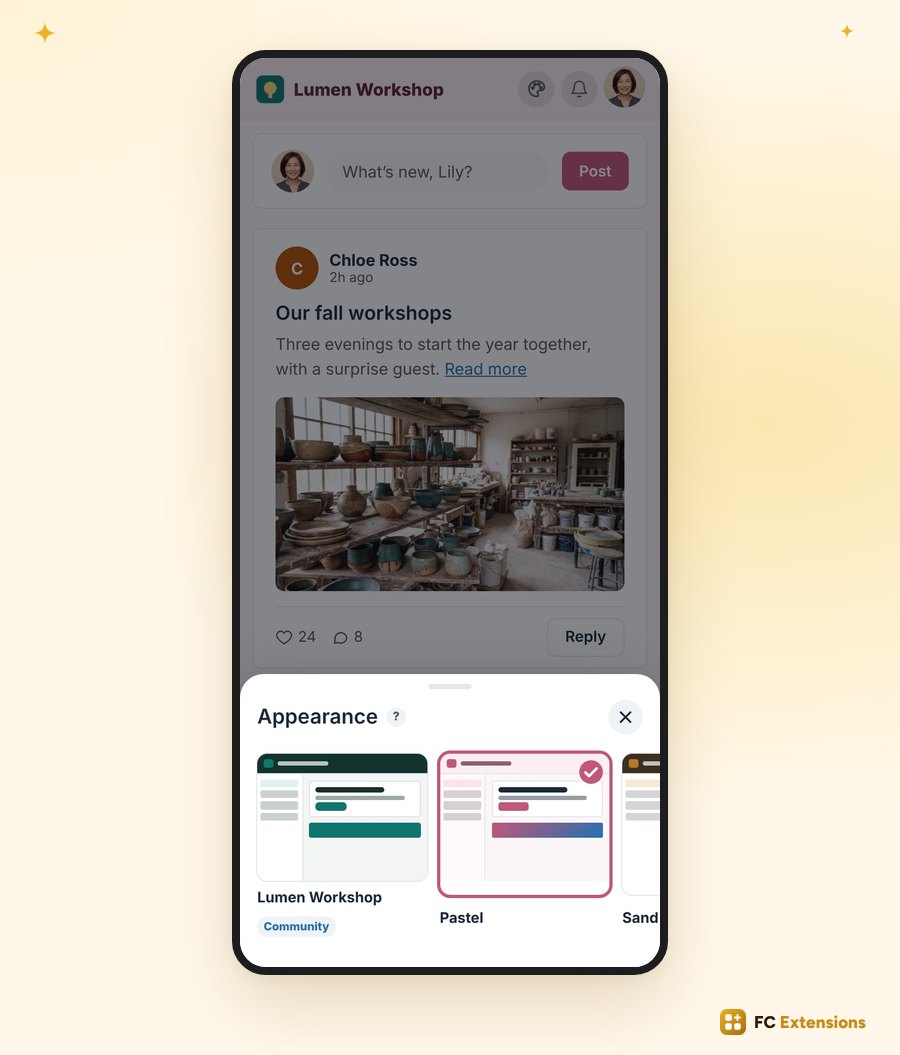
On their side, your members open “Appearance”, from the menu of their photo or a button you place with Quick Access.
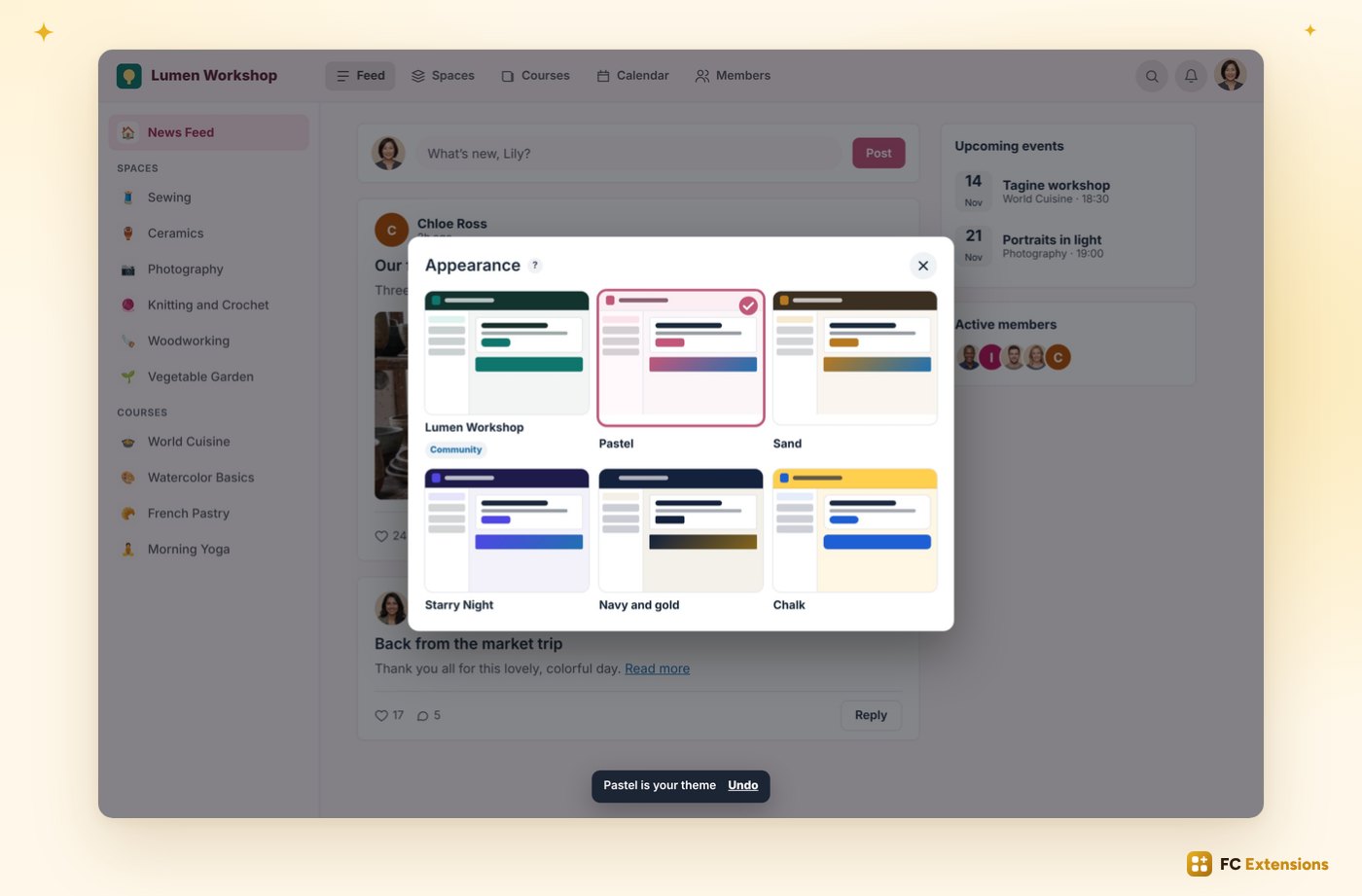
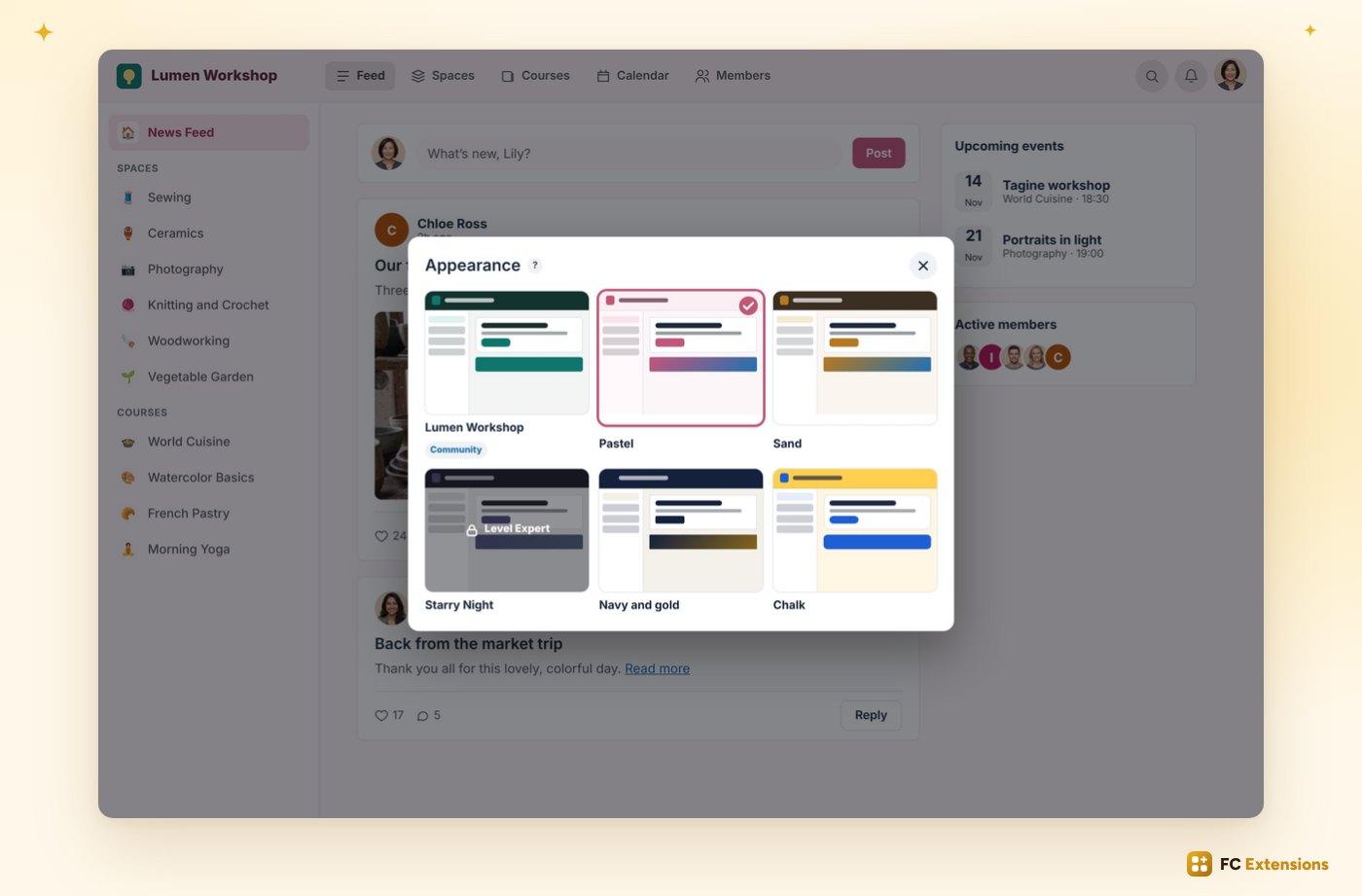
They see the themes, click, and the whole community changes for them. A small message lets them undo.
On a phone, the choice opens from the bottom, right under your thumb.
A theme as a reward
And a theme can become a reward. Keep it for a Gamification level, a role, the members of a space, or a FluentCRM tag and list.
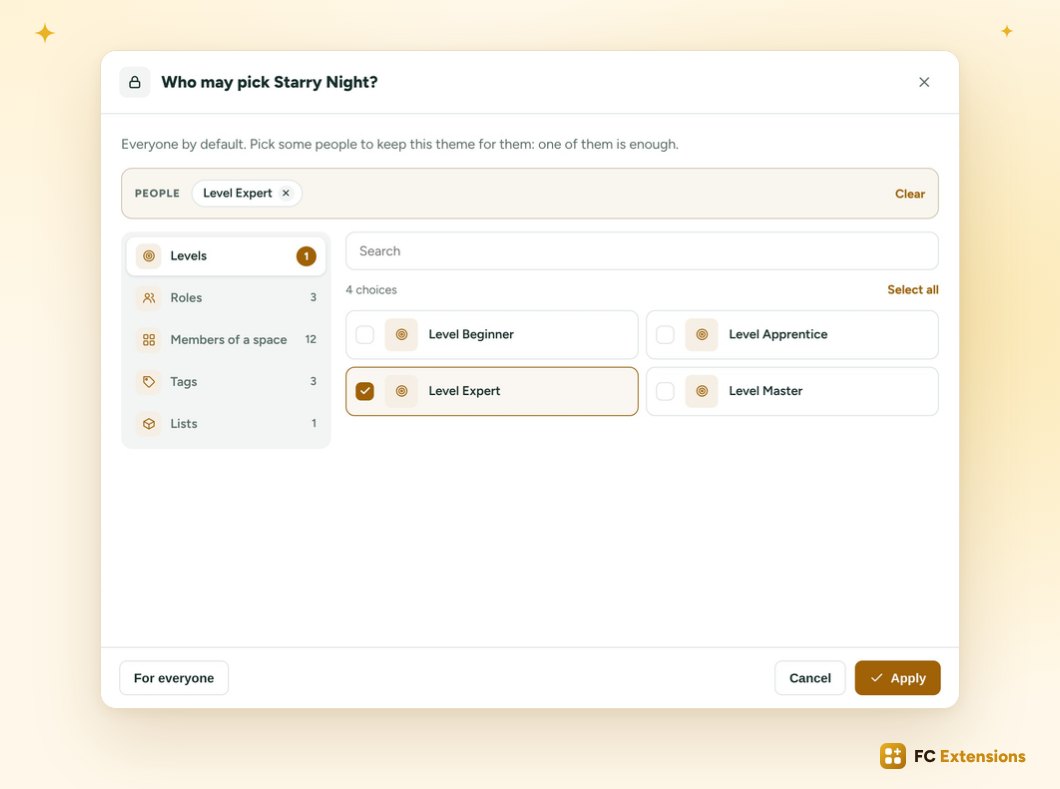
The other members see it with a lock. One more reason to level up.
View as: check everything at a glance
Before launching anything, you check. “View as” opens your community full screen, as seen by a visitor, a member, a level, or even one specific member, found by name.
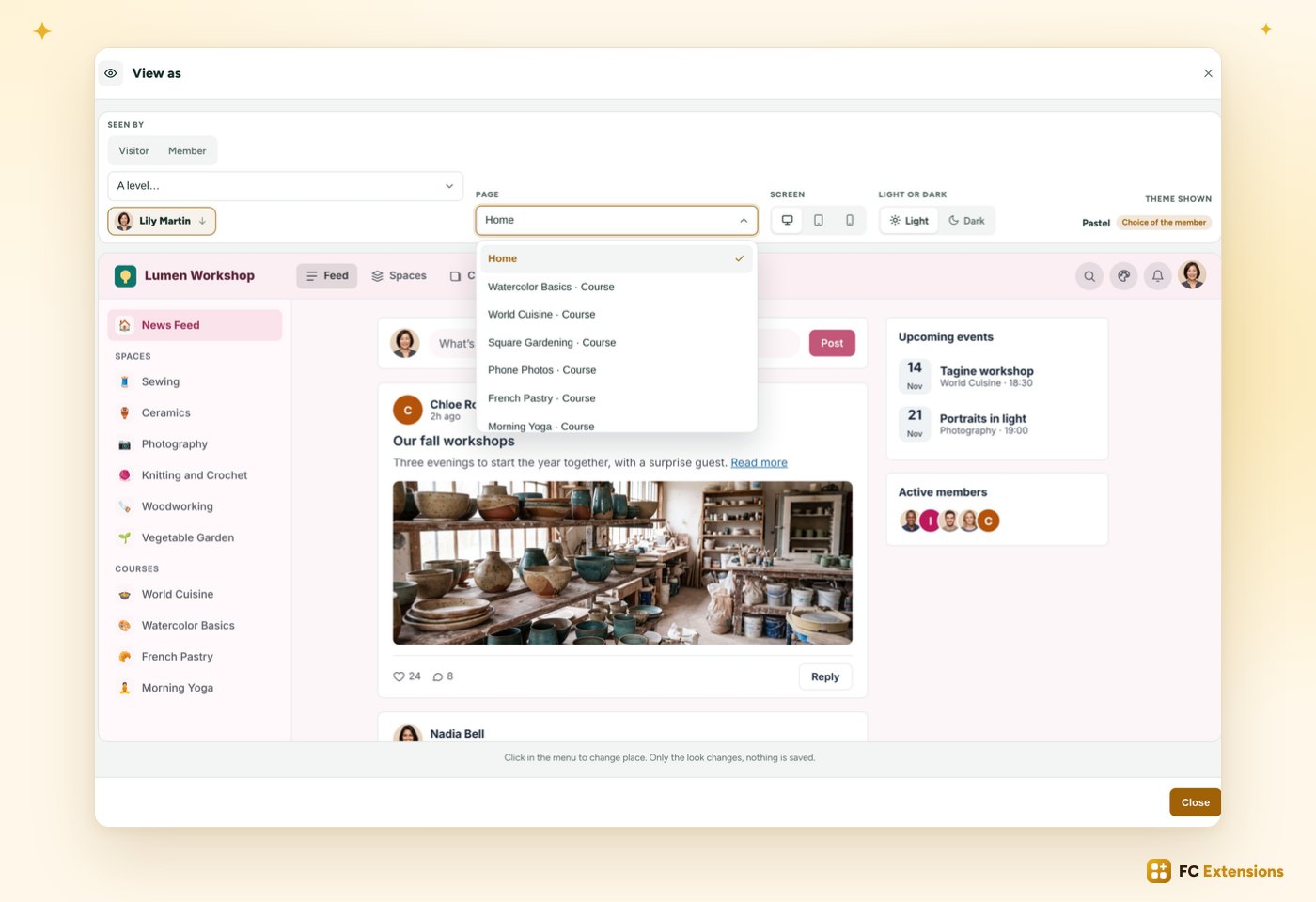
You choose the page and the screen, computer or phone. Theme Studio tells you which theme shows, and why. Only the display changes: nothing is saved.
And the portal settings always keep your community’s theme, whatever your worlds.
Available now
Worlds for every place, a theme of their choice for every member, and everything checked at a glance: your community takes on a thousand faces, and everyone feels at home.
Already installed? The update is available now. Run it in one click from FC Extensions.
Not installed yet? Get your free key: Theme Studio joins your community in a few seconds, along with all the other free extensions.
Free extension
Your community, with a thousand faces
Theme Studio is one of the free extensions of FC Extensions. One free key, and everything opens up.
✓ Native Fluent Community
✓ Worlds
✓ The selection for members
✓ View as
To go further, open the Theme Studio page, watch every extension on video, or browse the catalog.
An idea, a question? Find me in the FC Extensions space of the Sdravobiz community, or vote for the next features on the roadmap. And thank you all: these new features came from your ideas.
Frequently asked questions
How do I get these new features?
Update in one click from FC Extensions. Your themes and your settings stay in place.
What is a world?
It’s a theme for a place or for some people: a course, a space, a page, your visitors, a Gamification level… It shows all the time, or between two dates and two times.
What happens if two worlds target the same place?
You decide. Drag the world cards into the order you want: the one placed first comes first.
Can my members pick their own theme?
Yes, if you open the selection for members. They pick among the themes you offer, in “Appearance”, from the menu of their photo or a button placed with Quick Access.
Can I check without changing anything for my members?
Yes. “View as” shows your community as a visitor, a member, a level or one specific member sees it. Only the display changes, nothing is saved.
Is Theme Studio free?
Yes. It’s one of the free extensions of FC Extensions. Your first name and your email are all it takes to get your free key.