
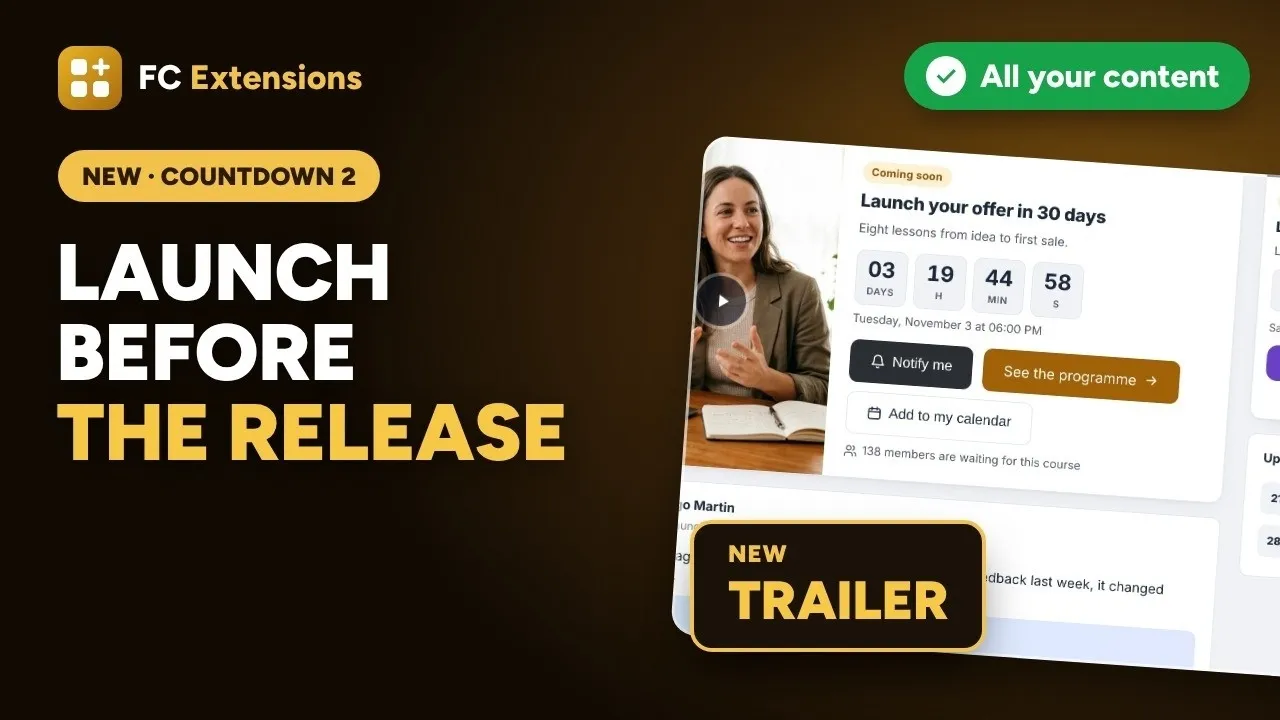
Countdown already built up excitement before a course came out: a waiting list, an email on release day, a launch offer for the people who waited. With version 2.0, everything you launch in your community can have its own countdown.
A live session coming up, a long-awaited article, a new product, a Black Friday night for members only. Each announcement shows up where your members spend their time, with your picture and your colors, and release day arrives on its own.
See it in action
Overview
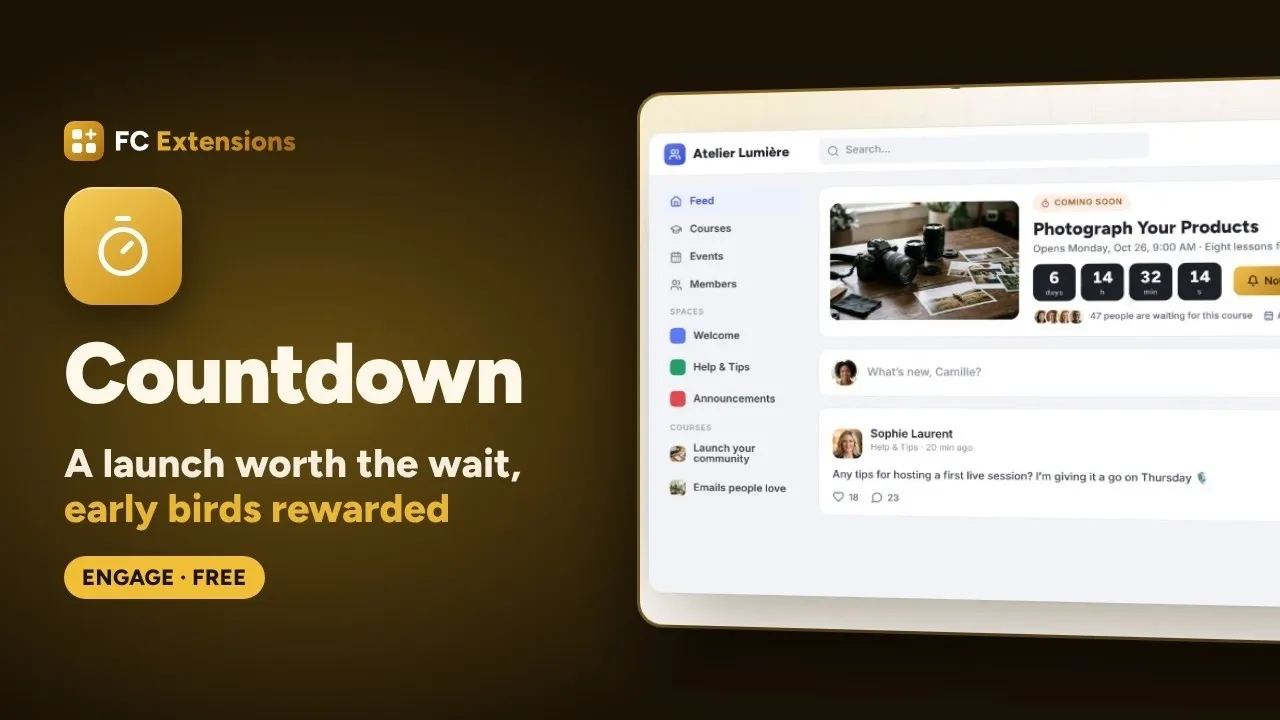
What’s new in version 2
Want to see the others? Every extension is on video, family by family.
A countdown for everything you launch
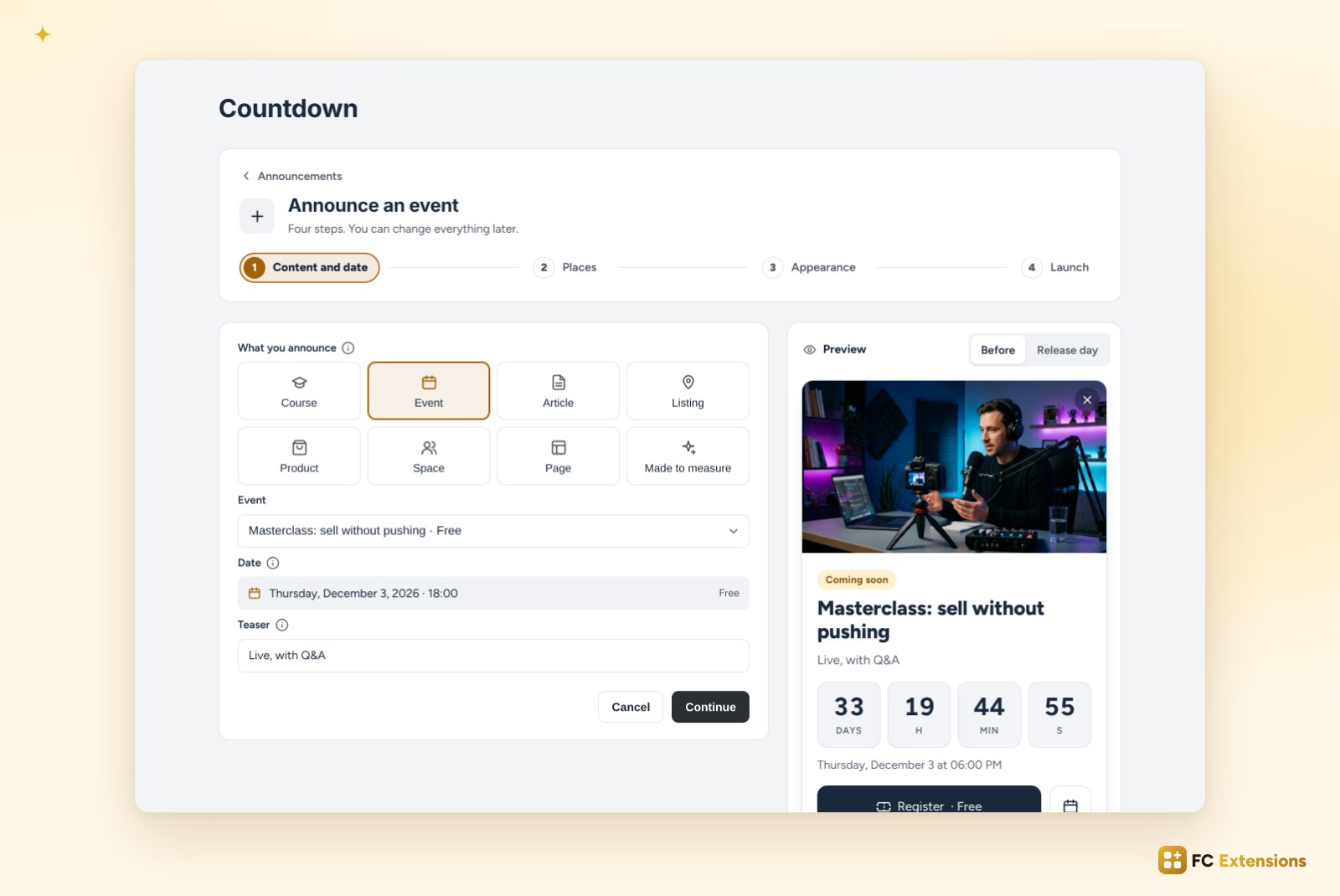
The first step starts with a simple question: what are you announcing? Eight possible answers.
- A course: the countdown leads up to its opening.
- An event from Events: the countdown follows its date.
- An article from Blog & Collections or a listing from the Directory: they publish themselves on release day.
- A product from FluentCart: it goes on sale right on time.
- A space that opens, or a page from the Page Builder.
- Made to measure: your title, your picture, your link. A Black Friday, a challenge, a party, anything you can imagine.
An event? “Register” signs up right away
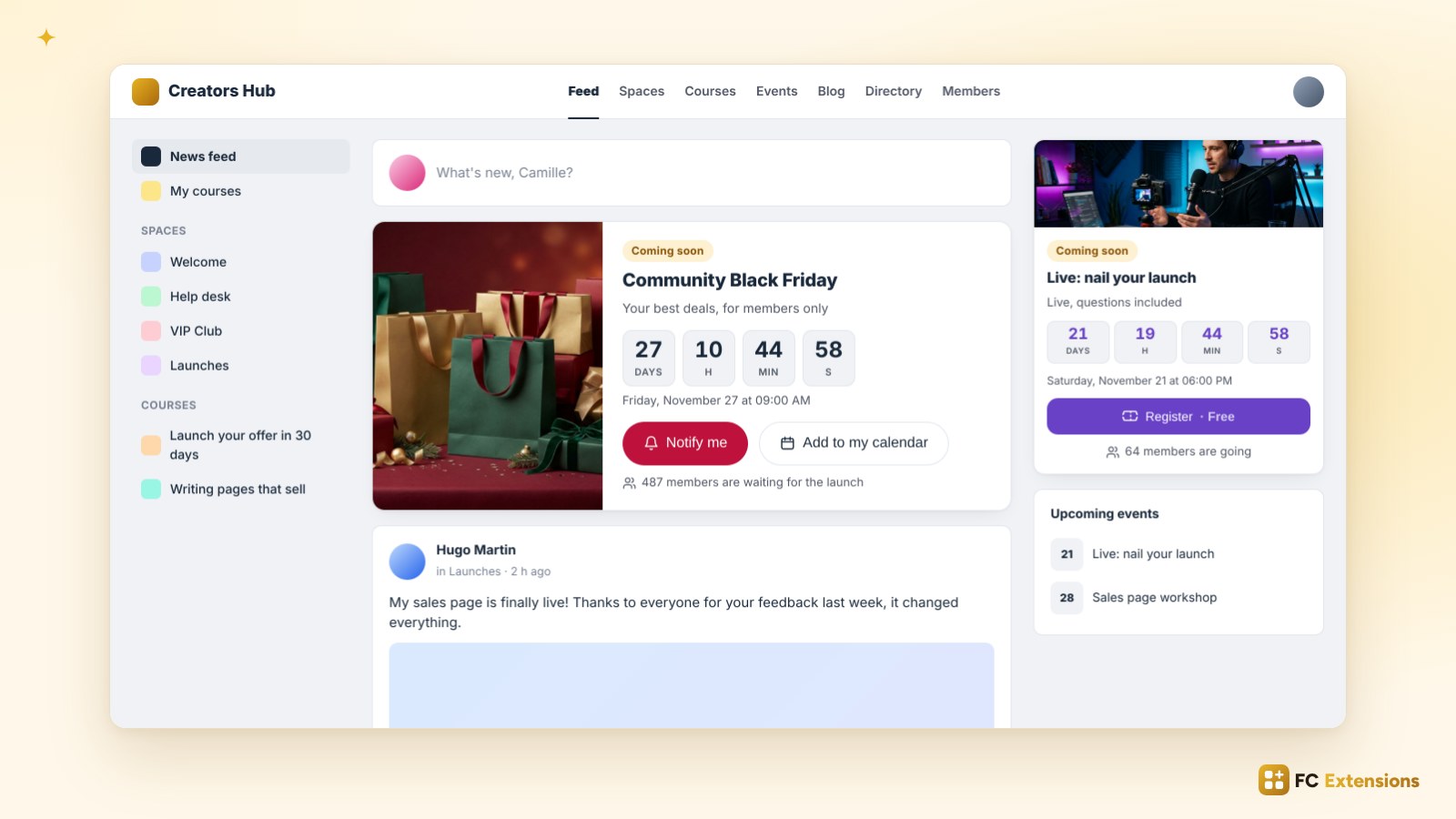
For an event, the card’s button becomes “Register”. One click, and the member is registered for the event itself. The number of people going shows under the button and makes others want to join them.
In the feed, the announcement of your offer and the one for your next live session can sit side by side, each with its own look.
You choose where it shows up
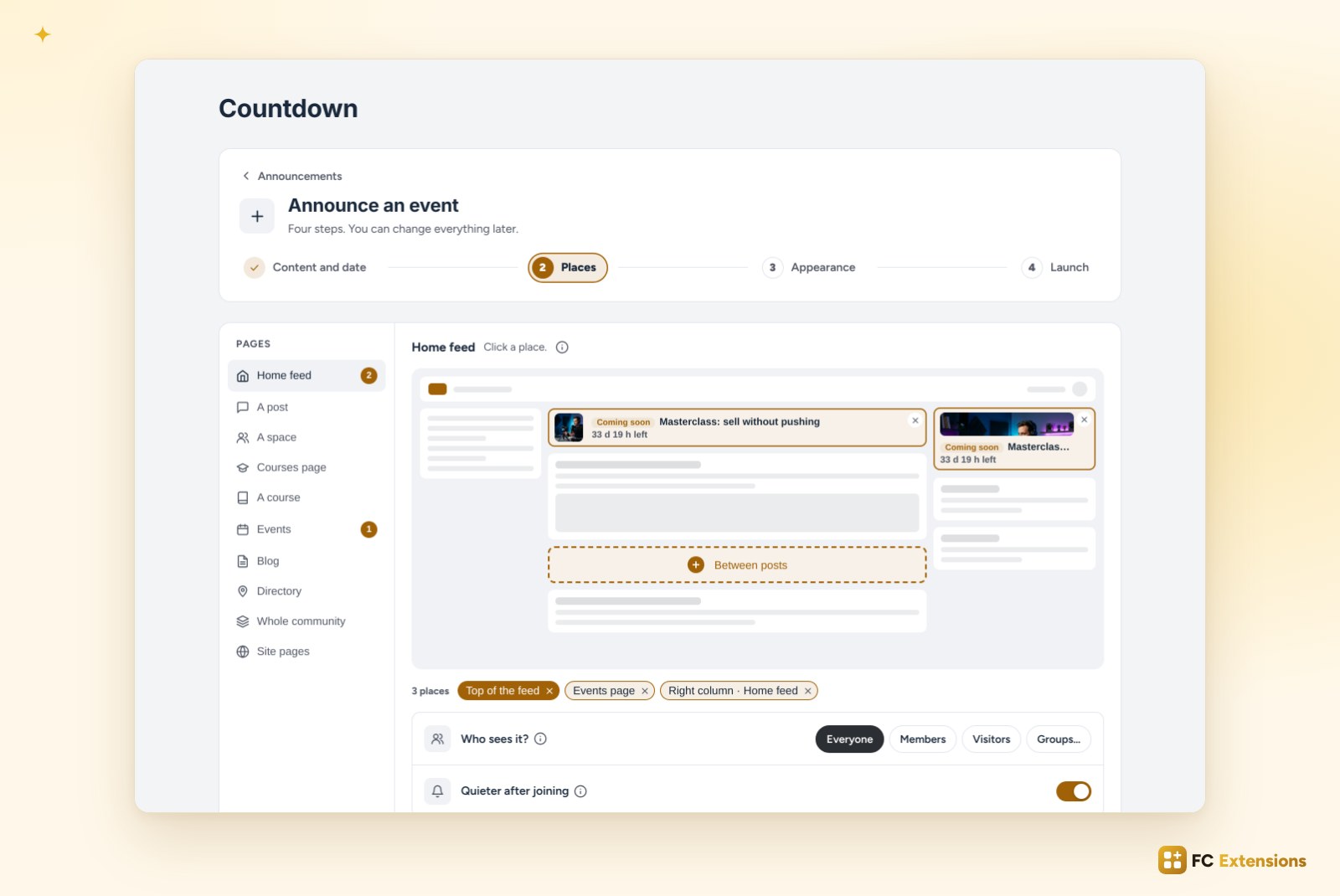
The second step shows a map of your community. You click a spot, and the announcement lands there: at the top of the feed, in the right column, under a post, in a space, on the courses or events page, in the blog, in the directory. For a big launch, a bar at the top of every page or a window on arrival.
“Who sees it?” keeps the announcement for everyone, members, visitors or some groups. Once a member has signed up, they see it in a quieter way: it doesn’t repeat what they already know. And the same announcement never shows twice on the same page.
You design it right on the preview
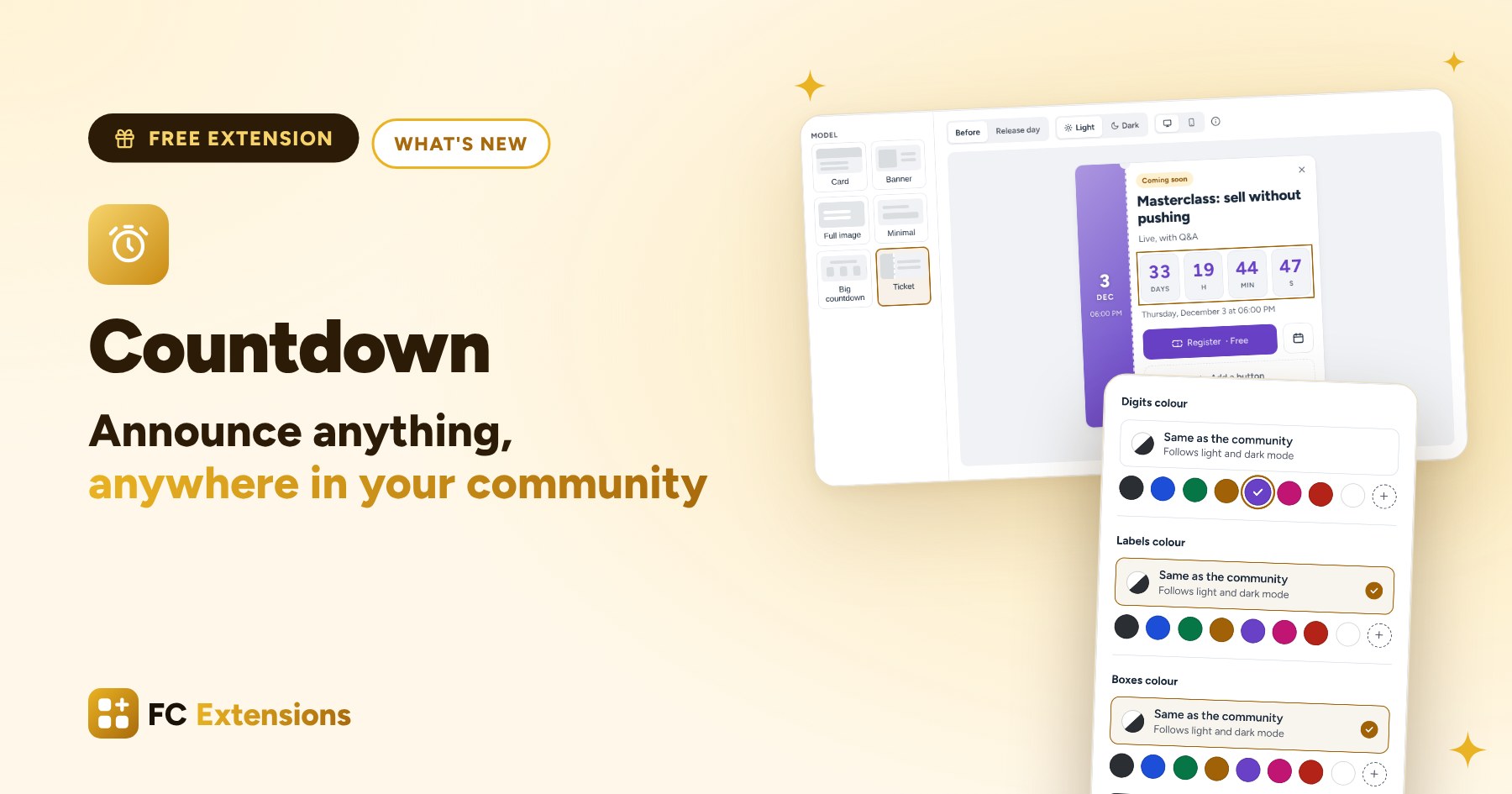
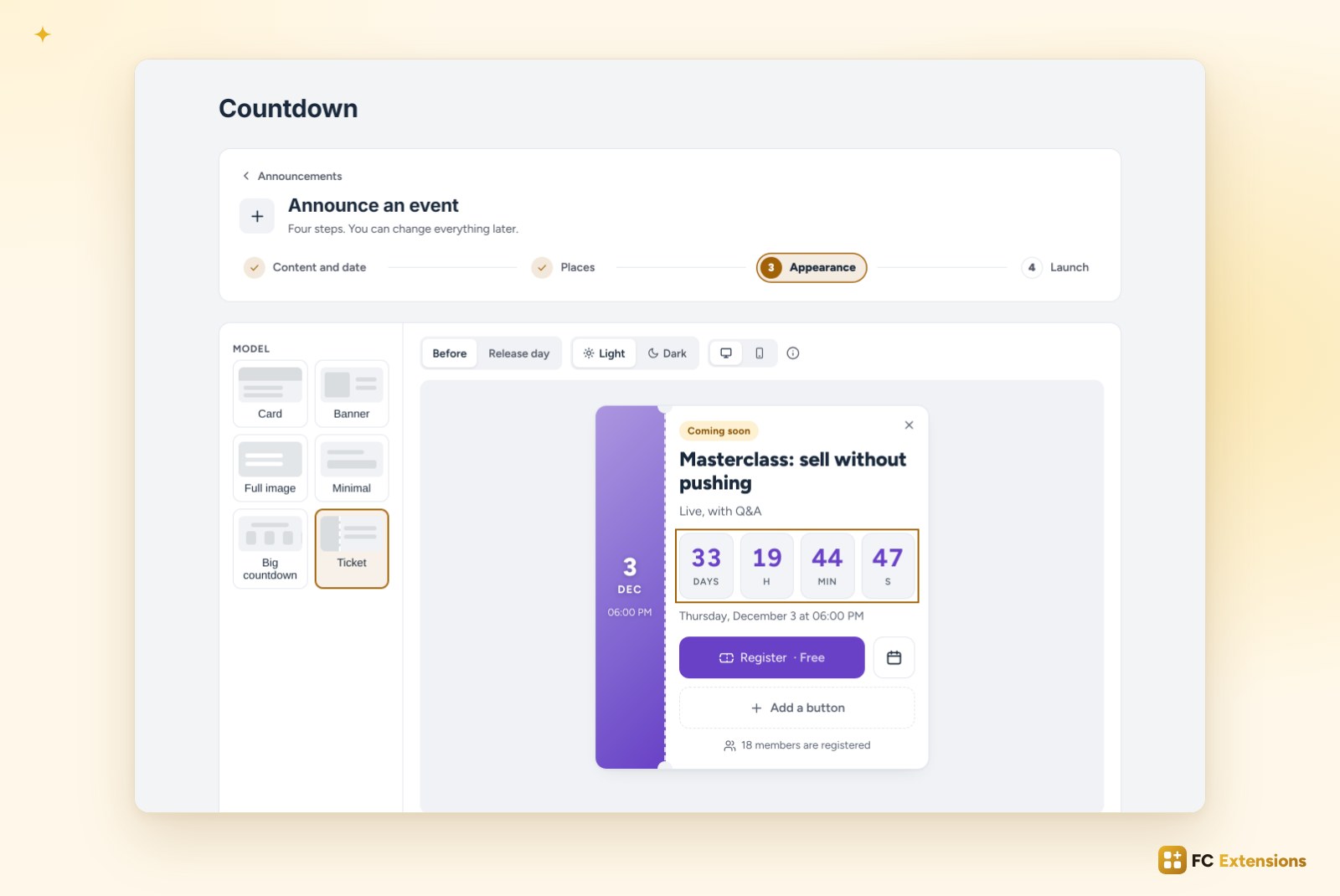
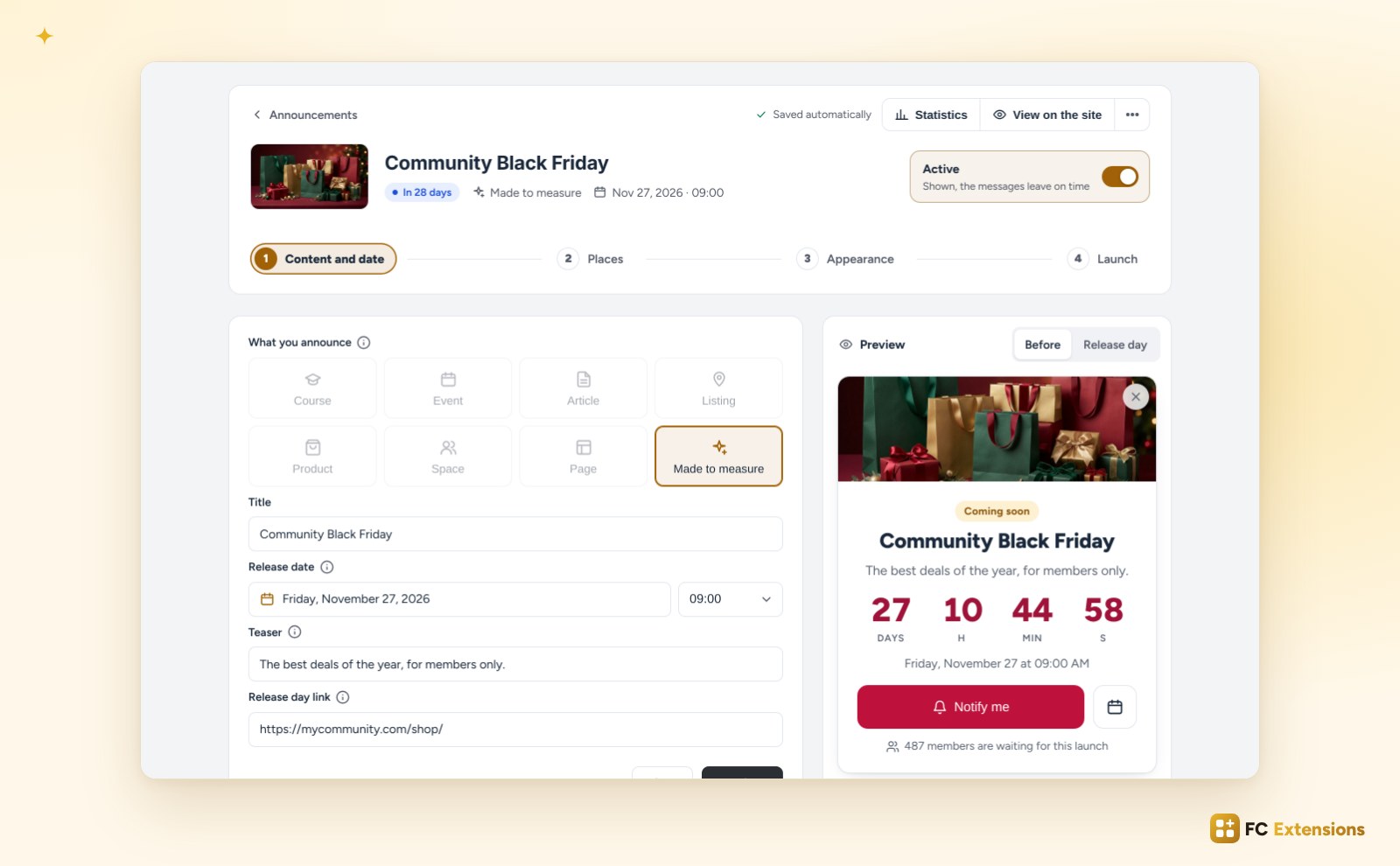
Six models: Card, Banner, Full image, Minimal, and two new ones, Big countdown and Ticket. Then everything is set on the preview itself. Click the title, and you write it with its formatting. Click the digits, and you choose their color, or keep your community’s colors, in light and dark mode alike. Click the picture, and you change it, or add a video.
You can add a second button (and hide it like the first one), give the picture all the room next to the text, or reframe it. A hidden element comes back in one click, under the preview. And on desktop, the preview shows the card at the real width of the feed.
The date and the number of people waiting can be styled too. You switch the preview to light or dark, desktop or a real phone, right inside your community, before or on release day. It is the same way of writing as in Delete Account and the Directory.
Release day, and everything that leads up to it
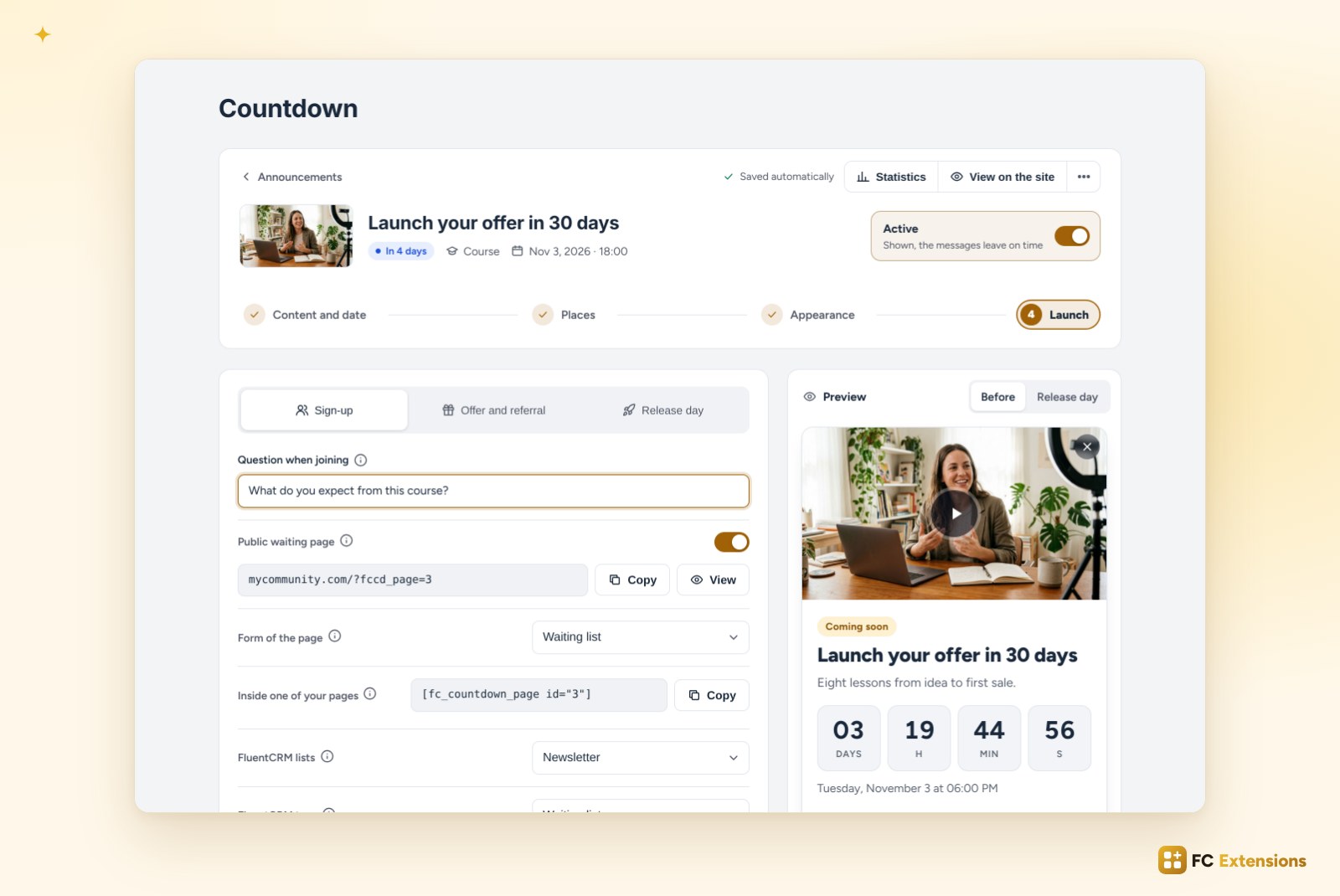
The last step, Launch, comes in three tabs. Sign-up: a question asked when people join, the public waiting page with its address to copy and its shortcode for any page of your site. Your visitors leave their email there, then confirm their address in one click in the email they receive: only real addresses reach your list.
Offer and referral: a FluentCart code for the people who waited, valid for a few hours, limited spots with their gauge, and a referral link that unlocks a bigger discount or early access.
Release day: the post that goes out on its own in a space, the article or page that goes live, and the card that stays “Available” for as long as you choose.
You see what works
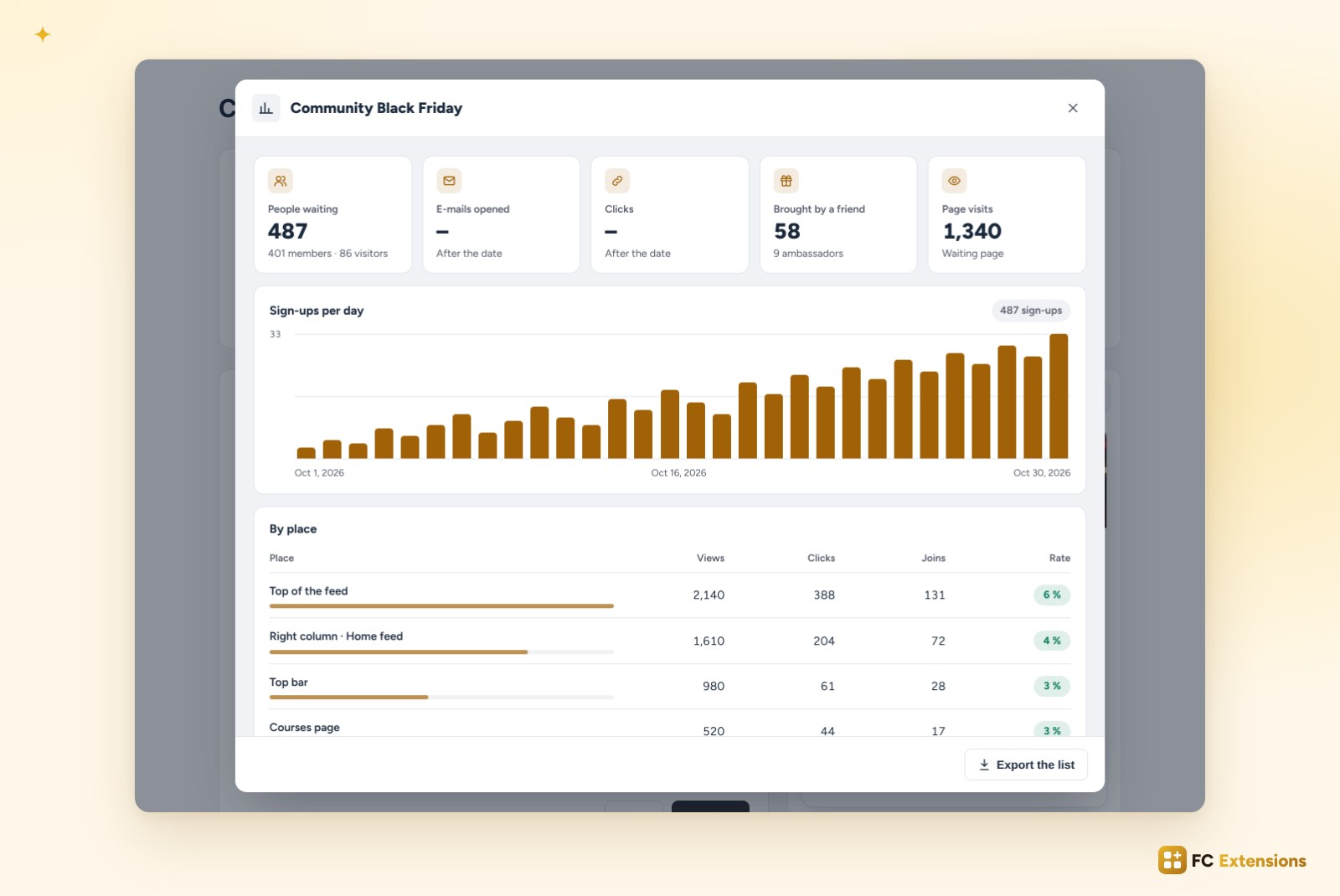
Each announcement has its statistics: people waiting, members and visitors, emails opened and clicks after the release, people brought by a friend, waiting page visits. Sign-ups day by day show the excitement growing.
Above all, you see the results by place: views, clicks, sign-ups and the rate of each one. You finally know whether the top of the feed does better than the right column.
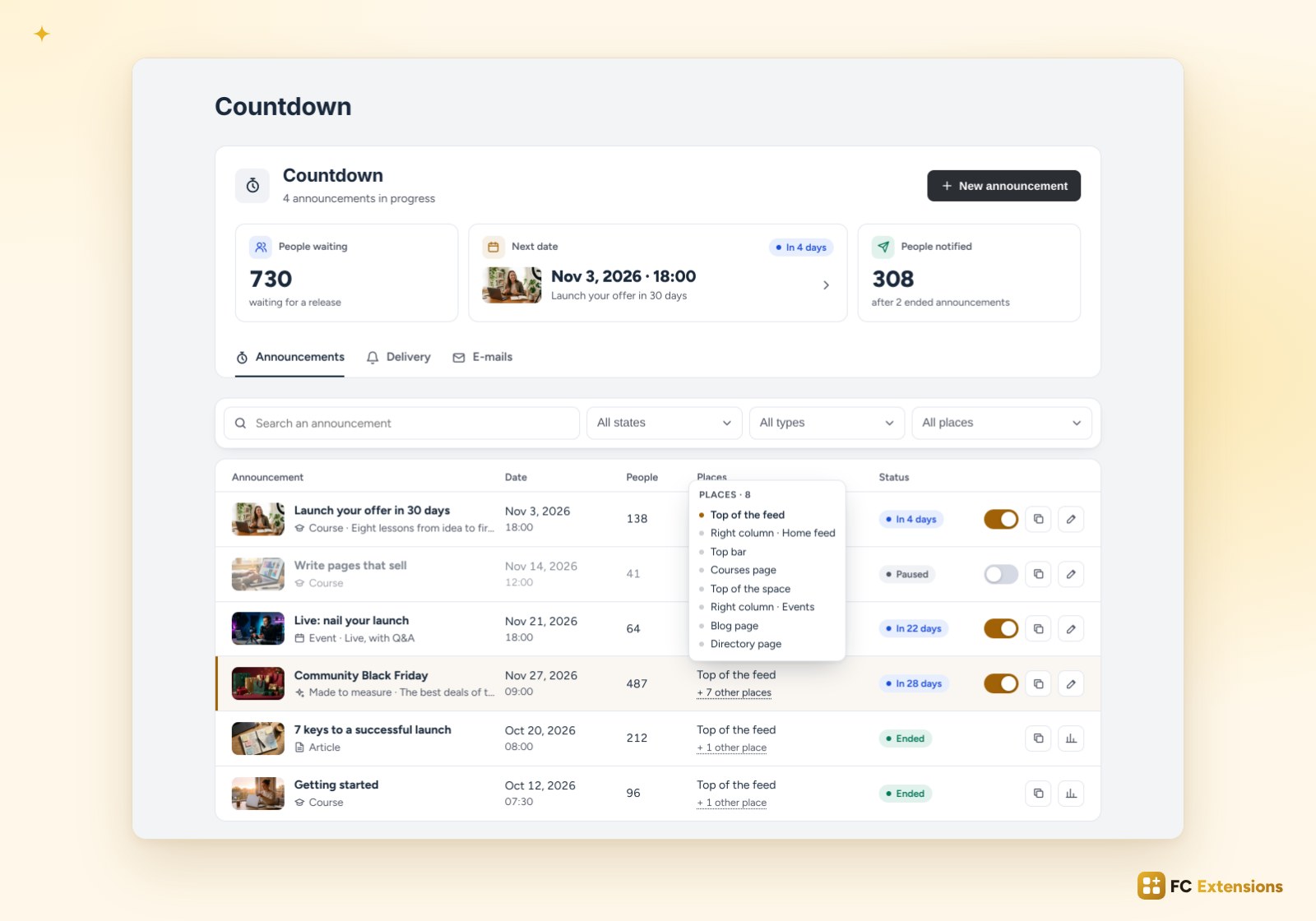
All your announcements at a glance
At the top of the page, three key figures: the people waiting, the next date with its picture (one click opens it) and the people already notified. Right below, a single filter bar: a search, then states, types and places, each with several choices and its number of announcements.
An announcement shown in many places stays on two lines: its main place, then “+ 7 more places”. The full list appears as soon as the mouse moves over it. Columns sort in one click. With FluentCRM, each person who signs up can get several lists and several tags.
Each announcement opens on a clear header: its picture, its status (“In 28 days”), its type and its date. On the right, a switch turns it on or pauses it, and says what that changes. Statistics and “View on the site” are one click away, and everything saves automatically.
Already installed? The update arrives automatically, and your course announcements, the people waiting and your settings are kept as they are.
Not installed yet? Get your free key: Countdown joins your community in seconds, along with all the other free extensions.
Free extension
Announce anything, anywhere in your community
Countdown is one of the free FC Extensions. One free key, and everything opens.
✓ Native to Fluent Community
✓ Eight types of announcements
✓ Automatic updates
✓ Free, forever
To go further, open the Countdown page, watch every extension on video, or browse the extension catalog and all the free extensions.
An idea or a question? Come and say hello in the FC Extensions space of the Sdravobiz community, or vote for the next extensions on the roadmap.
Frequently asked questions
Is Countdown free?
Yes, forever. It is one of the free FC Extensions. Your first name and email are all it takes to get your free key.
What can I announce with a countdown?
A course, an event, an article, a directory listing, a product, a space, a page, or a made-to-measure launch with your own title and your own picture.
Are my existing course announcements kept?
Yes. The update keeps your announcements, the people waiting and your settings as they are. You find everything in the new list.
Can visitors sign up without an account?
Yes. On the waiting page, the “Countdown” block or the shortcode, a visitor simply leaves their email, then confirms their address in one click in the email they receive. Their data is erased 30 days after the release.
Can I show an announcement to some members only?
Yes. “Who sees it?” keeps the announcement for everyone, members, visitors or some groups. This choice also decides who can sign up.