

The first five FC Extensions are getting their first big update. Clearer settings for you, and thoughtful new touches for your members.
FC Extensions arrived on October 11 with its first five free extensions. Three days later, all five already have a new version.
I went back over them one by one with a simple idea: show you what matters at a glance, and let you set up the rest in a few clicks.
They now share the same screen. At the top, four figures that tell you where you stand. Below, a few tabs. And everything saves on its own: there is no “Save” button anymore. The screen keeps the clean colours of Fluent Community, and it works just as well on a phone as in dark mode.
FluentCRM Tags follows your students’ whole journey
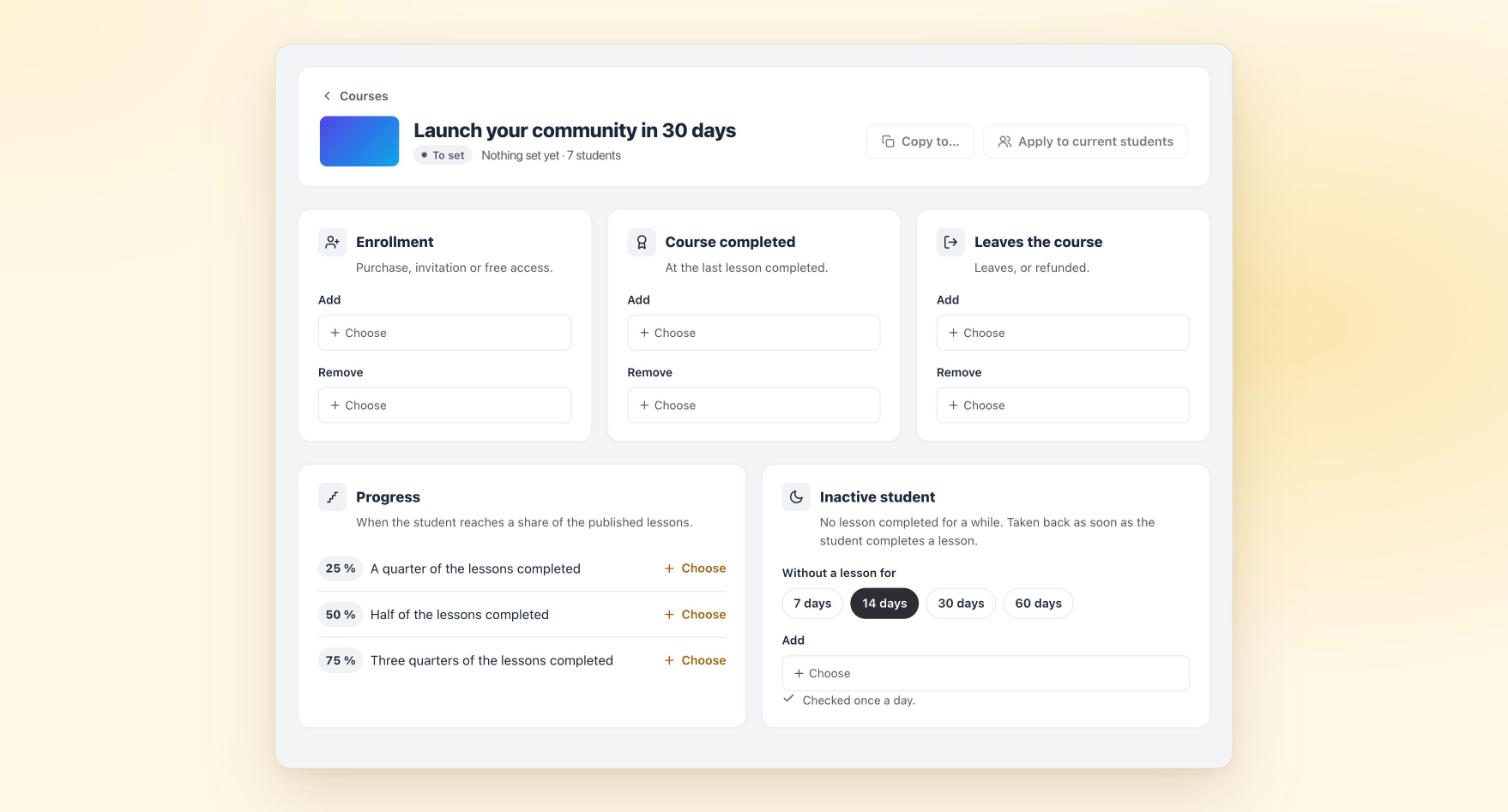
This is the extension that grows the most. At launch, it applied your tags at enrollment, after each lesson and when a course was completed. It now goes much further:
- Spaces: tags when a member joins or leaves a space.
- Progress: a milestone at 25, 50 and 75 % of the lessons completed.
- Inactive student: no lesson for 7, 14, 30 or 60 days, and the student gets the tag of your choice. It goes away as soon as they get back to it.
- Quizzes (Fluent Community Pro): “Quiz passed” or “Quiz to work on”.
- FluentCRM fields: last course followed, progress, number of courses completed, date of the last lesson.
- “Copy to…”: set up one course, then copy its settings to the others.
FluentCRM is not on your site yet? The page offers to install or activate it in one click, then opens on its own as soon as it is ready. Every setting is described on the FluentCRM Tags page.
WooCommerce Integration walks the buyer all the way to their course
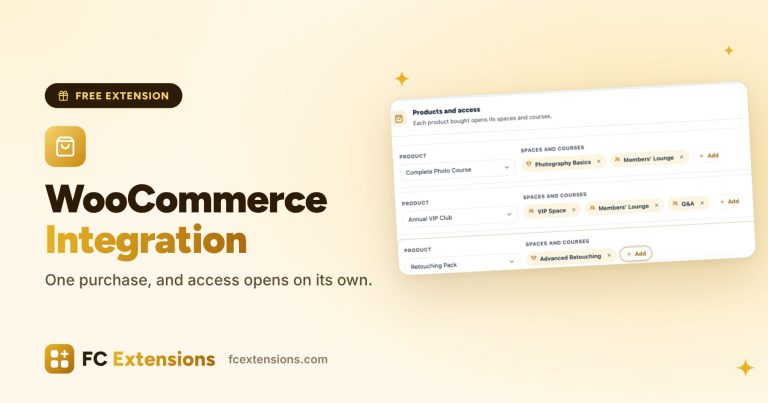
One purchase, and access opens. That was the promise at launch. This version takes care of everything around it, for the buyer and for you.
For the buyer:
- after payment, a “Your access is ready” box with a button to their course or space;
- a welcome notification in the community;
- a “Buy” button, with the price, on the spaces and courses they do not have yet;
- a “My purchases” tab in their profile, with their access, their orders and “Renew”.
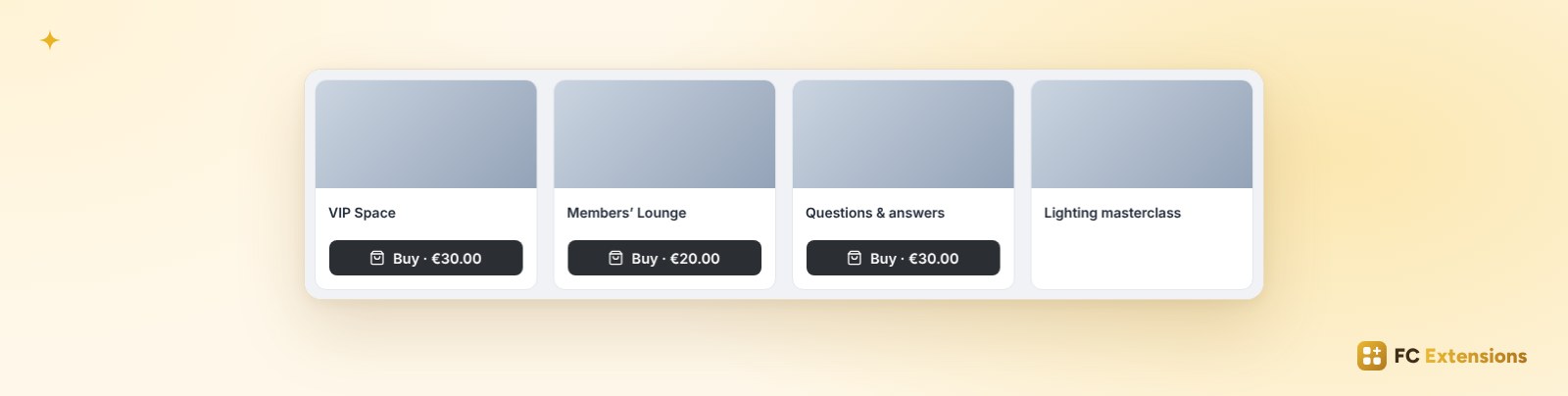
For you, each product can open access for a set time: 1, 3 or 6 months, 1 or 2 years, or with no limit. A reminder goes out before it ends. With WooCommerce Subscriptions, a grace period keeps access open for a few days if a payment fails. You can also give access without an order, and find everything in each member’s file. You can even tick spaces and courses right inside the WooCommerce product page. The details are on the WooCommerce Integration page.
Account Deletion helps you understand every departure
For your members, nothing changes: the same page, the same email code, the same posts that stay in the community. For you, everything becomes easier to read.
- The figures: deletions this month, the share of members who give a reason, and the posts kept in the community.
- The Reasons tab: the share of each answer, your members’ own words, and the question to edit on the spot.
- The history: a filter by period and by author, and an export that follows your filters. Handy to keep a clean record of every departure.
- “See the page”: the deletion page exactly as a member sees it.
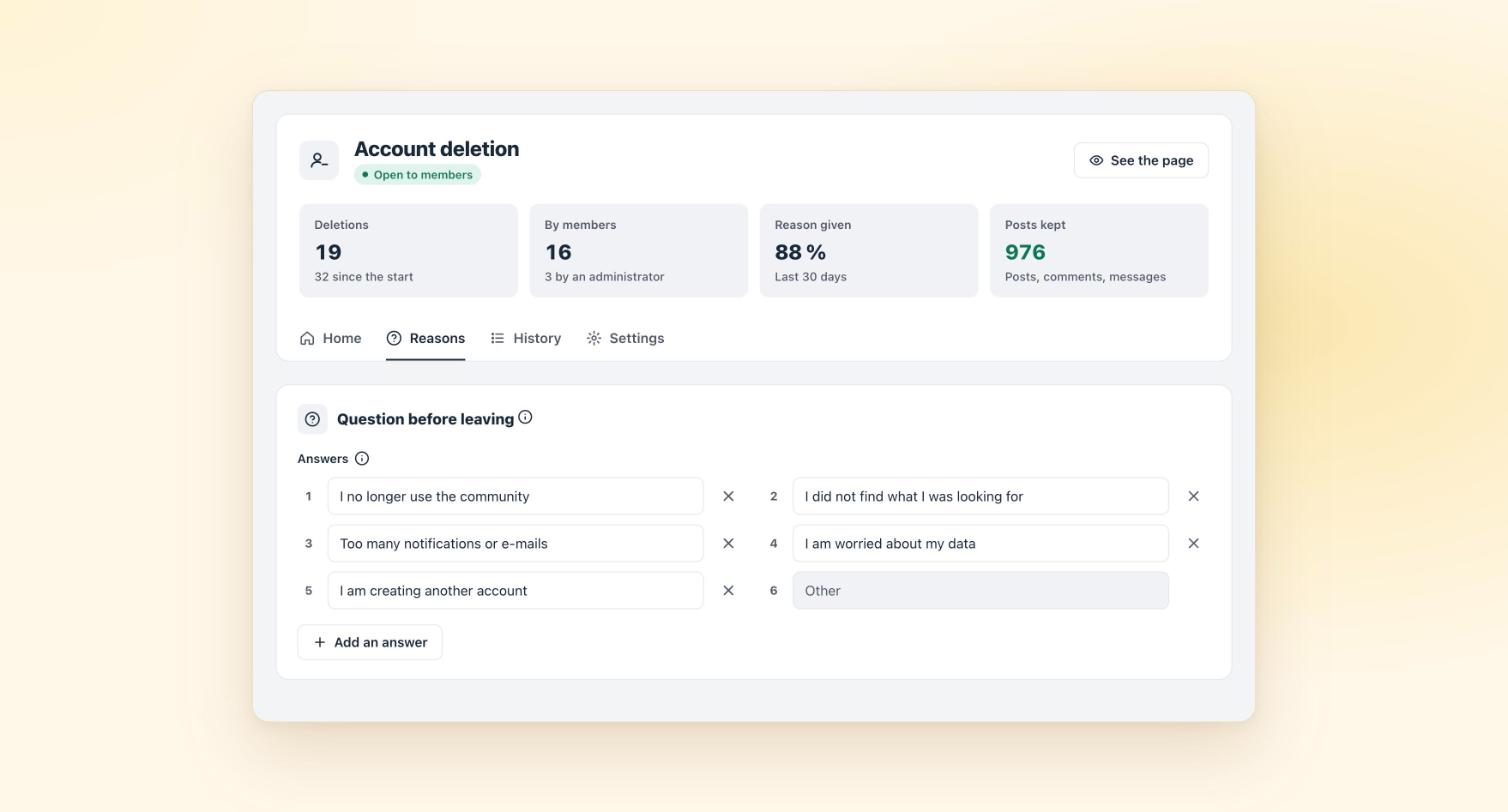
All the settings are gathered on the Account Deletion page.
Course Order sorts your courses in one click
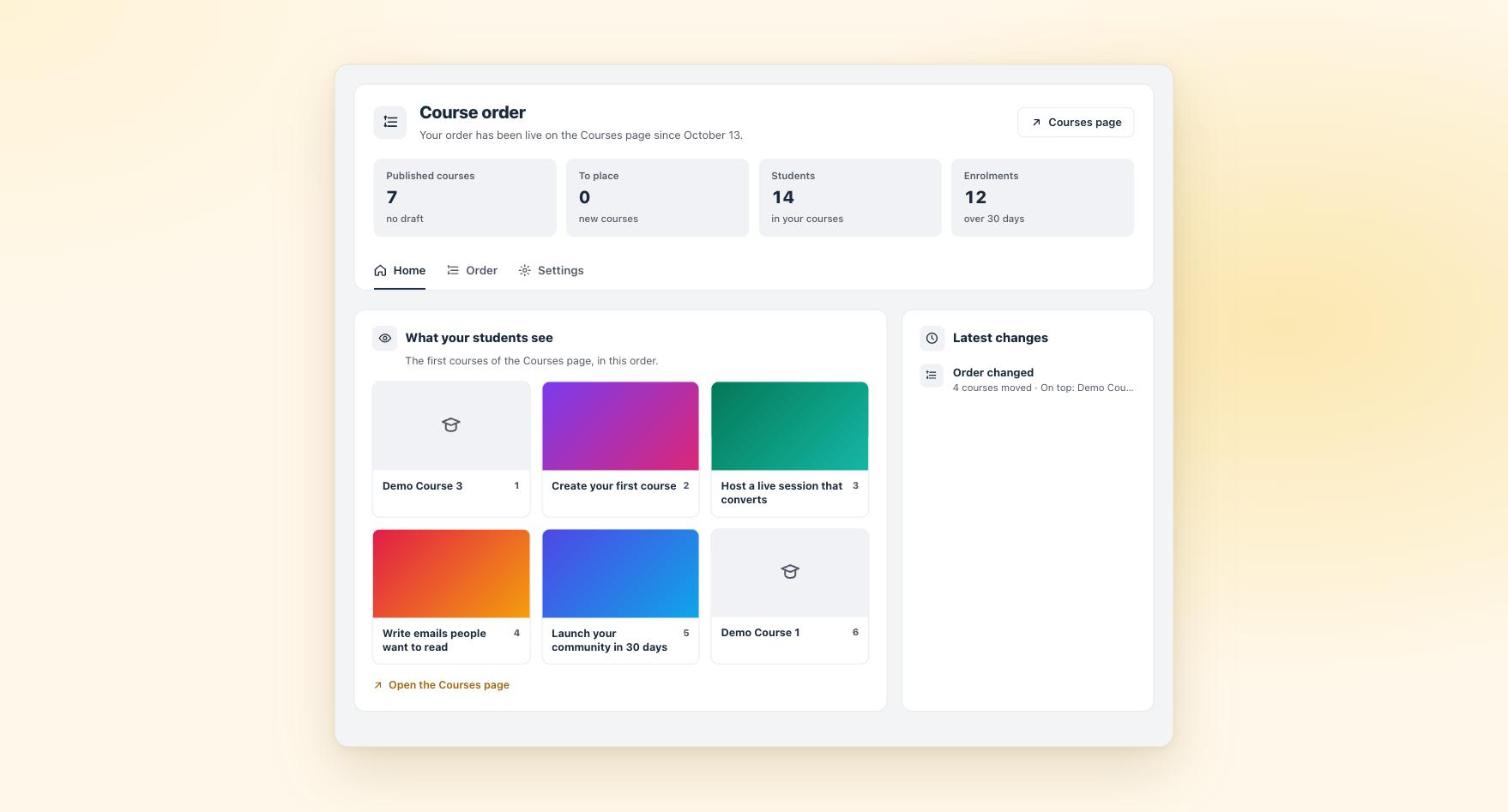
Dragging your courses is just as simple as before. You now have a shortcut: “Sort automatically”. A to Z, newest, oldest or most followed first. Then you fine-tune by hand.
The home tab shows you what your students see at the top of the Courses page. A new course carries a “New” label until you have placed it. And you choose the name of your students’ sort option: “Recommended” by default, or the word that suits you. It is all on the Course Order page.
Multiple Reactions shows you what makes your community tick
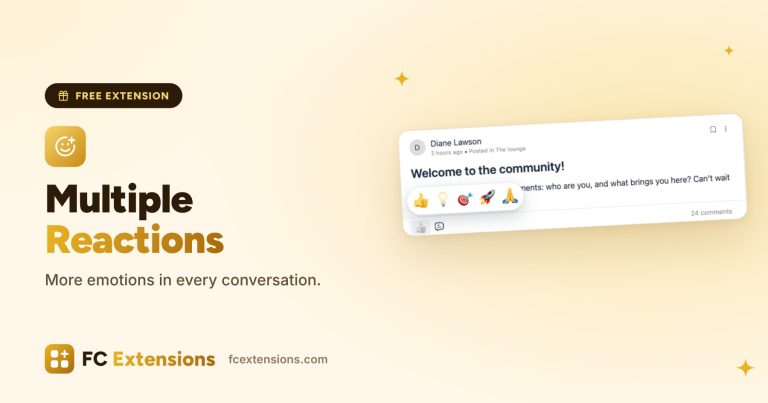
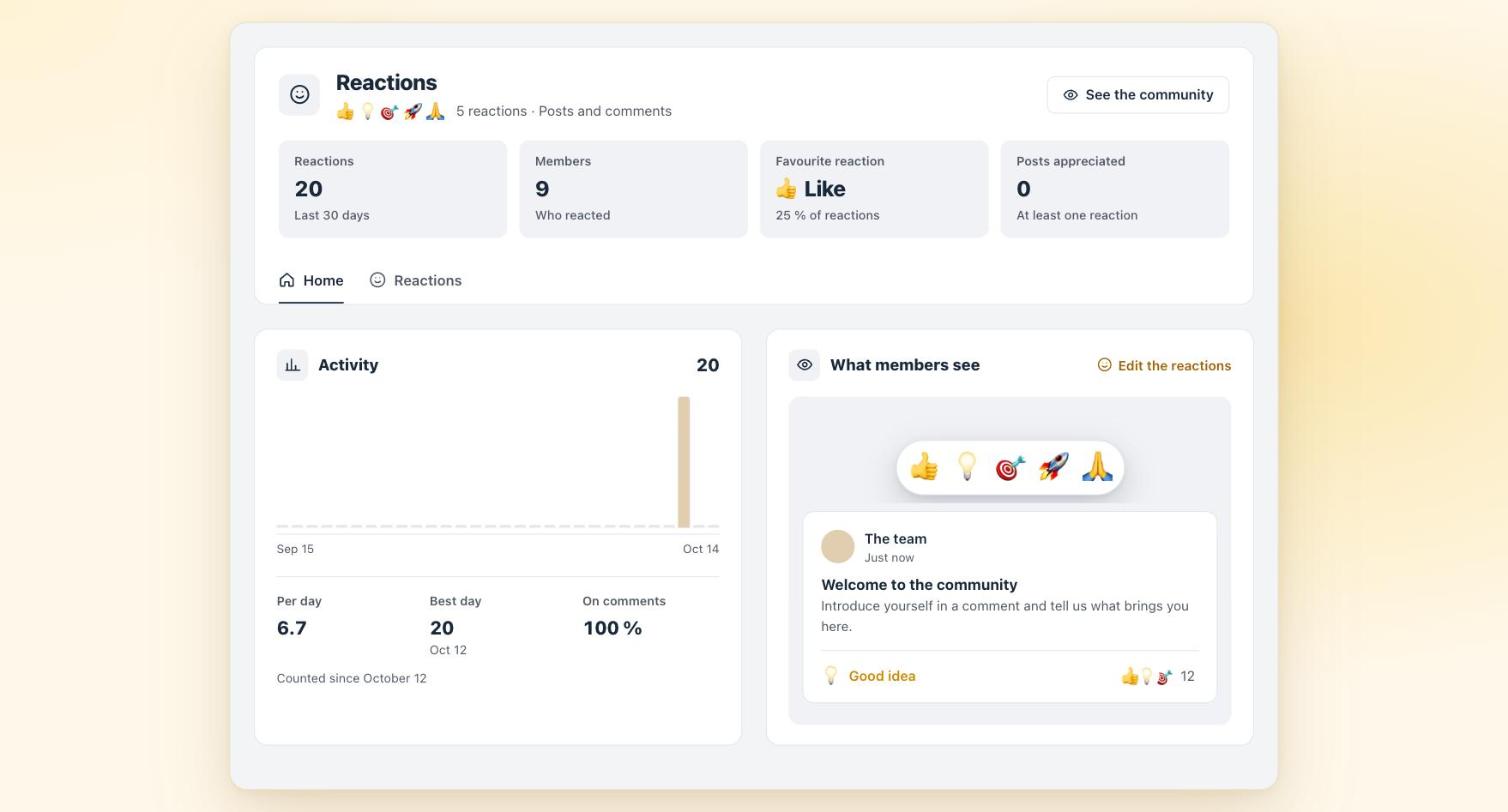
Your members react just as before. You now see what those reactions say: the community’s favourite reaction, the most active members and the most appreciated posts, over the period of your choice.
To change your reactions, four ready-made lists are waiting for you: Classic, Training, Mutual help and Business. The preview follows every change, and you click a reaction to try it. Find them on the Multiple Reactions page.
How to update your free extensions
A banner lets you know at the top of your admin. It takes you to the list of extensions. Tick “Select all”, then “Update”: all five update in one go. Your settings are kept.
These updates are free, just like the extensions themselves. A question about updating? The FAQ has the answer.
And this is only the beginning: new extensions are coming very soon to the FC Extensions library, both free and premium.
Free updates
Your first extensions, even easier to live with
One free key opens every free extension, with all their new features.
✓ Native to Fluent Community
✓ A clear screen for each extension
✓ One-click updates
✓ Free, forever
Want to go further? The premium extensions come with the Founder offer.
An idea for the next version? Come and say hello in the FC Extensions space of the Sdravobiz community, or suggest it on the roadmap.
Frequently asked questions
Are my settings kept after the update?
Yes. Your tags, your products, your course order, your reactions and the history of departures all stay in place.
Do I have to update the extensions one by one?
No. In the list of extensions, tick “Select all”, then “Update”. All five update together.
Are these updates free?
Yes. The five extensions are free, forever, with their updates. Your first name and email are all it takes to get your free key.
Will my members notice a difference?
With WooCommerce Integration, yes: “Your access is ready”, the “Buy” button and the “My purchases” tab. With the other four, your members find what they already know, and you enjoy the new screens.
Does FluentCRM Tags handle quizzes?
Yes, with Fluent Community Pro. A quiz lesson can apply “Quiz passed” or “Quiz to work on”.
Does WooCommerce Integration work with subscriptions?
Yes, with WooCommerce Subscriptions. If a payment fails, a grace period of 3, 7 or 14 days keeps access open while it gets sorted out.