
A student enrolls, finishes a lesson, completes a course. At each step, FluentCRM Tags gives them the right tags. Your emails go out at the right time, without you having to think about it.
Do you email your students with FluentCRM? So do I, every day. To know where each student stands, you needed one automation per course. With ten courses, that makes ten automations to build and look after.
FluentCRM Tags makes all of this much simpler. Open a course, choose your tags, and you are set.
Four key moments in your students’ journey
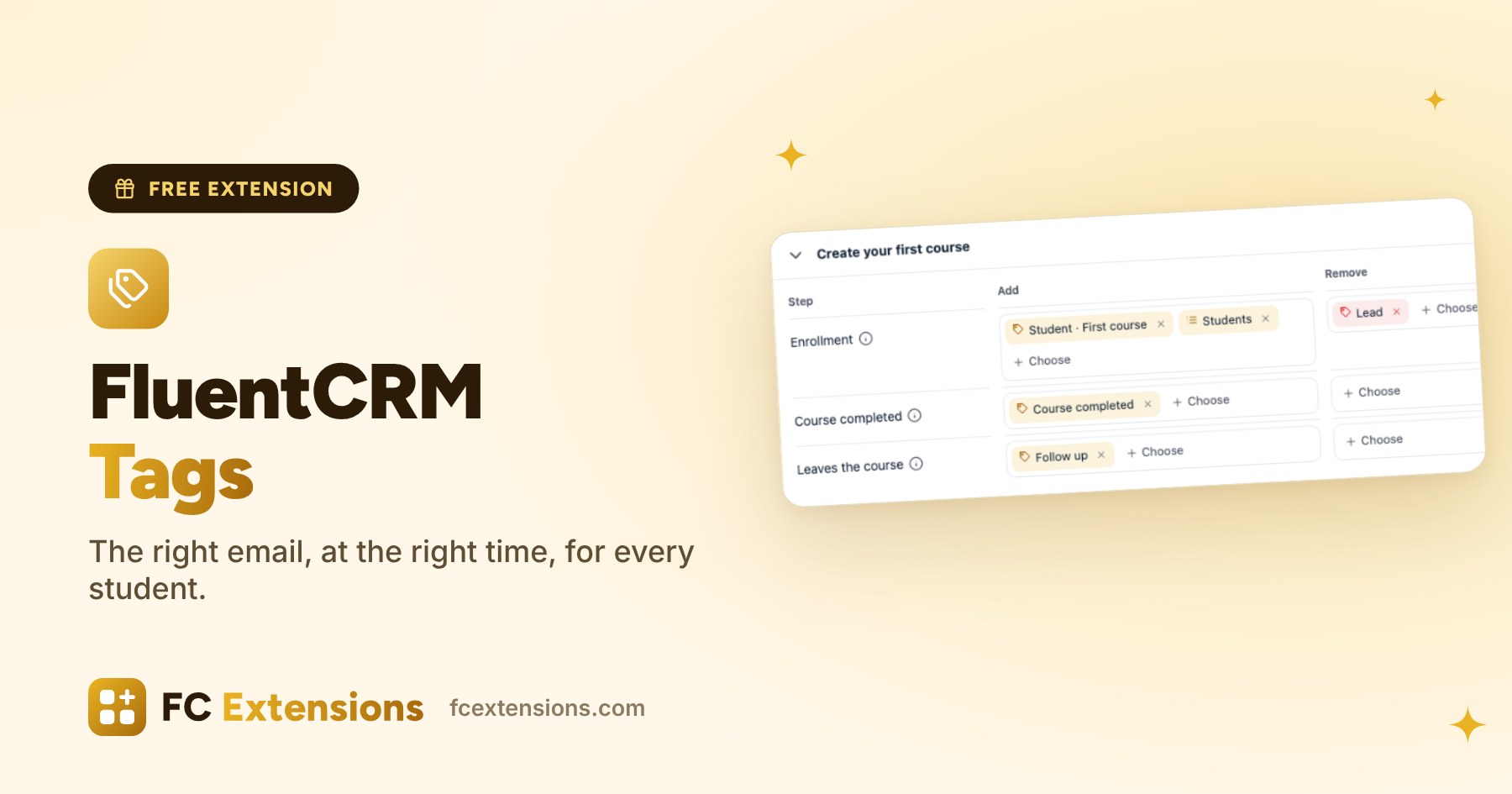
For each course, you choose the FluentCRM tags and lists to add, or to remove:
- At enrollment: the student joins the course, through a purchase, an invitation or open enrollment.
- When the course is completed: the right time to congratulate them and suggest what comes next.
- When the student leaves the course: you can follow up gently.
- For each lesson completed: you follow their progress, lesson by lesson.
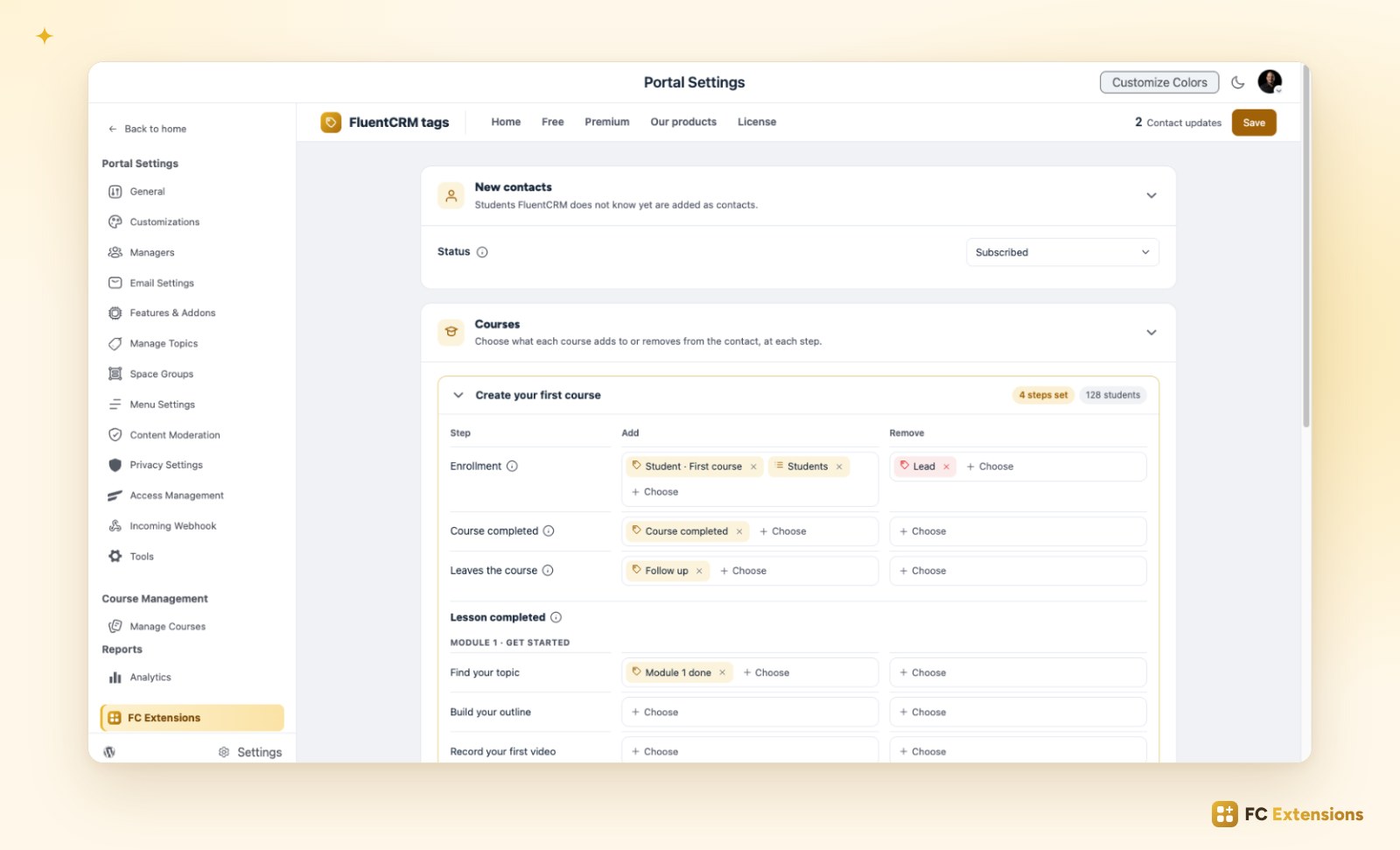
Your FluentCRM automations that start on a tag or a list keep working. The extension simply gives them the signal, at the right time.
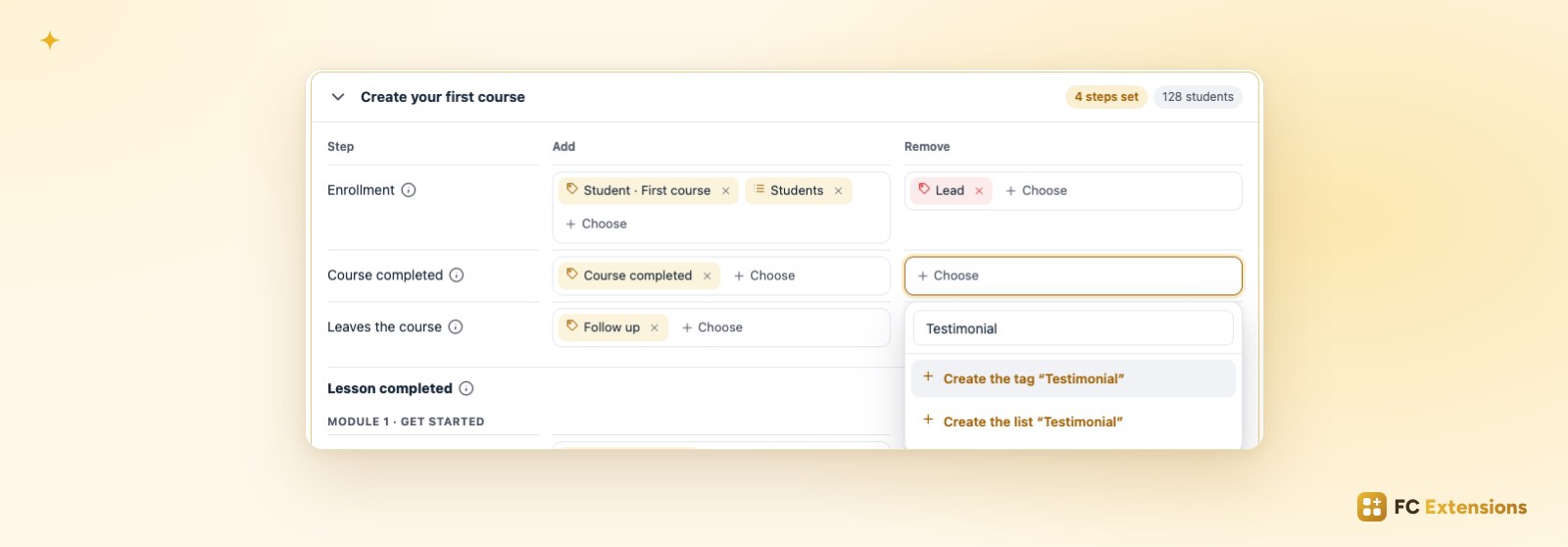
A tag is missing? Create it right there
No need to go through FluentCRM. Type its name in the field, then choose Create the tag or Create the list. It is ready, and already selected.
Your current students too
Already have enrolled students? One click applies the tags to them as well.
A student FluentCRM does not know yet becomes a contact, with the status of your choice: Subscribed, Pending with a confirmation email, or Transactional. An existing contact keeps their status.
A few ideas to get started with FluentCRM
- A welcome sequence: at enrollment, the tag starts your welcome emails.
- Leads who became students: remove the Lead tag at enrollment, and your sales emails make way for your student emails.
- The natural next step: when the course is completed, suggest the next course.
- A little boost: after the first lesson, send a resource or a word of encouragement.
Free extension
The right email, at the right time, for every student
FluentCRM Tags is one of the free FC Extensions. One free key, and everything opens up.
✓ Native to Fluent Community
✓ One switch to turn it on
✓ Automatic updates
✓ Free, forever
To go further, open the FluentCRM Tags page, read about Course Order and WooCommerce Integration, or browse all the free extensions. For the premium extensions, there is the Founder offer.
An idea or a question? Come and say hello in the FC Extensions space of the Sdravobiz community, or vote for the next extensions on the roadmap.
Frequently asked questions
Do I need FluentCRM to use the extension?
Yes. FluentCRM Tags adds your FluentCRM tags and lists along your students’ journey in Fluent Community.
Do my FluentCRM automations keep working?
Yes. Those that start on a tag or a list start as before, at the right time.
What happens to a student FluentCRM does not know?
They become a contact, with the status you chose. An existing contact keeps theirs.
Do my already enrolled students get their tags?
Yes, in one click, course by course.
Is FluentCRM Tags free?
Yes, forever. It is one of the free FC Extensions. Your first name and email are all it takes to get your free key, then you turn it on with a switch.