
FreeAvailable
Account Deletion
Members leave, their posts stay.
What it brings you
Account Deletion, for you and your members.
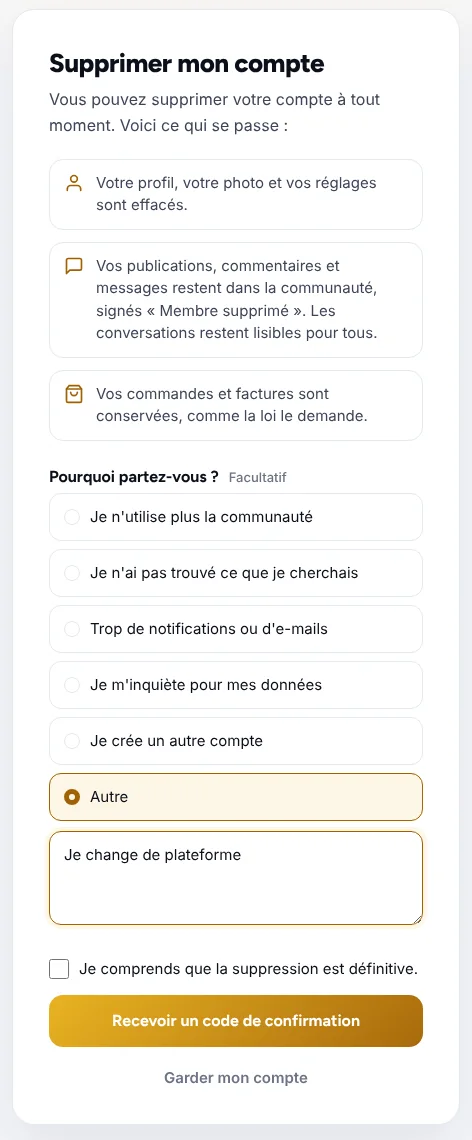
Your members delete their own account, simply. Their posts stay in the community and conversations keep their full meaning.
- A clear page, with a confirmation code
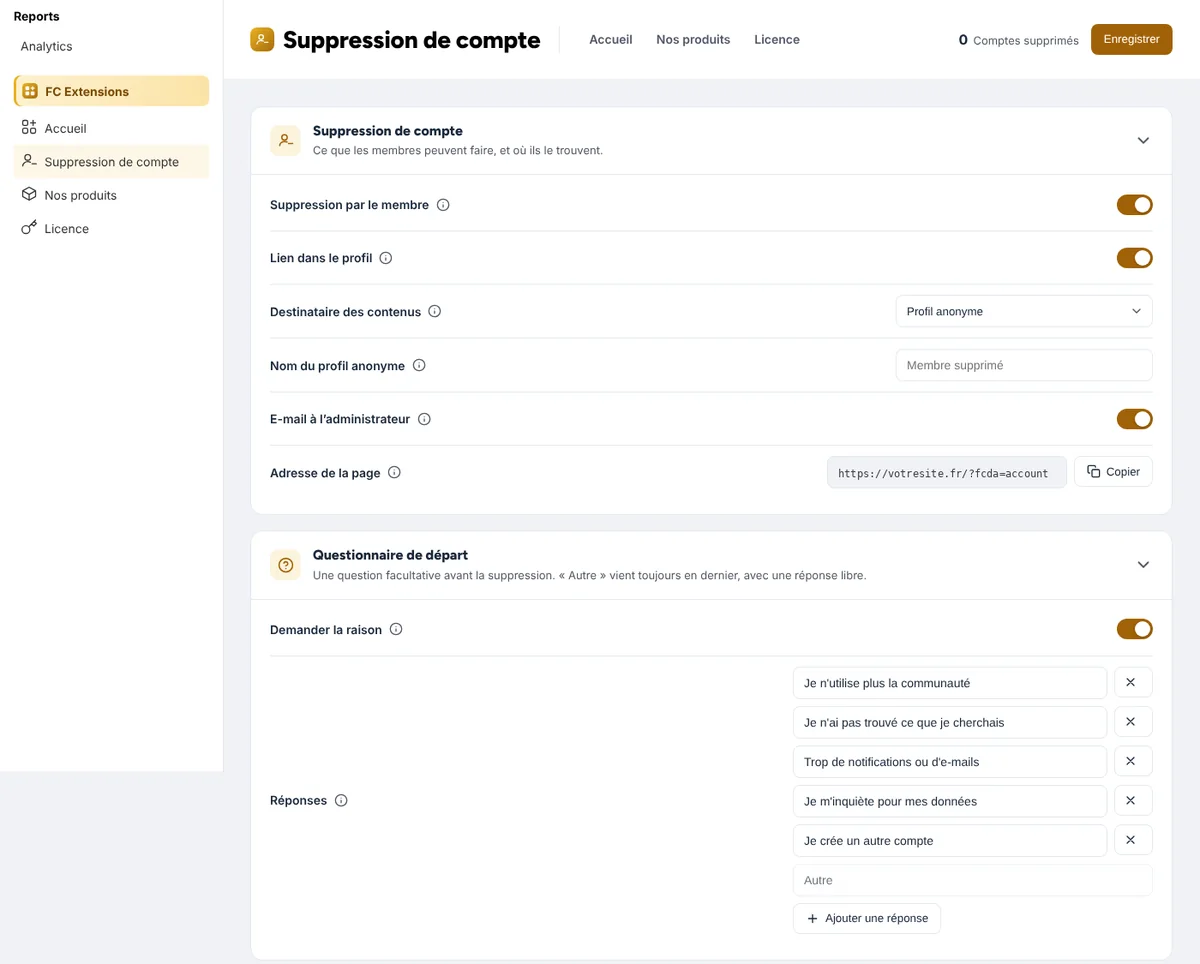
- Posts handed over to an anonymous profile
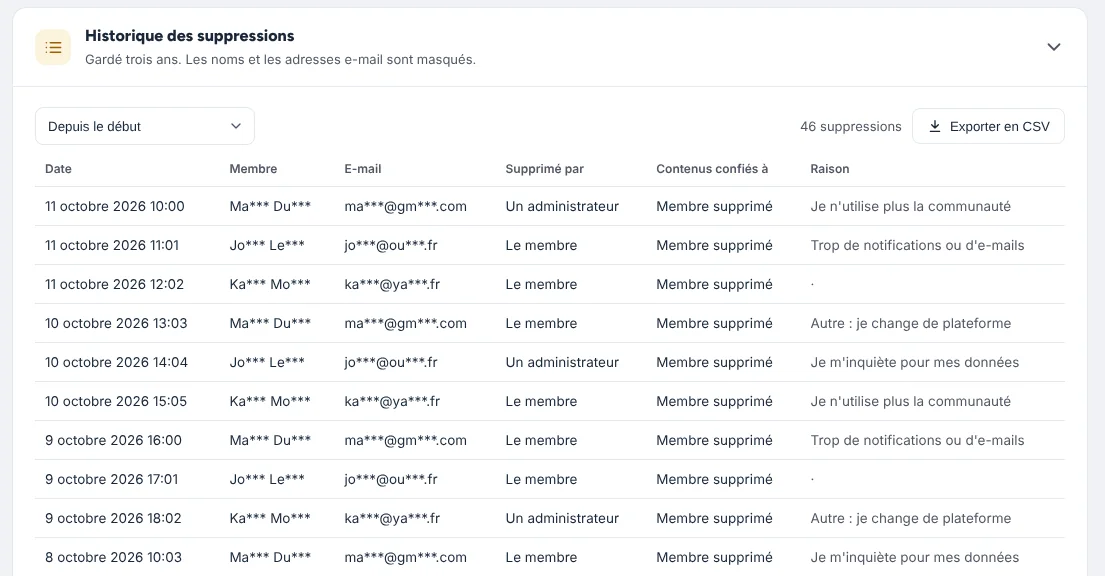
- A history and the reason for each departure
In pictures
See it in action.
Screenshots of the extension, as you and your members see it.
How to turn it on
Three steps, and you are off.
- 1Get your free key
Your first name and email are all it takes: FC Extensions and your key arrive right away.
Get my key - 2Install FC Extensions
A single WordPress plugin with everything inside. Paste your key on the License page.
- 3Turn on Account Deletion
One switch in the Fluent Community settings, and you are ready.
In the same family
Members: they go beautifully together.
