
More pages means more views for your advertisers. And more placements to offer them.
Ad Manager is already at the heart of your community. Your ads show up in many places:
- at the top of the feed, between posts and under a post;
- in your community sidebars with our Sidebar extension, thanks to the “Presented by” block and your advertisers’ logos;
- at the top of the spaces list and the courses list;
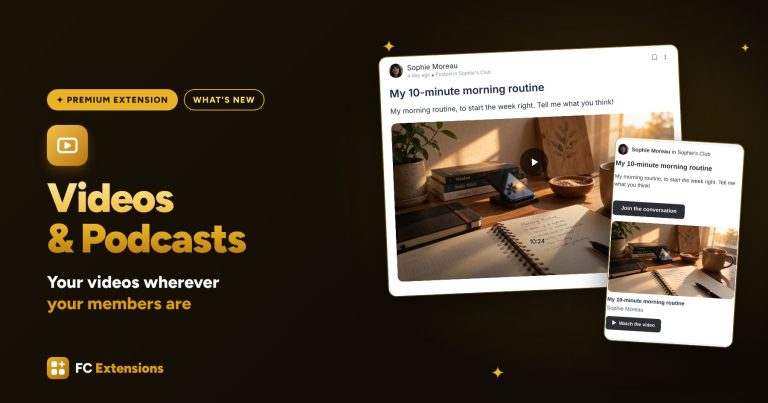
- in Videos & Podcasts: in the player, under the player, in the library, between episodes and between shorts;
- and even in your newsletter.
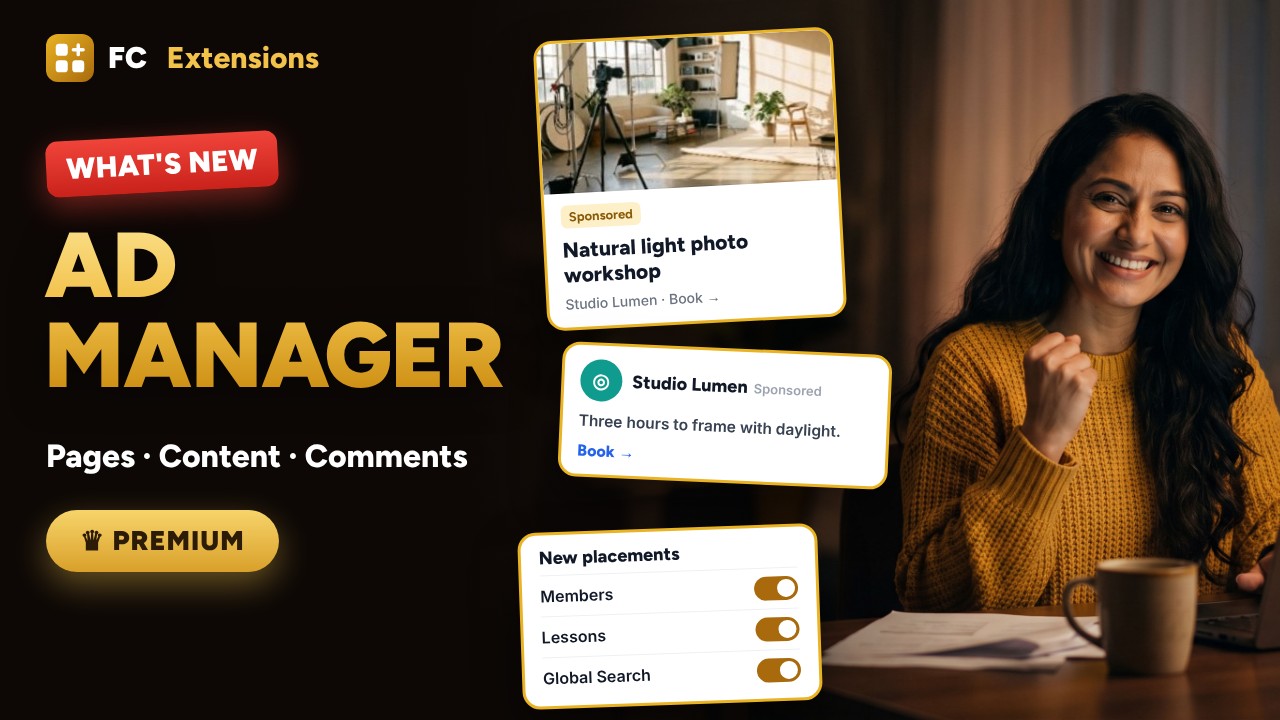
With this update, it goes even further: every page of your community can welcome your ads. Your members, your courses, your lessons, your blog, your directory, your events and even your search.
And your ads now slip right inside your content: in the text of an article, among search results, between the comments of a discussion. They take on the look of what surrounds them.
You stay in control of every page: you switch on only the ones you want.
What’s new at a glance
- All your pages: members, leaderboard, profiles, spaces, courses, lessons, bookmarks, notes and notifications.
- Your extensions too: Blog & Collections, Directory, Events, Global Search and Gamification.
- Right inside your content: in the text, in your lists of articles and listings, in search and between comments, with the look of the content.
- One switch per page: every placement stays off until you switch it on.
- Nothing to redo: your running campaigns show up on their own.
- A one-click update: quick, easy and ready to use.
See them in action
A quick reminder
Ad Manager is the extension that brings your advertisers to the heart of your community. You create your campaigns, choose where they show, and follow the views and clicks of each one. Your members discover useful partners, without being bothered.
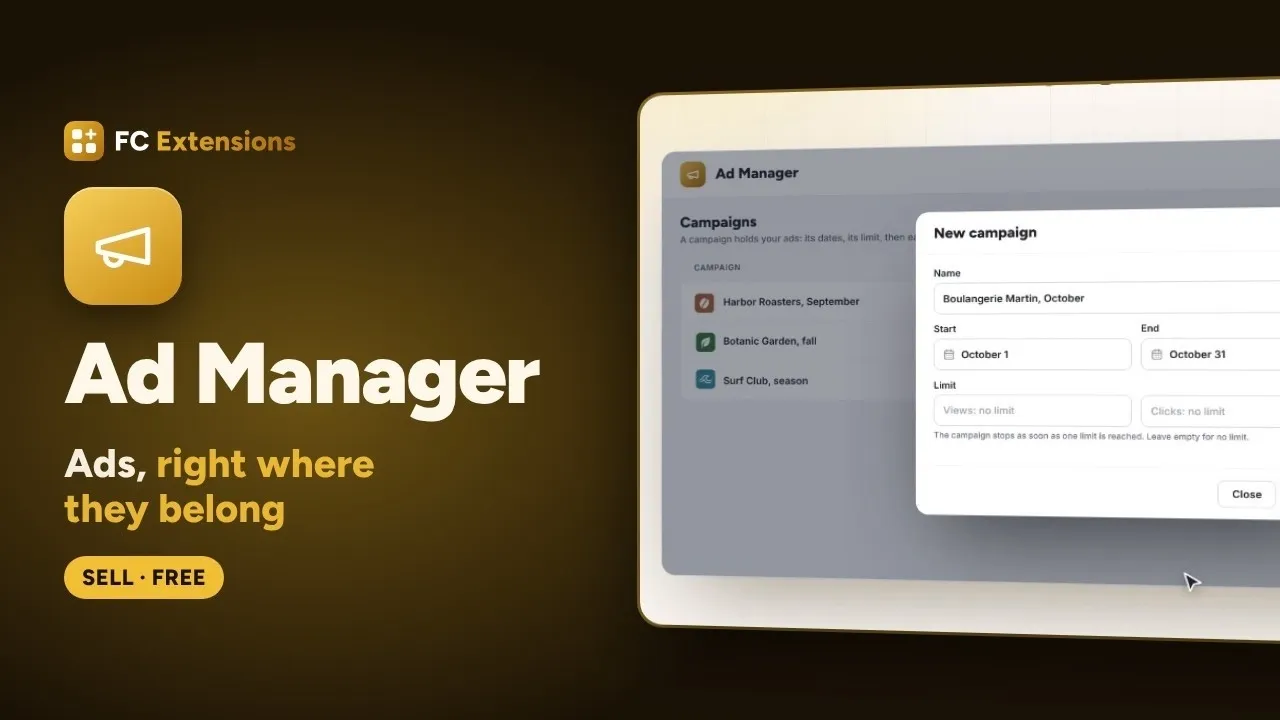
The full presentation of Ad Manager, to see the essentials again on video. You’ll also find its page and all the extensions on video.
Every page becomes a placement
Your campaigns can now show up on the pages your members open every day:
- the members list and the leaderboard;
- profiles;
- space pages and course pages;
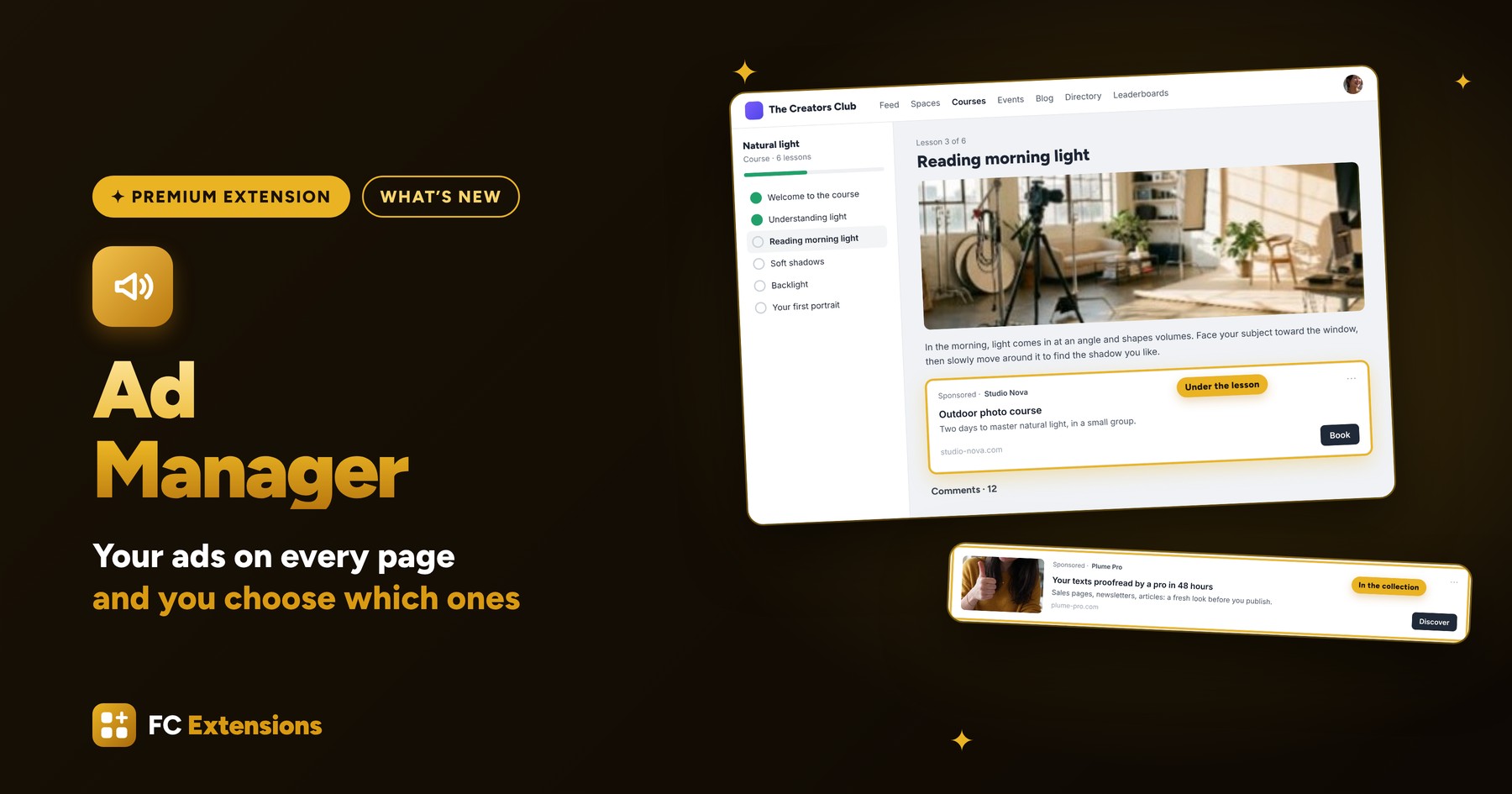
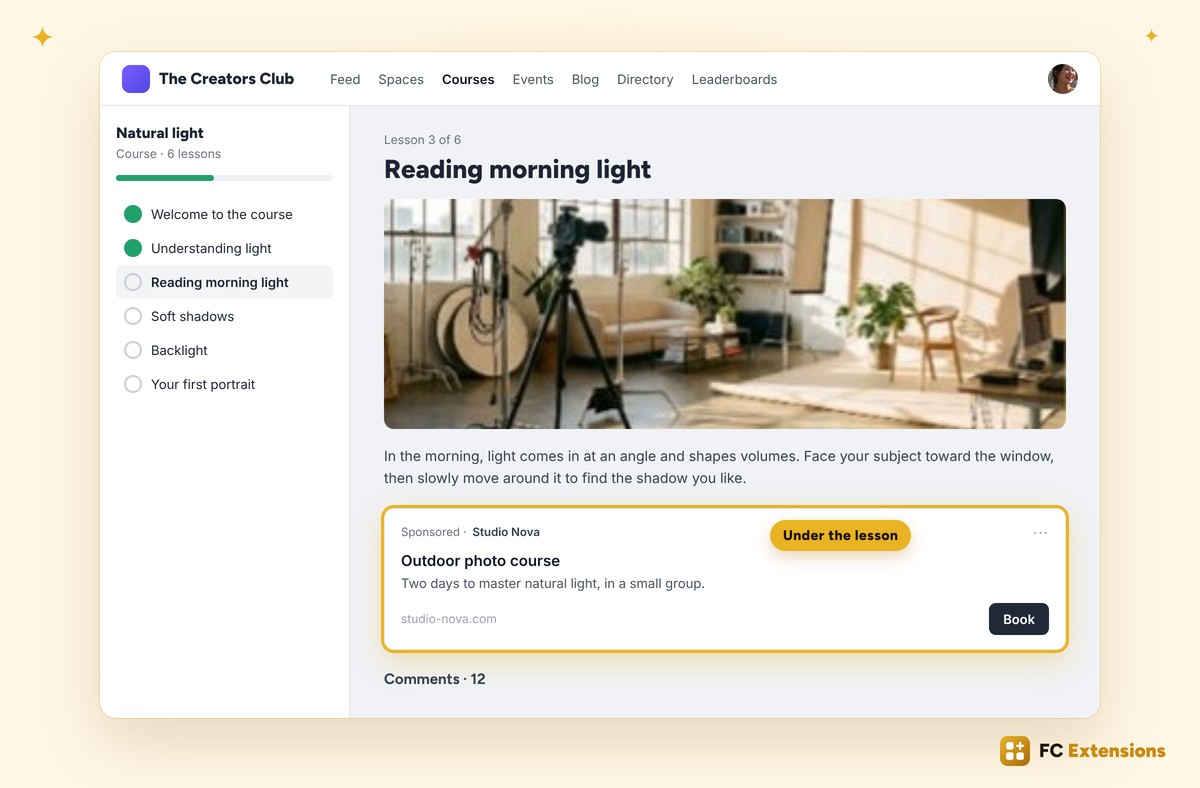
- inside a lesson, right under its content;
- bookmarks, lesson notes and notifications.
On a lesson, the ad arrives right when the student has just finished reading. A photo course under a photography lesson, a writing tool under a writing lesson: the ad speaks to the right person, at the right time.
Your extensions too
Our extensions welcome your ads too, each in its most natural place.
Blog & Collections
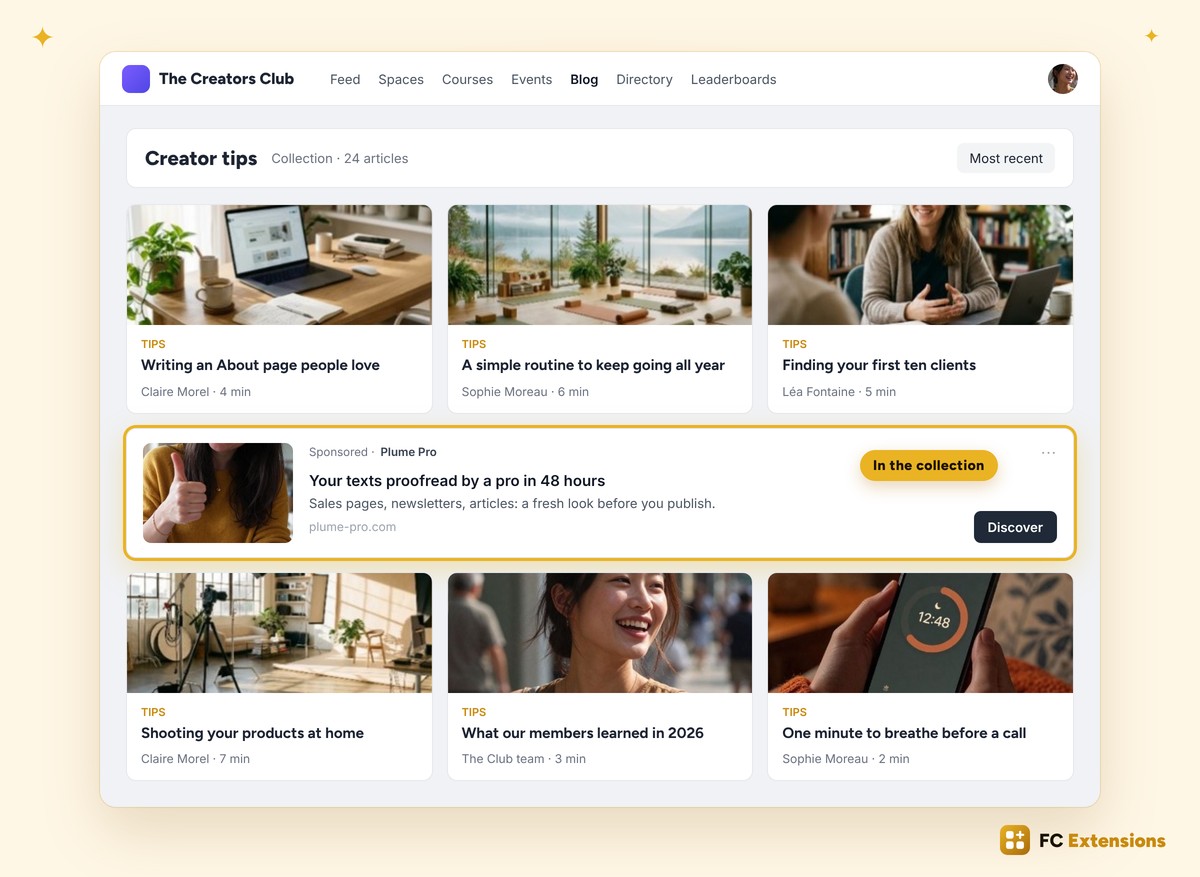
An ad slips into a collection list, full width, and under every article of Blog & Collections. This new feature comes from a community request: thank you.
Directory
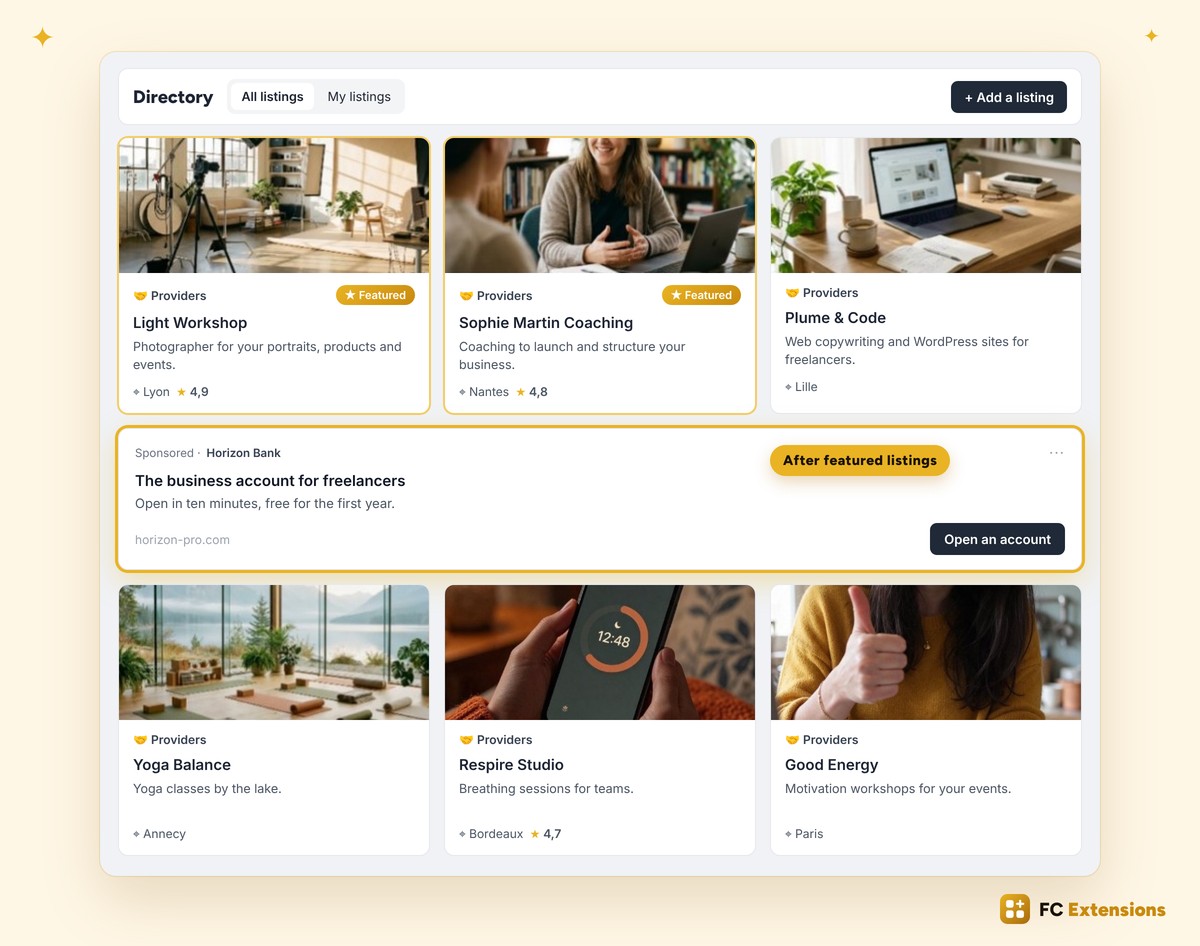
In the Directory, the ad shows between listings, right after the featured listings, and under a listing. Featured listings stay in the spotlight: no ad shows under them.
Events
An ad in the Events list and under an event. Here again, a featured event keeps all the space.
Global Search
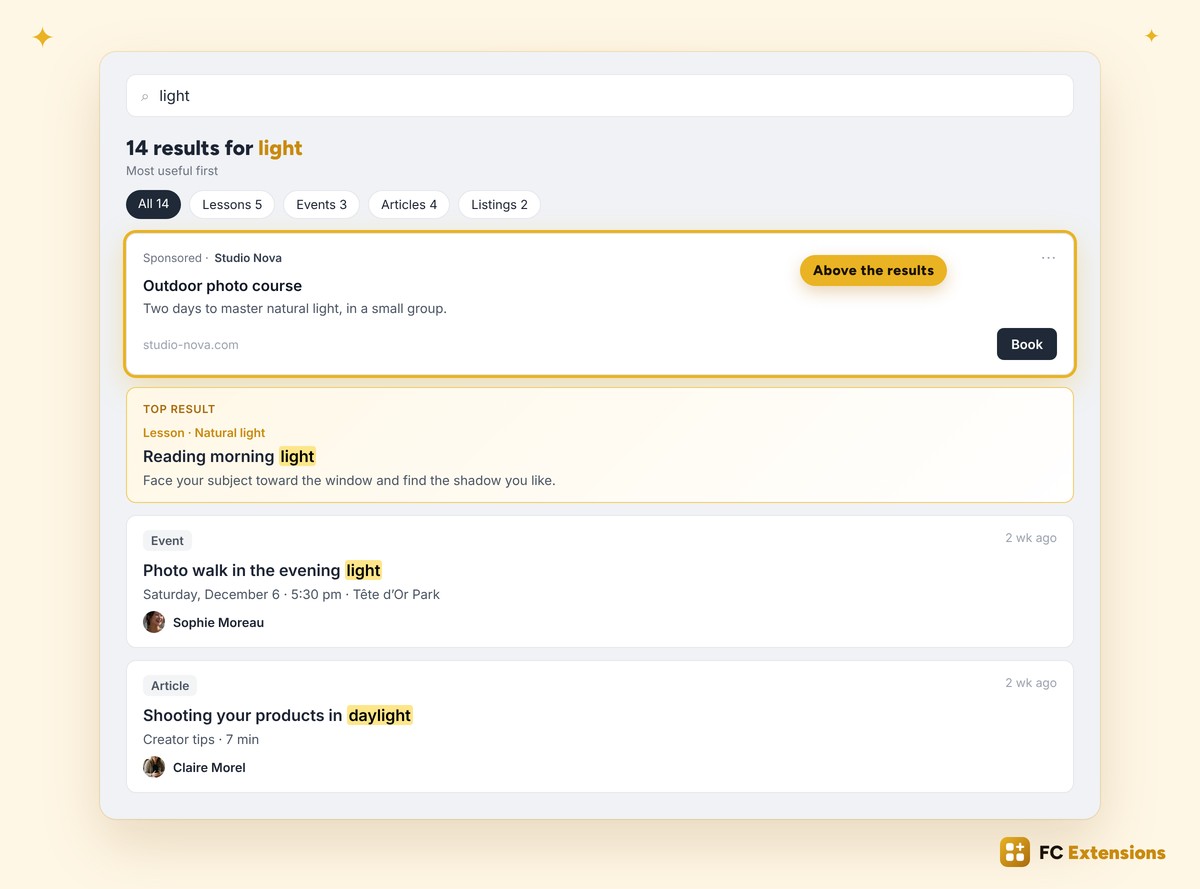
A sponsored result shows above the Global Search results. Your member is looking for something, and your ad answers.
Gamification
An ad at the top of the Gamification leaderboards, right where your members come to check their rank.
Your ads right inside your content
An ad that looks like the content reads like the content. That is the whole idea behind the two new Ad Manager placements.
In content
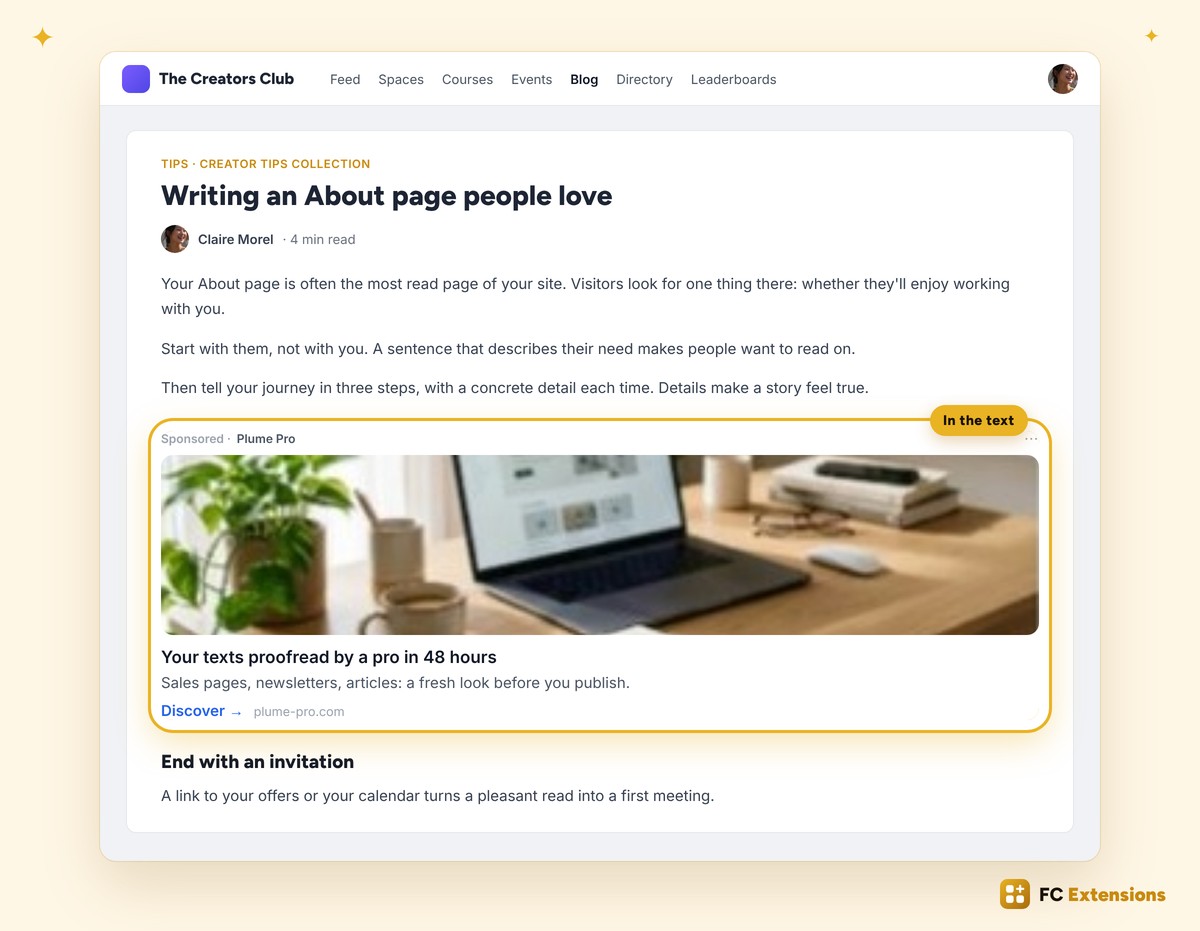
Your ad slips into the text of a Blog & Collections article, a Directory listing, an event or a lesson, after the paragraph of your choice. No frame: it takes the font and color of the surrounding text, with the “Sponsored” label.
In Global Search, it becomes one result among the others, with the look of a real result.
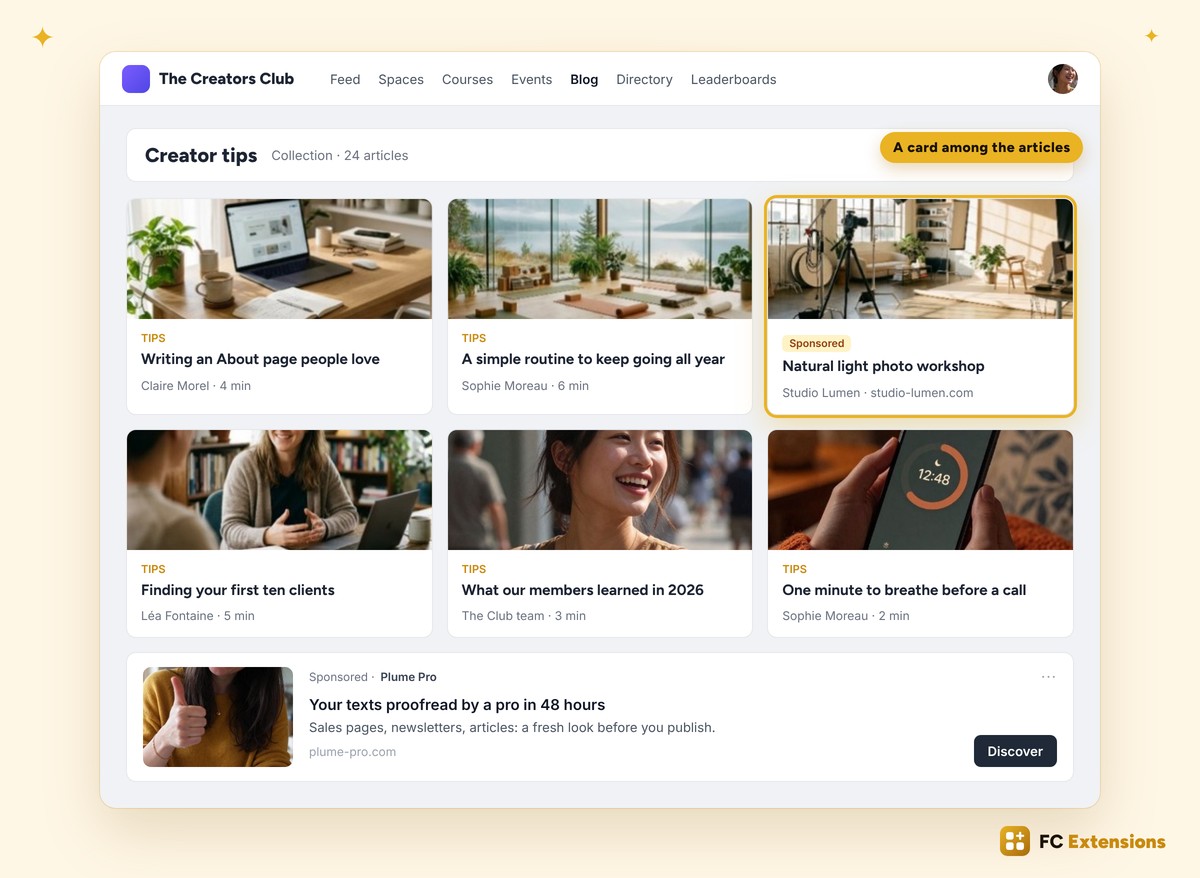
In the Blog & Collections and Directory lists, it becomes a card among the articles and listings, with its image, its title and the “Sponsored” label. The banner between articles stays: you switch on one, the other or both.
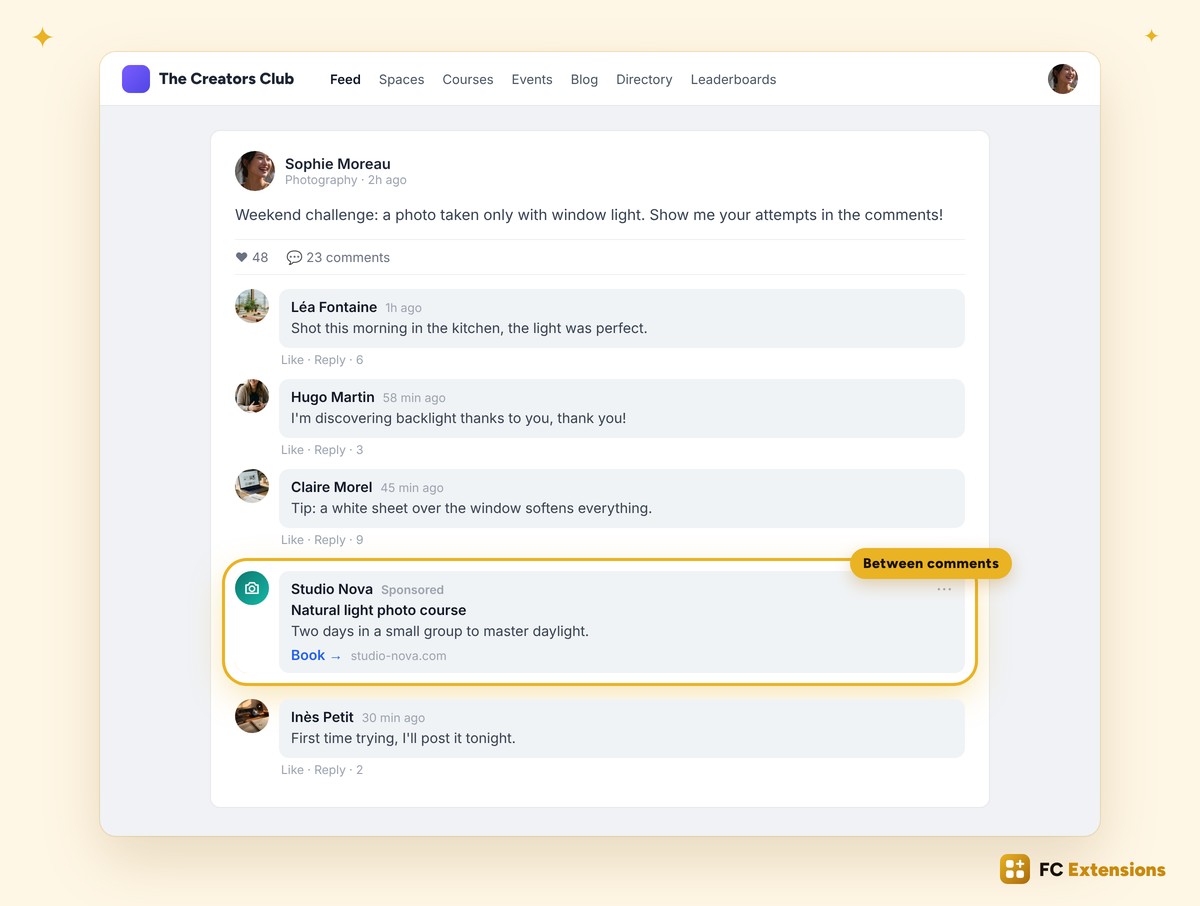
Between comments
A lively discussion draws every eye. Your ad slips in like a comment, in posts, lessons, articles, videos and episodes. It shows up when the discussion is long enough, every few comments.
Videos & Podcasts
In the Videos & Podcasts library, your ads take on the look of video cards. They blend into your members’ library.
You stay in control, page by page
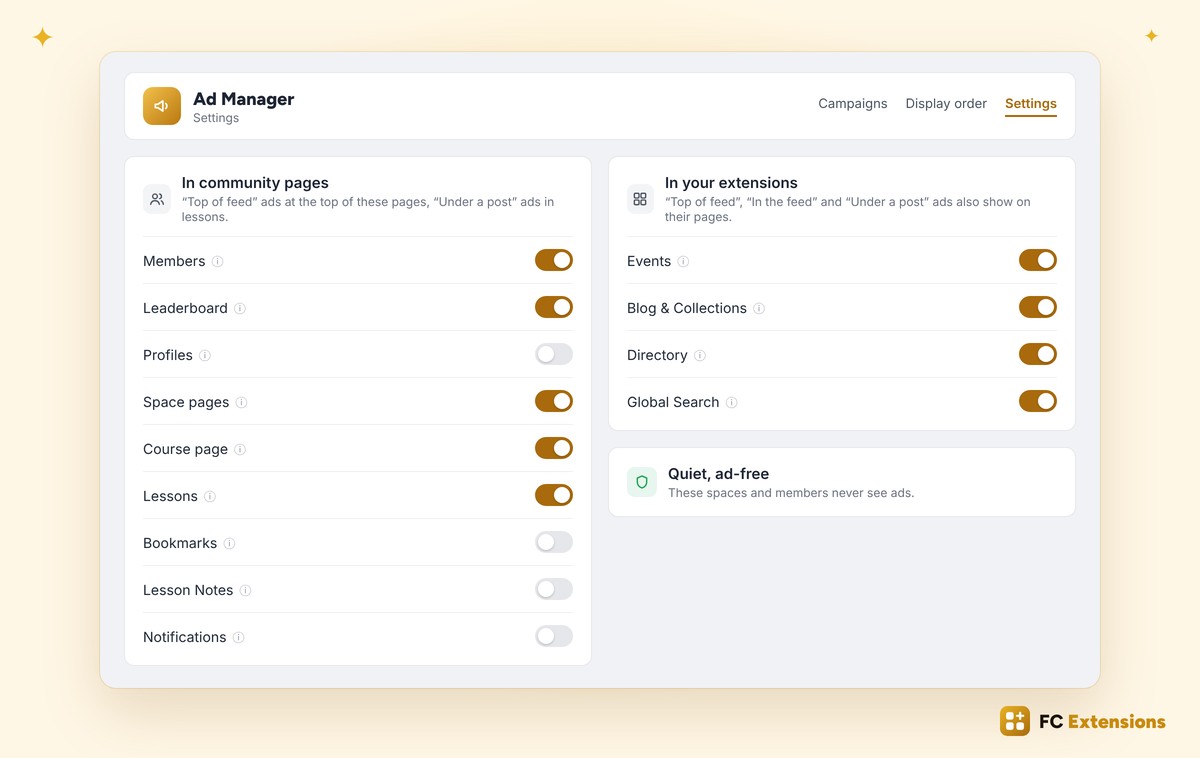
In the Ad Manager Settings, two new sections: “In community pages” and “In your extensions”. One switch per placement. You want the leaderboard but not the profiles? You decide.
Every new page stays off until you switch it on. After the update, nothing changes for your members without your say.
Your “Quiet, ad-free” spaces and members stay that way, on all these new pages too.
The two new placements have their own line in “Where ads can show”: you choose after which paragraph the ad arrives, and how many comments apart.
Nothing to redo on your campaigns
The new placements use the zones you already know: “Top of feed” at the top of pages, “In the feed” in lists, “Under a post” under a lesson, an article, a listing or an event. Your running campaigns show up there on their own, with their views and clicks in your statistics.
For ads in content and between comments, simply add an ad to your campaign and choose the “In content” or “Between comments” placement.
Do you sell your placements with our Ad Sales extension? Sold ads also show on these new pages, according to the placements in their package. And the two new placements sell in your packages, like the others.
A one-click update, ready to use
The update takes one click, from the FC Extensions Extensions screen. It’s quick, and everything is ready to use: nothing extra to install. Switch on your placements, and you’re good to go.
- In FC Extensions, click “Update” on Ad Manager (version 1.16.2), on Ad Sales (1.5.2) if you sell your placements, and on your extensions: Blog & Collections, Directory, Events, Global Search and Gamification.
- Open the Ad Manager Settings.
- Switch on the placements of your choice. Your campaigns show up there right away.
- To go right inside your content, add an “In content” or “Between comments” ad to your campaign.
The details of every version are on the changelog page.
Premium extension
Your ads, wherever your members read
Ad Manager is one of the FC Extensions premium extensions. One update, and every page of your community becomes a placement to offer.
✓ Native Fluent Community
✓ Community pages and your extensions
✓ Right inside your content and discussions
✓ One switch per placement
✓ Your running campaigns, nothing to change
A placement you’d like to see? I’m waiting for you in the community, in the Ad Manager topic.
Frequently asked questions
Will ads show up on their own after the update?
No. Every new page stays off until you switch it on. And in content or between comments, an ad only shows when you add it to your campaign.
Does an ad in the text get in the way of reading?
No. Only one per piece of content, after the paragraph of your choice, with the look of the text and the “Sponsored” label.
Can I keep the banner and add the card in my lists?
Yes. The banner and the card each have their own placement. You switch on one, the other or both, and they never sit right next to each other.
Do ads between comments show in every discussion?
Only in discussions long enough, every few comments, and never in your quiet spaces.
Do I need to recreate my campaigns?
No. Your “Top of feed”, “In the feed” and “Under a post” campaigns show on the new placements you switch on, with nothing to change.
Can I put an ad on the leaderboard but not on profiles?
Yes. Every page has its own switch.
Can a featured listing or event get an ad?
No. Featured Directory listings and featured events keep all the space, no ad shows under them.
Do my ad-free spaces stay quiet?
Yes. “Quiet, ad-free” spaces and members see no ads, on every page.